
GOBOULT Airbass Earbuds
GOBOULT x Mustang Derby Truly Wireless Earbuds User Manual
Model: Airbass Kulaklıklar
1. Giriş
Welcome to the GOBOULT x Mustang Derby Truly Wireless Earbuds user manual. This guide provides essential information for setting up, operating, maintaining, and troubleshooting your new earbuds. Please read this manual thoroughly to ensure optimal performance and longevity of your device.
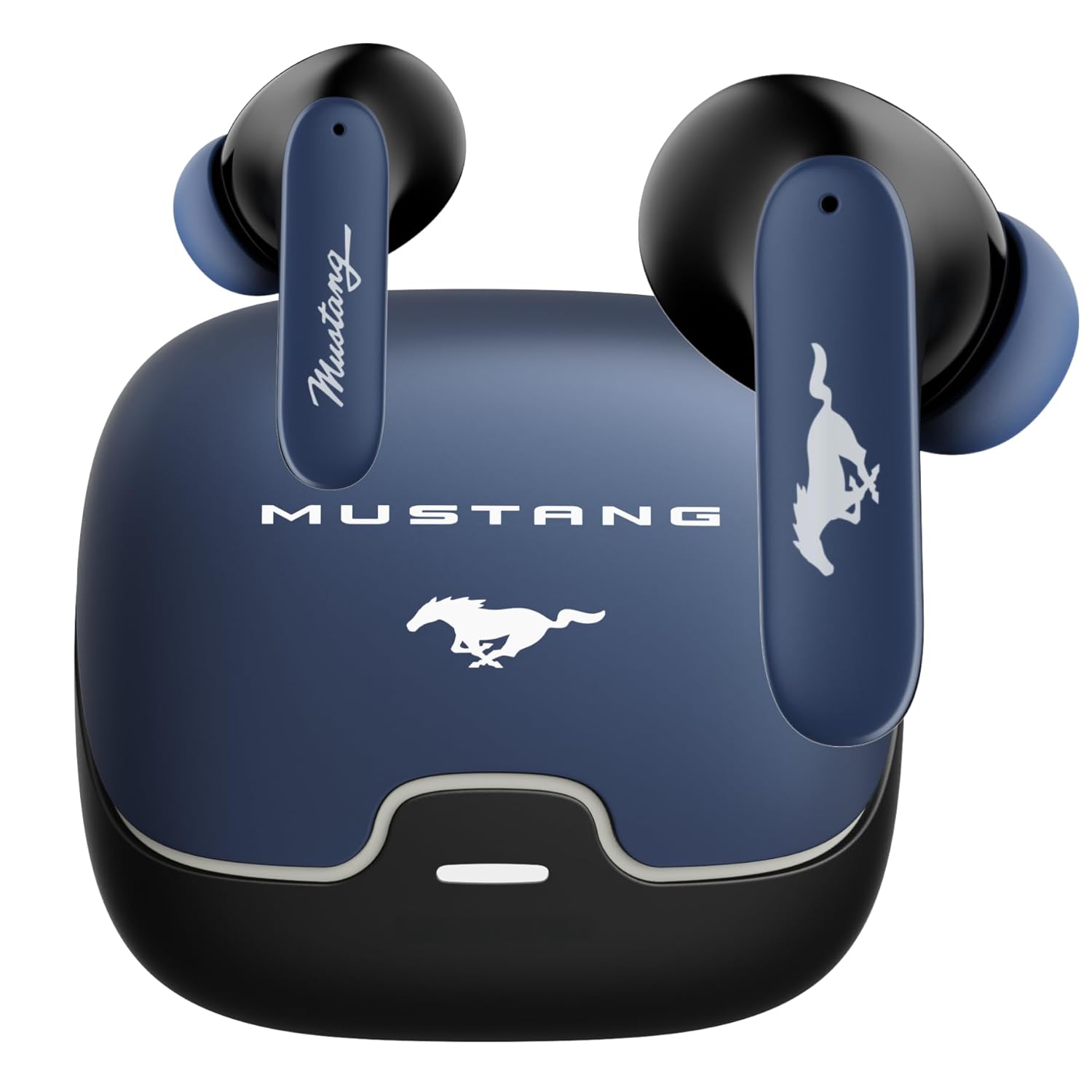
Image: The GOBOULT x Mustang Derby Truly Wireless Earbuds in their charging case.
2. Kutuda Neler Var?
Ürün ambalajınızda aşağıdaki tüm öğelerin bulunduğundan emin olun:
- GOBOULT x Mustang Derby Truly Wireless Earbuds
- Mustang Derby Charging Case
- Type-C Hızlı Şarj Kablosu
- Yedek Kulaklık Uçları (çeşitli boyutlarda)
- Kullanım Kılavuzu (bu belge)
- Garanti Kartı

Image: All components included in the GOBOULT x Mustang Derby Earbuds package.
3. Ürün Bittiview
The GOBOULT x Mustang Derby Earbuds are designed for a premium audio experience, featuring 13mm bass drivers for rich sound and Bluetooth 5.4 for stable connectivity. The earbuds are IPX5 water-resistant, making them suitable for various activities. The charging case and earbuds feature a distinctive Mustang Derby design.

Resim: Ayrıntılı view of the earbud's 13mm massive drivers for enhanced audio.
4. Kurulum
4.1 Kulaklıkları ve Kutuyu Şarj Etme
Before first use, fully charge the earbuds and the charging case. Connect the provided Type-C charging cable to the charging port on the case and a compatible USB power source. The charging time for a full charge is approximately 90 minutes. A fully charged case provides up to 100 hours of total playtime with the earbuds.
4.2 İlk Eşleştirme
- Şarj kutusunu açın. Kulaklıklar otomatik olarak eşleştirme moduna geçecektir.
- Cihazınızda (akıllı telefon, tablet, dizüstü bilgisayar) Bluetooth'u etkinleştirin.
- Arama available Bluetooth devices and select "GOBOULT Mustang Derby" from the list.
- Bağlantı kurulduktan sonra bir onay sesi duyacaksınız.

Image: The earbuds and charging case, illustrating Bluetooth 5.4 connectivity for fast pairing.
4.3 Çift Cihaz Eşleştirme
The earbuds support simultaneous connection to two devices. This allows for seamless switching between audio sources without manual re-pairing.
- Pair the earbuds with your first device as described in section 4.2.
- İlk cihazın Bluetooth ayarlarından kulaklıkları çıkarın.
- Kulaklıkları ikinci cihazınızla eşleştirin.
- Reconnect the earbuds to the first device. The earbuds will now be connected to both devices.
- Audio will automatically switch to the device currently playing sound.

Image: The earbuds and charging case, illustrating the dual-device pairing feature.
4.4 Uygulama Desteği
Enhance your experience by downloading the dedicated GOBOULT app. The app allows you to:
- Çoklu EQ modlarıyla sesinizi kişiselleştirin.
- Kulaklıklarınıza özel hareketler atayın.
- Utilize the Quick Cleanup feature for optimal performance.
- Rename your earbuds and personalize audio settings.

Image: A smartphone displaying the GOBOULT app, highlighting features like EQ modes and custom gestures.
5. Kulaklıkların Çalıştırılması
5.1 Dokunmatik Kontroller
The earbuds feature intuitive touch controls for managing various functions. Specific gestures can be customized via the GOBOULT app.
| Aksiyon | İşlev |
|---|---|
| Tek Dokunuş | Müzik Çal/Duraklat, Çağrıyı Cevapla/Sonlandır |
| Çift Dokunma (Sol Kulaklık) | Önceki Parça |
| Çift Dokunma (Sağ Kulaklık) | Sonraki Parça |
| Triple Tap (Sol Kulaklık) | Sesi Azalt |
| Triple Tap (Sağ Kulaklık) | Sesi Aç |
| Uzun Basma (2 saniye) | Sesli Asistanı Etkinleştir / Aramayı Reddet |
5.2 Çağrı Yönetimi
The earbuds are equipped with 4 Environmental Noise Cancellation (ENC) microphones to ensure clear calls even in noisy environments.
- Aramaları Cevaplama/Bitirme: Her iki kulaklığa da tek dokunuşla ulaşın.
- Çağrıları Reddetme: Kulaklıklardan herhangi birine 2 saniye boyunca uzun basın.

Image: Close-up of an earbud showing the Zen™ Quad Mic ENC technology for crystal clear calling.
5.3 Oyun Modu
Activate the 45ms Low Latency Gaming Mode for a synchronized audio-visual experience during gaming. This mode minimizes audio delay, providing a competitive edge.
- Etkinleştirme: Refer to the GOBOULT app for specific gesture customization or check the user manual for default activation.

Image: The earbuds and charging case, illustrating the Combat™ Gaming Mode with 45ms low latency.
5.4 Sesli Asistan
Access your device's voice assistant (Amazon Alexa, Google Assistant, Siri) by long-pressing either earbud for 2 seconds.
6. Bakım
6.1 Temizlik
Düzenli temizlik, optimum ses kalitesini ve hijyeni korumaya yardımcı olur.
- Kulaklıklarınızı ve şarj kutusunu yumuşak, kuru ve tiftiksiz bir bezle hafifçe silin.
- İnatçı kirler için hafifçeampBezi suyla yıkayın. Sert kimyasallar veya aşındırıcı malzemeler kullanmaktan kaçının.
- Clean the ear tips regularly. They can be removed and rinsed with water, then dried completely before reattaching.
- Her iki kulaklığın ve kutunun şarj temas noktalarının temiz ve kuru olduğundan emin olun.
The earbuds have an IPX5 water resistance rating, meaning they are protected against low-pressure water jets from any direction. However, the charging case is not water-resistant. Do not submerge the earbuds or expose them to strong water streams.

Image: The earbuds and charging case, illustrating IPX5 water resistance.
6.2 Depolama
Kullanılmadığı zamanlarda kulaklıkları tozdan, hasardan korumak ve şarjlı kalmalarını sağlamak için şarj kutusunda saklayın. Şarj kutusunu serin, kuru ve doğrudan güneş ışığından ve aşırı sıcaklıklardan uzak bir yerde muhafaza edin.
7. Sorun Giderme
If you encounter any issues with your GOBOULT x Mustang Derby Earbuds, refer to the following common solutions:
| Sorun | Çözüm |
|---|---|
| Kulaklıklar eşleşmiyor | Ensure earbuds are charged. Turn off and on your device's Bluetooth. Place earbuds back in case, close, then reopen to re-enter pairing mode. |
| Sadece tek kulaklık çalışıyor | Place both earbuds back in the charging case, close the lid, wait a few seconds, then open again. Ensure both earbuds are charged. |
| Düşük ses seviyesi veya zayıf ses kalitesi | Clean the ear tips and speaker mesh. Adjust volume on both your device and the earbuds. Ensure ear tips provide a good seal in your ear canal. |
| Kulaklıklar şarj olmuyor | Ensure the charging cable is securely connected. Check if the charging case has power. Clean the charging contacts on both earbuds and case. |
| Bluetooth bağlantısı kararsız | Ensure you are within the 10-meter Bluetooth range. Avoid obstacles between your device and earbuds. Disconnect and reconnect the earbuds. |
Sorun devam ederse, daha fazla yardım için lütfen Garanti ve Destek bölümüne bakın.
8. Özellikler
| Özellik | Detay |
|---|---|
| Model Adı | Airbass Kulaklıklar |
| Bağlantı Teknolojisi | Bluetooth 5.4, Kablosuz |
| Bluetooth Menzili | 10 Metre |
| Ses Sürücüsü Boyutu | 13 Milimetre |
| Ses Sürücüsü Türü | Dinamik Sürücü |
| Empedans | 32 Ohm |
| Frekans Tepkisi | 20 Hz |
| Hassasiyet | 115 dB |
| Ses Gecikmesi | 45 Milisaniye (Oyun Modu) |
| Gürültü Kontrolü | Passive Noise Cancellation, Environmental Noise Cancellation (ENC) Mics |
| Mikrofon Formatı | Built-In (4 Mics) |
| Pil Ömrü (Toplam) | 100 Saate Kadar (şarj kutusu ile) |
| Şarj Süresi | Yaklaşık. 90 dakika |
| Şarj Portu | Type-C Hızlı Şarj Girişi |
| Su Direnç Seviyesi | IPX5 (Yalnızca Kulaklıklar) |
| Kontrol Türü | Dokunmatik Kontrol, Ses Kontrolü |
| Uyumlu Cihazlar | Android, Cellphones, Desktops, Gaming Consoles, Laptops, Tablets, iPhone |
| Ürün Ağırlığı | 50 Gram |
| Ürün Boyutları | 4.7x8.9x9.6 cm |
| Malzeme | Lastik |
| Menşei ülke | Hindistan |
9. Garanti ve Destek
9.1 Üretici Garantisi
Your GOBOULT x Mustang Derby Truly Wireless Earbuds come with a 1 Yıl Üretici Garantisi Satın alma tarihinden itibaren geçerlidir. Bu garanti, üretim hatalarını kapsar ve ürününüzün normal kullanımda malzeme ve işçilik kusurlarından arınmış olmasını sağlar.
Garanti talepleri için lütfen satın alma belgenizi saklayınız. Garanti, yanlış kullanım, kazalar, yetkisiz değişiklikler veya normal aşınma ve yıpranmadan kaynaklanan hasarları kapsamaz.
9.2 Müşteri Desteği
For technical assistance, warranty claims, or any other inquiries, please contact GOBOULT customer support through their official webLütfen web sitemizi veya garanti kartınızda belirtilen iletişim bilgilerini kullanın.
Ayrıca ziyaret edebilirsiniz GOBOULT Store on Amazon Ek ürün bilgileri ve destek kaynakları için.
Ask a question about this manual
Ask about setup, troubleshooting, compatibility, parts, safety, or missing instructions. Manuals+ will review the question and use this page’s manual context to help answer it.