
1. Giriş
This manual provides instructions for the installation, operation, and maintenance of your Unitek DiskGuard Raiden 2.5" USB-C to SATA III Hard Disk Enclosure. This enclosure is designed to convert a 2.5-inch SATA I/II/III HDD or SSD into an external USB-C storage device, offering convenient data transfer and portability.
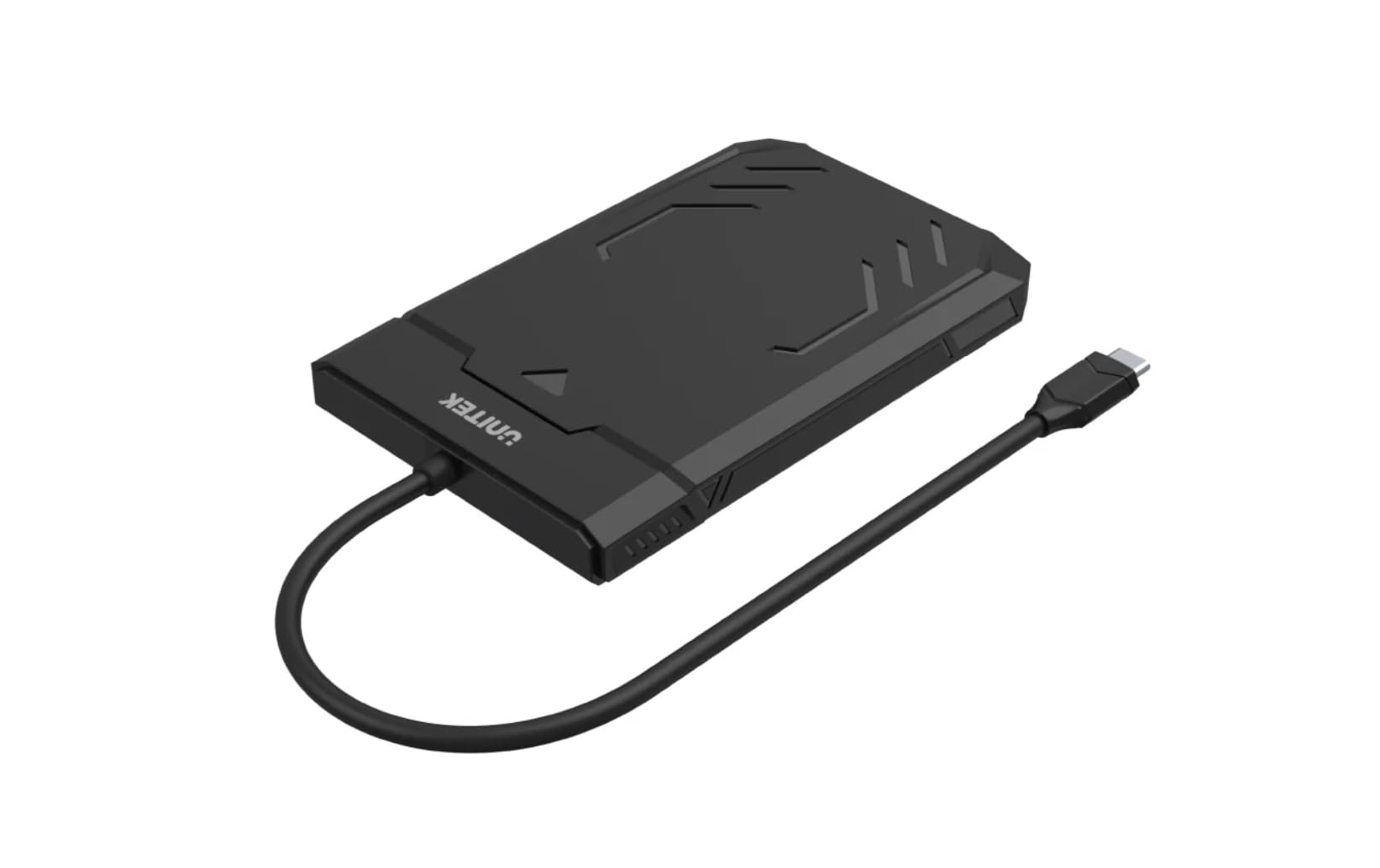
Figure 1: Unitek DiskGuard Raiden 2.5" USB-C to SATA III Hard Disk Enclosure. This image shows the compact, black enclosure with its integrated USB-C cable.
2. Paket İçeriği
Lütfen pakette tüm öğelerin mevcut olduğundan emin olun:
- 1 x Unitek DiskGuard Raiden 2.5" USB-C to SATA III Hard Disk Enclosure
- 1 x Kullanım Kılavuzu
3. Ürün Özellikleri
- Supports most 7mm/9.5mm 2.5-inch SATA I/II/III HDDs and SSDs.
- USB 3.0 specification for data transfer rates up to 5Gbps.
- USB 2.0 ile geriye dönük uyumludur.
- Features a sleep mode function for energy saving during idle periods.
- Tool-free installation for quick and easy setup.
- Supports hot-swap functionality.
- Plug and Play operation, requiring no driver installation.
- Durable ABS housing.
4. Kurulum Talimatları
Follow these steps to install your 2.5-inch SATA HDD or SSD into the enclosure:
4.1 Muhafazanın Açılması
- Gently slide the top cover of the enclosure to open it. The enclosure is designed for tool-free access.

Figure 2: The enclosure features a tool-free design, allowing the top cover to slide open for drive installation.
4.2 Installing the HDD/SSD
- Align your 2.5-inch SATA HDD or SSD with the SATA connector inside the enclosure.
- Gently push the drive into the connector until it is firmly seated. Ensure the drive is flush with the enclosure's internal tray.
4.3 Muhafazanın Kapatılması
- Slide the top cover back into place until it clicks securely.
4.4 Bilgisayara Bağlanma
- Connect the integrated USB-C cable from the enclosure to an available USB-C port on your computer.
- The enclosure is plug-and-play; your operating system should automatically detect the new storage device.
- If this is a new HDD/SSD, it may need to be initialized and formatted before use. Refer to your operating system's documentation for instructions on disk management.
5. Kullanım Talimatları
5.1 Veri Aktarımı
Once connected, the enclosure will appear as an external drive on your computer. You can drag and drop files, copy, paste, and perform other standard file operations as you would with any other storage device. The USB 3.0 interface supports data transfer speeds up to 5Gbps.

Figure 3: The enclosure supports fast data transfer speeds up to 5Gbps, significantly faster than USB 2.0.
5.2 LED Göstergeleri
The enclosure features two LED indicators:
- Yeşil LED Işık: Indicates power status. It will turn on when the enclosure is connected to a power source (via USB-C).
- Mavi LED Işık: Indicates read and write status. It will flash when data is being transferred to or from the drive.

Figure 4: The enclosure's LED lights provide visual feedback on power and data activity. The green light indicates power, and the blue light flashes during data transfer.
5.3 Uyku Modu
The enclosure is equipped with a sleep mode function. If the drive is idle for a period (typically 10-15 minutes, depending on the operating system and drive settings), it will enter sleep mode to conserve energy and extend the life of the drive. The drive will automatically wake up when accessed.
6. Bakım
- Muhafazayı temiz ve tozdan uzak tutun. Temizlik için yumuşak ve kuru bir bez kullanın.
- Kafesi aşırı sıcaklıklara, neme veya doğrudan güneş ışığına maruz bırakmaktan kaçının.
- Do not drop or subject the enclosure to strong impacts.
- Ensure proper ventilation around the enclosure during operation.
- Always safely eject the drive from your operating system before disconnecting the USB-C cable to prevent data corruption.
7. Sorun Giderme
7.1 Sürücü Algılanamadı
- Bağlantıları Kontrol Edin: USB-C kablosunun hem muhafazaya hem de bilgisayarınıza güvenli bir şekilde bağlı olduğundan emin olun.
- Başka Bir USB Bağlantı Noktasını Deneyin: Connect the enclosure to a different USB-C port on your computer.
- Verify Drive Installation: Open the enclosure and ensure the HDD/SSD is correctly seated in the SATA connector.
- Check Drive Status: Yeni sürücüler için, işletim sisteminizin Disk Yönetimi (Windows) veya Disk Yardımcı Programı (macOS) üzerinden başlatılıp biçimlendirildiklerinden emin olun.
- Test with Another Drive/Computer: If possible, test the enclosure with a different 2.5-inch SATA drive or connect it to another computer to isolate the issue.
7.2 Yavaş Veri Aktarım Hızları
- USB 3.0 Bağlantı Noktası: Ensure the enclosure is connected to a USB 3.0 (or higher) port on your computer. Connecting to a USB 2.0 port will limit speeds to USB 2.0 performance.
- Drive Performance: Gerçek aktarım hızı aynı zamanda takılı HDD/SSD'nin hızıyla da sınırlıdır.
- Kablo Kalitesi: While the enclosure has an integrated cable, ensure no other factors are affecting USB performance.
7.3 Enclosure Gets Warm
It is normal for the enclosure to become warm during extended use, especially during heavy data transfer. This is due to heat generated by the internal HDD/SSD. Ensure adequate airflow around the enclosure.
8. Özellikler
| Model Adı | DiskGuard Raiden 2.5" USB-C to SATA III Hard Disk Enclosure |
| Marka | Birlik |
| Donanım Arayüzü | USB4 Type C (Note: Product description states USB3.0, please refer to product packaging for exact USB version.) |
| Uyumlu Sürücüler | 2.5-inch SATA I/II/III HDD & SSD (7mm/9.5mm thickness) |
| Maksimum Bellek Depolama Kapasitesi | 20TB |
| Veri Aktarım Hızı | Saniyede 5 Gigabit'e Kadar (USB 3.0) |
| Muhafaza Malzemesi | ABS Muhafaza |
| Renk | Siyah |
| Desteklenen Cihaz Sayısı | 1 |
| ASIN | B0D4XQVFDM |
| GTIN | 04894160044570 |
Not: Teknik özellikler önceden haber verilmeksizin değiştirilebilir.
9. Garanti ve Destek
Unitek products are covered by a limited warranty. For detailed warranty information, technical support, or customer service, please refer to the official Unitek webLütfen web sitesini ziyaret edin veya yerel satıcınızla iletişime geçin. Garanti talepleri için satın alma belgenizi saklayın.
Daha fazla yardım için lütfen şu adresi ziyaret edin: Unitek Official Store on Amazon


