
giriiş
This manual provides comprehensive instructions for the ARTIX CL750 On-Ear Headphones and Silent Wireless Mouse bundle. It covers setup, operation, maintenance, and troubleshooting to ensure you get the most out of your devices. Designed for productivity and comfort, this bundle is ideal for study, work, and everyday use.
Kutuda Neler Var?
- ARTIX CL750 On-Ear Headphones
- Sessiz Kablosuz Fare
- 3.5mm Audio Cable (for headphones)
- USB Receiver (for wireless mouse)
- Kullanıcı Kılavuzu
Ürün Bittiview
ARTIX CL750 On-Ear Headphones
The ARTIX CL750 headphones are designed for immersive audio with comfort and convenience. They feature 40mm drivers for rich bass and noise-blocking cushions for focused listening. A built-in microphone and inline controls allow for hands-free calls and easy volume adjustment.

Figure 1: ARTIX CL750 Headphones featuring a built-in microphone and inline volume controls on the cable.

Figure 2: The foldable design of the ARTIX CL750 Headphones allows for compact storage and portability.
Sessiz Kablosuz Fare
The Silent Wireless Mouse offers a quiet clicking experience with an ergonomic design for comfortable, extended use. Its advanced optical sensors provide high-precision cursor control, and plug-and-play functionality ensures easy setup.
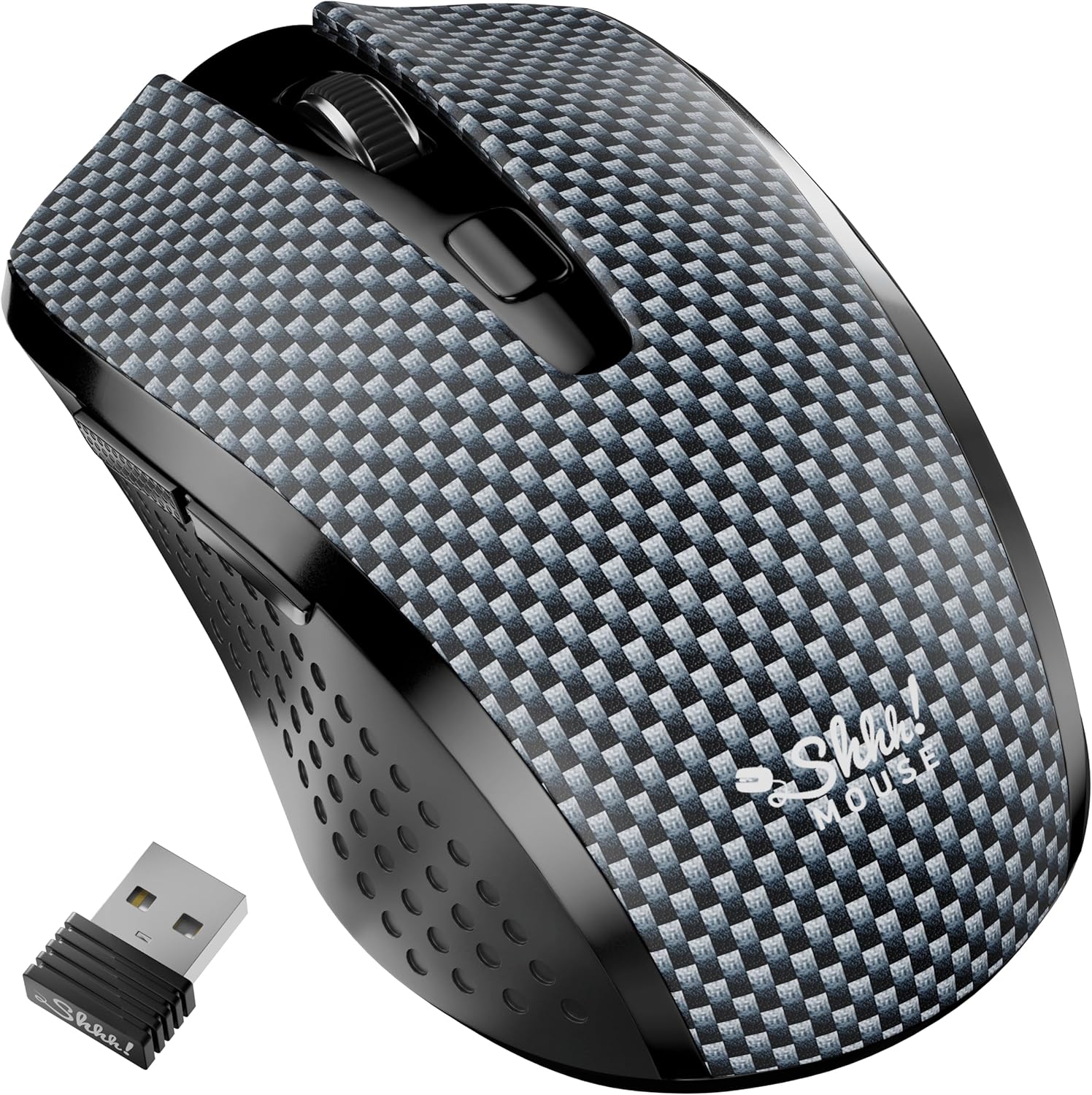
Figure 3: The Silent Wireless Mouse shown with its compact USB receiver for wireless connectivity.

Figure 4: An illustration highlighting the ambidextrous design and multi-function buttons of the Silent Wireless Mouse.
Kurmak
Headphones Setup
- Paketi aç: Remove the ARTIX CL750 headphones from their packaging.
- Bağlamak: Plug the 3.5mm audio jack into the audio port of your laptop, computer, tablet, or smartphone.
- ayarlayın: Extend or retract the headband to achieve a comfortable fit over your ears.
Wireless Mouse Setup
- Pili takın: Open the battery compartment on the underside of the mouse and insert the included AA battery (if not pre-installed).
- USB Alıcısını Bağlayın: USB alıcısını bilgisayarınızdaki veya dizüstü bilgisayarınızdaki kullanılabilir bir USB bağlantı noktasına takın.
- Güç Açık: Turn on the mouse using the power switch located on its underside. The mouse is plug-and-play and should connect automatically.
Kullanım Talimatları
Using the ARTIX CL750 Headphones
- Ses Oynatma: Once connected, audio from your device will play through the headphones.
- Ses Kontrolü: Use the inline controls on the cable to adjust the volume (+ for increase, - for decrease).
- Mikrofon: The built-in microphone allows for hands-free communication during calls or online meetings. Ensure your device's audio settings are configured to use the headphone microphone.
- Çağrı Yönetimi: Use the central button on the inline control to answer/end calls or play/pause music.
Using the Silent Wireless Mouse
- Hareket: Ekrandaki imleci kontrol etmek için fareyi düz bir yüzey üzerinde hareket ettirin.
- Tıklama: The left and right buttons provide silent clicking for a quiet work environment.
- Kaydırma tekerleği: Use the scroll wheel for vertical scrolling.
- DPI Anahtarı: (If applicable) Some models may include a DPI switch to adjust cursor sensitivity. Refer to the mouse's specific markings for this feature.
- Otomatik Uyku Özelliği: The mouse features an auto-sleep mode (e.g., after 13 minutes of inactivity) to conserve battery life. Move the mouse or click a button to wake it up.
Bakım
- Cleaning Headphones: Use a soft, dry cloth to wipe down the ear cushions and headband. Avoid harsh chemicals or abrasive materials.
- Cleaning Mouse: Wipe the mouse surface with a soft, damp cloth. Ensure no liquid enters the internal components.
- Depolamak: When not in use, store the headphones folded in a protective bag to prevent damage. Store the mouse in a dry, cool place.
- Pil Değişimi (Fare): Replace the AA battery when the mouse performance degrades.
Sorun giderme
Headphones Issues
- Ses Yok:
- Ensure the 3.5mm jack is fully inserted into both the headphones and your device.
- Check your device's volume settings and the inline volume control on the headphone cable.
- Cihaza özgü bir sorunu elemek için kulaklıkları başka bir cihazla test edin.
- Mikrofon Çalışmıyor:
- Verify your device's audio input settings are configured to use the external microphone.
- Ensure the microphone is not muted via the inline controls or device settings.
Wireless Mouse Issues
- Fare Yanıt Vermiyor:
- Farenin açık olup olmadığını kontrol edin.
- USB alıcısının çalışan bir USB portuna güvenli bir şekilde takıldığından emin olun. Farklı bir USB portu deneyin.
- AA pili değiştirin.
- If the mouse has an auto-sleep feature, move it or click a button to wake it up.
- Aralıklı Bağlantı:
- Fareyi USB alıcısına yaklaştırın.
- Fareyi çok yansıtıcı veya şeffaf yüzeylerde kullanmaktan kaçının.
Özellikler
| Özellik | Detay |
|---|---|
| Marka | ARTIX |
| Model Adı | CL750 |
| Kulaklık Girişi | 3.5 mm Jak |
| Bağlantı Teknolojisi | Wired (Headphones), Wireless (Mouse) |
| Ses Sürücüsü Boyutu | 40 Millimeters (Headphones) |
| Özel Özellikler | Microphone Included, Noise Isolation (Headphones), Silent Click, Ergonomic Design (Mouse) |
| Uyumlu Cihazlar | Laptops, Computers, Tablets, Smartphones |
| Fare Pil Ömrü | 18 aya kadar |
Garanti ve Destek
For warranty information and customer support, please refer to the official ARTIX webGaranti talepleri için satın alma fişinizi saklayın veya web sitesini ziyaret edin ya da satıcınızla iletişime geçin.
Ürün Videoları
ARTIX CL750 Wired Headphones Product Overview
Bu video, kısa bir özet sunuyorview of the ARTIX CL750 Wired Headphones, showcasintasarımları ve temel özellikleri.
AILIHEN C8 Wired Headphones with Microphone and Volume Control
This video demonstrates the features of AILIHEN C8 Wired Headphones, including the microphone and volume controls, which are similar to the ARTIX CL750 model.