
JOYROOM KR-W09
JOYROOM 2500 mAh Portable Power Bank for Apple Watch
Modeli: JR-W09
giriiş
Thank you for choosing the JOYROOM 2500 mAh Portable Power Bank for Apple Watch. This device is designed to provide convenient and reliable charging for your Apple Watch and other USB-C compatible devices. Please read this manual carefully before use to ensure optimal performance and safety.
Ürün Bittiview
The JOYROOM JR-W09 is a compact and powerful portable charger featuring a 2500 mAh battery, an integrated USB-C cable, and an LED display for real-time battery status. Its magnetic charging module ensures stable and efficient power delivery to your Apple Watch.
Temel Özellikler:
- 2500mAh Kapasite: Provides 3-4 full charges for most Apple Watch models, or 1.5-2 charges for Apple Watch Ultra.
- Manyetik Kablosuz Şarj: Ensures stable and automatic alignment for efficient charging of your Apple Watch.
- Integrated 2-in-1 USB-C Cable: Functions as both an input for charging the power bank and an output for emergency charging of USB-C devices like AirPods Pro or smartphones.
- LED Dijital Ekran: Shows the precise remaining battery percentage, offering more accurate power management than indicator lights.
- Ultra Kompakt ve Taşınabilir: Keychain design for easy attachment to bags, ideal for travel and outdoor activities.
- Geniş Uyumluluk: Supports all Apple Watch Series 1-11, SE, Ultra, and Ultra 2 (38mm, 40mm, 41mm, 42mm, 44mm, 45mm, 49mm).
Paket İçeriği:
- JOYROOM 2500 mAh Portable Power Bank for Apple Watch (JR-W09)
- Entegre USB-C Şarj Kablosu
- Kullanım Kılavuzu (bu belge)
Kurmak
Power Bank'in İlk Şarjı:
- Uncoil the integrated USB-C cable from the power bank.
- Connect the USB-C end of the integrated cable to a compatible USB-C power adapter (not included) or a USB-C port on a computer.
- The LED display will show the charging progress. Charge the power bank until the display shows 100%.
- Once fully charged, disconnect the cable and store it securely in its designated slot on the power bank.

Şekil 1: The integrated USB-C cable and the dual input/output port for charging the power bank or other devices.
Kullanım Talimatları
Apple Watch'unuzu Şarj Etme:
- Place your Apple Watch onto the magnetic charging module of the power bank. The watch will automatically align.
- The power bank will automatically begin charging your Apple Watch. The LED display on the power bank will show its remaining battery percentage, and your Apple Watch screen will indicate charging status.
- Charging time for Apple Watch Series 1-SE is approximately 1.5-2 hours. For Apple Watch Ultra/Ultra 2, it is approximately 2.5-3 hours.
- Once your Apple Watch is fully charged, remove it from the power bank. The power bank will enter standby mode.

Şekil 2: Apple Watch charging on the power bank, showing the LED display.

Şekil 3: Magnetic alignment for stable Apple Watch charging.
Charging Other USB-C Devices (Emergency Use):
- Uncoil the integrated USB-C cable from the power bank.
- Connect the USB-C end of the integrated cable to the charging port of your USB-C compatible device (e.g., smartphone, AirPods Pro).
- The power bank will begin to supply power to your device. Note that this feature is primarily for emergency charging due to the power bank's capacity being optimized for Apple Watch.
- Monitor your device's battery level. Disconnect once sufficient charge is acquired or the power bank is depleted.

Şekil 4: Using the integrated USB-C cable for emergency charging of a smartphone.
Pil Seviyesinin Kontrol Edilmesi:
The LED digital display on the power bank shows the current battery percentage. This display activates automatically when charging begins or when the power bank is connected to a power source.
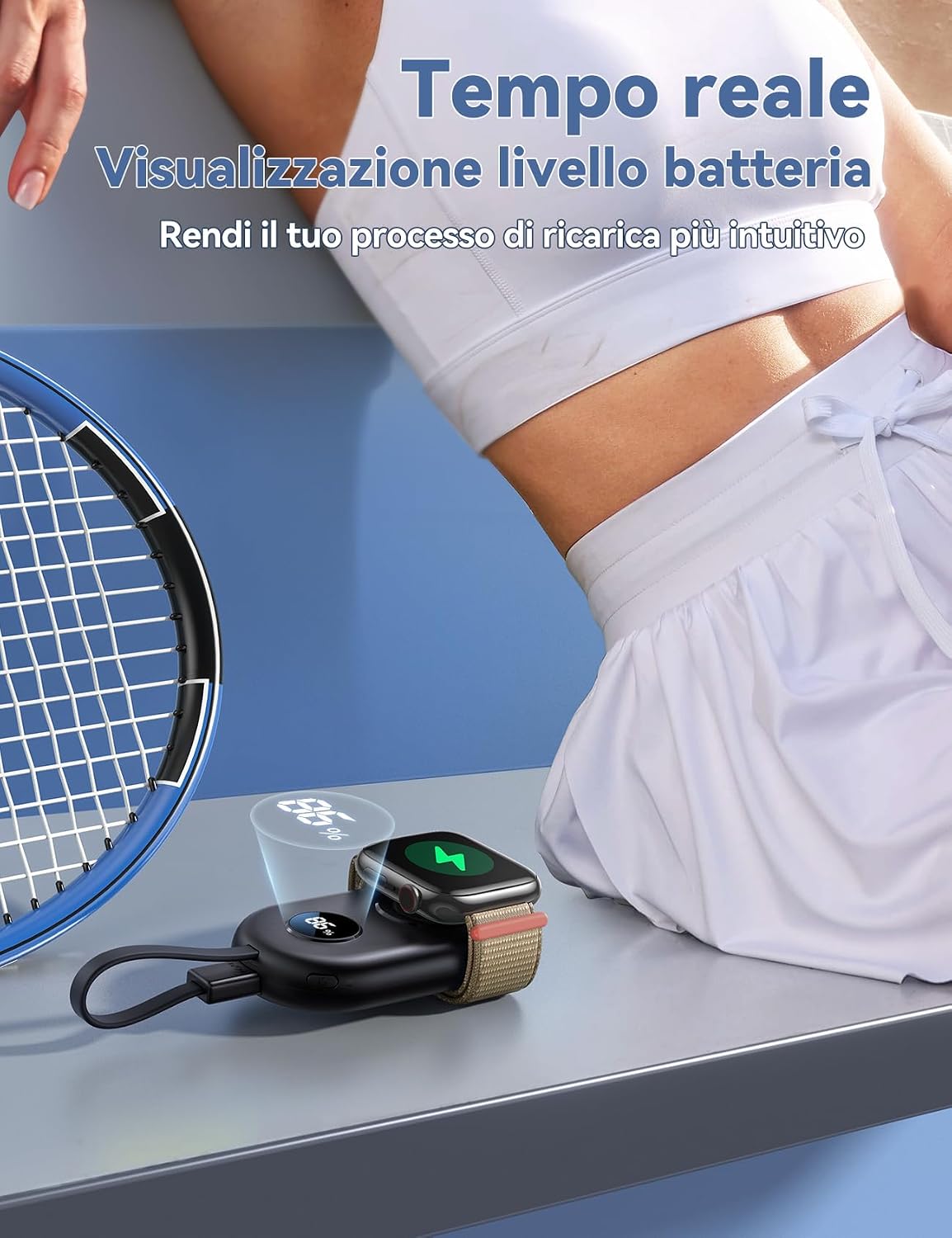
Şekil 5: Real-time battery level display on the power bank.
Bakım
- Powerbank'i kuru ve nemden uzak tutun.
- Aşırı sıcaklıklardan kaçının. Doğrudan güneş ışığına veya çok soğuk ortamlara maruz bırakmayın.
- Cihazı yumuşak ve kuru bir bezle temizleyin. Sert kimyasallar veya aşındırıcı malzemeler kullanmayın.
- Kullanılmadığı zaman güç bankasını serin ve kuru bir yerde saklayın.
- Uzun süre saklanacaksa pil sağlığını korumak için taşınabilir şarj cihazını en az üç ayda bir şarj edin.
- Cihazı kendiniz sökmeye veya onarmaya çalışmayın. Sorun yaşarsanız müşteri desteğiyle iletişime geçin.
Sorun giderme
Power Bank Şarj Olmuyor:
- Ensure the integrated USB-C cable is securely connected to both the power bank and a working power adapter/source.
- Farklı bir USB-C güç adaptörü veya bağlantı noktası deneyin.
- Check if the power bank's USB-C port is free of debris.
Apple Watch Şarj Olmuyor:
- Ensure the Apple Watch is correctly placed and aligned on the magnetic charging module.
- Check if the power bank has sufficient charge (refer to the LED display).
- Remove any thick cases or accessories from your Apple Watch that might interfere with wireless charging.
- Apple Watch'unuzu yeniden başlatıp tekrar deneyin.
Other Devices Not Charging via USB-C Cable:
- Verify that your device is USB-C compatible and the cable is properly connected.
- Ensure the power bank has enough charge.
- Some devices may require more power than the power bank can provide for optimal charging. This feature is for emergency use.
Özellikler
| Model Numarası | JR-W09 |
| Marka | KEYİF ODASI |
| Pil Kapasitesi | 2500 mAh |
| Pil Türü | Lityum İyon |
| Giriş | USB Tip-C |
| Çıkış Akımı | 1 Ampburada |
| Port Sayısı | 3 (1x USB-C In/Out, 1x Integrated USB-C Cable, 1x Wireless Charging Pad) |
| Boyutlar (U x G x Y) | 8.3 cm x 4.9 cm x 1.7 cm |
| Ağırlık | 75 Gram |
| Özel Özellikler | LED Digital Display, Integrated USB-C Cable, Magnetic Wireless Charging |
| Uyumluluk | Apple Watch Series 1-11, SE, Ultra, Ultra 2 (all sizes) |

Şekil 6: Wide compatibility with various Apple Watch models.
Garanti ve Destek
Garanti Bilgileri:
This JOYROOM product is covered by a 1 yıllık garanti from the date of purchase. The warranty covers manufacturing defects and malfunctions under normal use. It does not cover damage caused by misuse, accidents, unauthorized modifications, or natural disasters.
Garanti talepleri için lütfen satın alma belgenizi saklayın.
Müşteri Desteği:
For technical assistance, warranty claims, or any questions regarding your JOYROOM Power Bank, please contact your retailer or visit the official JOYROOM webDestek bilgileri için site.
Ayrıca şuna da başvurabilirsiniz: JOYROOM Mağazası Amazon'da Ek ürün bilgisi ve iletişim seçenekleri için.
Ask a question about this manual
Ask about setup, troubleshooting, compatibility, parts, safety, or missing instructions. Manuals+ will review the question and use this page’s manual context to help answer it.