
giriiş
The Noise Buds Connect 2 are true wireless earbuds designed to provide a high-quality audio experience with advanced features. This manual provides detailed instructions for setting up, operating, maintaining, and troubleshooting your earbuds to ensure optimal performance.
Kutuda Neler Var?
Upon unboxing your Noise Buds Connect 2, you will find the following items:
- 1N Bluetooth Kulaklık (Kulak İçi Kulaklık)
- 1N Şarj Kutusu
- 1N Şarj Kablosu
- 1N Kullanıcı Kılavuzu
- 1N Garanti Kayıt Kartı
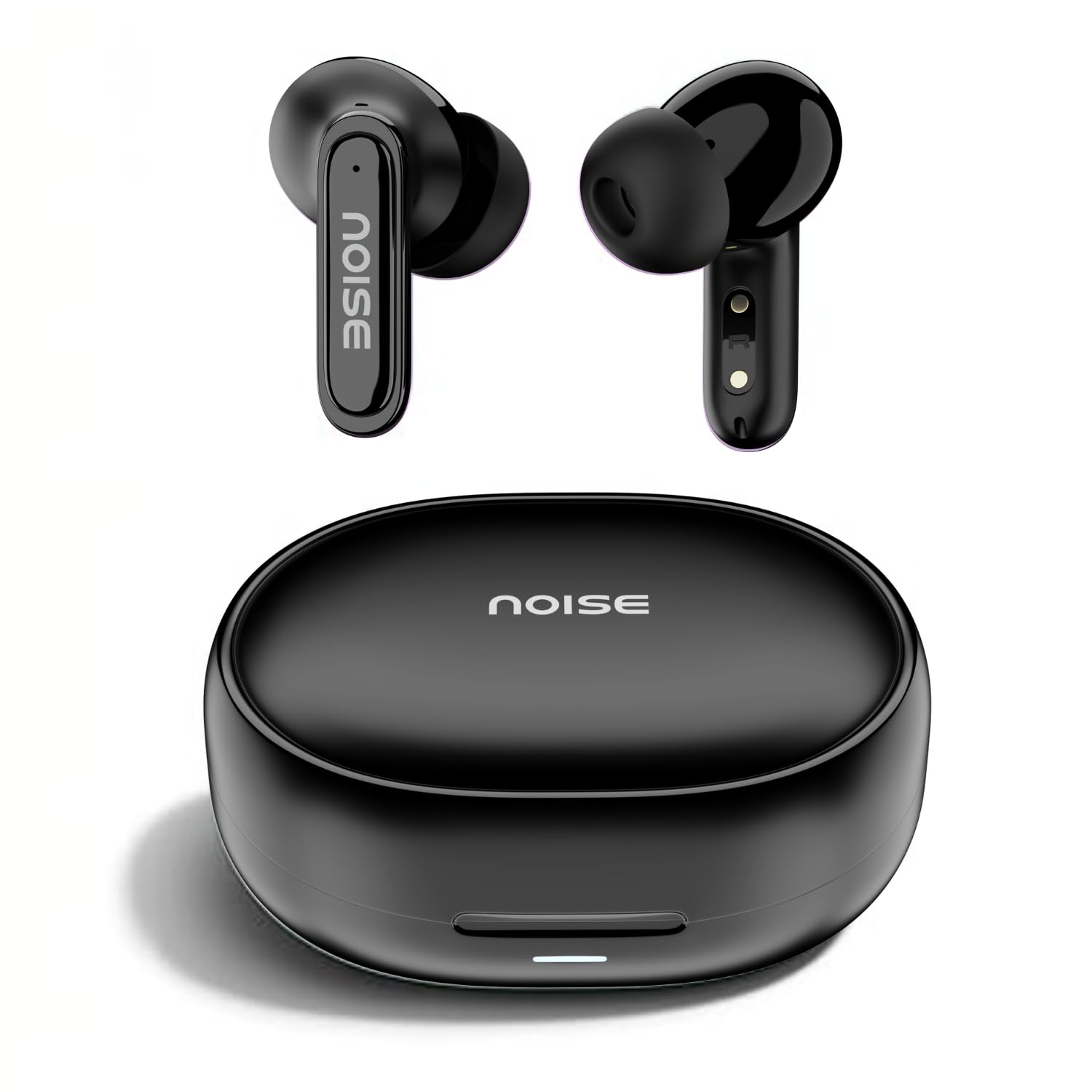
Image: Noise Buds Connect 2 earbuds and their charging case.
Kurmak
1. Kulaklıklarınızı Şarj Etme
Before first use, fully charge the earbuds and the charging case. Connect the provided charging cable to the charging case and a power source. The indicator light on the case will show the charging status.
- Pilin Ortalama Ömrü: 50 saate kadar (şarj kutusu ile)
- Pil Şarj Süresi: Tam şarj için yaklaşık 1.5 saat.
- Instacharge: 10 minutes of charge provides up to 120 minutes of playtime.

Image: Noise Buds Connect 2 earbuds placed inside their charging case.
2. İlk Eşleştirme
- Şarj kutusunu açın. Kulaklıklar otomatik olarak eşleştirme moduna geçecektir.
- Cihazınızda (akıllı telefon, tablet, dizüstü bilgisayar) Bluetooth'u etkinleştirin.
- Arama 'Noise Buds Connect 2' in the list of available Bluetooth devices.
- Select 'Noise Buds Connect 2' to connect. A voice prompt will confirm successful pairing.

Image: Earbuds connected to a device via Bluetooth 5.3, showing music playback.
3. Çift Cihaz Eşleştirme
The Noise Buds Connect 2 support dual device pairing, allowing you to connect to two devices simultaneously and switch between them seamlessly.
- Kulaklıkları yukarıda açıklandığı gibi ilk cihazınızla eşleştirin.
- İlk cihazın Bluetooth ayarlarından kulaklıkları çıkarın.
- Kulaklıkları ikinci cihazınızla eşleştirin.
- Reconnect the earbuds to the first device from its Bluetooth settings. The earbuds are now paired with both devices.

Image: Noise Buds Connect 2 earbuds shown with a smartphone and a laptop, illustrating dual device pairing.
Kullanım Talimatları
Dokunmatik Kontroller
The earbuds feature touch controls for easy management of music and calls. Specific gestures for play/pause, track skipping, volume adjustment, and call handling are typically detailed in the quick start guide included with your product. Refer to that guide for precise touch commands.
Kulak İçi Algılama
The earbuds are equipped with in-ear detection. Music playback will automatically pause when you remove an earbud from your ear and resume when you place it back in.

Image: A person wearing Noise Buds Connect 2, demonstrating the in-ear detection feature.
Özellikler
- Quad Mic with Environmental Noise Cancellation (ENC): Ensures clear voice calls by filtering out ambient noise.
- IPX5 Suya Dayanıklılık: Protects your earbuds from sweat and light splashes, making them suitable for workouts and outdoor activities.
- Low Latency (up to 40ms): Provides a synchronized audio-visual experience, ideal for gaming and video playback.
- Bluetooth v5.3: Offers stable and efficient wireless connectivity with a range of up to 10 meters.
Image: Noise Buds Connect 2 earbuds highlighting the Quad Mic with ENC feature for enhanced call clarity.

Image: Noise Buds Connect 2 showcasing its IPX5 water resistance feature.
Bakım
Temizlik
- Kulaklıklarınızı ve şarj kutusunu yumuşak, kuru ve tiftiksiz bir bezle hafifçe silin.
- Sert kimyasallar, temizleme solventleri veya güçlü deterjanlar kullanmayın.
- Kulaklıkların ve şarj kutusunun şarj temas noktalarını düzenli olarak temizleyerek düzgün şarj olmasını sağlayın.
Depolamak
- Kulakiçi kulaklıkları, kullanılmadığında onları korumak ve şarjlı halde tutmak için şarj kutusunda saklayın.
- Kulaklıkları aşırı sıcaklıklara, neme veya doğrudan güneş ışığına maruz bırakmaktan kaçının.
Sorun giderme
- Kulaklıklar eşleşmiyor: Her iki kulaklığın da şarj kutusunda olduğundan emin olun, ardından eşleştirme modunu başlatmak için kapağı açın. Cihazınızın Bluetooth ayarlarını kontrol edin ve yeniden eşleştirmeyi deneyin.
- Bir kulaklık çalışmıyor: Kulaklıkların ikisini de kutusuna geri koyun, kapağı kapatın, birkaç saniye bekleyin, sonra tekrar açın. Bu genellikle bağlantıyı sıfırlar.
- Şarj sorunları: Clean the charging contacts on both the earbuds and the case. Ensure the charging cable is securely connected and the power source is active.
- Düşük ses seviyesi veya zayıf ses kalitesi: Check the volume on both your device and the earbuds. Ensure the earbuds are properly seated in your ears. Clean any debris from the earbud nozzles.
- In-ear detection not working: Sensörlerin temiz ve engelsiz olduğundan emin olun.
Özellikler
| Özellik | Şartname |
|---|---|
| Marka | Gürültü |
| Model Adı | Buds Connect 2 |
| Model Numarası | AUD-HDPHN-BUDSCONNECT-2-BLK |
| Renk | Kömür Siyahı |
| Kulak Yerleşimi | Kulakta |
| Form Faktörü | Gerçek Kablosuz |
| Gürültü Kontrolü | Çevresel Gürültü Engelleme (ENC) |
| Pilin Ortalama Ömrü | 50 Saat |
| Pil Şarj Süresi | 1.5 Saat |
| Frekans Aralığı | 20 Hz - 20 kHz |
| Ses Sürücüsü Türü | Dinamik Sürücü |
| Ürün Özellikleri | Hızlı Şarj, Hafif, Mikrofon Dahil, Şarj Edilebilir Batarya, Ter Geçirmez |
| Muhafaza Malzemesi | Polikarbonat (PC) |
| Su Direnç Seviyesi | IPX5 Suya Dayanıklı |
| Bluetooth Sürümü | 5.3 |
| Bluetooth Menzili | 10 Metre |
| Kontrol Türü | Medya Kontrolü |
| Kontrol Yöntemi | Dokunmak |
Garanti ve Destek
The Noise Buds Connect 2 come with a 1-year assured warranty from the date of purchase, provided by the manufacturer. For warranty claims, technical support, or further information, please refer to the warranty registration card included in your package or visit the official Noise brand store.
Resmi Marka Mağazası: Noise Store on Amazon.in
Ürün Videosu Bittiview
Kısa bir özet için bu videoyu izleyinview of the Noise Buds Connect 2 features and contents.
Video: Kısa bir ön izlemeview highlighting key features of the Noise Buds Connect 2 earbuds.