
1. Giriş
The vretti BQ1 Bluetooth Label Printer is a compact, portable thermal label printer designed for various labeling needs in home, office, school, and small business environments. It connects wirelessly to your smartphone via Bluetooth, allowing for quick and easy label creation and printing through the dedicated "xeasy label" application.
This printer utilizes thermal printing technology, eliminating the need for ink or toner, which saves on replacement costs and maintenance. It supports label sizes from 25mm to 58mm, offering flexibility for printing address labels, price tags, food labels, clothing tags, barcodes, QR codes, and more.

Image 1.1: The vretti BQ1 Bluetooth Label Printer, highlighting its Bluetooth connectivity and compatibility with iOS and Android devices.
2. Kurulum
2.1 Paket İçeriği
Başlamadan önce, lütfen paketinizde tüm öğelerin eksiksiz olduğundan emin olun:
- 1 x vretti BQ1 Label Printer
- 1 x Kullanım Kılavuzu (bu belge)
- 1 x 50x30mm Label Paper Roll (pre-installed inside the machine)
- 1 x Type-C USB Şarj Kablosu
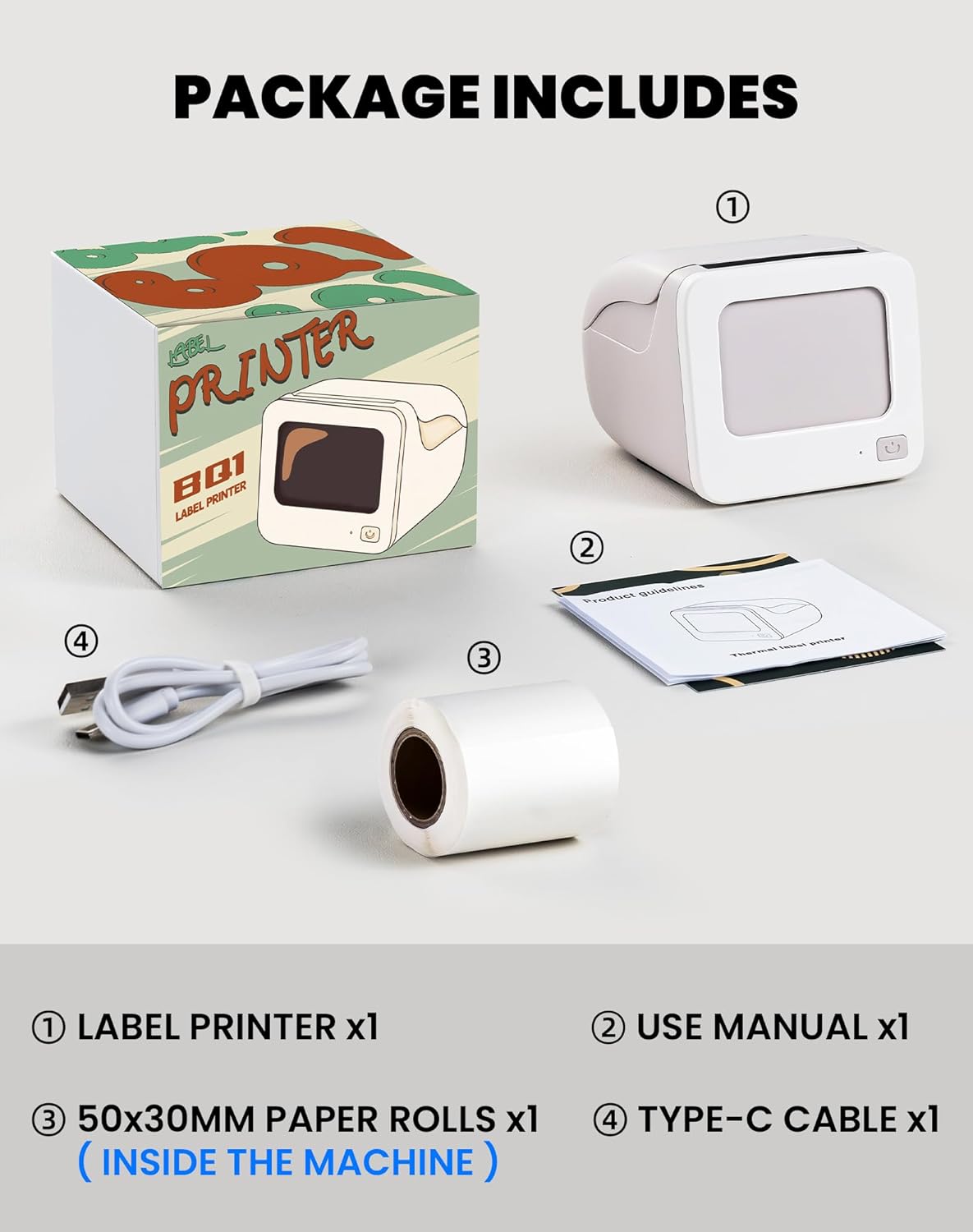
Image 2.1: Visual representation of the items included in the vretti BQ1 label printer package.
2.2 Etiket Kağıdının Yüklenmesi
The printer comes with a label roll pre-installed. If you need to replace or load a new roll:
- Yazıcının kapağını yavaşça açın.
- Insert the new label roll into the compartment, ensuring the labels feed out smoothly. The printable side of the label should face upwards.
- Yazıcı kapağını güvenli bir şekilde kapatın.

Image 2.2: Proper insertion of a label roll into the vretti BQ1 printer, demonstrating the supported label width range.
2.3 Uygulama Kurulumu ve Bluetooth Bağlantısı
To use your vretti BQ1 printer, you need to download and connect it via the "xeasy label" application.
- Uygulamayı indirin: Arama "xeasy label" in your smartphone's app store (Google Play Store for Android or Apple App Store for iOS) and install it.
- Bluetooth'u açın: Akıllı telefonunuzda Bluetooth'un etkinleştirildiğinden emin olun.
- Uygulamayı açın ve bağlanın: Open the "xeasy label" app. The app will guide you to connect to your printer. Select "BQ1" from the list of available devices.
- Güç Açık: Yazıcının üzerindeki güç düğmesine, gösterge ışığı yanana kadar basılı tutun.

Image 2.3: Step-by-step guide for downloading the "xeasy label" app, connecting to the printer via Bluetooth, and preparing to edit a label.
3. Kullanım Talimatları
3.1 Etiket Oluşturma ve Yazdırma
Once connected, the "xeasy label" app provides a user-friendly interface for designing and printing labels.
- Select a Template or Create New: The app offers a variety of pre-designed templates, fonts, icons, and frames. You can choose an existing template or start a new design.
- Customize Your Label: Edit text, add images, barcodes, QR codes, and adjust the layout to fit your needs. The app supports various customization options.
- Önview ve Yazdır: Yazdırmadan önce önview your label to ensure it looks as desired. Then, tap the print button in the app to send the design to your vretti BQ1 printer.
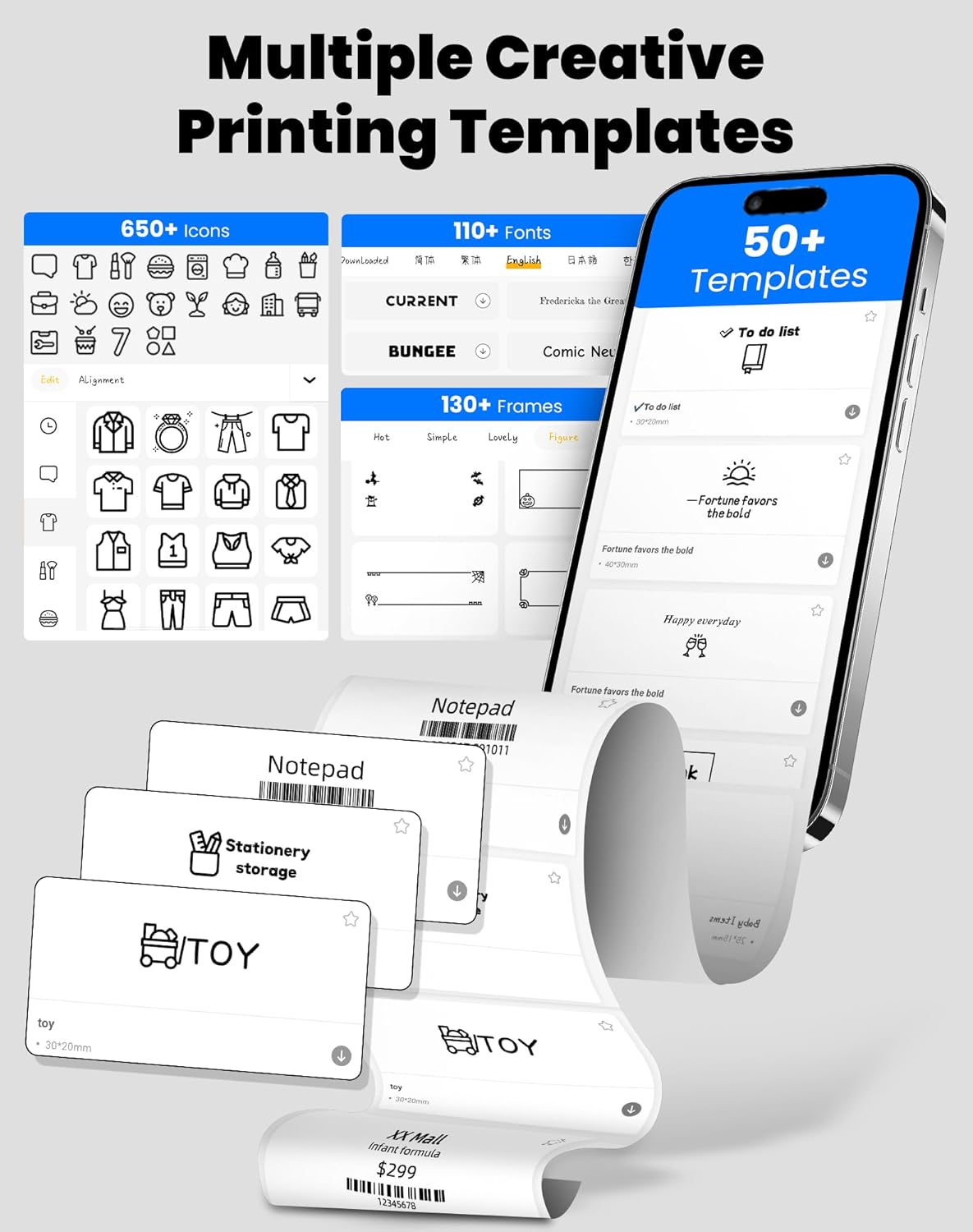
Image 3.1: The "xeasy label" app interface, showcasing a wide range of creative printing templates, icons, and fonts available for label design.

Resim 3.2: Üzeriview of the multi-functional applications within the "xeasy label" app, including support for barcodes, QR codes, images, various borders, font shapes, and hundreds of icons.
3.2 Common Label Applications
The vretti BQ1 printer is versatile and suitable for a wide range of applications:
- Ev Organizasyonu: Label storage bins, pantry items, spice jars, and more.
- Ofis ve Okul: Organize files, label stationery, create name tags, or mark assets.
- Retail & Small Business: Print price tags, product labels, address labels for shipping, and inventory management labels.
- Kişisel Kullanım: Create decorative labels for gifts, DIY projects, or personal items.

Resim 3.3: Örn.amples of the vretti BQ1 printer's versatility, showing labels used for toy classification, light switches, to-do lists, clothing, and gifts.

Image 3.4: Demonstrations of common label types that can be printed, including address labels, price labels, food labels, and customizable DIY labels.
4. Bakım
4.1 Yazıcıyı Temizleme
To ensure optimal performance and print quality, regular cleaning is recommended:
- Dış: Wipe the exterior of the printer with a soft, dry cloth. Avoid using abrasive cleaners or solvents.
- Yazdırma Kafası: If print quality degrades, gently clean the thermal print head with an alcohol swab. Ensure the printer is turned off and cooled down before cleaning.
4.2 Label Roll Storage
Store label rolls in a cool, dry place away from direct sunlight and excessive heat to preserve their adhesive properties and print quality.
5. Sorun Giderme
If you encounter issues with your vretti BQ1 printer, try the following steps:
- Yazıcı Açılmıyor: Ensure the printer is charged. Connect it to a power source using the provided Type-C cable.
- Bluetooth ile Bağlantı Kurulamıyor:
- Akıllı telefonunuzda Bluetooth özelliğinin etkin olduğundan emin olun.
- Ensure the printer is powered on and within range.
- Hem yazıcıyı hem de akıllı telefonunuzu yeniden başlatın.
- Try reconnecting through the "xeasy label" app.
- Kötü Baskı Kalitesi:
- Check if the label roll is inserted correctly and is not damaged.
- Bakım bölümünde açıklandığı gibi termal baskı kafasını temizleyin.
- Ensure the label type is compatible with thermal printing.
- Etiketler Doğru Şekilde Beslenmiyor:
- Verify the label roll is properly seated and not jammed.
- Ensure the printer cover is fully closed.
Video 5.1: Genel bir ürün tanıtımıview video for the vretti BQ1 label printer, demonstrating its features and operation. If the video does not load, please ensure your browser supports HLS streaming.
6. Özellikler
| Marka | virtü |
| Model Adı | BQ1 |
| Bağlantı Teknolojisi | Bluetooth |
| Baskı Teknolojisi | Termal |
| Maksimum Medya Boyutu | 58 mm (supports 25-58mm width) |
| Baskı Çözünürlüğü | 203 dpi (Monochrome) |
| Uyumlu Cihazlar | Akıllı telefon (Android, iOS) |
| Dahil Bileşenler | 1 Label Printer, 1 Label Roll (starter), 1 Type-C Cable |
| Ürün Boyutları | 10.3D x 10.4G x 8Y santimetre |
| Özel Özellik | Elegant TV-like design |
7. Garanti ve Destek
7.1 Garanti Bilgileri
The vretti BQ1 Label Printer typically comes with a bir yıllık garanti Satın alma tarihinden itibaren geçerlidir. Lütfen garanti talepleriniz için satın alma belgenizi saklayın. Garanti, üretim hatalarını kapsar, ancak hatalı kullanım, kaza veya yetkisiz değişikliklerden kaynaklanan hasarları kapsamaz.
7.2 Müşteri Desteği
For further assistance, technical support, or warranty inquiries, please refer to the official vretti website or contact their customer service through the contact information provided on their official channels. Ensure you have your product model number (BQ1) and purchase details ready when contacting support.