
1. Giriş
This manual provides detailed instructions for the safe and efficient use of your RoboRock S8 MaxV Ultra robot vacuum cleaner. Please read this manual thoroughly before operating the device and retain it for future reference. This device is designed to provide automated cleaning for various floor types.
2. Ürün Özellikleri
- PreciSense LiDAR Navigation & Reactive AI 2.0 Camera System: For precise mapping and obstacle avoidance.
- Yüksek Emiş Gücü: Up to 10,000 Pa for effective dirt and debris removal, with intelligent dirt detection.
- Otomatik Paspas Kaldırma: Mop lifts automatically up to 20 mm to avoid wetting carpets.
- Auto-Drying: Mop auto-drying at 60 °C to prevent odors and mildew.
- Uzatılmış Çalışma Süresi: Tek şarjla 180 dakikaya kadar temizlik.
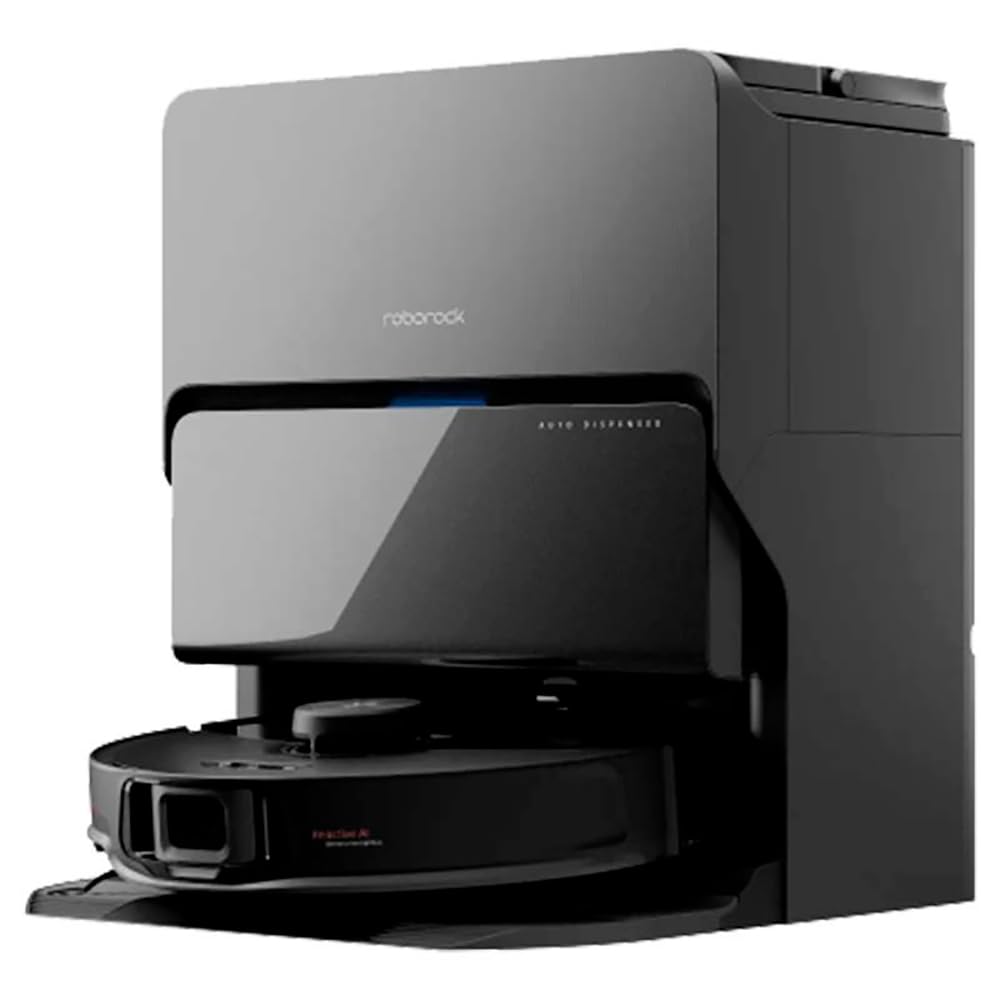
- Self-Cleaning Station: Automated mop washing and dustbin emptying.
- Otomatik Dağıtıcı: For cleaning solution, ensuring optimal mopping performance.
3. Kurulum
Before first use, ensure all packaging materials are removed from the robot and the docking station. Place the docking station on a hard, flat surface against a wall, ensuring adequate space around it for the robot to maneuver.
- Paketi aç: Robot süpürgeyi ve tüm aksesuarlarını ambalajından dikkatlice çıkarın.
- Bağlantı İstasyonunu konumlandırın: Connect the power cable to the docking station and plug it into a power outlet. Ensure there are no obstacles within 0.5 meters to either side and 1.5 meters in front of the station.
- Robotu Şarj Et: Place the robot onto the docking station. The robot will automatically power on and begin charging. Fully charge the robot before its first cleaning cycle (approximately 3 hours).
- Uygulamayı yükle: Download the RoboRock app from your mobile device's app store. Follow the in-app instructions to connect your robot to your home Wi-Fi network and complete the initial setup, including mapping your home.
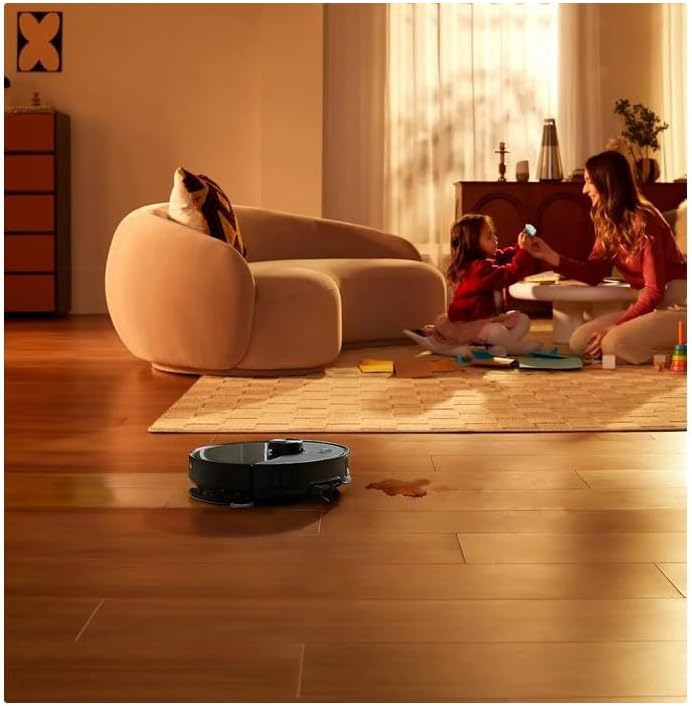
Şekil 3.1: The RoboRock S8 MaxV Ultra positioned in a home environment, ready for operation.
4. Kullanım Talimatları
The RoboRock S8 MaxV Ultra can be operated via the physical buttons on the robot or through the RoboRock mobile application.
4.1 Temizleme Döngüsünü Başlatma
- Robot aracılığıyla: Press the Power button once to start a general cleaning cycle. The robot will automatically return to the docking station when cleaning is complete or when the battery is low.
- Uygulama aracılığıyla: Open the RoboRock app, select your robot, and tap 'Clean'. You can customize cleaning modes, select specific rooms, or set no-go zones.
4.2 Temizliğe Duraklatma/Devam Ettirme
- Robot aracılığıyla: Press the Power button once during a cleaning cycle to pause. Press again to resume.
- Uygulama aracılığıyla: Use the 'Pause' and 'Resume' options in the app.
4.3 Nokta Temizliği
For concentrated cleaning of a specific area, such as a spill, manually place the robot near the area and select the spot cleaning function via the app. The robot will clean a small area around its current position.
Şekil 4.1: The RoboRock S8 MaxV Ultra actively cleaning a liquid spill on a hard floor surface, demonstrating its spot cleaning capability.
4.4 Planlama
Use the RoboRock app to set up cleaning schedules for automated cleaning at preferred times and days.
5. Bakım
Regular maintenance ensures optimal performance and extends the lifespan of your RoboRock S8 MaxV Ultra.
5.1 Toz Haznesi ve Filtre
- Boşaltma: The self-cleaning station automatically empties the dustbin. However, periodically check the dustbin and empty it manually if needed.
- Temizleme Filtresi: The HEPA filter should be cleaned regularly (e.g., weekly) by tapping it against a trash can to remove dust. Replace the filter every 3-6 months, or as indicated by the app.
5.2 Ana Fırça ve Yan Fırça
- Ana Fırça: Ana fırça kapağını çıkarın ve fırçayı dışarı kaldırın. Dolaşmış saçları ve kalıntıları temizlemek için temizleme aletini kullanın. Fırça yataklarını temizleyin.
- Yan Fırça: Unscrew and remove the side brush. Clean any hair or debris wrapped around it. Reattach securely.
5.3 Sensörler ve Şarj Kontakları
- Wipe all sensors (cliff sensors, wall sensor, bumper sensor) and charging contacts on both the robot and the docking station with a clean, dry cloth.
5.4 Paspas Pedi ve Su Tankı
- Paspas Pedi: Remove and wash the mop pad after each mopping session. Replace worn-out mop pads.
- Su Tankı: Refill the water tank with clean water as needed. Use only recommended cleaning solutions if applicable.
6. Sorun Giderme
If you encounter issues with your RoboRock S8 MaxV Ultra, refer to the following common problems and solutions:
| Sorun | Olası Neden | Çözüm |
|---|---|---|
| Robot açılmıyor. | Düşük pil; Güç düğmesine doğru basılmamış | Robotu şarj istasyonuna yerleştirin; Güç düğmesini 3 saniye basılı tutun. |
| Robot şarj edilemiyor | Charging contacts dirty; Docking station not powered | Clean charging contacts; Ensure docking station is plugged in |
| Robot sık sık takılıyor | Engeller; Uçurum sensörleri kirli | Clear obstacles from cleaning path; Clean cliff sensors |
| Kötü temizleme performansı | Çöp kutusu dolu; Fırçalar birbirine dolanmış; Filtre tıkalı | Çöp haznesini boşaltın; Ana/yan fırçaları temizleyin; Filtreyi temizleyin/değiştirin |
| Paspas, zemini ıslatmaz. | Water tank empty; Mop pad dry | Refill water tank; Moisten mop pad before use |
For more complex issues or error messages, consult the RoboRock app for specific guidance or contact customer support.
7. Özellikler
| Marka | robo kaya |
| Model Numarası | S8MVU52-00 |
| Renk | Siyah |
| Ürün Boyutları (U x G x Y) | 1 x 1 x 1 cm (Robot); 18.3 kg (Total weight with station) |
| Kapasite | 300 Pounds (Likely refers to packaging capacity, not device capacity) |
| Güç | 74 Watt |
| Cilttage | 24 Volt |
| Otomatik Durdurma Fonksiyonu | Evet |
| Gürültü Seviyesi | 70 Desibel |
| Pil Ömrü (Otonomi) | 3 saat (180 dakika) |
| Özel Özellikler | Self-cleaning station, automatic dispenser for cleaning solution |
| Ürün Ağırlığı | 18.3 Kilogram |
| Filtre Türü | Cartridge, cloth, foam, HEPA filter |
| Yüzey Önerisi | Hard floor, carpet |
| Güç Kaynağı | Pil ile çalışır |
| Dahil Bileşenler | Brush, Crevice tool (Suceur plat) |
| Kablosuz? | No (Refers to wired connection for charging station) |
| Pil Türü | 1 Lityum iyon (dahil) |
8. Garanti ve Destek
For warranty information, please refer to the documentation provided with your purchase or contact RoboRock customer support directly. The product comes with a 30-day refund/replacement return policy from the seller.
- Yedek Parça Bulunabilirliği: Yedek parçaların bulunabilirliğine ilişkin bilgi şu anda mevcut değil.
- Müşteri Desteği: For technical assistance, troubleshooting beyond this manual, or warranty claims, please visit the official RoboRock websitesine gidin veya müşteri hizmetleriyle iletişime geçin.