
giriiş
This manual provides detailed instructions for the setup, operation, and maintenance of your TONGVEO 12x Zoom Conference Room Video Camera System. This system combines a high-definition PTZ camera with an AI auto-tracking feature and a Bluetooth conference speakerphone, designed for effective video and audio conferencing in medium to large rooms.
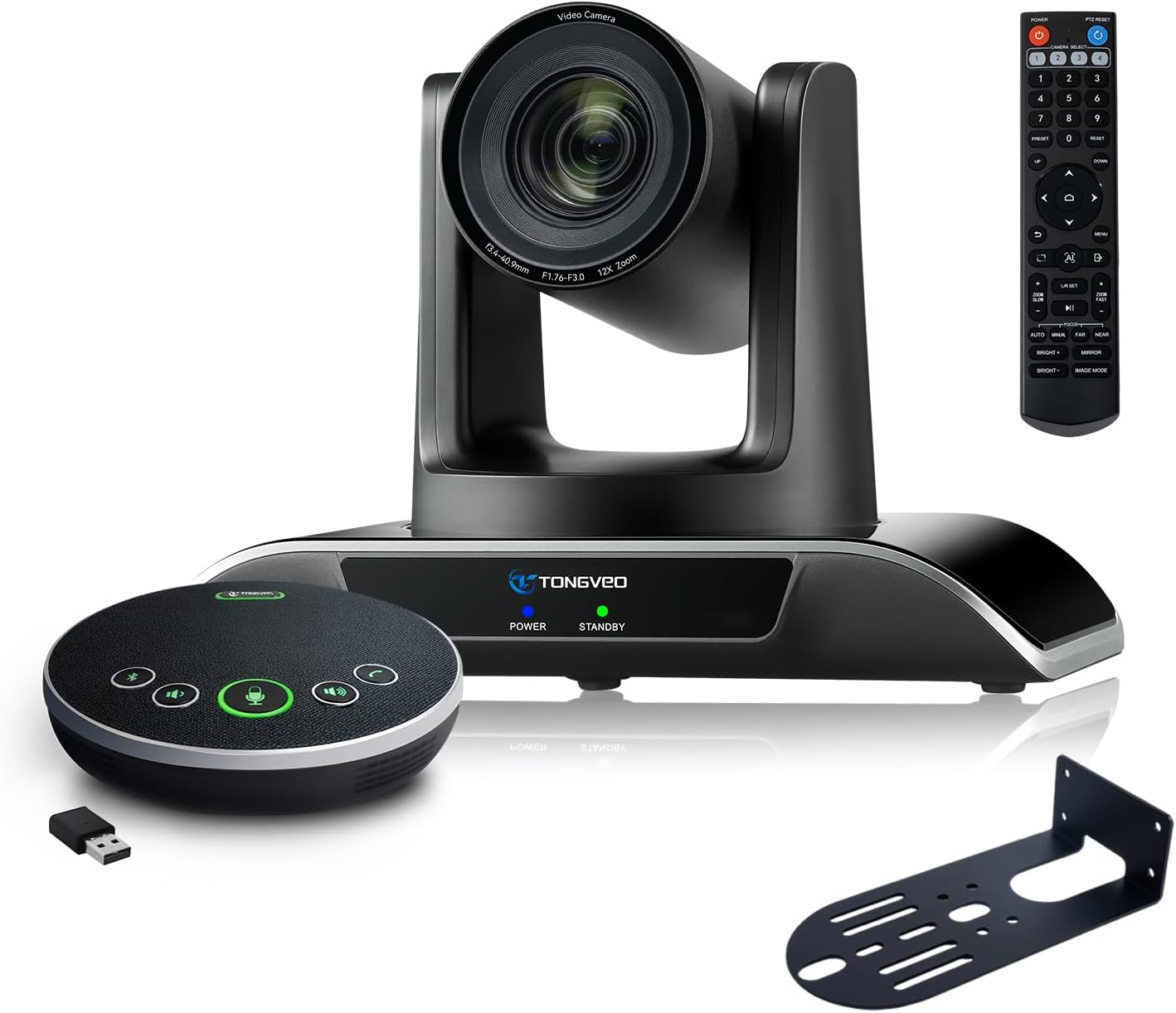
Figure 1: TONGVEO 12x Zoom Conference Room Video Camera System
Kutuda Neler Var?
Paketin içinde tüm öğelerin mevcut olduğundan emin olun:
- 1 * DC 12V/2A power adaptor
- 1 * IR uzaktan kumanda
- 1 * 9.8ft USB 3.0 cable
- 1 * wall mount with screws
- 1 * PTZ Camera manual
- 1 * Speakerphone
- 1 * 4.9ft USB 2.0 cable
- 1 * Dongle
Ürün Bittiview
The TONGVEO conference system integrates a high-performance PTZ camera and a versatile Bluetooth speakerphone to provide a complete conferencing solution.
Kamera Özellikleri
- 12x Optik Yakınlaştırma: Provides clear visuals even from a distance.
- HD 1080P 60fps: Delivers crisp and smooth video quality.
- AI Auto-Tracking: Automatically detects and tracks speakers with humanoid and face recognition.
- PTZ İşlevselliği: Pan (350°), Tilt (180°), and Zoom control via IR remote.
- 75° Geniş Açılı Görüş Alanı: Geniş bir yelpazeyi kapsar. view of the conference room.
- Çoklu Çıktılar: USB 3.0 and HDMI for simultaneous video output.

Figure 2: AI Tracking PTZ Camera and Conference Speaker Combination
Speakerphone Features
- Full-Duplex Microphones: Array with echo cancellation for clear audio.
- 16.4ft (5M) Voice Pickup: Ensures all participants are heard.
- Çoklu Bağlantı Modları: USB, Bluetooth 5.0, and Wireless Dongle.
- Dahili Pil: 2400mAh for 6-8 hours of continuous operation.
- Eller Serbest Tasarım: Integrated microphone and speaker for convenience.
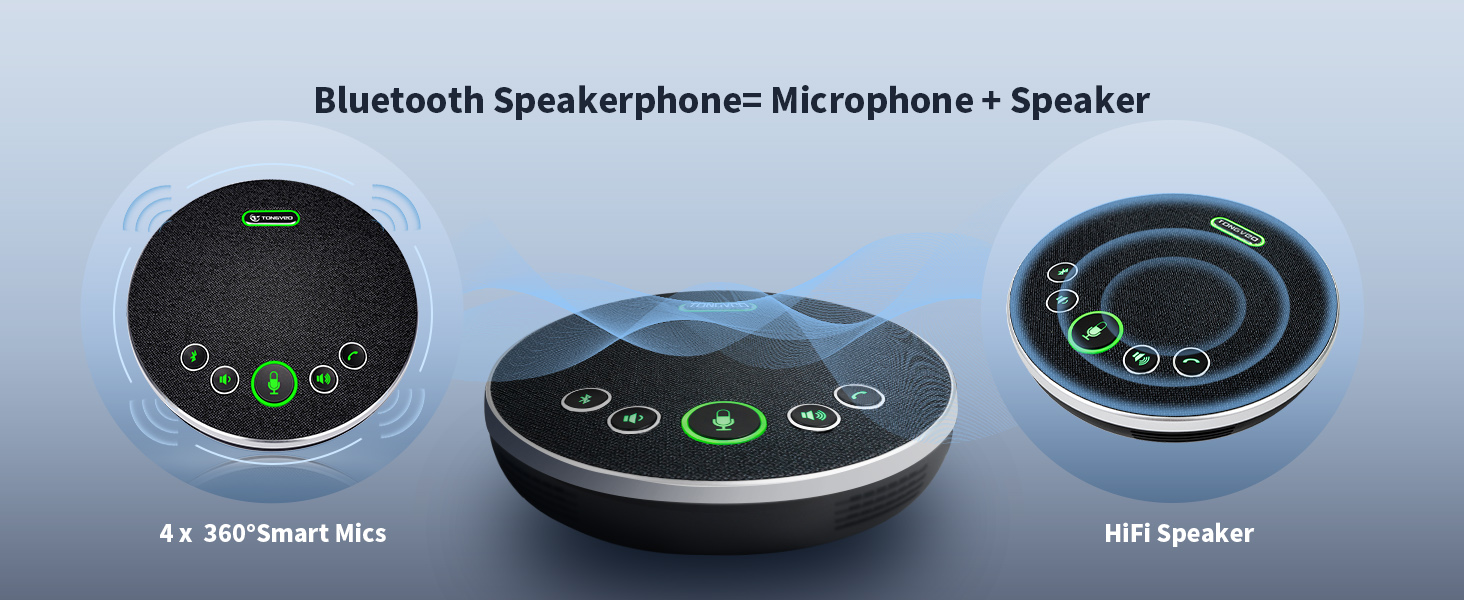
Figure 3: Bluetooth Speakerphone
Kurmak
1. Kamera Kurulumu
The camera offers multiple installation options:
- Masa Montajı: Kamerayı düz bir yüzeye yerleştirin.
- Duvar montajı: Use the provided wall mount and screws to secure the camera to a wall.
- Tripod Dağı: Attach the camera to a standard tripod.
- Tavan montalama: Secure the camera to the ceiling using appropriate mounting hardware (not included, but compatible).
2. Kamerayı Bağlama
- Connect the DC 12V/2A power adaptor to the camera's power input and plug it into an electrical outlet.
- For video output to a computer, connect the 9.8ft USB 3.0 cable from the camera's USB 3.0 port to your laptop or desktop PC.
- For video output to a display (e.g., Smart TV), connect an HDMI cable (not included) from the camera's HDMI port to the display.

Figure 4: Camera Interface Connection Options
3. Connecting the Speakerphone
The speakerphone offers flexible connection options:
- USB Bağlantısı: Connect the 4.9ft USB 2.0 cable from the speakerphone to your computer. This provides both power and audio/microphone functionality.
- Bluetooth Bağlantısı: Power on the speakerphone and pair it with your Bluetooth-enabled device (e.g., laptop, smartphone).
- Kablosuz Donanım Kilidi: Insert the provided USB dongle into your computer. The speakerphone will automatically connect wirelessly.
No drivers are typically required for any of these connections, ensuring a plug-and-play experience.
Kullanım Talimatları
1. Camera Control with IR Remote
Use the included IR remote control to manage camera functions:
- Yatay/Dikey Hareket: Use the directional arrows to move the camera horizontally (350°) and vertically (180°).
- Yakınlaştır: Use the 'Zoom In' and 'Zoom Out' buttons for 12x optical zoom.
- AI Auto-Tracking: Activate or deactivate AI tracking for automatic speaker framing.
- Ön ayarlar: Store and recall up to 10 preset camera positions for quick adjustments.
- Menü: Access camera settings and configurations.

Şekil 5: Kızılötesi Uzaktan Kumanda Fonksiyonları
2. Speakerphone Operation
The speakerphone features intuitive controls:
- Ses Kontrolü: Adjust audio output using dedicated volume buttons.
- Mikrofonun Sesini Kapatma: Mute or unmute the microphone during a call.
- Cevapla / Kapat: Çağrıları doğrudan hoparlörden yönetin.
- Bluetooth Düğmesi: Bluetooth eşleştirmesini başlatın.
3. Yazılım Uyumluluğu
The system is compatible with most video conferencing software, including:
- Yakınlaştır
- YouTube
- Microsoft Ekipleri
- FaceTime
- Oyalanmak
- OBS
It supports Windows 7, 8, 10, 11, and Mac OS 10.10 or higher.

Figure 6: Universal Software Compatibility
Bakım
To ensure optimal performance and longevity of your TONGVEO Conference Room Video Camera System, follow these maintenance guidelines:
- Temizlik: Kamera merceği ve hoparlör yüzeylerini temizlemek için yumuşak, kuru bir bez kullanın. Aşındırıcı temizleyicilerden veya çözücülerden kaçının.
- Depolamak: Uzun süre kullanılmadığı zamanlarda sistemi serin, kuru bir yerde, doğrudan güneş ışığından ve aşırı sıcaklıklardan uzakta saklayın.
- Kablo yönetimi: Ensure all cables are neatly organized and not kinked or strained to prevent damage.
Sorun giderme
Sisteminizde sorun yaşarsanız, aşağıdaki yaygın sorun giderme adımlarına bakın:
- Video Çıkışı Yok: Ensure the camera is powered on and connected correctly via USB 3.0 or HDMI. Check your computer's device manager or conferencing software settings to confirm the camera is recognized.
- Ses/Mikrofon Yok: Verify the speakerphone is powered on and connected via USB, Bluetooth, or dongle. Check volume levels on both the speakerphone and your computer. Ensure the microphone is not muted.
- AI Auto-Tracking Not Working: Confirm the AI tracking feature is enabled via the remote control. Ensure there are no obstructions blocking the camera's view konuşmacının.
- Uzaktan Kumanda Sorunları: Check the remote control batteries. Ensure there is a clear line of sight between the remote and the camera/speakerphone.
- Bağlantı Kesintisi: For wireless connections, ensure the speakerphone is within range of the Bluetooth device or dongle. For wired connections, check cable integrity.
If problems persist, consult the detailed user manual or contact technical support.
Özellikler
| Özellik | Şartname |
|---|---|
| Paket Boyutları | 12 x 10.5 x 8.5 inç |
| Ürün Ağırlığı | 6.54 pound |
| Ürün Model Numarası | 3ece374c-d69c-4702-8d41-e0e82085d2bf |
| Piller | 1 Lityum İyon pil gereklidir (dahil) |
| Fotoğraf Sensörü Teknolojisi | CMOS |
| Video Yakalama Çözünürlüğü | 1080p |
| Maksimum Odak Uzaklığı | 105 |
| Maksimum Diyafram | 28 Milimetre |
| Flash Bellek Türü | SD |
| Video Yakalama Formatı | MPEG |
| Desteklenen Ses Biçimi | PCM, OPUS |
| Ekran Boyutu | 2.1 Santimetre |
| Bağlantı Teknolojisi | Bluetooth, HDMI, USB |
Garanti ve Destek
This TONGVEO Conference Room Video Camera System is provided with technical support. Any questions or concerns will be answered within 24 hours. Please refer to your purchase documentation for specific warranty details.