
1. Giriş
The Mastech MS5908C Circuit Analyzer is a professional instrument designed for comprehensive electrical circuit analysis. It is capable of measuring AC voltage, performing RCD (Residual Current Device) and GFCI (Ground Fault Circuit Interrupter) tests, and analyzing circuit impedance. This device is suitable for use in environments with 220V AC input voltage and features an EU plug for the European market. It provides accurate readings for phase voltage, nötr tel hacmitage, cilttage to earth, frequency, and conductor impedance for live, neutral, and earth wires.
Temel özellikler şunlardır:
- True RMS (TRMS) AC Voltage ölçümü.
- Artificial load testing (5A, 8A, 10A) for wire drop measurement.
- Measurement of phase voltage, nötr tel hacmitage, cilttage'den dünyaya ve frekansa.
- Measurement of phase (live wire), neutral wire, and earth wire conductor impedance.
- Pil ömrünü korumak için otomatik kapanma.
- Data hold function for convenient reading.
- Low battery display indicator.
2. Güvenlik Bilgileri
Before operating the Mastech MS5908C Circuit Analyzer, please read and understand all safety instructions. Failure to follow these instructions may result in electric shock, fire, or serious injury.
- Kullanmadan önce cihazın iyi çalışma koşullarında olduğundan emin olun.
- Cihaz hasarlı görünüyorsa veya yalıtımı bozulmuşsa kullanmayın.
- Never attempt to measure voltagBelirtilen maksimum değerleri aşan akımlar veya yükler.
- Always disconnect the device from the circuit before opening the battery compartment.
- Use caution when working with live electrical circuits.
- This device is rated for CAT III 300V and Pollution Degree 2 environments. Adhere to these ratings.
- Cihazı kuru ve temiz tutun.
3. Ürün Bittiview
The Mastech MS5908C Circuit Analyzer features a robust design with an LCD display and intuitive controls for various electrical measurements.

Şekil 3.1: Ön view of the Mastech MS5908C Circuit Analyzer, showing the LCD screen and control buttons.
The device includes a clear LCD display for readings and indicators, along with several function buttons:
- Güç Düğmesi: Cihazı açmak veya kapatmak için.
- FUNC Düğmesi: To cycle through different measurement functions.
- TUTMA Düğmesi: To freeze the current reading on the display.
- Arka Işık Düğmesi: To activate or deactivate the display backlight.
- TEST Düğmesi: To initiate specific tests, such as RCD/GFCI tests.
- Yukarı/Aşağı Ok Tuşları: For navigation or adjusting settings.

Figure 3.2: Dimensional drawing of the Mastech MS5908C Circuit Analyzer, showing its physical measurements.
4. Kurulum
4.1 Pil Kurulumu
The Mastech MS5908C requires 6 AAA batteries for operation. These batteries are included with the device.
- Cihazın arkasındaki pil bölmesini bulun.
- Pil bölmesi kapağını açmak için tornavida kullanın.
- Pil yuvasının içindeki işaretlere uyarak 6 adet AAA pil takın ve doğru kutuplara dikkat edin.
- Pil bölmesi kapağını yerine takın ve vidayla sabitleyin.

Şekil 4.1: Geri view of the MS5908C with the battery compartment open, illustrating battery placement.
4.2 İlk Güç Açma
After installing the batteries, press the power button to turn on the device. The LCD display will illuminate, and a self-test sequence may run briefly before displaying the default measurement mode.
5. Kullanım Talimatları
The MS5908C offers various measurement modes accessible via the FUNC button.
5.1 Basic Voltage ve Frekans Ölçümü
- Plug the MS5908C into the electrical socket to be tested.
- The device will automatically display the AC voltage ve frekans.
- Press the FUNC button to cycle through different voltage readings, such as phase voltage, nötr tel hacmitage ve cilttage dünyaya.
5.2 Impedance Measurement
To measure the impedance of the live, neutral, and earth conductors:
- Ensure the device is plugged into the socket.
- Press the FUNC button until the impedance measurement mode is displayed.
- The device will show the impedance values for each conductor.
5.3 RCD/GFCI Testing
The MS5908C can test the trip time and current of RCDs and GFCIs.
- Plug the device into a socket protected by an RCD/GFCI.
- Press the FUNC button to select the RCD or GFCI test mode.
- Press the TEST button to initiate the test. The device will simulate a fault condition and measure the trip time and current.
- Observe the displayed results. A successful test indicates the RCD/GFCI is functioning correctly.
- Reset the RCD/GFCI after the test.
5.4 Wire Drop Measurement (Artificial Load)
Bu fonksiyon hacmi ölçer.tage drop under specific artificial loads (5A, 8A, 10A).
- Plug the device into the circuit.
- Press the FUNC button to select the wire drop measurement mode.
- Use the arrow buttons to select the desired artificial load (5A, 8A, or 10A).
- The device will display the voltage düşüş yüzdesitage.
5.5 Veri Tutma ve Arka Aydınlatma
- Veri tutma: Press the HOLD button to freeze the current reading on the display. Press it again to release.
- Arka aydınlatma: Press the backlight button to illuminate the display for use in low-light conditions. Press it again to turn off the backlight.
6. Bakım
6.1 Temizlik
To clean the device, wipe the casing ile reklamamp cloth and a mild detergent. Do not use abrasive cleaners or solvents. Ensure the device is completely dry before storage or next use.
6.2 Pil Değişimi
When the low battery indicator appears on the display, replace all 6 AAA batteries as described in Section 4.1. Always use new batteries of the same type.
6.3 Depolama
If the device will not be used for an extended period, remove the batteries to prevent leakage. Store the circuit analyzer in a cool, dry place, away from direct sunlight and extreme temperatures.
7. Sorun Giderme
This section provides solutions to common issues you might encounter with your MS5908C Circuit Analyzer.
- Cihaz açılmıyor: Pillerin doğru şekilde takılıp takılmadığını ve yeterli şarja sahip olup olmadığını kontrol edin. Gerekirse pilleri değiştirin.
- Yanlış okumalar: Ensure the device is properly plugged into the socket. Verify that the correct measurement mode is selected.
- RCD/GFCI test fails: Ensure the RCD/GFCI is functional and properly wired. If the issue persists, consult a qualified electrician.
- Ekran soluk veya titriyor: Bu genellikle pil gücünün düşük olduğunu gösterir. Pilleri değiştirin.
If you encounter problems not listed here or if the issue persists, contact Mastech customer support.
8. Özellikler
Detailed technical specifications for the Mastech MS5908C Circuit Analyzer are provided below.
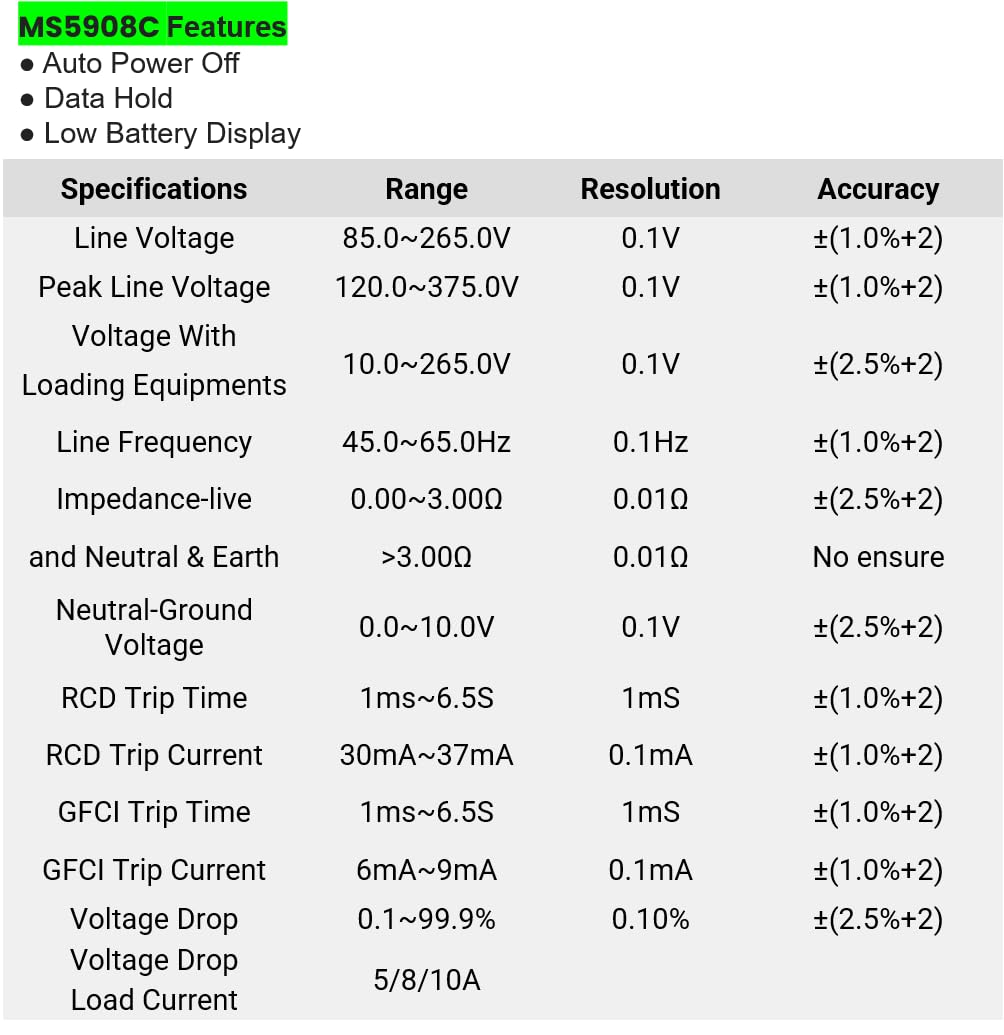
Figure 8.1: Detailed specifications table for the MS5908C, including ranges, resolutions, and accuracies.
| Parametre | Menzil | Çözünürlük | Kesinlik |
|---|---|---|---|
| Hat Hacmitage | 85.0~265.0V | 0.1V | ±(1.0%+2) |
| Tepe Çizgisi Hacmitage | 120.0~375.0V | 0.1V | ±(1.0%+2) |
| Cilttage With Loading Equipments | 10.0~265.0V | 0.1V | ±(2.5%+2) |
| Hat Frekansı | 45.0~65.0Hz | 0.1Hz | ±(1.0%+2) |
| Impedance (Live and Neutral & Earth) | 0.00~3.00Ω > 3.00Ω | 0.01Ω | ±(2.5%+2) No ensure |
| Nötr-Zemin Hacmitage | 0.0~10.0V | 0.1V | ±(2.5%+2) |
| RCD Seyir Zamanı | 1ms ~ 6.5S | 1mS | ±(1.0%+2) |
| RCD Geçiş Akımı | 30mA ~ 37mA | 0.1mA | ±(1.0%+2) |
| GFCI Yolculuk Süresi | 1ms ~ 6.5S | 1mS | ±(1.0%+2) |
| GFCI Geçiş Akımı | 6mA ~ 9mA | 0.1mA | ±(1.0%+2) |
| Cilttage Bırak | %0.1~99.9 | %0.10 | ±(2.5%+2) |
| Yük Akımı | 5/8/10A | Yok | Yok |
Genel Özellikler:
- Ürün Ölçüleri: 7.87 x 5.91 x 9.84 inç (200 x 150 x 250 mm)
- Ürün Ağırlığı: 2.2 Pound (1 Kilogram)
- Güç Kaynağı: Pil ile çalışır (6 x AAA pil dahildir)
- Güvenlik Derecelendirmesi: CAT III 300V, Pollution Degree 2
9. Garanti ve Destek
9.1 Garanti Bilgileri
The Mastech MS5908C Circuit Analyzer comes with a 1-year limited warranty from the date of purchase. This warranty covers defects in materials and workmanship under normal use. It does not cover damage caused by misuse, accident, unauthorized modification, or neglect. Please retain your proof of purchase for warranty claims.
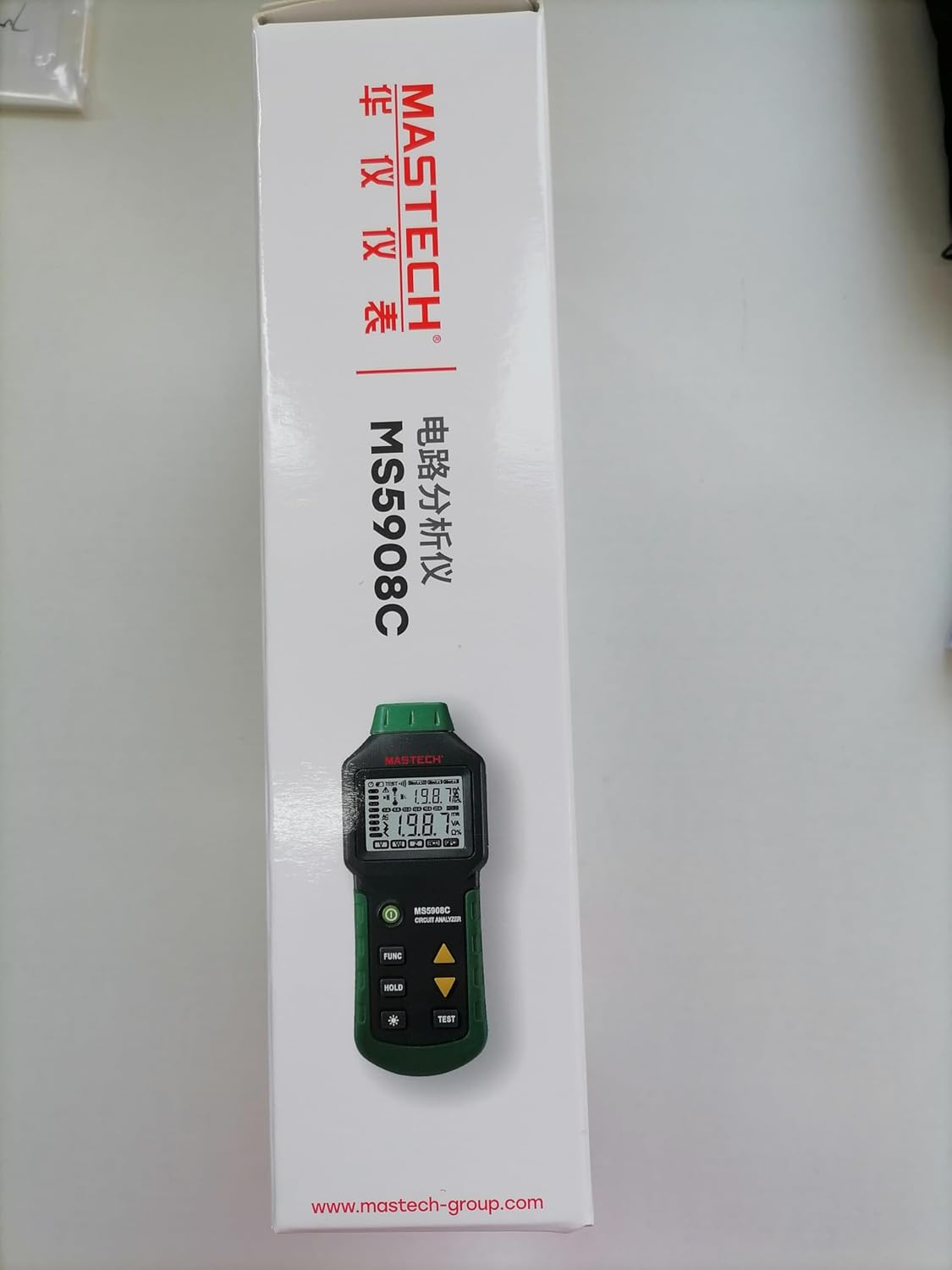
Figure 9.1: Product packaging indicating a 1-year limited warranty.
9.2 Müşteri Desteği
For technical assistance, warranty service, or general inquiries, please refer to the contact information provided on the Mastech official website or the documentation included with your product. When contacting support, please have your product model (MS5908C) and purchase details ready.


