
1. Giriş
Satın aldığınız için teşekkür ederizasing the plplaaoo Cordless Table LampBu kılavuz, yeni cihazınızın güvenli ve verimli çalışması için gerekli bilgileri sağlamaktadır.ampLütfen kullanmadan önce dikkatlice okuyun ve ileride başvurmak üzere saklayın.
2. Güvenlik Talimatları
- l'yi açığa çıkarmayınamp suya veya aşırı neme.
- Avoid disassembling or modifying the lampçünkü bu garantiyi geçersiz kılabilir ve güvenlik riskleri oluşturabilir.
- Şarj için yalnızca verilen USB Type-C kablosunu kullanın.
- l'yi tutamp away from heat sources and direct sunlight to prevent battery damage.
- l'yi sağlayınamp Devrilmesini önlemek için sabit, düz bir yüzeye yerleştirilir.
- Bu benamp sadece iç mekanda kullanılmak üzere tasarlanmıştır.
3. Paket İçeriği
Paketinizde tüm öğelerin mevcut olduğundan emin olun:
- 1 x Cordless Table Lamp
- 1 x USB Tip-C Şarj Kablosu

4. Ürün Bittiview
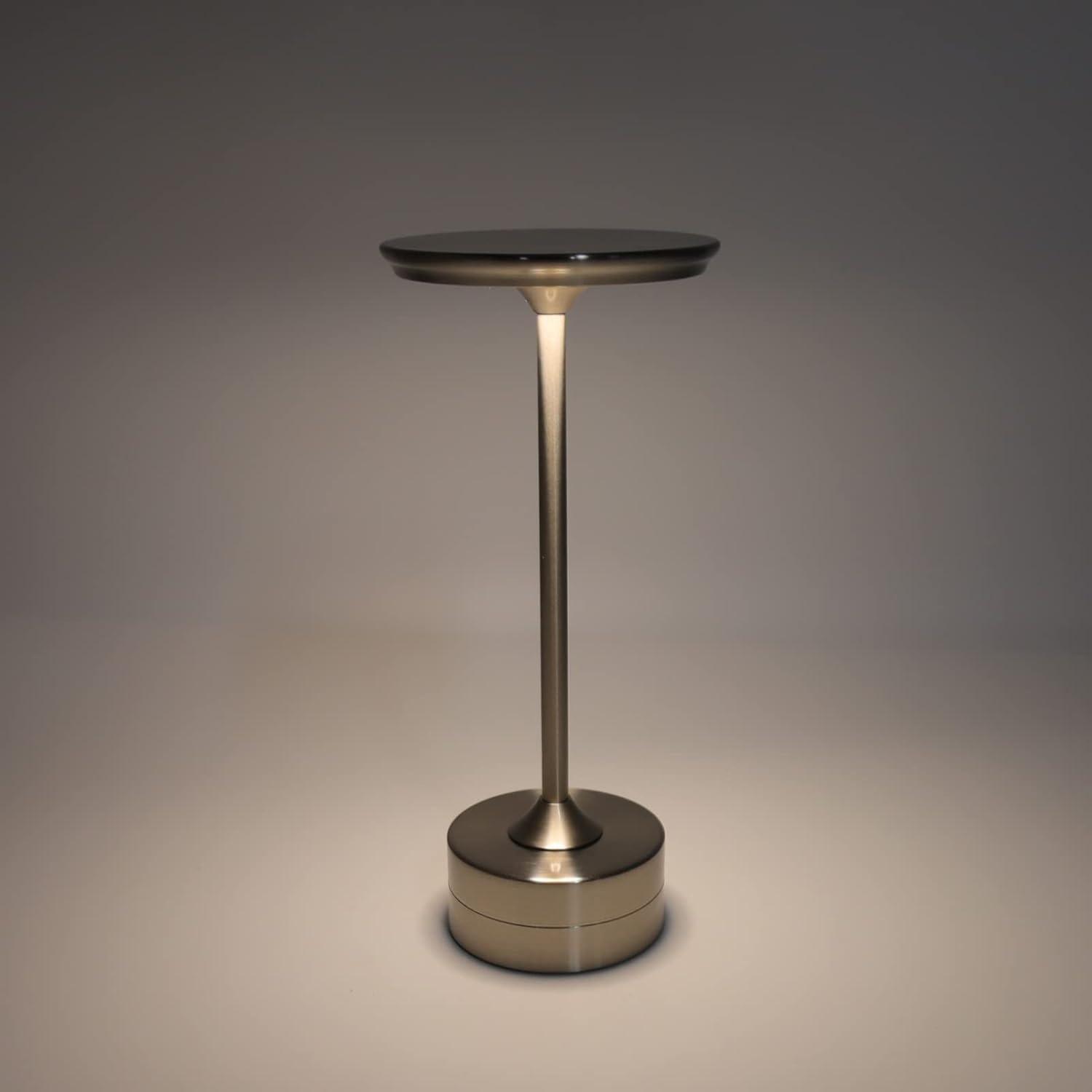
The plplaaoo Cordless Table Lamp features a sleek design with a durable iron, aluminum, and acrylic construction. It includes a built-in 2000mAh rechargeable lithium battery, offering 10-15 hours of working time on a full charge. The lamp provides three light sources: white light, warm light, and ordinary light, with adjustable brightness up to 150lm.


5. Kurulum
İlk Şarj
İlk kullanımdan önce, pili tamamen şarj edin.amp. Connect the provided USB Type-C cable to the charging port on the lamp's base and plug the other end into a compatible USB power adapter (not included).
- Locate the USB Type-C charging port on the base of the lamp.
- Insert the USB Type-C cable into the lamp'nin şarj portu.
- Connect the USB-A end of the cable to a standard USB power adapter (e.g., phone charger, computer USB port).
- The charging indicator (if present) will show the charging status. Allow several hours for a full charge.
6. Kullanım Talimatları
Açma/Kapama ve Parlaklık Ayarı
Lamp features both a bottom switch and a top touch control for operation.
- Alt Anahtar: Flip the switch on the bottom of the lamp to the 'ON' position to enable the touch control function.
- Top Touch Control: Gently touch the top surface of the lamp to cycle through the three light modes: white light, warm light, and ordinary light. Continue touching to adjust brightness levels within each mode.
- l'yi kapatmak içinamp, either cycle through all light modes until it turns off via touch control, or flip the bottom switch to the 'OFF' position.


7. Bakım
- Temizlik: l'yi silinamp Yumuşak ve kuru bir bezle silin. Aşındırıcı temizleyiciler veya çözücüler kullanmayın.
- Depolamak: Uzun süre kullanılmayacaksa l'yi saklayınamp in a cool, dry place. Ensure the battery is partially charged before storage to prolong its lifespan.
- Pil Bakım: Pil ömrünü uzatmak için pili sık sık tamamen boşaltmaktan kaçının. Pili şarj edin.amp when the light output becomes noticeably dim.
8. Sorun Giderme
| Sorun | Olası Neden | Çözüm |
|---|---|---|
| Lamp açılmıyor. | Battery is depleted. Bottom switch is off. | l'yi şarj edinamp using the USB Type-C cable. Ensure the bottom switch is in the 'ON' position. |
| Işık zayıf veya titriyor. | Pil zayıf. | l'yi şarj edinamp. |
| Cannot change light mode/brightness. | Bottom switch is off. Touch control malfunction. | Ensure the bottom switch is 'ON'. Try restarting the lamp by turning the bottom switch off and on again. |
| Lamp ücret almıyor. | Faulty cable or adapter. Charging port issue. | Try a different USB Type-C cable and power adapter. Ensure the cable is fully inserted. |
9. Özellikler
| Özellik | Detay |
|---|---|
| Örnek | B0D2LG61MQ |
| Malzeme | Iron, Aluminum, Acrylic |
| Yükseklik | Yaklaşık 28.5 cm / 11.2 inç |
| Çap | Yaklaşık 13 cm / 5.1 inç |
| Ağırlık | Approx. 0.66 kg / 23.4 oz |
| Dahili Pil | Lityum 2000mAh |
| Işık kaynağı | White light, Warm light, Ordinary light (3 levels brightness) |
| Maksimum Parlaklık | 150lm |
| Şarj Yöntemi | USB Tip-C |
| Kontrol | Bottom switch, Top touch control |

10. Garanti ve Destek
This product is covered by a standard manufacturer's warranty. For specific warranty details, please refer to the product packaging or contact the retailer where you purchased the item. For technical support or inquiries, please visit the official plplaaoo store or contact customer service.