
1. Giriş
This manual provides comprehensive instructions for the setup, operation, and maintenance of your LENVII Handheld 2D Barcode Reader. Please read this manual thoroughly before using the device to ensure proper functionality and to maximize its lifespan. This device is designed for efficient and accurate scanning of various 1D and 2D barcodes in diverse environments.
2. Ürün Bittiview
2.1 Temel Özellikler
- Tak ve Çalıştır: Connects via USB cable without requiring driver or software installation.
- Geniş Uyumluluk: Compatible with Windows, Mac, Android, and Linux operating systems.
- Çok Yönlü Barkod Desteği: Scans most 1D and 2D barcodes, including those on screens.
- Yapılandırılabilir Seçenekler: Allows customization of prefix/suffix, character deletion, and addition of keyboard keys (e.g., TAB, CR & LF).
- Çoklu Tarama Modları: Supports both Key Trigger Mode and Auto-Sensing Continuous Scan Mode.
- Dayanıklı Tasarım: Ergonomic design made of high-quality ABS, capable of withstanding drops from 1.5 meters onto concrete.
- Sessiz İşlevi: Volume can be turned off for quiet environments.
2.2 Desteklenen Barkod Türleri
The LENVII Handheld 2D Barcode Reader supports a wide range of 1D and 2D barcode symbologies:
- 1D Barkodlar: EAN, UPC, Code 39, Code 93, Code 128, UCC/EAN 128, Codabar, Interleaved 2/5, ITF-6, ITF-14, ISBN, ISSN, MSI Plessey, GS1 DataBar, Code 11, Industrial 25, Matrix 2/5, etc.
- 2D Barkodlar: QR Code, Data Matrix, PDF417, Micro QR, AZTEC, etc.

Şekil 1: Ör.amples of supported 1D and 2D barcode types.
2.3 Sistem Uyumluluğu
The scanner is compatible with various operating systems, ensuring broad integration into existing setups.
- Pencereler
- Mac işletim sistemi
- Android
- Linux

Figure 2: System compatibility and typical usage scenarios.
3. Kurulum
The LENVII Handheld 2D Barcode Reader is designed for simple plug-and-play setup.
- Unpack the barcode reader and its USB cable from the packaging.
- USB kablosunu tarayıcının portuna bağlayın.
- USB kablosunun diğer ucunu bilgisayarınızdaki veya ana cihazınızdaki kullanılabilir bir USB bağlantı noktasına takın.
- The operating system should automatically detect and install the necessary drivers. No additional software installation is typically required.
- Bağlantı kurulduktan sonra tarayıcı kullanıma hazırdır.

Figure 3: LENVII Handheld 2D Barcode Reader with USB cable.
4. Kullanım Talimatları
4.1 Tarama Modları
Tarayıcı iki temel tarama modunu destekler:
- Anahtar Tetikleme Modu: Press the trigger button to activate the scan beam and read a barcode. Release the button to deactivate.
- Sürekli Tarama Modu: The scanner continuously emits a scan beam, automatically reading barcodes as they are presented. This mode is often used with a stand for hands-free operation.

Figure 4: Key Trigger Mode and Continuous Scanning Mode.
4.2 Ekranlardan Tarama
To scan barcodes displayed on smartphone or computer screens:
- Ensure the screen brightness is set to maximum.
- Position the scanner at an appropriate distance and angle to read the barcode.
4.3 Yapılandırma Seçenekleri
The barcode reader offers various customization options, typically configured by scanning specific setup barcodes found in the full product manual (not included here). These options may include:
- Adding or hiding custom prefix/suffix digits to scanned data.
- Deleting specific characters from scanned data.
- Adding keyboard keys (e.g., TAB, Carriage Return (CR), Line Feed (LF)) to the end of scanned data for automated input.
4.4 Sessize Alma İşlevi
For quiet working environments, the scanner's volume can be muted. Refer to the full product manual for specific instructions on how to activate or deactivate the mute function by scanning a configuration barcode.
5. Bakım
To ensure optimal performance and longevity of your LENVII Handheld 2D Barcode Reader, follow these maintenance guidelines:
- Temizlik: Tarayıcının dış yüzeyini düzenli olarak yumuşak bir bezle silin.amp cloth. Avoid using harsh chemicals or abrasive materials. Ensure the scanning window is clean and free of dust or smudges for accurate reading.
- Depolamak: Tarayıcıyı serin, kuru ve doğrudan güneş ışığından ve aşırı sıcaklıklardan uzak bir yerde saklayın.
- İşleme: While the device is designed to be durable, avoid unnecessary drops or impacts. Handle the USB cable carefully to prevent damage to the connectors.
6. Sorun Giderme
If you encounter issues with your barcode reader, consider the following:
- Scanner Not Reading:
- USB kablosunun hem tarayıcıya hem de ana cihaza güvenli bir şekilde bağlı olduğundan emin olun.
- Verify that the scanner is in the correct operating mode (Key Trigger or Continuous).
- Barkodun hasarlı, lekeli veya kötü basılmış olup olmadığını kontrol edin.
- For screen scanning, ensure the screen brightness is at maximum.
- Some densely packed or ambiguous PDF417 barcodes, or other special 2D codes, may not be scannable or enabled by default. Refer to the full product manual for advanced configuration options to enable specific barcode types.
- Yanlış Veri Çıkışı:
- Check the scanner's configuration settings (prefix/suffix, character deletion) by referring to the full product manual and scanning the appropriate setup barcodes.
- Ensure your host system's keyboard layout matches the scanner's output settings (e.g., Japanese keyboard output support).
- No Power/Indicator Light:
- Confirm the USB cable is properly connected and the host device is powered on.
- Try connecting the scanner to a different USB port or a different computer to rule out port issues.
If problems persist, please contact LENVII customer support for further assistance.
7. Özellikler
| Marka | LENVII |
| Örnek | Handheld 2D Barcode Reader |
| Bağlantı Teknolojisi | USB kablosu |
| Güç Kaynağı | Kablolu Elektrik |
| Ürün Miktarı | 1 |
| Üretici | LENVII |
| Menşei ülke | Çin |
| UPC / GTIN | 764549594269 |
8. Garanti ve Destek
8.1 Garanti Bilgileri
This LENVII Handheld 2D Barcode Reader comes with a 6 ay garanti Satın alma tarihinden itibaren geçerlidir. Bu garanti, üretim hatalarını ve normal kullanım koşullarındaki arızaları kapsar. Yanlış kullanım, kazalar, yetkisiz değişiklikler veya uygunsuz bakım nedeniyle oluşan hasarları kapsamaz.
8.2 Müşteri Desteği
For technical support, warranty claims, or any questions regarding your LENVII Handheld 2D Barcode Reader, please contact LENVII customer service through the retailer where the product was purchased or visit the official LENVII webiletişim bilgileri için site.
9. Uygulama Senaryoları
The LENVII Handheld 2D Barcode Reader is suitable for a wide range of applications, including but not limited to:
- File Yönetmek
- Inventory Tracking
- Point of Sale (POS) systems
- Supermarkets and Convenience Stores
- Depolar ve Lojistik
- Libraries and Bookstores
- Pharmacies and Retail Outlets
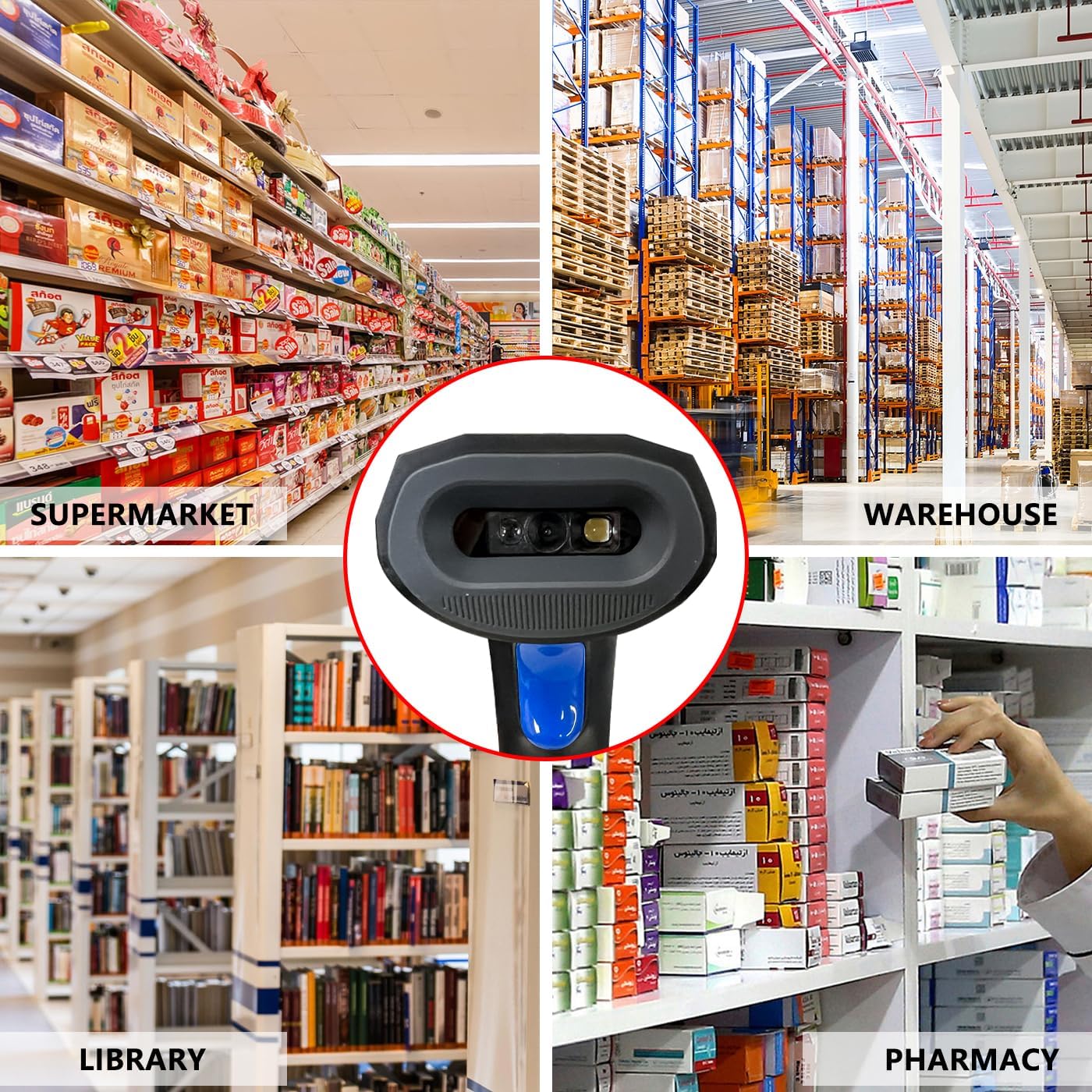
Figure 5: Diverse application environments for the barcode reader.