
Ürün Bittiview
The JTEMAN 360 Rotating Cell Phone Stand with Wireless Bluetooth Speaker with Light is a versatile device designed to enhance your mobile experience. It integrates a rotatable phone stand, a Bluetooth speaker, and an atmosphere light into a single unit. This manual provides detailed instructions for its setup, operation, and maintenance.
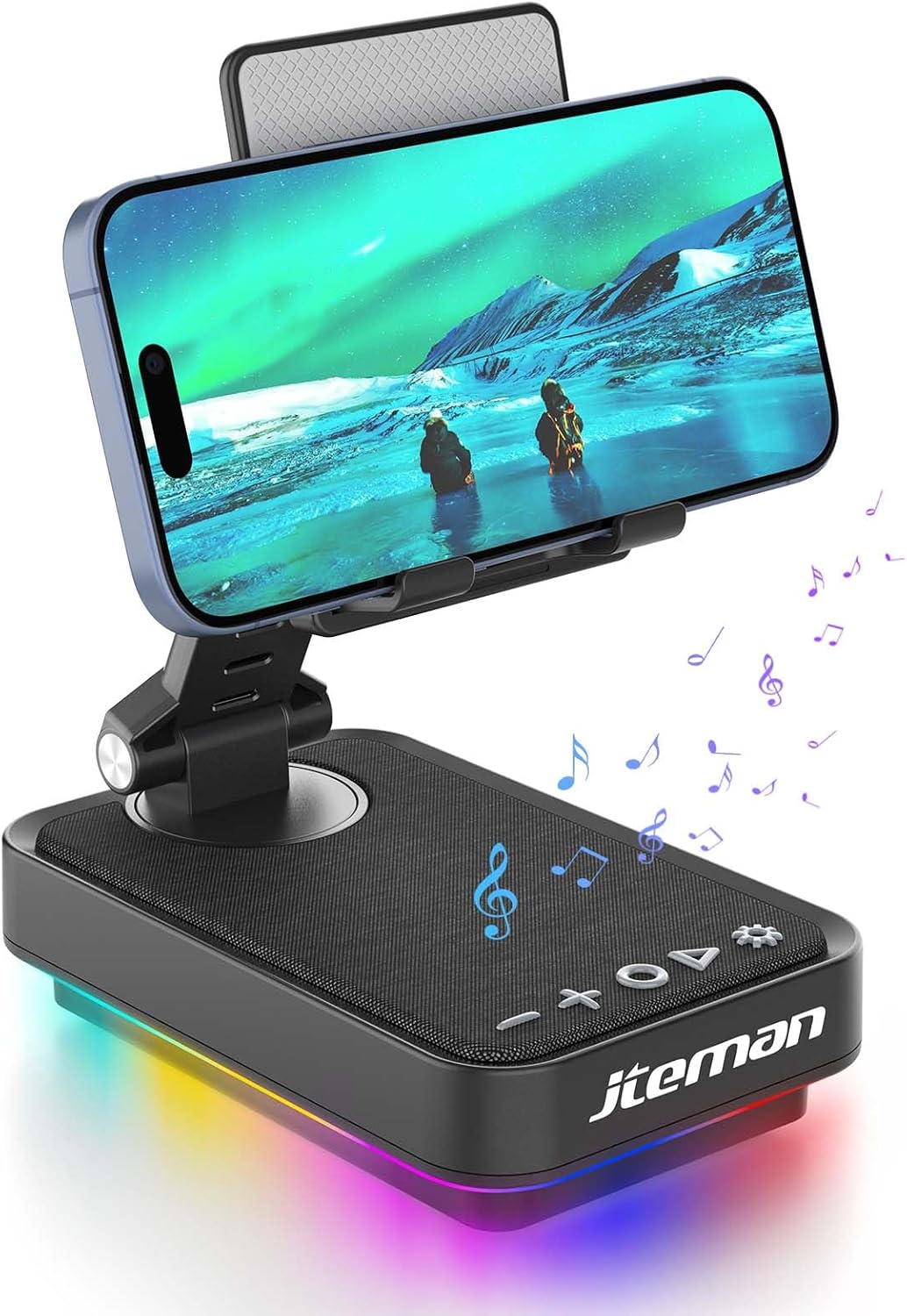
Figure 1: JTEMAN 360 Rotating Cell Phone Stand with Wireless Bluetooth Speaker with Light.
Dahil Bileşenler:
- Bluetooth Speaker (with integrated phone stand and light)
- Tip-C Kablo
- Kullanım Kılavuzu
Kurulum Kılavuzu
1. Kutudan Çıkarma ve İlk İnceleme:
Carefully remove all components from the packaging. Inspect the device and accessories for any signs of damage. Ensure all listed components are present.
Video 1: Unboxing and initial setup of the JTEMAN phone stand and Bluetooth speaker.
2. Preparing the Phone Stand:
Before first use, locate and remove the silicone protective patch from the device's base. This patch protects the surface during shipping.
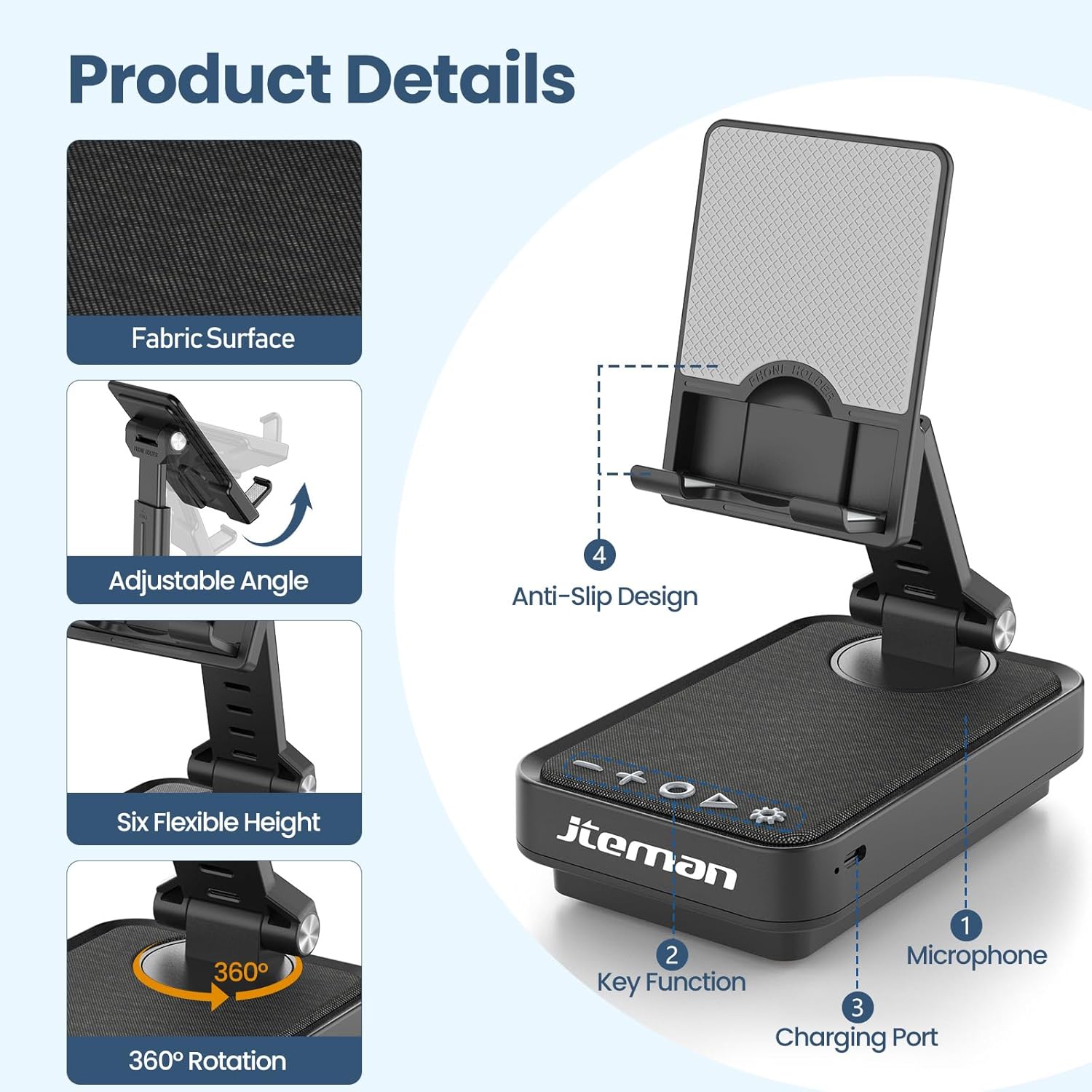
Figure 2: Product details and components. Note the anti-slip design and key functions.
3. Cihazı Şarj Etme:
Connect the provided Type-C cable to the charging port on the device and the other end to a compatible USB power adapter (not included). The power indicator light will show red during charging and turn green when fully charged.
- Kırmızı ışık: Pil şarj oluyor.
- Yeşil ışık: Pil tam dolu.

Şekil 3: Pil kapasitesi ve tahmini kullanım süreleri.
4. Bluetooth Eşleştirme:
- Long press the Power ON/OFF button (3) for 3 seconds to turn on the speaker. The speaker will enter pairing mode, indicated by a flashing blue light.
- Akıllı telefonunuzda veya tabletinizde Bluetooth ayarlarına gidin.
- Select "L39-1" from the list of available devices.
- Once connected, the blue light will become solid.

Figure 4: Bluetooth connection with a laptop, demonstrating wireless audio playback.
Kullanım Talimatları
Kontrol Paneli Bittiview:

Şekil 5: Ayrıntılı view Kontrol paneli ve fonksiyonları.
- VOL- (1): Sesi azaltmak için basın.
- VOL+ (2): Sesi artırmak için basın.
- Answer/Hang up/Play/Pause/Next (4):
- Müziği çalmak/duraklatmak için kısa basın.
- Short press to answer/hang up calls.
- Sonraki parçaya atlamak için uzun basın.
- Power ON/OFF (3):
- Hoparlörü açmak/kapatmak için 3 saniye boyunca uzun basın.
- Double press to switch between Bluetooth and AUX modes.
- Short press to adjust the brightness of the atmosphere lights (4 levels).
- Atmosphere Light (5):
- Long press for 3 seconds to turn on/off the light.
- Short press to switch lighting mode (11 modes available, 3 modes sync with music).
- Mikrofon (6): Eller serbest görüşme için.
- Şarj Portu (7): Type-C input for charging.
- Power Indicator Light (8): Shows charging status and Bluetooth connection status.
Phone Stand Adjustment:
The phone stand features 360° rotation and adjustable height and angle to suit various viewing needs. The anti-slip silicone pads ensure device stability.

Figure 6: The phone stand supports a wide range of devices, including smartphones and tablets (4-13 inches).
The stand is foldable for easy portability.

Figure 7: The foldable design allows for easy storage and transport.
Bakım
Temizlik:
Wipe the device with a soft, dry cloth. Do not use abrasive cleaners, solvents, or harsh chemicals, as these may damage the surface or internal components. Avoid exposing the device to excessive moisture.
Depolamak:
When not in use for extended periods, store the device in a cool, dry place away from direct sunlight and extreme temperatures. Ensure the device is fully charged before storing to prolong battery life.
Pil Bakım:
To maximize battery lifespan, avoid fully discharging the battery frequently. Charge the device regularly, even if not in constant use. Do not expose the battery to high temperatures.
Sorun giderme
| Sorun | Olası Neden | Çözüm |
|---|---|---|
| Cihaz açılmıyor. | Pil zayıf. | Cihazı, kutu içeriğinde bulunan Type-C kablosuyla şarj edin. |
| Bluetooth üzerinden bağlantı kurulamıyor. | Bluetooth not enabled on device; speaker not in pairing mode; too far from speaker. | Ensure Bluetooth is enabled on your phone/tablet. Long press Power ON/OFF button to enter pairing mode (flashing blue light). Move device closer to the speaker. |
| Hoparlörden ses gelmiyor. | Volume too low; device not connected; AUX mode active. | Increase volume on both the speaker and your connected device. Verify Bluetooth connection. Double press Power ON/OFF button to switch to Bluetooth mode if in AUX mode. |
| Atmosphere lights not working. | Işıklar kapalı; pil zayıf. | Long press the Atmosphere Light button (5) to turn on. Charge the device. |
Özellikler
| Özellik | Detay |
|---|---|
| Model Adı | L39-1 |
| Montaj Tipi | Masa Üstü Montaj |
| Hoparlör Tipi | Çevresel Ses |
| Özel Özellik | LED Işık |
| Önerilen Kullanımlar | Akıllı Telefonlar veya Tabletler için |
| Uyumlu Cihazlar | Smartphone, Tablet (4-13 inches) |
| Denetleyici Türü | Düğme, Dokunmatik |
| Surround Ses Kanalı | 2.0 |
| Ürün Boyutları | 5.3"D x 3.5"G x 2.3"Y |
| Su Geçirmez | YANLIŞ |
| Güç Kaynağı | Pil ile çalışır |
| Pil Türü | 1 Lityum İyon (dahil) |
| Ses Sürücüsü Türü | Dinamik Sürücü |
| Kablosuz Bağlantı | Bluetooth 5.3 |
| Hoparlör Maksimum Çıkış Gücü | 5 Watt |
| Frekans Tepkisi | 1 KHz |
| Ürün Ağırlığı | 15.5 ons |
Garanti Bilgileri
This JTEMAN product comes with a Bir Yıllık Garanti Satın alma tarihinden itibaren geçerlidir. Bu garanti, üretim hatalarını ve normal kullanım koşullarındaki arızaları kapsar. Yanlış kullanım, kazalar, yetkisiz değişiklikler veya normal aşınma ve yıpranmadan kaynaklanan hasarları kapsamaz.
Please retain your proof of purchase for warranty claims. For detailed warranty terms and conditions, refer to the official JTEMAN website veya müşteri desteği ile iletişime geçin.
Müşteri Desteği
If you encounter any issues or have questions not covered in this manual, please contact JTEMAN customer support. Provide your product model number (L39-1) and a detailed description of the issue to assist our support team.
For the most up-to-date contact information, please visit the official JTEMAN webalan: JTEMAN Store on Amazon