
BoxWave DualTip Capacitive Stylus
BoxWave DualTip Capacitive Stylus
Kullanıcı Kılavuzu
giriiş
The BoxWave DualTip Capacitive Stylus is designed to provide precise and comfortable interaction with your capacitive touchscreen devices, including the Keysight MSOX3014A. This stylus features two distinct tips: a FiberMesh tip for a soft, pressure-sensitive feel, and a FineTouch clear disc tip for pinpoint accuracy.
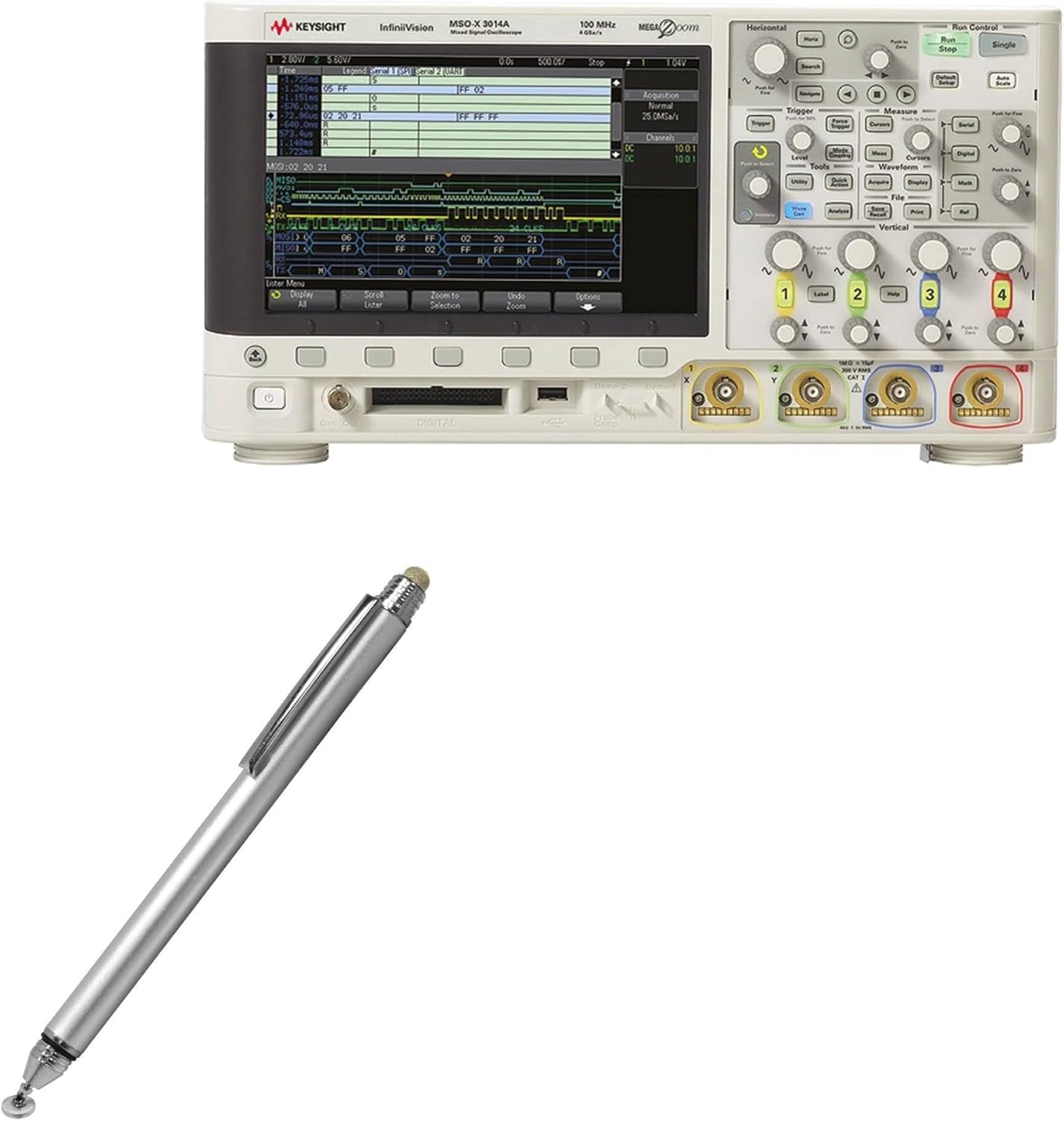
Image: The BoxWave DualTip Capacitive Stylus shown alongside a Keysight MSOX3014A device, illustrating its intended use.
Its lightweight, metallic aluminum body ensures durability and a natural feel during extended use. This manual provides instructions for setup, operation, maintenance, and troubleshooting to help you maximize your stylus experience.
Ürün Özellikleri
- Dual Tip Design: Features both a FiberMesh soft tip and a FineTouch clear disc tip for versatile use.
- FiberMesh Soft Tip: Tightly woven conductive fabric mesh for ultra-accurate, durable, and pressure-sensitive feedback.
- FineTouch Pinpoint Accuracy: Innovative clear disc tip allows for vision-enhancing precision, showing the exact contact point.
- All-Angle Operation: Both tips function effectively from any angle, suitable for various holding styles and conditions.
- Kolay Erişim: Built-in metal clip for convenient attachment to clothing or cases.
- Eşleştirme Gerekmez: Simulates finger touch, requiring no Bluetooth or battery.

Resim: Ayrıntılı view of the stylus, highlighting its two distinct tips: the FiberMesh tip and the FineTouch clear disc tip.
Kurmak
The BoxWave DualTip Capacitive Stylus requires no complex setup, batteries, or Bluetooth pairing. It is ready for immediate use upon unboxing.
- Paketi aç: Carefully remove the stylus from its packaging.
- Inspect Tips: Familiarize yourself with the FiberMesh tip (soft, woven) and the FineTouch clear disc tip. The clear disc tip is protected by a threaded cap which should be removed before use.
- Kullanıma Hazır: The stylus is now ready to interact with any capacitive touchscreen device.

Image: The stylus with its protective threaded cap unscrewed, showing the FineTouch clear disc tip, which is ready for use.
Kullanım Talimatları
Using the DualTip Capacitive Stylus is intuitive, mimicking the natural feel of a pen or your finger on a screen.
- Selecting a Tip: Choose the FiberMesh tip for general navigation, scrolling, and broad strokes, or the FineTouch clear disc tip for detailed drawing, precise writing, and accurate tapping.
- Using the FiberMesh Tip: Gently touch the FiberMesh tip to your device's screen. Apply light pressure for responsive and smooth interaction. This tip is ideal for general navigation and applications requiring a softer touch.
- Using the FineTouch Clear Disc Tip: Ensure the clear disc is flat against the screen. The disc is designed to pivot, allowing the stylus to maintain contact at various angles while providing a clear view of the exact point of contact. This tip is best for tasks requiring high precision, such as drawing fine lines or selecting small icons.
- Genel Kullanım: Tap, swipe, draw, and write as you would with your finger. The stylus provides enhanced accuracy and comfort, especially for extended periods of use.

Image: A user demonstrating the use of the stylus with the clear disc tip on a tablet, illustrating precise interaction.
Bakım
Proper care will extend the life and performance of your BoxWave DualTip Capacitive Stylus.
- Temizlik: Wipe the stylus body with a soft, dry, lint-free cloth. For the tips, gently wipe with a slightly damp cloth if necessary, ensuring no excess moisture. Do not use harsh chemicals or abrasive materials.
- Protecting the FineTouch Tip: Always replace the threaded cap over the FineTouch clear disc tip when not in use to protect it from damage and dust.
- Depolamak: Store the stylus in a clean, dry place, away from extreme temperatures and direct sunlight. Using the built-in metal clip to secure it can prevent loss or damage.
- Uç Değiştirme: While durable, the tips may eventually show signs of wear with extensive use. If you notice a decrease in responsiveness or accuracy, consider contacting BoxWave support for information on replacement tips, if available.
Sorun giderme
| Sorun | Olası Neden | Çözüm |
|---|---|---|
| Stylus not responding or intermittent response. |
|
|
| Clear disc tip feels loose or detached. | Normal pivoting action mistaken for looseness. | The clear disc is designed to pivot freely to maintain contact at various angles. This is normal operation. Ensure the threaded cap is securely fastened when not in use. |
| Inaccurate input. |
|
|
Özellikler
- Modeli: DualTip Capacitive Stylus
- Renk: Metalik Gümüş
- Ürün Ağırlığı: 1.3 ons (yaklaşık 36.85 gram)
- Üretici: Kutu dalgası
- Menşei ülke: Çin
- Gerekli Piller: HAYIR
- Uyumluluk: Universal capacitive touchscreens, including Keysight MSOX3014A.
Garanti ve Destek
BoxWave Corporation stands behind its products. For support regarding your DualTip Capacitive Stylus, please refer to the following information:
- Teknik Destek: This product includes limited 3rd party technical support for your device (up to 3 inquiries via messaging). Please note that BoxWave is not affiliated with or endorsed by Keysight.
- İade ve Değişimler: For information regarding returns or replacements, please refer to the retailer's policy where the product was purchased. Typically, a 30-day return policy applies for refunds or replacements.
- Contact BoxWave: For further assistance or inquiries about BoxWave products, please visit the official BoxWave websiteye gidin veya doğrudan müşteri hizmetleriyle iletişime geçin.
Ask a question about this manual
Ask about setup, troubleshooting, compatibility, parts, safety, or missing instructions. Manuals+ will review the question and use this page’s manual context to help answer it.