
giriiş
The Mycket Star Projector (Model 012-2402B) is a versatile device designed to create a relaxing and engaging atmosphere. It combines an aurora projector, star light, LED night light, and a Bluetooth speaker into one unit. This manual provides detailed instructions for its proper setup, operation, and maintenance.

Image: The Mycket Star Projector, featuring its unique snail design and vibrant light projections.
Güvenlik Bilgileri
- Cihazı sökmeyin veya üzerinde değişiklik yapmayın.
- Cihazı sudan ve yüksek nemden uzak tutun.
- Lütfen güç için yalnızca birlikte verilen USB kablosunu kullanın.
- Lazer ışığına doğrudan göz temasından kaçının.
- Bu cihaz yalnızca iç mekanda kullanıma yöneliktir.
Paket İçeriği
Lütfen paketi aşağıdaki öğeler açısından kontrol edin:
- 1 x Snail Galaxy Star Projector
- 1 x USB Kablosu
- 1 x Uzaktan Kumanda
- 1 x Kullanım Kılavuzu

Image: The Mycket Star Projector, its packaging, remote control, USB cable, and user manual.
Ürün Bittiview
The Mycket Star Projector features intuitive controls on both the device and the included remote control.

Resim: Ön ve yan view of the projector with labeled buttons and ports.
Cihaz Kontrolleri:
- Güç Düğmesi: Projektörü açar veya kapatır.
- Star Lights Mode/Northern Lights Mode Button: Cycles through different light projection modes.
- Sesi Kısma Düğmesi: Ses seviyesini azaltır.
- Sesi Açma Düğmesi: Ses düzeyini artırır.
- C Tipi Şarj Bağlantı Noktası: Connects the device to a power source using the provided USB cable.
Uzaktan Kumanda Fonksiyonları:
Image: The remote control with all its buttons clearly labeled for various functions.
- Star Power Button: Turns the star projection on/off.
- R (Red Aurora): Activates red aurora light.
- G (Green Aurora): Activates green aurora light.
- B (Blue Aurora): Activates blue aurora light.
- W (White Aurora): Activates white aurora light.
- Sesi Aç/Kapat: Hoparlör sesini ayarlar.
- Önceki/Sonraki Şarkı: Navigates music tracks.
- Northern Lights Mode 1/2: Selects different aurora light patterns.
- Parlaklık Ayarı: 5 farklı parlaklık seviyesi arasında geçiş yapar (%20, %40, %60, %80, %100).
- Speeds Up/Down: Adjusts the rotation speed of the lights (Stop, Slow, Medium, Fast).
- Zamanlayıcıyı İptal Et: Deactivates any set timer.
- 1 Hour Timing: Sets an automatic shut-off timer for 1 hour.
- 2 Hour Timing: Sets an automatic shut-off timer for 2 hours.
- Bluetooth Link: Bluetooth eşleştirme modunu başlatır.
Kurmak
- Güç Bağlantısı: Connect the provided USB cable to the Type-C charging port on the projector and plug the other end into a compatible USB power adapter (not included) or a USB port.
- Uzaktan Kumanda Pilleri: Ensure the remote control has 1 AAA battery installed (included).
- Atama: Place the projector on a stable, flat surface in the desired room. For optimal projection, ensure there are no obstructions between the projector and the ceiling/walls.
Kullanım Talimatları
1. Güç Açma/Kapatma
Press the Power Button on the device or the remote control to turn the projector on or off.
2. Light Modes and Colors
The projector offers various light effects, including star mode, aurora effects, and combinations.

Image: Visual representation of the three main light types and their variations.
- Yıldız Modu: Press the 'Star Power Button' on the remote to activate or deactivate the star projection.
- Aurora Etkileri: Use the 'Northern Lights Mode 1' or 'Northern Lights Mode 2' buttons on the remote to cycle through different aurora patterns.
- Renk Seçimi: Press the R, G, B, or W buttons on the remote to select individual aurora colors (Red, Green, Blue, White). Combinations of these colors will create mixed aurora effects.
3. Parlaklık Ayarı
Adjust the light intensity using the 'Brightness Adjustment' button on the remote control. There are 5 levels: 20%, 40%, 60%, 80%, and 100%.
4. Rotation Speed Adjustment
Control the movement speed of the projected lights with the 'Speeds Up' and 'Speeds Down' buttons on the remote. Options include Stop, Slow, Medium, and Fast.
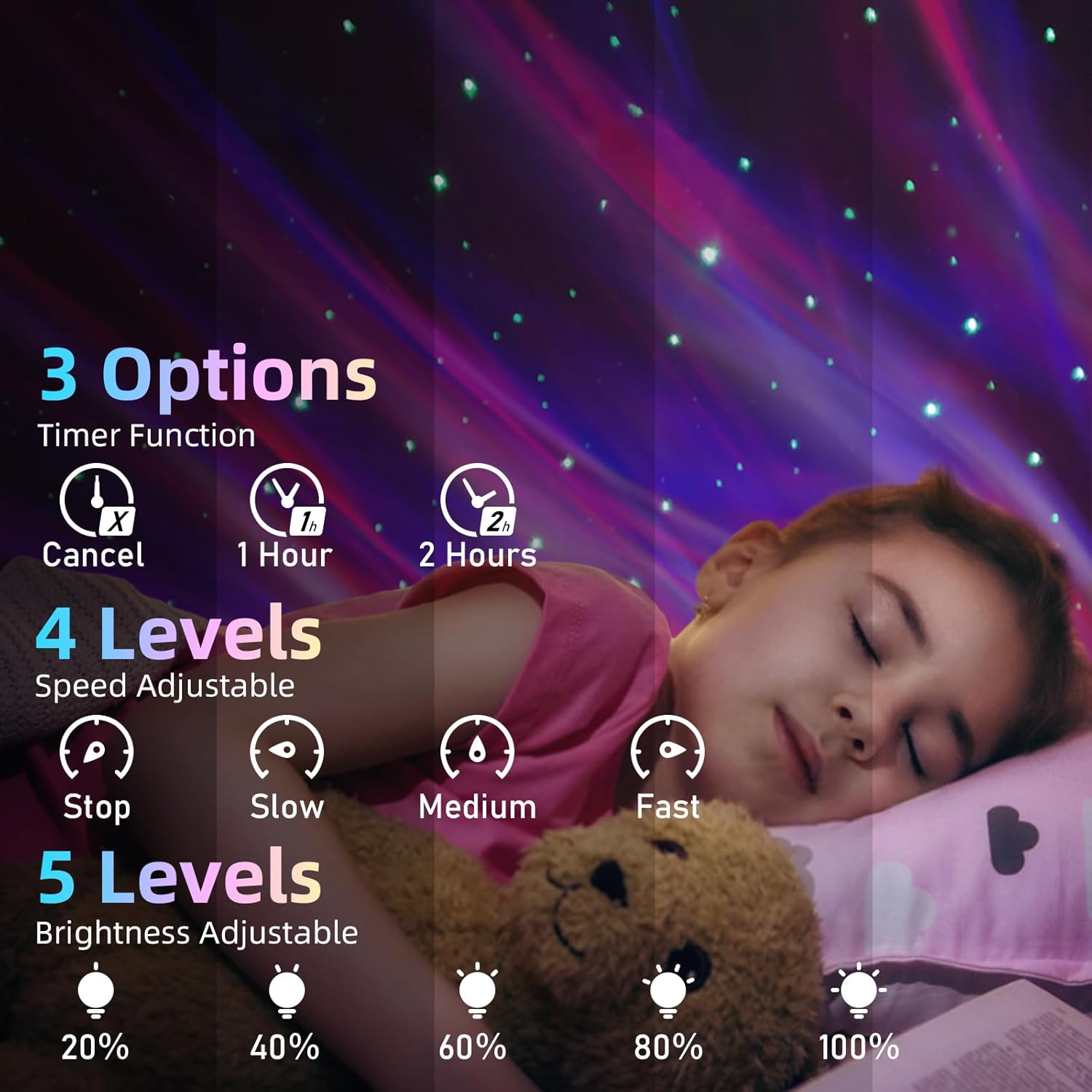
Image: Visual guide for timer, speed, and brightness settings.
5. Bluetooth Speaker Pairing
The projector includes a built-in Bluetooth speaker for audio playback.

Image: The projector connected to a smartphone via Bluetooth, ready for music playback.
- Projektörün açık olduğundan emin olun.
- Mobil cihazınızda (akıllı telefon, tablet vb.) Bluetooth’u aktifleştirin.
- Arama Bluetooth devices and select 'XB2308' from the list.
- Bağlantı kurulduktan sonra, projektörün hoparlöründen ses çalabilirsiniz.
6. Music Rhythm Mode
When music is playing through the Bluetooth speaker, the lights can synchronize with the beat. This mode is automatically active when music is detected.
7. Zamanlayıcı İşlevi
Set an automatic shut-off timer for convenience.
- Press '1 Hour Timing' on the remote to set the projector to turn off after 1 hour.
- Press '2 Hour Timing' on the remote to set the projector to turn off after 2 hours.
- To cancel the timer, press the 'Cancel Timer' button.
- If no timer is set, the projector will automatically turn off after 4 hours of continuous operation.
Bakım
- Temizlik: Use a soft, dry cloth to wipe the surface of the projector. Do not use abrasive cleaners or solvents.
- Depolamak: When not in use for extended periods, store the projector in a cool, dry place, away from direct sunlight.
Sorun giderme
| Sorun | Olası Neden | Çözüm |
|---|---|---|
| Projektör açılmıyor. | Güç bağlantısı yok veya kablo arızalı. | Ensure the USB cable is securely connected and the power source is active. Try a different USB port or adapter. |
| Uzaktan kumanda çalışmıyor. | Pil bitmesi veya tıkanıklık. | Replace the AAA battery in the remote. Ensure there is no obstruction between the remote and the projector's sensor. |
| Bluetooth bağlanamıyor. | Projector not in pairing mode or device too far. | Ensure the projector is on. Activate Bluetooth on your device and search for 'XB2308'. Move your device closer to the projector. |
| Hoparlörden ses gelmiyor. | Volume too low or not connected. | Increase volume on both the projector/remote and your connected device. Verify Bluetooth connection. |
| Işıklar loş. | Parlaklık ayarı düşük. | Use the 'Brightness Adjustment' button on the remote to increase brightness. |
Özellikler
- Model Adı: Yıldız Projektör
- Ürün Model Numarası: 012-2402B
- Boyutlar: 5.83"D x 3.94"G x 4.8"Y (14.8 cm x 10 cm x 12.2 cm)
- Ürün Ağırlığı: 0.37 Kilogram (13 ons)
- Malzeme: Plastik
- Güç Kaynağı: Kablolu Elektrik (USB)
- Netage: 4 watt
- Işık Kaynağı Türü: Star Light, LED
- Kontrol Yöntemi: Uzaktan, Dokunmatik
- Özel Özellikler: Color Changing, Dimmable, Remote Control, Timer, Bluetooth Speaker
- Uzak Batarya: 1 adet AAA (dahil)
- İç/Dış Mekan Kullanımı: Kapalı
Garanti ve Destek
For warranty information or technical support, please refer to the contact details provided with your purchase documentation or visit the official Mycket website. Herhangi bir garanti talebi için satın alma belgeniz olarak satın alma makbuzunuzu saklayın.