
ASMAX ASMAXF1DP01
ASMAX F1 Motosiklet Bluetooth Kulaklığı Kullanım Kılavuzu
Model: ASMAX F1
1. Giriş
The ASMAX F1 Motorcycle Bluetooth Headset is an advanced communication system designed for motorcyclists. It features Bluetooth 5.3 technology, supporting up to 10 riders with a communication range of up to 1.8km. The F1 offers dual intercom modes (Free and Group Mesh), voice control, superior sound quality with ENC noise reduction, and an IP67 waterproof rating. Its magnetic mounting system and fast-charging capabilities ensure convenience and reliability for all your rides.
2. Güvenlik Bilgileri
- Her zaman yol güvenliğine öncelik verin. Cihazı sürüşünüzü engelleyecek şekilde kullanmayın.
- Ensure the headset is securely mounted to your helmet before riding.
- Çevredeki trafik seslerini duyabileceğinizden emin olmak için ses seviyelerini ayarlayın.
- Cihazı sökmeye veya üzerinde değişiklik yapmaya çalışmayın; bu, garantiyi geçersiz kılabilir ve güvenlik riskleri oluşturabilir.
- Cihazı aşırı sıcaklıklardan ve doğrudan güneş ışığından uzak tutun.
- Charge the device using only the provided cable and a compatible power source.
3. Paket İçeriği
Paketinizde tüm öğelerin mevcut olduğundan emin olun:
- ASMAX F1 Bluetooth Headset Unit(s)
- Speaker and Microphone Kit(s)
- Magnetic Mounting Base(s)
- USB Şarj Kablosu(ları)
- Kullanıcı Kılavuzu
- Mounting Accessories (e.g., adhesive pads, clips)

Image: ASMAX F1 Headset and included accessories.
4. Ürün Bittiview
4.1 Bileşenler
The ASMAX F1 unit features a sleek design with an illuminated cross-shaped indicator. It is designed for easy attachment to most motorcycle helmets.

Image: ASMAX F1 Bluetooth Headset units.
4.2 Kontroller ve Göstergeler
The ASMAX F1 is equipped with intuitive controls and indicators for ease of use while riding.
- İnterkom Düğmesi: Initiates and manages intercom connections.
- Ses +/- Düğmeleri: Ses seviyesini ayarlar.
- Fonksiyon Düğmesi: Multi-purpose button for various operations.
- LED Göstergesi: Displays device status (e.g., power, pairing, charging).
- Ses Kontrolü: Activates functions using voice commands (e.g., "Hi Max").

Image: ASMAX F1 controls and helmet compatibility.
5. Kurulum
5.1 Kask Üzerine Montaj
The ASMAX F1 features a magnetic mounting system for easy and secure attachment to your helmet.
- Choose a suitable location on the side of your helmet, typically on the left side, ensuring it does not obstruct your vision or helmet functionality.
- Clean the helmet surface thoroughly where the mounting base will be attached.
- Attach the magnetic mounting base to the helmet using the provided adhesive pad or clamp. Ensure it is firmly secured.
- Insert the speakers into the helmet's ear pockets. Ensure they are positioned directly over your ears for optimal sound.
- Route the microphone boom or wired microphone to a position near your mouth, ensuring clear voice pickup and minimal wind noise.
- Connect the speaker and microphone cables to the ASMAX F1 unit.
- Attach the ASMAX F1 unit to the magnetic mounting base. The strong magnet will secure it in place.
5.2 İlk Şarj
Before first use, fully charge the ASMAX F1 unit. The 1250mAh battery supports fast charging.
- Connect the provided USB charging cable to the ASMAX F1 unit's charging port.
- Kablo ucunu bir USB güç adaptörüne (dahil değildir) veya bilgisayarın USB portuna bağlayın.
- The LED indicator will show charging status. Once fully charged, the indicator will change (refer to specific LED behavior in the full manual).
- Cihaz kullanımdayken şarj edilebilir.
6. Kullanım Talimatları
6.1 Güç Açma/Kapatma
- Güç Açık: Press and hold the Function Button for approximately 3 seconds until the LED indicator lights up and you hear a voice prompt.
- Kapat: Press and hold the Function Button for approximately 3 seconds until the LED indicator turns off and you hear a voice prompt.
6.2 Bluetooth Pairing with Mobile Device
The ASMAX F1 uses Bluetooth 5.3 for stable connections.
- With the ASMAX F1 powered off, press and hold the Function Button for approximately 5-7 seconds until the LED indicator flashes rapidly (usually blue/red alternating), indicating pairing mode.
- Cep telefonunuzda Bluetooth'u etkinleştirin ve yeni cihazları arayın.
- Select "ASMAX F1" from the list of available devices.
- Once paired, the LED indicator will change (e.g., slow blue flashes) and you will hear a confirmation tone.

Image: Universal pairing capability of ASMAX F1.
6.3 Intercom Modes
The ASMAX F1 supports various intercom modes for group communication.
- Serbest mod: For spontaneous connections within range. Up to 10 riders can join instantly.
- Group Mode (MESH Communication): For private conversations with a team of up to 10 riders. Supports 1-on-1 chats within the group.
- CloudTalk Mode: (Requires app update) Supports cross-brand cloud intercom for up to 50 people, anywhere with a mobile network.

Image: ASMAX F1 10-Rider Mesh Group Intercom.
6.4 Ses Kontrolü
Activate voice commands by saying "Hi Max" followed by your command. This allows for hands-free operation.
- "Hi Max, Music On"
- "Hi Max, Next Track"
- "Hi Max, Volume Up/Down"
- "Hi Max, Answer The Phone"
- "Hi Max, End Intercom"
- "Hi Max, Phone Pairing"
- "Hi Max, Group Mesh"
- "Hi Max, Free Mode"

Image: ASMAX F1 Voice Control feature.
6.5 Ses Çoklu Görevi
The ASMAX F1 allows for simultaneous audio streams, such as listening to music while receiving navigation instructions or participating in an intercom conversation.

Image: ASMAX F1 Audio Multitasking.
7. Bakım
- Temizlik: Üniteyi yumuşak, damp bez. Sert kimyasallar veya aşındırıcı temizleyiciler kullanmayın.
- Depolamak: Cihazı kullanılmadığında serin ve kuru bir yerde saklayın.
- Pil Bakım: Pil ömrünün en iyi şekilde devam etmesi için, pili sık sık tamamen boşaltmaktan kaçının. Düzenli olarak şarj edin.
- Suya Dayanıklılık: The ASMAX F1 is IP67 waterproof. While it can withstand rain and splashes, avoid prolonged submersion.

Image: ASMAX F1 IP67 Waterproof feature.
8. Sorun Giderme
| Sorun | Olası Neden | Çözüm |
|---|---|---|
| Cihaz açılmıyor. | Pil zayıf. | Cihazı tamamen şarj edin. |
| Telefonla eşleştirilemiyor. | Cihaz eşleştirme modunda değil; telefonda Bluetooth kapalı. | Ensure device is in pairing mode (flashing LED). Turn on phone's Bluetooth. Forget previous pairings on phone. |
| İnterkom bağlantı sorunları. | Out of range; interference; incorrect mode. | Ensure units are within range. Check for obstacles. Verify correct intercom mode (Free/Group). |
| Ses kalitesi düşük / Gürültülü. | Microphone position; speaker placement; high speed. | Adjust microphone closer to mouth. Ensure speakers are aligned with ears. ENC noise reduction works best with visor closed at high speeds. |
| Sesli komutlar yanıt vermiyor. | Mikrofon sorunu; gürültülü ortam; yanlış komut. | Ensure microphone is clear. Speak clearly. Try again in a quieter environment. Refer to voice command list. |
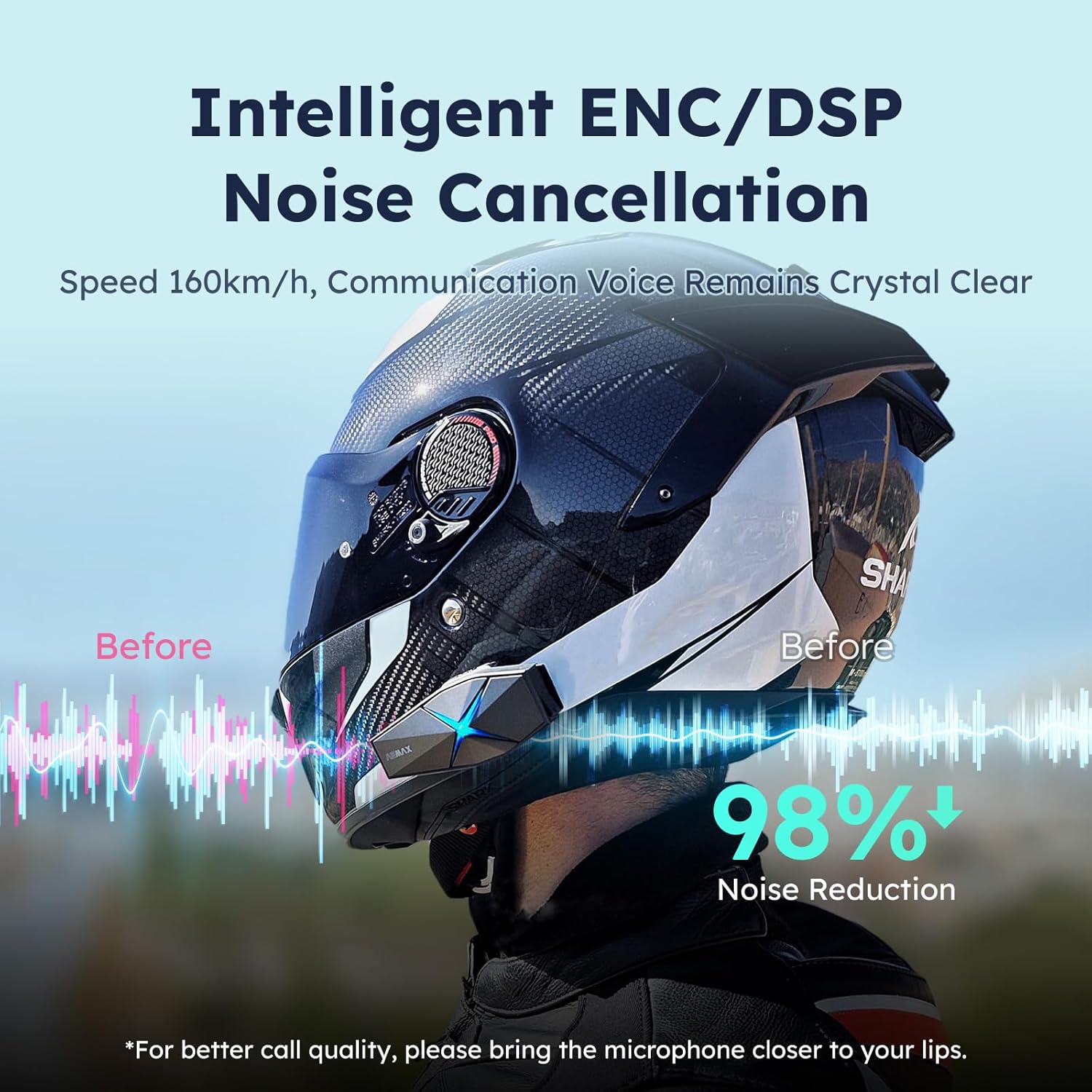
Image: ASMAX F1 Noise Cancellation technology.
9. Özellikler
| Özellik | Detay |
|---|---|
| Model Adı | ASMAX F1 (F1 DP) |
| Bluetooth Sürümü | 5.3 |
| interkom aralığı | Up to 1.8 km (10 riders) |
| Pil Kapasitesi | 1250mAh |
| Şarj etme | Fast Charging, USB |
| Su Geçirmezlik Derecesi | IP67 |
| Gürültü Kontrolü | Active Noise Cancellation (ENC/DSP) |
| Ses Kontrolü | "Hi Max" commands |
| Ses Özellikleri | Audio Multitasking, Superior Sound Quality |
| Boyutlar | Approx. 86mm x 36mm x 23.6mm (unit) |
| Ağırlık | Approx. 50g (unit) |
| Kulak Yerleşimi | Kulakta |
| Empedans | 32 Ohm |
| Hassasiyet | 105 dB |
| Frekans Tepkisi | 20 Hz (en az) |

Image: ASMAX F1 Dual-Chip Octa-Core technology.
10. Garanti ve Destek
ASMAX products come with a standard manufacturer's warranty. For specific warranty terms and conditions, please refer to the warranty card included in your product packaging or visit the official ASMAX webalan.
For technical support, troubleshooting assistance, or any inquiries regarding your ASMAX F1 headset, please contact ASMAX customer service through their official channels. Contact information can typically be found on the ASMAX webSitede veya ürün ambalajında.
Regularly check the ASMAX website or app for firmware updates to ensure optimal performance and access to new features, such as CloudTalk Mode.
Ask a question about this manual
Ask about setup, troubleshooting, compatibility, parts, safety, or missing instructions. Manuals+ will review the question and use this page’s manual context to help answer it.