
1. Giriş
Thank you for choosing the LanLuk 200W GaN IV 8-Port USB-C Charging Station. This device is designed to provide efficient and safe charging for a wide range of electronic devices, including laptops, smartphones, tablets, and more. Please read this manual carefully before use to ensure proper operation and to maximize the lifespan of your product.
2. Güvenlik Talimatları
- Cihazı suya, neme veya aşırı sıcaklıklara maruz bırakmayın.
- Cihazı düşürmekten veya güçlü darbelere maruz bırakmaktan kaçının.
- Do not disassemble, modify, or attempt to repair the device yourself. This will void the warranty and may cause damage or injury.
- Yalnızca verilen güç kablosunu kullanın.
- Şarj istasyonunun aşırı ısınmasını önlemek için kullanım sırasında çevresinde yeterli havalandırma olduğundan emin olun.
- Çocukların erişemeyeceği yerde saklayınız.
- Unplug the charging station from the power outlet when not in use or during electrical storms.
3. Paket İçeriği
Paketinizde tüm öğelerin mevcut olduğundan emin olun:
- 1 x LanLuk 200W 8-in-1 USB-C Charging Station
- 1 x Güç Kablosu
- 1 x Kullanım Kılavuzu
4. Ürün Bittiview
The LanLuk 200W GaN IV 8-Port USB-C Charging Station features advanced GaN IV technology for higher energy efficiency, upgraded heat dissipation, and a compact design. It provides a total of 200W power output across 8 ports, allowing you to charge multiple devices simultaneously.
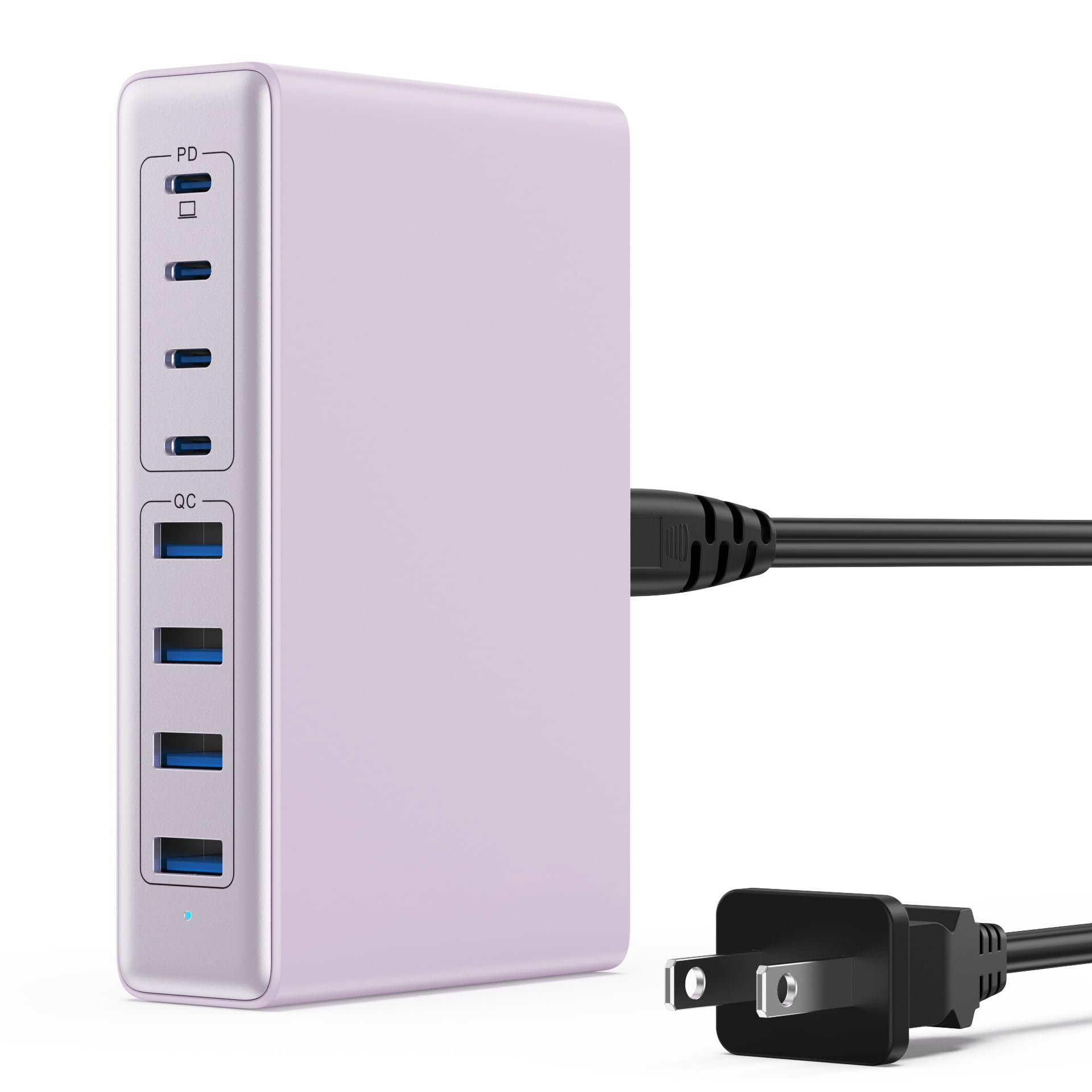
Image: The LanLuk 200W GaN IV 8-Port USB-C Charging Station in purple.
Temel Özellikler:
- GaN IV Technology: Utilizes the latest Gallium Nitride (GaN) IV chip for enhanced efficiency, reduced heat, and a smaller form factor.
- 200W Toplam Güç Çıkışı: Delivers optimal power to charge up to 8 devices simultaneously at full speed.
- 8 Charging Ports: Includes 4 USB-C ports (PD 3.0) and 4 USB-A ports (QC 4.0) for broad compatibility.
- 65W Güç Dağıtımı (PD): One dedicated USB-C port provides up to 65W, capable of fast-charging laptops like MacBook Pro/Air, Dell XPS, and more.
- Çoklu Koruma Güvenlik Sistemi: Built-in intelligent IC with six safety protections: over-voltage, over-current, over-charge, over-temperature, static electricity, and short circuit.
- Evrensel Uyumluluk: Supports a wide range of devices including iPhones, iPads, Android phones, laptops, gaming consoles (Steam Deck, Nintendo Switch), smartwatches, and headphones.
- Taşınabilir Tasarım: Compact size (approximately 5 inches by 3 inches) with a 1.5M/5FT AC extension power cord for flexible placement.
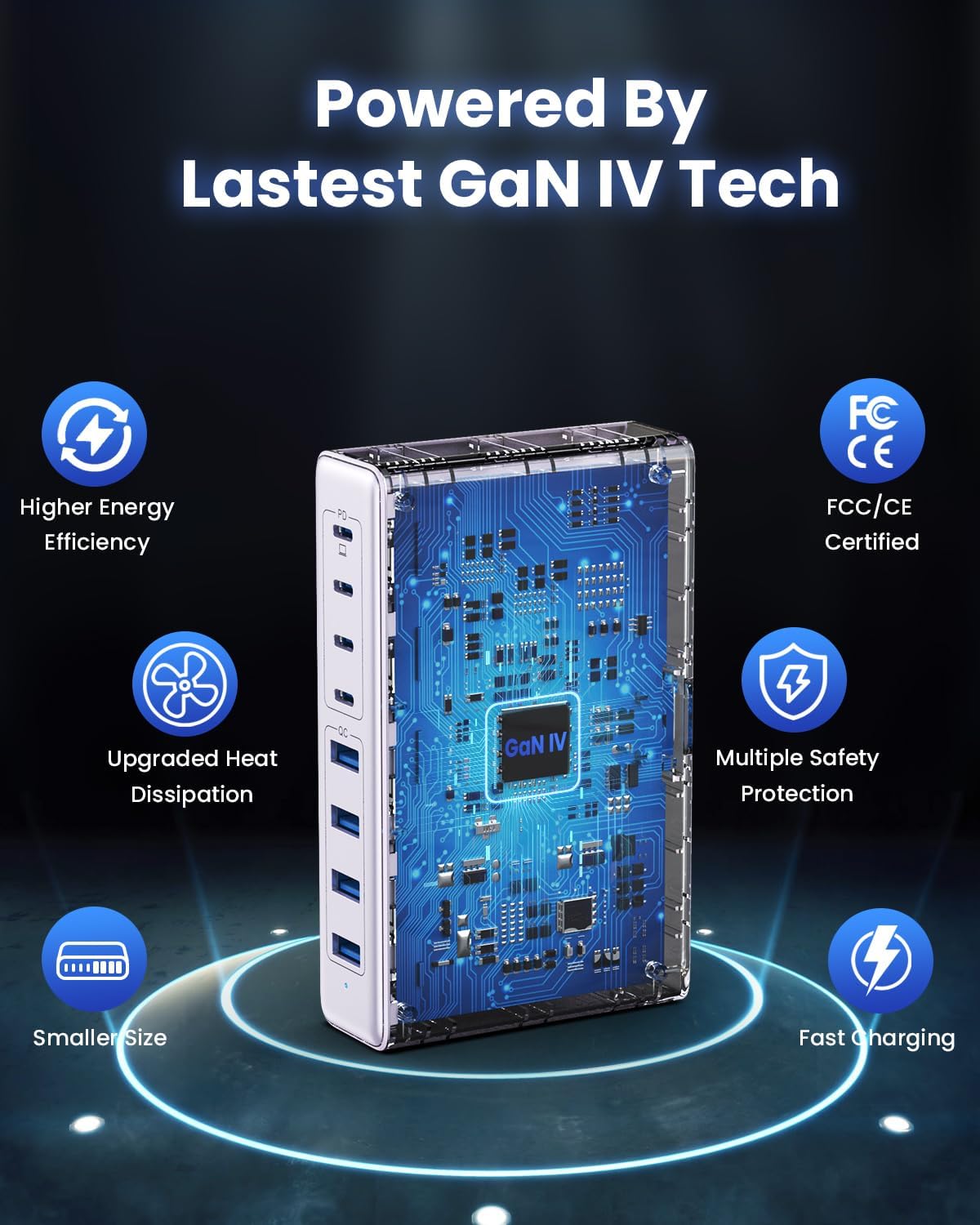
Image: Diagram illustrating the benefits of GaN IV technology, including higher energy efficiency, upgraded heat dissipation, smaller size, multiple safety protections, and fast charging.

Image: Visual representation of the charging station connecting to 8 different devices (4 USB-C, 4 USB-A).

Image: Infographic showing the universal compatibility with laptops/tablets (MacBook Pro, Dell XPS, iPad Pro), smartphones (iPhone, Samsung Galaxy, Google Pixel), and gaming devices/others (ROG ALLY, Steam Deck, AirPods, Switch).

Image: Illustration highlighting the USB-C1 port's 65W output, perfect for laptops, showing a MacBook charging.
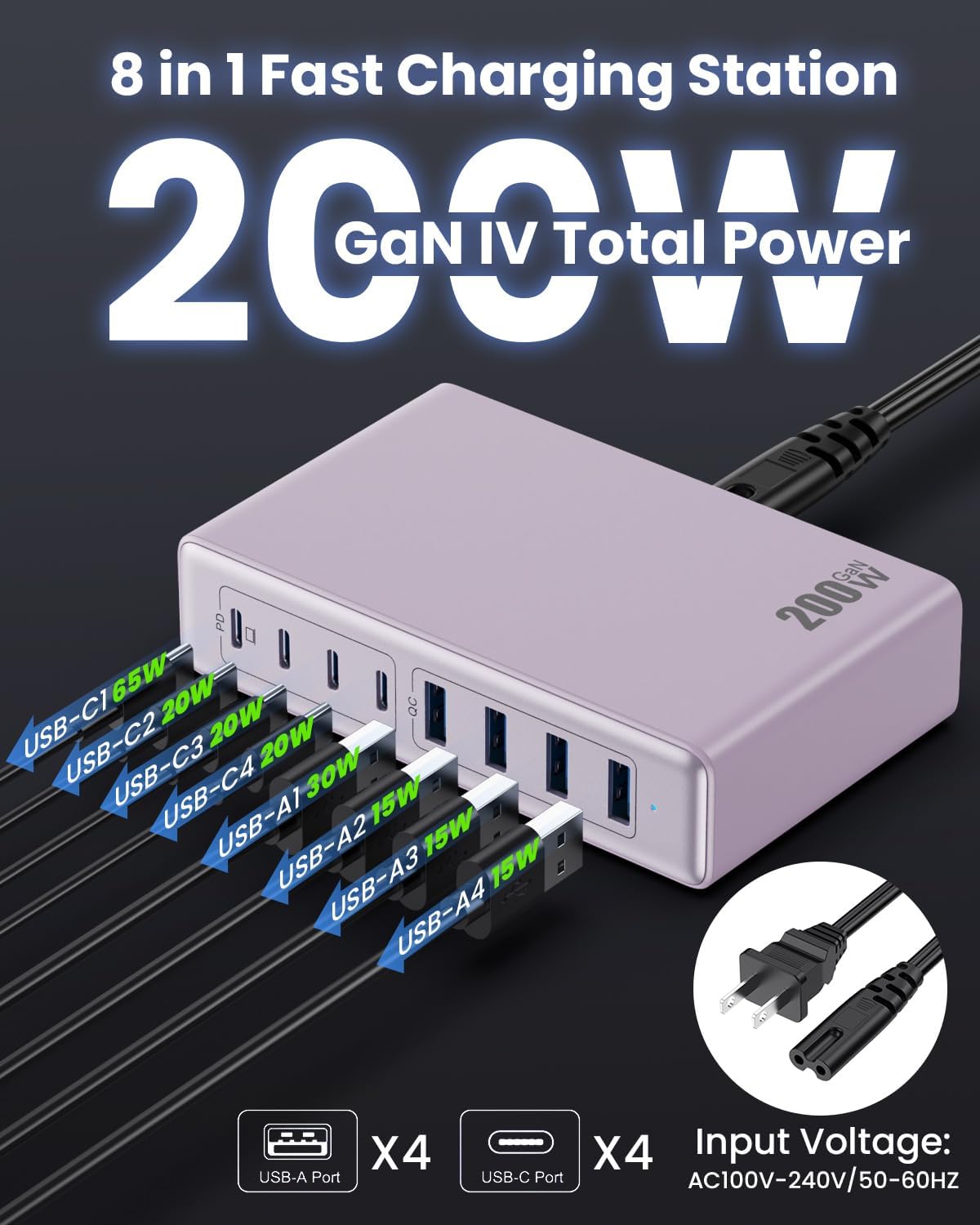
Resim: Ayrıntılı view of the charging station's ports and their individual power outputs (USB-C1 65W, USB-C2 20W, USB-C3 20W, USB-C4 20W, USB-A1 15W, USB-A2 15W, USB-A3 15W, USB-A4 15W).

Image: Comparison chart showing the LanLuk charger's advantages over other chargers in terms of total max output, one port output, number of ports, devices charged, portability, and sustainability.
5. Kurulum
- Paketi aç: Şarj istasyonunu ve tüm aksesuarları ambalajından dikkatlice çıkarın.
- Güç Kablosunu Bağlayın: Insert the included power cord into the AC input port on the back of the charging station.
- Çıkışa takın: Plug the other end of the power cord into a standard AC wall outlet (100-240V, 50/60Hz).
- Kullanıma hazır: The charging station is now ready to charge your devices.
6. Kullanım Talimatları
- Identify Port Type: Determine whether your device requires a USB-C or USB-A connection.
- Cihazı Bağla: Plug your device's charging cable into the appropriate port on the charging station. For optimal laptop charging, use the 65W PD USB-C1 port.
- Şarj Etmeye Başlayın: Your device should begin charging automatically. The intelligent chip will identify the device and deliver the optimal charging current.
- Monitör Şarjı: Some devices may display a charging indicator.
- Bağlantıyı kes: Once charging is complete, safely disconnect your device from the charging station.
7. Özellikler
| Özellik | Tanım |
|---|---|
| Marka | LanLuk |
| Model Numarası | HX-P21 |
| Netage | 200 Watt (Toplam) |
| Toplam USB Bağlantı Noktaları | 8 (4 USB-C, 4 USB-A) |
| USB-C Çıkışı | PD USB C (up to 65W on one port) |
| USB-A Çıkışı | QC4.0 USB-A |
| Giriş Voltage | 100-240 Volts (AC), 50-60 Hz |
| Çıkış Akımı | 4 Amps (Maks) |
| Malzeme | Plastic (ABS and PC fireproof materials) |
| Özel Özellikler | GaN IV Technology, Fast Charging, Lightweight Design, Charging Indicator, Universal Compatibility, Short Circuit Protection |
| Boyutlar | Approximately 5 inches x 3 inches (portable) |
| Güç Kaynağı | Kablolu Elektrik |
8. Sorun Giderme
- Cihaz şarj olmuyor:
- Şarj istasyonunun çalışan bir elektrik prizine düzgün şekilde takılı olduğundan emin olun.
- Şarj kablosunun hem şarj istasyonuna hem de cihazınıza güvenli bir şekilde bağlı olup olmadığını kontrol edin.
- Arızalı bir kablo veya bağlantı noktası olasılığını elemek için farklı bir şarj kablosu veya bağlantı noktası deneyin.
- Verify your device is compatible with the charging station's output specifications.
- Yavaş şarj oluyor:
- Cihazınız için hızlı şarjı destekleyen bir kablo kullandığınızdan emin olun.
- For laptops, use the dedicated 65W PD USB-C1 port.
- Charging multiple devices simultaneously may distribute the total power, potentially reducing individual port speeds.
- Check if your device supports fast charging protocols (PD, QC).
- Aşırı Isınma:
- Ensure the charging station has adequate ventilation and is not covered.
- If excessive heat persists, discontinue use and contact customer support.
9. Bakım
- Temizlik: Disconnect the charging station from the power outlet before cleaning. Use a soft, dry cloth to wipe the surface. Do not use liquid cleaners or aerosols.
- Depolamak: Cihazı, kullanılmadığı zamanlarda doğrudan güneş ışığından ve nemden uzak, serin ve kuru bir yerde saklayın.
- Kablo Bakımı: Avoid bending or crimping charging cables excessively to prevent damage.
10. Garanti ve Destek
LanLuk şunları sağlar: 3 yıllık garanti for free replacement. If you encounter any issues or have questions regarding your product, please contact our customer support team for assistance.
Müşteri Desteği: Lütfen ürün ambalajında veya resmi web sitemizde yer alan iletişim bilgilerine bakın. webdestek sitesi.