
1. Giriş
This manual provides detailed instructions for the DROK 200735_JPN DC-DC Step-Up/Step-Down Converter Module. This versatile module is designed to provide stable power output with adjustable voltage and current, suitable for a wide range of applications including laboratory testing, industrial control, and DIY projects. Please read this manual thoroughly before operation to ensure safe and correct usage.
2. Ürün Özellikleri
- Geniş Giriş/Çıkış Aralığı: Supports DC 6-36V input and adjustable DC 0.5-36V output with 0-4.5A adjustable output current. Maximum output power is 40W.
- Enhanced Cooling System: Features a dedicated 5V fan port for optional 30mm fan installation (fan not included) to improve heat dissipation.
- Çok Fonksiyonlu Arayüz: Equipped with a built-in buzzer for key operation feedback and warning alerts, ensuring quick recognition of operations and potential issues.
- Kapsamlı Koruma: Includes anti-reverse connection, anti-reverse flow, under-voltage, aşırı hacimtage, over-current, over-temperature, and over-power protection for safe and reliable operation.
- LVP Protection: Düşük Hacimtage Protection (LVP) activates when input voltage is insufficient. Increase input voltage until the product operates normally.
- Akıllı Sıcaklık Kontrolü: The fan port supports smart temperature control, activating only when current is high and temperature rises.
3. Ürün Ebatları ve Üzeriview
The following image illustrates the physical dimensions and key components of the converter module.
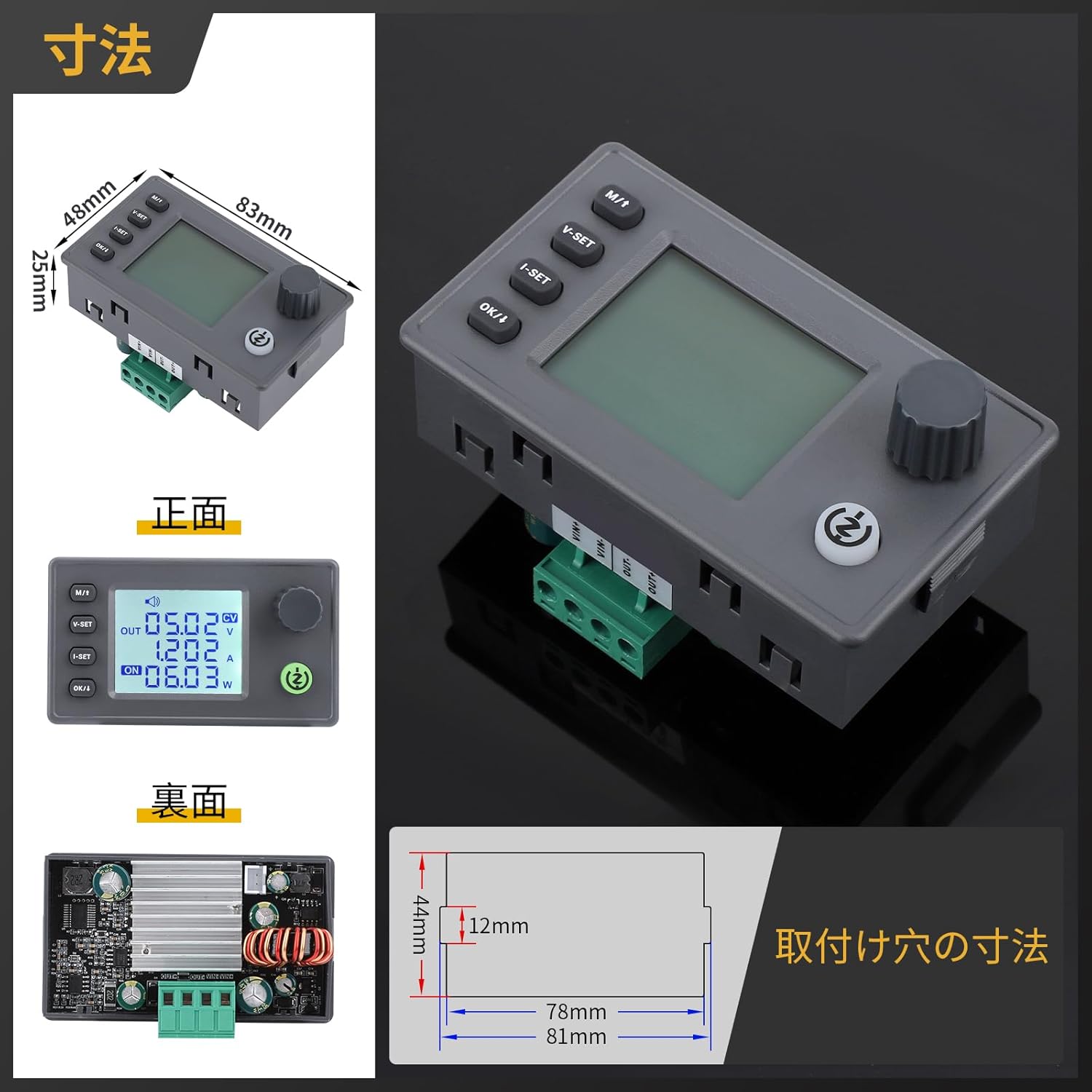
Görüntü: Ön, arka ve yan views with dimensions (83mm x 48mm x 29.4mm) and mounting hole details.
4. Teknik Özellikler
Detailed technical parameters of the DROK 200735_JPN module are provided below.
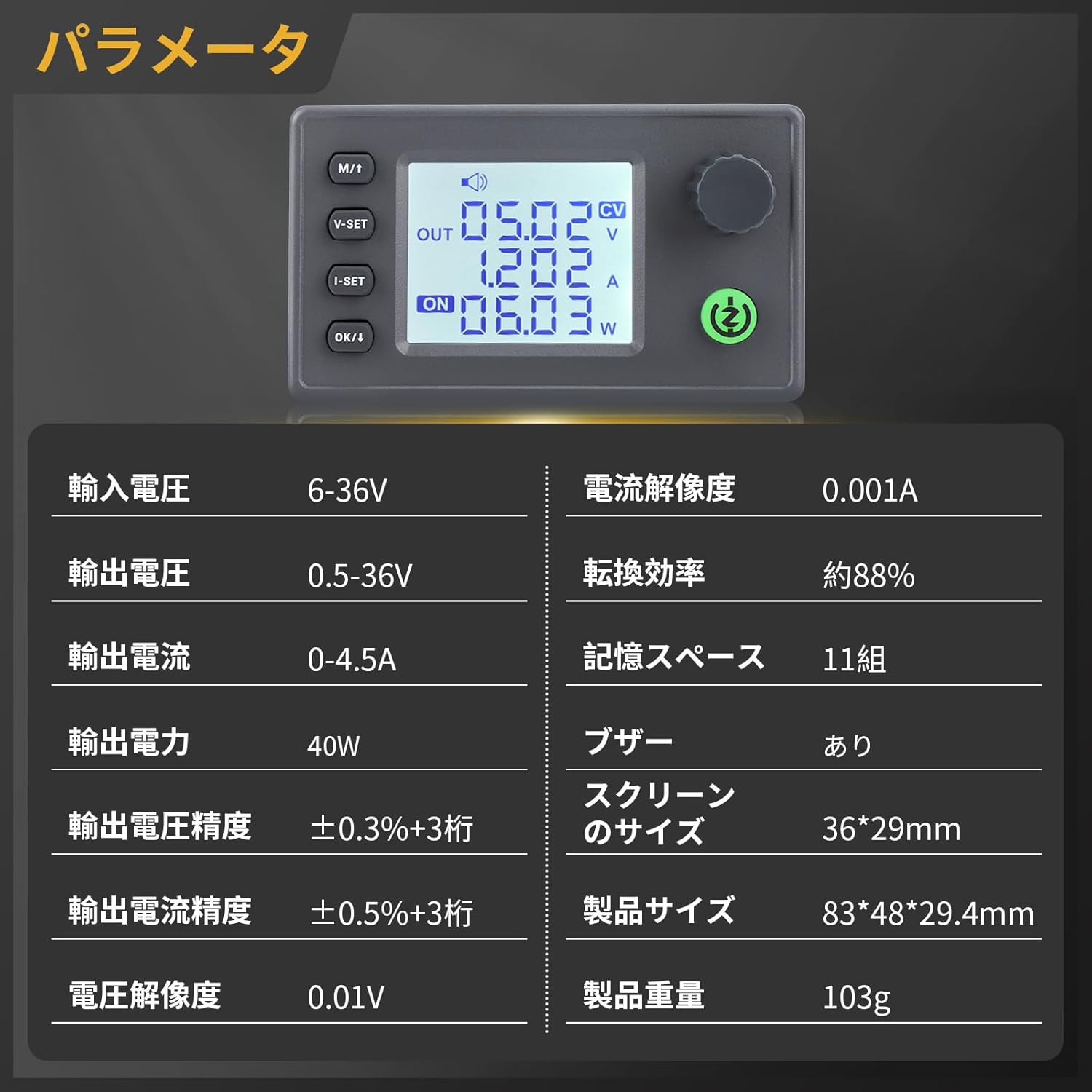
Image: Table of technical parameters including input/output voltage, current, power, and display size.
| Parametre | Değer |
|---|---|
| Giriş Voltage Aralık | DC 6-36V |
| Çıkış Hacmitage Aralık | DC 0.5-36V |
| Çıkış Akımı Aralığı | 0-4.5A |
| Çıkış Gücü | 40W |
| Cilttage Çözünürlük | 0.01V |
| Mevcut Çözünürlük | 0.001A |
| Cilttage Ekran Doğruluğu | ±0.3% + 3 basamak |
| Mevcut Ekran Doğruluğu | ±0.5% + 3 basamak |
| Dönüşüm Verimliliği | Yaklaşık. % 88 |
| Hafıza Alanları | 11 grup |
| Buzzer | Dahil |
| Ekran Boyutu | 36x29 mm |
| Ürün Boyutu | 83x48x29.4 mm |
| Ürün Ağırlığı | 103 gr |
5. Kurulum ve Bağlantılar
Before operating the module, ensure proper connections for input and output. The module features plug-in terminals for easy installation and replacement.

Resim: Dahili view showing the buzzer, 5V fan port, and plug-in terminals for easy connection.
- Giriş Gücü: Connect your DC 6-36V power source to the input terminals (IN+ and IN-). Ensure correct polarity.
- Çıkış Yükü: Connect your load to the output terminals (OUT+ and OUT-).
- Optional Fan: If additional cooling is required, connect a 30mm 5V fan (max 150mA) to the dedicated fan port. The fan is temperature-controlled and will activate automatically when needed.
6. Kullanım Talimatları
The module features an LCD display and intuitive buttons for setting voltage, current, and monitoring parameters.

Resim: Ayrıntılı view of the LCD display showing input voltage, çıkış hacmitage, output current, power, energy, time, and temperature.

Image: Explanation of button functions for voltage setting, current setting, display switching, and output control.
6.1. Düğme Fonksiyonları
- M/1 Button:
Short press: Switch between input voltage ve çıkış hacmitage ekran.
Long press: Enter or exit the setting menu. - V-SET Düğmesi:
Short press: Adjust voltage ayarı. - I-SET Düğmesi:
Short press: Adjust current setting. - Tamam/↓ Düğmesi:
Short press: Switch display of output power (W), capacity (Ah), energy (Wh), time (h), and temperature (°C).
Long press: Toggle output ON/OFF. - Döner Kodlayıcı:
Short press: Enable/disable lock function.
Long press: Enter setting menu (similar to M/1 long press).
Rotate left: Decrease numerical value.
Rotate right: Increase numerical value.
6.2. Hacmi Ayarlamatage ve Güncel
Use the V-SET and I-SET buttons in conjunction with the rotary encoder to set the desired output voltage and current. The LCD will display the current settings. The device will maintain the default values even after restarting.
Video: How to adjust voltage ve akım
This video demonstrates the process of adjusting the output voltage and current settings on a similar DC power supply module.
6.3. Data Logging and Control
The module can be programmed and controlled via computer software, allowing for data logging and analysis. This feature enables users to record and save data to Excel sheets for convenient analysis.
Video: Step-up/down converter automatic step-up/down board
This video showcases the functionality of an automatic step-up/down converter board, including its display and control features, which are similar to the DROK module.
7. Safety Precautions and Protection Features
The DROK converter module is equipped with multiple protection functions to ensure safe operation. Always adhere to these guidelines to prevent damage to the device or connected equipment.
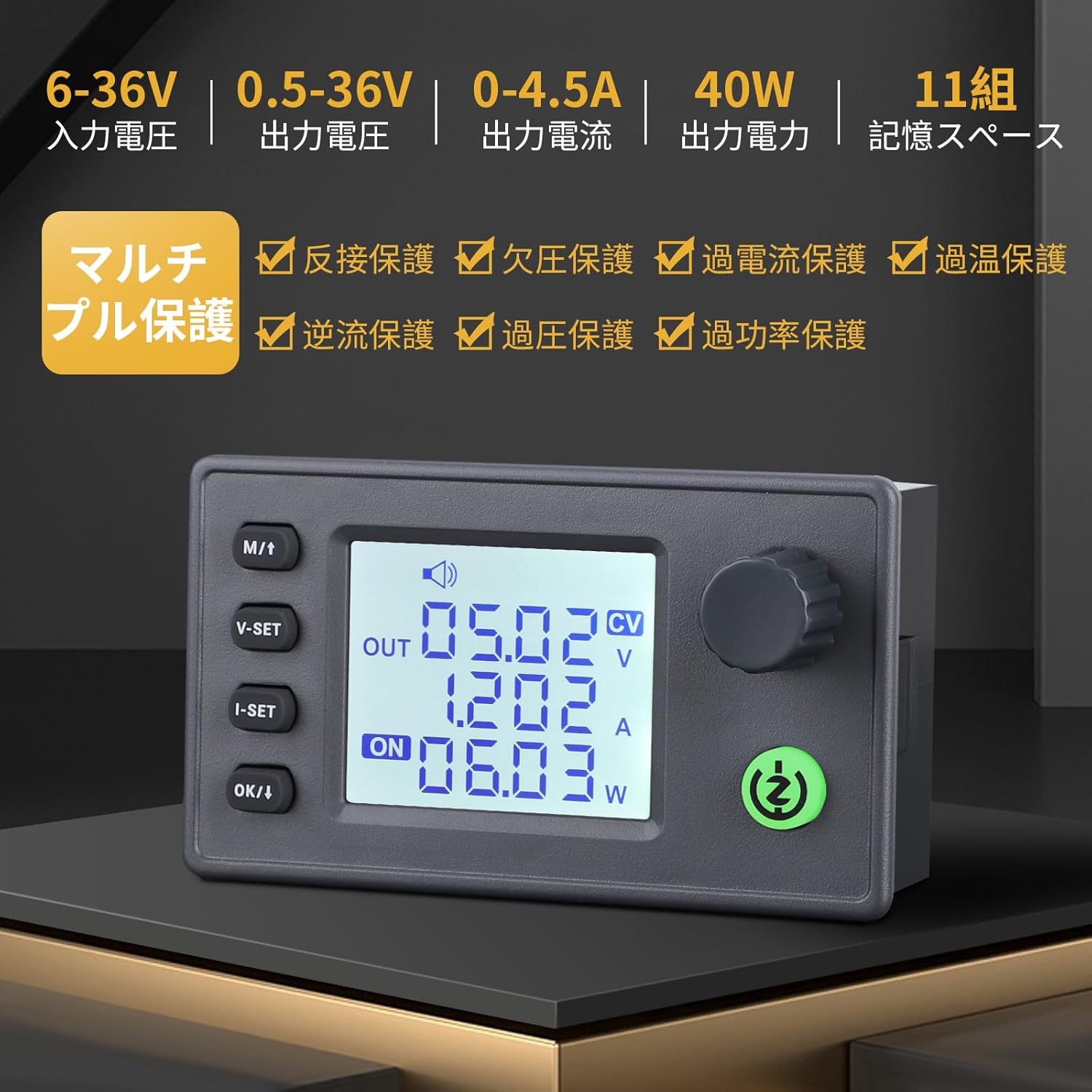
Resim: Üzeriview of the multi-protection features including reverse connection, under-voltage, over-current, over-temperature, anti-reverse flow, over-voltage, and over-power protection.
- Anti-Reverse Connection Protection: Prevents damage if input polarity is reversed.
- Anti-Reverse Flow Protection: Protects the input power source from current flowing back from the output.
- Hacim Altındatage-Koruma (LVP): Giriş hacmi düşerse çıkışı otomatik olarak keser.tage drops below a safe threshold. Increase input voltage to resolve.
- Aşırı Hacimtage Koruma (OVP): Çıkış hacmi düşerse çıkışı kapatır.tage exceeds the set limit.
- Aşırı Akım Koruması (OCP): Disables output if the output current surpasses the set limit.
- Over-Temperature Protection (OTP): Activates if the module's internal temperature becomes too high, reducing power or shutting down to prevent damage.
- Over-Power Protection (OPP): Limits output power to prevent exceeding the module's maximum capacity.
Giriş hacminin her zaman doğru olduğundan emin olun.tage and current are within the specified ranges to avoid triggering protection mechanisms or damaging the module.
8. Sorun Giderme
- No Output/Low Output Voltage: Check input power supply for sufficient voltage and current. Verify output connections and load. Ensure LVP is not active (increase input voltage if necessary).
- Modül Aşırı Isınması: Ensure adequate ventilation. Consider installing a 30mm 5V fan to the dedicated port if operating at higher loads or in warm environments.
- Görüntüleme Sorunları: Check power connections. If the display is unresponsive, try power cycling the module.
- Protection Activated: If any protection (OVP, OCP, OTP, OPP) is triggered, identify and resolve the underlying cause (e.g., reduce load, check for short circuits, ensure proper cooling) before resuming operation.
9. Bakım
To ensure the longevity and optimal performance of your DROK converter module:
- Modülü temiz tutun ve toz ve kalıntılardan uzak tutun.
- Modülü nemden veya aşırı sıcaklıklardan koruyun.
- Regularly check connections for tightness and signs of wear.
- Do not attempt to disassemble or modify the module, as this may void the warranty and cause damage.
10. Garanti ve Destek
For warranty information, technical support, or any questions regarding your DROK 200735_JPN DC-DC Step-Up/Step-Down Converter Module, please refer to the seller's contact information or visit the official DROK webSite. Satın alma fişinizi, garanti talepleriniz için satın alma belgeniz olarak saklayın.