
giriiş
This manual provides essential information for setting up, operating, and maintaining your TCL 55V6B 55-inch 4K Ultra HD HDR Smart Google TV. Please read these instructions carefully before using your television and retain them for future reference. Your new television features a 55-inch 4K Ultra HD display, High Dynamic Range (HDR) support, Google TV operating system, Dolby Audio, Motion Clarity technology, voice control, Google Assistant compatibility, and built-in Chromecast.
Güvenlik Bilgileri
Yangın, elektrik çarpması veya yaralanmayı önlemek için her zaman aşağıdaki güvenlik önlemlerine uyun:
- Güç Kaynağı: Televizyonu yalnızca etiketinde belirtilen alternatif akım (AC) güç kaynağına bağlayın.
- Havalandırma: Ensure adequate ventilation. Do not block ventilation openings or install near heat sources.
- Su ve Nem: Televizyonunuzu yağmura veya neme maruz bırakmayın. Televizyonun üzerine sıvı dolu nesneler koymayın.
- Temizlik: Temizlemeden önce televizyonun fişini çekin. Yumuşak ve kuru bir bez kullanın. Sıvı temizleyicilerden kaçının.
- Çocuklar: Çocukların televizyona veya sehpaya tırmanmasını önlemek için onları gözetim altında tutun.
- Duvara Montaj: If wall-mounting, use a VESA-compliant bracket and ensure professional installation to prevent injury.
Paket İçeriği
Paketin içinde tüm öğelerin mevcut olduğundan emin olun:
- TCL 55V6B 55-inch 4K HDR Smart Google TV
- Uzaktan kumanda
- AAA Piller (x2)
- TV Stand Components (legs, screws)
- Güç kablosu
- Hızlı Başlangıç Kılavuzu ve Güvenlik Bilgi Formu

Resim: Ön view of the TCL 55V6B 55-inch 4K HDR Smart Google TV, illustrating the main unit.
Kurmak
1. Paketten çıkarma
Carefully remove the TV from its packaging. It is recommended to have two people for this process due to the size and weight of the television. Place the TV face down on a soft, flat surface (like a blanket or foam) to prevent screen damage during stand installation.
2. Stand Kurulumu
TV standını takmak için:
- Sehpa ayaklarını televizyonun altındaki ilgili yuvalarla hizalayın.
- Her bir bacağı verilen vidalarla sabitleyin. Vidaların iyice sıkıldığından emin olun.
- Televizyonu dikkatlice dik konumuna kaldırın ve sağlam, düz bir yüzeye yerleştirin.
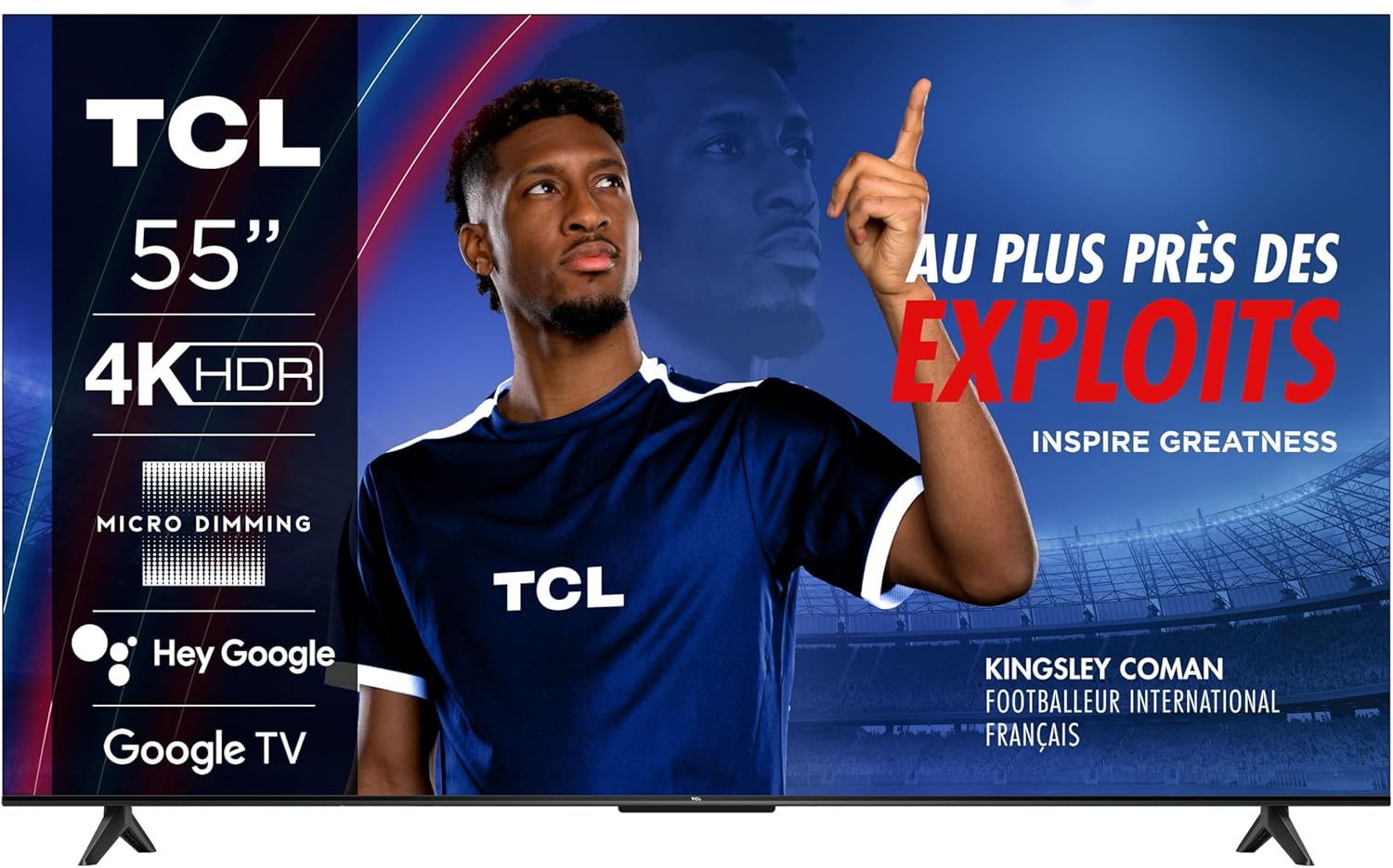
Image: The TCL 55V6B 55-inch TV with its stand correctly installed, ready for use.
3. Duvara Montaj (Opsiyonel)
If you choose to wall-mount your TV, you will need a VESA-compatible wall mount (200 x 200 mm). Remove the stand legs before mounting. It is highly recommended to seek professional assistance for wall mounting to ensure safety and proper installation.

Resim: Arka view of the TCL 55V6B TV, showing the VESA mounting points and port locations.
4. Çevre Birimlerini Bağlama
Connect your external devices (e.g., cable box, Blu-ray player, gaming console) to the TV's ports:
- HDMI Bağlantı Noktaları: Yüksek çözünürlüklü ses ve görüntü için. Televizyonunuzda 3 adet HDMI bağlantı noktası bulunmaktadır.
- USB Bağlantı Noktası: For connecting USB storage devices. Your TV has 1 USB port.
- Ethernet Bağlantı Noktası: Kablolu internet bağlantısı için.
- Anten/Kablo Girişi: Anten veya kablolu TV bağlantısı için.

Resim: Yan view of the TCL 55V6B TV, detailing the accessible connectivity ports.
5. İlk Açılış ve İlk Kurulum
After connecting all devices and the power cable:
- Güç kablosunu bir elektrik prizine takın.
- Uzaktan kumandadaki veya televizyondaki güç düğmesine basın.
- Follow the on-screen instructions to complete the initial setup, including language selection, network connection (Wi-Fi or Ethernet), and Google TV account login.
TV'yi çalıştırma
1. Uzaktan Kontrol Üzerindeview
The remote control allows you to navigate the TV's features. Insert the two AAA batteries into the remote control, ensuring correct polarity.

Image: The remote control for the TCL 55V6B TV, showing button layout.
2. Temel İşlevler
- Güç: Televizyonu açmak veya kapatmak için güç düğmesine basın.
- Hacim: Ses seviyesini ayarlamak için ses açma/kısma düğmelerini kullanın.
- Kanal: Use the channel up/down buttons to change channels (for antenna/cable input).
- Giriş: Press the input button to select different input sources (HDMI 1, HDMI 2, USB, etc.).
3. Akıllı TV Özellikleri (Google TV)
Your TCL 55V6B TV runs on Google TV, offering a personalized entertainment experience:
- Ana Ekran: Access your favorite apps, movies, and shows from a centralized home screen.
- Ses Kontrolü: Uzaktan kumandanızdaki mikrofon düğmesine basarak ve komutlar vererek yerleşik Google Asistan'ı kullanabilirsiniz.
- Chromecast Yerleşik: Uyumlu mobil cihazlarınızdaki içerikleri doğrudan televizyonunuza aktarın.
- Uygulama Mağazası: Google Play Store'dan ek uygulamalar indirin.
4. Görüntü ve Ses Ayarları
Access the TV's settings menu to customize picture and sound:
- Resim Modları: Choose from various preset picture modes (e.g., Standard, Vivid, Movie, Game) or customize brightness, contrast, color, and sharpness.
- Ses Modları: Select sound modes (e.g., Standard, Music, Movie, Speech) or adjust equalizer settings. The TV features Dolby Audio for enhanced sound quality.
Bakım
1. Temizlik
- Ekran: Ekranı yumuşak, tiftiksiz bir bezle nazikçe silin. İnatçı lekeler için hafifçe silin.ampBezi su veya özel bir ekran temizleyici ile silin (asla doğrudan ekrana püskürtmeyin).
- Kabine: Wipe the TV cabinet with a soft, dry cloth. Avoid abrasive cleaners or solvents.
2. Yazılım Güncellemeleri
Your TV may receive software updates to improve performance and add new features. To check for updates:
- Televizyonunuzdaki Ayarlar menüsüne gidin.
- 'Sistem' veya 'Hakkında' bölümüne gidin.
- Select 'Software Update' or 'System Update' and follow the prompts.
Sorun giderme
Televizyonunuzda sorunlarla karşılaşırsanız, aşağıdaki yaygın sorunlara ve çözümlere bakın:
| Sorun | Olası Çözüm |
|---|---|
| Güç Yok | Güç kablosunun televizyona ve prize sağlam bir şekilde takılı olup olmadığını kontrol edin. Farklı bir priz deneyin. |
| Görüntü yok, ancak ses var. | Doğru giriş kaynağının seçildiğinden emin olun. Harici cihazlara olan kablo bağlantılarını kontrol edin. |
| Ses yok, ancak görüntü mevcut. | Check volume level and mute status. Verify audio output settings. |
| Uzaktan Kumanda Çalışmıyor | Pilleri değiştirin. Uzaktan kumanda ile televizyonun kızılötesi sensörü arasında herhangi bir engel olmadığından emin olun. |
| Ağ Bağlantı Sorunları | Restart your router. Reconnect to Wi-Fi or check Ethernet cable. |
Özellikler
Key technical specifications for the TCL 55V6B TV:
Image: Detailed dimensions of the TCL 55V6B 55-inch TV.
| Özellik | Detay |
|---|---|
| Model Numarası | 55V6B |
| Ekran Boyutu | 55 inç |
| Ekran Teknolojisi | NEDEN OLMUŞ |
| Çözünürlük | 4K Ultra HD (3840x2160) |
| Yenileme Hızı | 60 Hz |
| HDR Desteği | HDR10 |
| İşletim Sistemi | Google televizyon |
| Ses Çıkışı Modu | Stereo, Dolby Audio |
| Bağlantı | Wi-Fi, Ethernet, 3x HDMI, 1x USB |
| VESA Montaj Standardı | 200x200 mm |
| Ürün Boyutları (D x G x Y) | 25.5 x 122.6 x 75 cm (standlı) |
| Ürün Ağırlığı | 8.9 Kilogram |
| Uzaktan Kumanda Pilleri | 2 adet AAA pil (dahil) |
Garanti ve Destek
Your TCL 55V6B TV comes with a Limited Warranty. Please refer to the warranty card included in your package for specific terms and conditions, including coverage duration and service procedures.
Teknik destek, bu kılavuzun ötesinde sorun giderme yardımı veya garanti talepleri için lütfen TCL müşteri hizmetleriyle iletişime geçin. İletişim bilgileri genellikle TCL resmi web sitesinde bulunabilir. webBu bilgiye siteden veya televizyonunuzla birlikte verilen belgelerden ulaşabilirsiniz.