
1. Giriş
Thank you for choosing the virtavo Indoor WiFi Security Camera. This manual provides essential information for setting up, operating, and maintaining your camera to ensure optimal performance and home security. Please read this manual thoroughly before using the product and keep it for future reference.
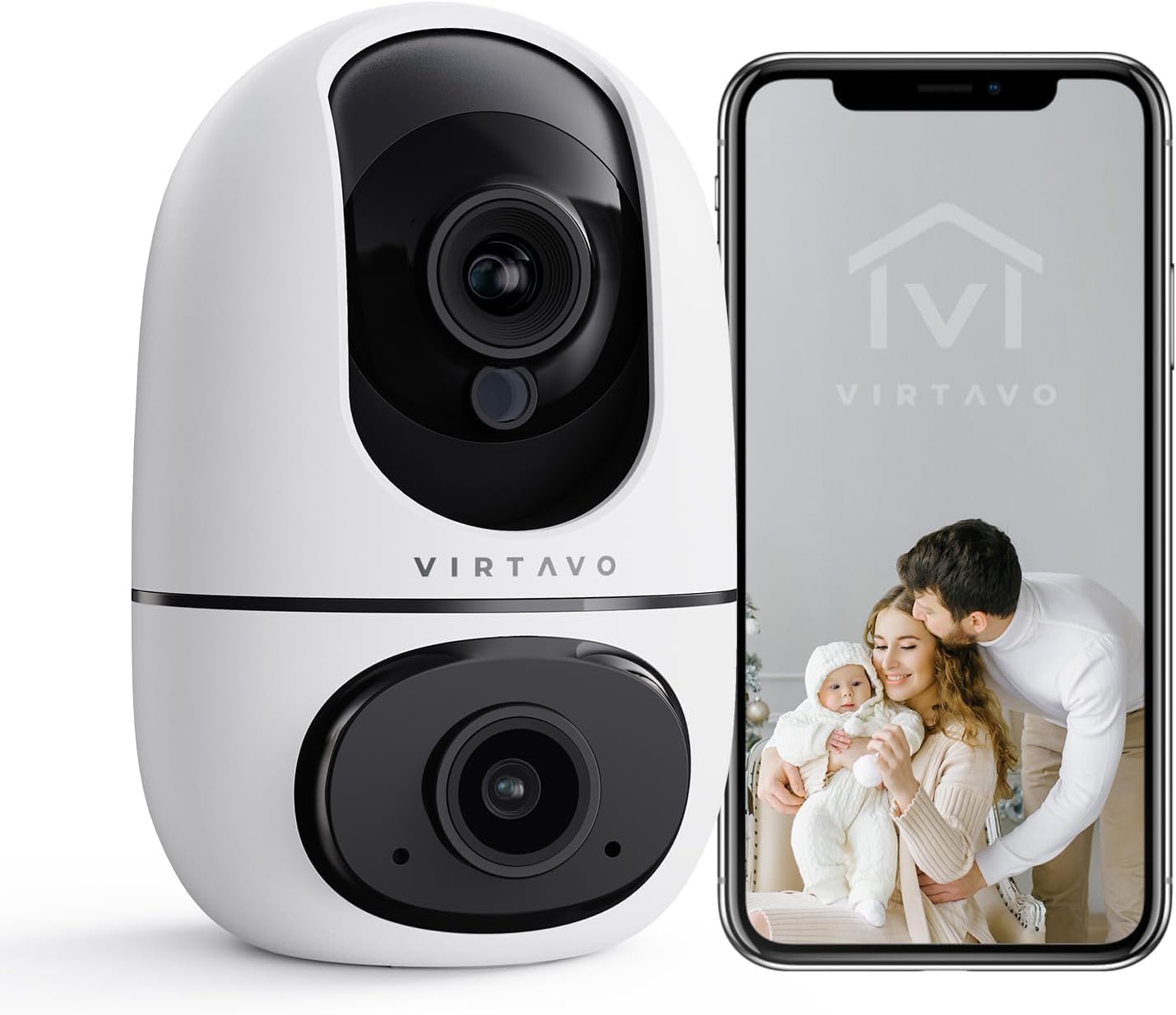
The virtavo Indoor WiFi Security Camera, shown alongside a smartphone displaying its live view, is designed for comprehensive indoor surveillance, offering peace of mind for your home, baby, or pets.
2. Paket İçeriği
Lütfen kutuyu açarken paket içeriğini kontrol edin. Eksik veya hasarlı bir ürün varsa, müşteri hizmetleriyle iletişime geçin.
- virtavo Indoor WiFi Security Camera (Model XD1-V124)
- Güç Adaptörü
- USB Güç Kablosu
- Montaj Aksesuarları (Vidalar, Dübeller)
- Kullanım Kılavuzu (Bu belge)
3. Ürün Bittiview
The virtavo Indoor WiFi Security Camera features a dual-lens design, providing enhanced monitoring capabilities. It supports 1080p resolution, pan and tilt functionality for 360-degree coverage, two-way audio, and advanced detection features.

This image highlights the key features of the virtavo camera, including its dual-lens design, 2.4GHz WiFi connectivity, 1080p resolution, extensive pan and tilt range, two-way audio, AI detection, motion tracking, night vision, and video storage capabilities.
Temel Özellikler:
- Çift Lens Tasarımı: For comprehensive monitoring.
- 1080p Full HD Çözünürlük: Net ve ayrıntılı video sunar.
- 360° Döndürme ve Eğme: Geniş bir yelpazede sunar viewing angle for complete room coverage.
- İki Yönlü Ses: Communicate with family or pets remotely.
- AI Detection & Motion Tracking: Intelligently identifies and follows movement.
- Gece Görüşü: Clear visibility even in low light or complete darkness.
- 2.4GHz WiFi Bağlantısı: Stable wireless connection.
- Yerel ve Bulut Depolama: Options for video recording.
4. Kurulum
4.1 Açma
- USB güç kablosunu kameranın güç girişine bağlayın.
- Güç adaptörünü standart bir elektrik prizine takın.
- The camera will power on and initiate its self-check sequence. Wait for the indicator light to flash, indicating it's ready for connection.
4.2 Uygulama Yükleme ve Hesap Oluşturma
- Download the official virtavo app from your smartphone's app store (iOS App Store or Google Play Store).
- Uygulamayı açın ve yeni bir hesap oluşturmak için ekrandaki talimatları izleyin veya zaten bir hesabınız varsa giriş yapın.
4.3 Kamerayı WiFi'ye Bağlama
- In the virtavo app, tap the "+" icon to add a new device.
- Select "Security Camera" or the specific model if prompted.
- Follow the in-app instructions to connect the camera to your 2.4GHz WiFi network. This typically involves scanning a QR code generated by the app with the camera's lens or entering your WiFi password.
- Once connected, the camera's indicator light will turn solid, and you will hear a confirmation sound.
4.4 Kameranın Montajı (İsteğe Bağlı)
The camera can be placed on a flat surface (tabletop mounting) or mounted to a wall or ceiling using the provided accessories.
- Masaüstü Yerleşimi: Simply place the camera on a stable, flat surface within range of your WiFi network and a power outlet.
- Duvar/Tavan Montajı:
- Choose a suitable location, ensuring a clear view ve güce erişim.
- Use the mounting template (if provided) or mark the screw holes on the desired surface.
- Drill pilot holes and insert wall plugs if mounting on drywall or masonry.
- Secure the mounting bracket (if applicable) with screws.
- Attach the camera to the mounting bracket, ensuring it is securely locked in place.
5. Kameranın Çalıştırılması
5.1 Canlı View ve Pan/Tilt Kontrolü
Open the virtavo app and select your camera to access the live view. Use the on-screen controls to pan (horizontal) and tilt (vertical) the camera lens to adjust the viewaçı.

The virtavo camera supports dual-view monitoring, allowing you to see multiple camera feeds or different perspectives from the dual-lens on a single screen for an enhanced split-screen experience.
5.2 İki Yönlü Ses
Canlı yayında mikrofon simgesine dokunun view to speak through the camera's speaker. Tap the speaker icon to listen to audio from the camera's surroundings.
5.3 Hareket Algılama ve Uyarılar
Enable motion detection in the app settings to receive instant alerts on your smartphone when movement is detected. You can adjust sensitivity levels and set specific activity zones to reduce false alarms.

This feature allows users to define specific activity zones within the camera's view, ensuring that alerts are only triggered by motion in designated areas, reducing unnecessary notifications.
5.4 Gece Görüşü
The camera automatically switches to night vision mode in low-light conditions. It features powerful starlight color night vision for clear images even in complete darkness.

The image demonstrates the superior clarity of the virtavo camera's Starlight Color Night Vision, providing detailed and visible footage even in very low light or complete darkness, compared to a traditional camera.
5.5 Dijital Zoom
Canlı görüntüyü yakınlaştırmak için parmaklarınızı kullanın. view to digitally magnify the image up to 8 times, allowing for closer inspection of details.

This visual illustrates the 8X digital zoom capability of the camera, allowing users to zoom in on specific areas of interest within the live feed for clearer and more detailed viewIng.
5.6 Çoklu Kullanıcı Paylaşımı
Share access to your camera's live feed and recordings with family members or trusted individuals through the app. Each user can have their own account and access permissions.

The multi-user sharing feature enables you to securely share your camera's feed with family members, allowing everyone to monitor the home together for enhanced safety and convenience.
5.7 Önceden Ayarlanmış Konumlar
Save specific camera angles as preset positions for quick navigation. This allows you to instantly move the camera to a predefined view tek bir dokunuşla.

This image illustrates the "My Collections" feature, which allows users to save and quickly recall specific camera positions (presets) within the app, making it easy to monitor different areas of a room.
6. Bakım
- Temizlik: Kamera lensini ve gövdesini yumuşak ve kuru bir bezle nazikçe silin. Sert kimyasallar veya aşındırıcı temizleyiciler kullanmayın.
- Donanım Yazılımı Güncellemeleri: Regularly check the virtavo app for available firmware updates. Keeping your camera's firmware up-to-date ensures optimal performance, security, and access to new features.
- Ağ Kararlılığı: Ensure your WiFi network is stable and strong where the camera is located to prevent connectivity issues.
7. Sorun Giderme
| Sorun | Olası Neden | Çözüm |
|---|---|---|
| Kamera çevrimdışı/WiFi'ye bağlanamıyor | Weak WiFi signal, incorrect WiFi password, camera too far from router, 5GHz WiFi network. | Ensure camera is within 2.4GHz WiFi range. Verify WiFi password. Restart camera and router. Re-add camera in the app. |
| Hareket algılama uyarısı yok | Motion detection disabled, sensitivity too low, activity zones not set correctly, app notifications off. | Enable motion detection in app. Adjust sensitivity. Configure activity zones. Check phone notification settings for the app. |
| Video kalitesi zayıf | Yetersiz bant genişliği, kirli lens, düşük ışık koşulları. | Ensure stable internet connection. Clean the camera lens. Verify night vision is active in low light. |
| İki yönlü ses çalışmıyor | Microphone/speaker muted in app, app permissions not granted. | Check audio settings in the app. Grant microphone permissions to the app in your phone settings. |
8. Özellikler
| Özellik | Detay |
|---|---|
| Model Numarası | XD1-V124 |
| Video Çözünürlüğü | 1080p Full HD |
| Bağlantı | 2.4 GHz Wi-Fi |
| Pan/Tilt Aralığı | 350° Horizontal, 70° Vertical (approx.) |
| Ses | Çift Yönlü Ses |
| Gece Görüşü | Infrared, Starlight Color Night Vision |
| Özel Özellikler | AI Detection, Motion Tracking, Digital Zoom (8X), Multi-User Sharing, Preset Positions, Activity Zones |
| Güç Kaynağı | Electric Cable (10 Watts) |
| Boyutlar (U x G x Y) | 14.3 x 6.6 x 11.91 cm (yaklaşık) |
| Ağırlık | 158.76 gram (yaklaşık) |
| Malzeme | Plastik |
| İç/Dış Mekan Kullanımı | Kapalı |
| Uyumlu Cihazlar | Smartphone, Tablet (Android) |
9. Garanti ve Destek
9.1 Garanti Bilgileri
The virtavo Indoor WiFi Security Camera comes with a standard manufacturer's warranty. Please refer to the product packaging or the official virtavo webGaranti şartları ve koşulları için lütfen ilgili siteyi ziyaret edin. Garanti talepleriniz için satın alma fişinizi saklayın.
9.2 Müşteri Desteği
For technical assistance, troubleshooting, or warranty inquiries, please contact virtavo customer support through the following channels:
- E-posta: Refer to the virtavo official website for support email address.
- Webalan: Visit the official virtavo webSSS, destek makaleleri ve iletişim formları için site.
- Uygulama İçi Destek: Some issues can be resolved directly through the support section within the virtavo mobile application.
Please have your model number (XD1-V124) and purchase details ready when contacting support.