
giriiş
Thank you for choosing the litokam 2.5K 4MP QHD Outdoor PTZ Security Camera. This manual provides detailed instructions for setting up, operating, and maintaining your camera to ensure optimal performance and security for your home. This camera features 2.5K 4MP QHD resolution, 360° pan/tilt monitoring, AI motion detection, color night vision, and two-way audio communication.
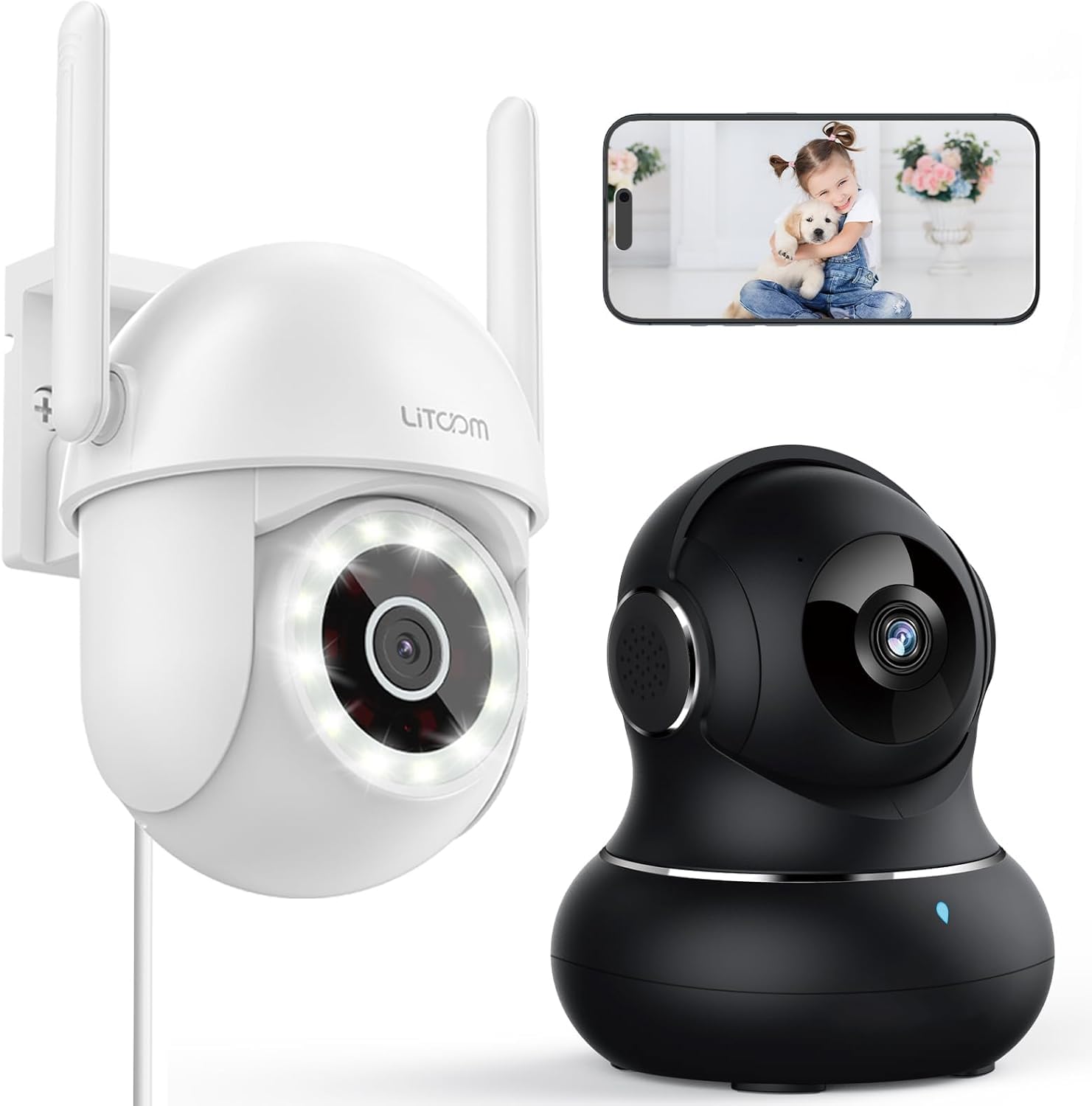
Resim: Üzeriview of the litokam 2.5K 4MP QHD Outdoor PTZ Security Camera.
Kurulum Kılavuzu
1. Paket İçeriği
Kurulumdan önce lütfen tüm bileşenlerin mevcut olduğundan emin olun:
- litokam 2.5K 4MP QHD Outdoor PTZ Security Camera
- Güç Adaptörü
- Montaj Vidaları ve Ankrajları
- Kullanım Kılavuzu (bu belge)
2. Kamerayı Güçlendirme
The camera requires a direct power supply. Connect the provided power adapter to the camera's power input port and then plug it into a standard electrical outlet. Ensure the power source is stable.
3. Kameranın Montajı
Kamera duvara monte edilmek üzere tasarlanmıştır. İstediğiniz görüş alanını sağlayacak uygun bir yer seçin. viewing angle and is within range of your 2.4GHz Wi-Fi network. Use the included screws and anchors to securely mount the camera.
- Fotoğraf makinesinin tabanını şablon olarak kullanarak duvardaki delme noktalarını işaretleyin.
- İşaretli noktalara delikler açın.
- Plastik dübelleri açılan deliklere yerleştirin.
- Align the camera base with the holes and secure it with the screws.
4. Uygulama Yükleme ve Wi-Fi Bağlantısı
To operate the camera, you need to download the litokam app on your smartphone (compatible with Android and iOS). The camera only works with 2.4GHz Wi-Fi networks.
- Download the litokam app from your device's app store.
- Hesabınıza kaydolun veya giriş yapın.
- Follow the in-app instructions to add your new camera. This typically involves scanning a QR code on the camera or manually selecting the device type and entering Wi-Fi credentials.
- Kurulum işlemi sırasında telefonunuzun 2.4 GHz Wi-Fi ağına bağlı olduğundan emin olun.
Kullanım Talimatları
1. Canlı View ve Pan/Tilt Kontrolü
Access the live video feed through the litokam app. The camera offers 360° pan and tilt functionality, allowing you to remotely adjust the viewing angle. Use the on-screen controls in the app to pan horizontally and tilt vertically.

Image: Remote Pan/Tilt/Zoom (PTZ) control via the mobile application, showing 360° horizontal viewing angle and 3X digital zoom.
The camera also supports 3X digital zoom to view details more closely within the live feed.
2. Yapay Zeka Destekli Hareket Algılama ve Uyarılar
The camera features PIR motion detection and advanced AI analytics to accurately identify and differentiate between people and vehicles, significantly reducing false alarms. When motion is detected, real-time alerts are sent to your phone.

Image: AI analysis detecting a vehicle in the surveillance area, reducing false alarms.

Image: The camera detecting motion, with options for real-time alerts and app notifications.
You can customize alert settings, including siren activation and flashing white light, to deter unwanted visitors.
3. İki Yönlü Ses İletişimi
With a built-in microphone and speaker, the camera enables two-way audio. Use the app to speak with visitors, family members, or pets directly through the camera, or to warn intruders.

Image: Demonstrating two-way audio, allowing communication with a person at the door.
4. Gece Görüş Modları
The camera offers three night vision options for clear monitoring up to 33 feet in low-light conditions:
- Kızılötesi Modu: Kızılötesi LED'ler kullanan standart siyah beyaz gece görüşü.
- Tam Renkli Mod: Utilizes the built-in LED spotlight to provide full-color video even at night.
- Akıllı mod: Automatically switches between infrared and full-color mode based on detected motion or light conditions.

Image: Comparison of standard night vision (left) and full-color night vision (right) with LED spotlight activated.

Image: Visual representation of 4MP HD resolution for clearer images, comparing it to lower resolution.
5. Çoklu Kullanıcı Paylaşımı
The litokam app allows you to share camera access with multiple users, such as family members. This enables several people to view Canlı yayını izleyin ve aynı anda bildirimler alın.

Image: The litokam app interface showing multi-user access and sharing capabilities across different devices (Android, iOS, Tablet, PC Software).
Bakım
1. Kamerayı Temizleme
Net görüntü kalitesi sağlamak için, kamera lensini ve gövdesini düzenli olarak temizleyin. Yumuşak, tozdan arındırılmış bir bez kullanın.amp Toz ve kiri silmek için bir bez kullanın. Merceğe veya yüzeye zarar verebilecek sert kimyasallar veya aşındırıcı malzemeler kullanmaktan kaçının.
2. Ürün Yazılımı Güncellemeleri
Keep your camera's firmware updated to benefit from the latest features and security enhancements. Check for available updates within the litokam app and follow the on-screen instructions to install them.
3. Hava Koşullarına Dayanıklılık
The camera has an IP65 rating, indicating it is protected against dust and water jets. This allows for efficient, all-weather operation, withstanding rain, snow, and harsh conditions. No special weather-related maintenance is typically required beyond ensuring the power connection remains secure and protected.
Sorun giderme
If you encounter issues with your litokam security camera, refer to the following common solutions:
- Kamera Çevrimdışı:
- Ensure the camera is properly powered and the power adapter is securely connected.
- Verify your Wi-Fi router is working and the camera is within range of a 2.4GHz Wi-Fi signal.
- Kamerayı yeniden başlatmak için güç adaptörünü çıkarıp tekrar takın.
- Check the litokam app for any network status indicators or troubleshooting guides.
- Wi-Fi'ye Bağlanılamıyor:
- Wi-Fi ağınızın 2.4 GHz olduğunu doğrulayın. Kamera 5 GHz Wi-Fi'yi desteklemiyor.
- Doğru Wi-Fi şifresini girdiğinizden emin olun.
- Move the camera closer to your Wi-Fi router during the setup process.
- Reset the camera (refer to the app for specific reset instructions, usually a small button).
- Kötü Görüntü Kalitesi:
- Kamera merceğini yumuşak bir bezle temizleyin.
- Objektifin önünde herhangi bir engel bulunmadığından emin olun.
- İnternet bağlantı hızınızı kontrol edin; yavaş bağlantı yayın kalitesini etkileyebilir.
- Hareket Algılama Çalışmıyor:
- Verify motion detection settings are enabled in the litokam app.
- Gerekirse hassasiyet seviyelerini ayarlayın.
- Kameranın view engellenmemiştir.
For further assistance, please contact litokam customer support or refer to the FAQ section within the litokam app.
Özellikler
| Özellik | Detay |
|---|---|
| Örnek | 2.5K 4MP QHD Outdoor PTZ Security Camera |
| Video Yakalama Çözünürlüğü | 2.5K, 4 MP (2560*1440) |
| Dijital Zoom | 3X |
| Pan/Tilt Kapsamı | 360° |
| Bağlantı Protokolü | Wi-Fi (sadece 2.4 GHz) |
| Güç Kaynağı | Wired (Direct Power Supply) |
| Hareket Algılama | PIR Motion Detection, Advanced AI Analytics (Person/Vehicle Differentiation) |
| Gece Görüşü | Full-Color, Infrared, Smart Mode (up to 33ft visible range) |
| Ses | Çift Yönlü Ses (Dahili Mikrofon ve Hoparlör) |
| Hava Direnci | IP65 Dereceli |
| Uyumlu Cihazlar | Smartphone (Android, iOS), PC Software |
| Montaj Tipi | Duvara Montaj |
| ASIN | B0CX91MDJ4 |
Garanti ve Destek
Garanti Bilgileri
For detailed warranty information, please refer to the warranty card included with your product or visit the official litokam webSite. Garanti şartları ve koşulları bölgeye ve satın alma tarihine göre değişiklik gösterebilir.
Müşteri Desteği
If you require technical assistance, have questions about your product, or need to report an issue, please contact litokam customer support. You can typically find contact information (email, phone, or support portal) on the official litokam website or within the litokam mobile application.
Please have your product model and ASIN (B0CX91MDJ4) ready when contacting support for faster service.