
1. Giriş
This manual provides detailed instructions for the setup, operation, and maintenance of your BoxWave SlimKeys Bluetooth Keyboard. Please read this manual thoroughly before using the product to ensure proper functionality and longevity.
Paket İçeriği:
- BoxWave SlimKeys Bluetooth Keyboard
- USB Şarj Kablosu
- Kullanıcı Kılavuzu
2. Ürün Bittiview
The BoxWave SlimKeys Bluetooth Keyboard is a compact and portable input device designed for seamless connectivity with various Bluetooth-enabled devices, including smartphones and tablets. It features a slim profile, chiclet-style keys for comfortable typing, and a long-lasting battery.
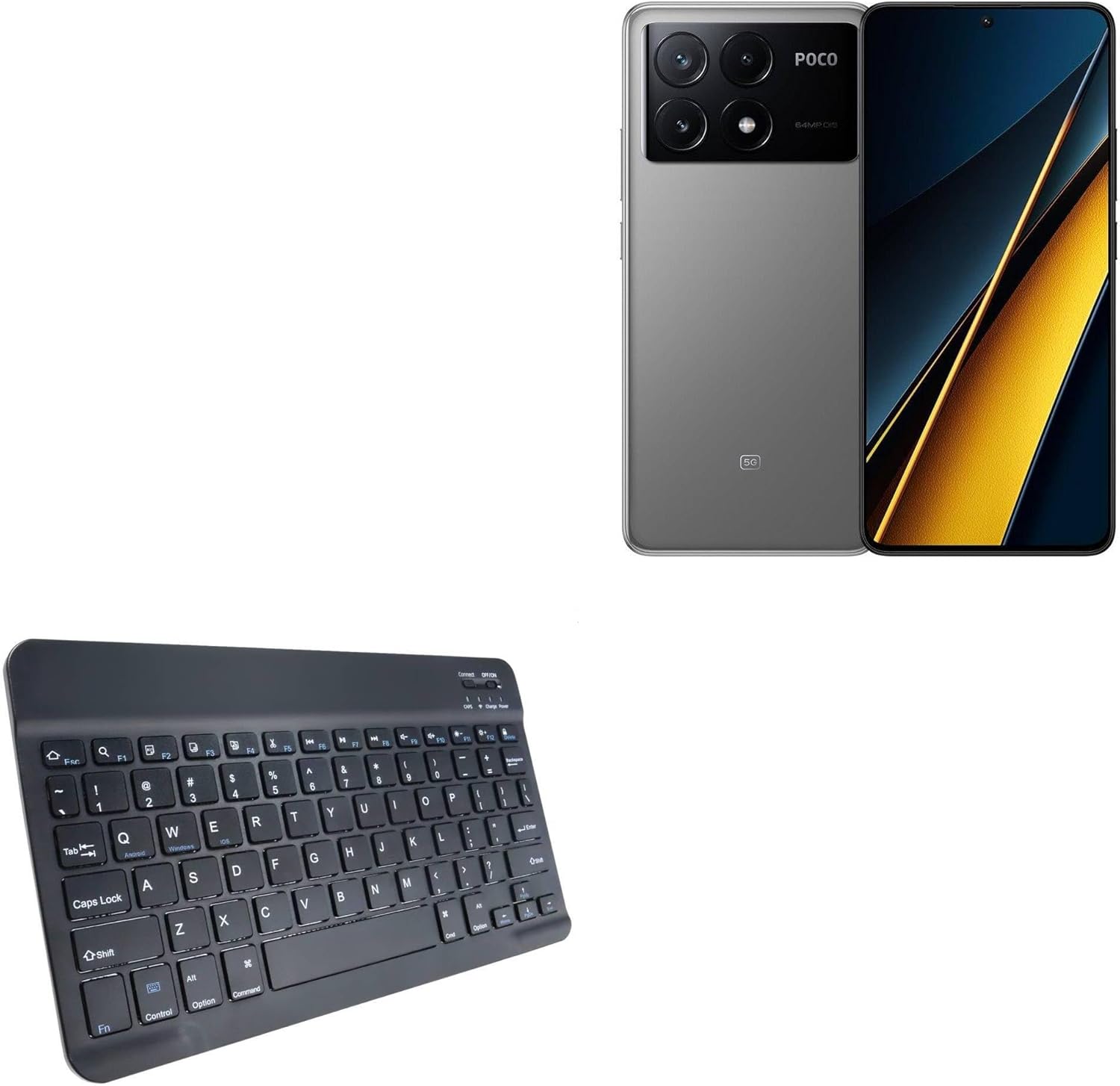
Image 2.1: The BoxWave SlimKeys Bluetooth Keyboard, showcasinKompakt tasarımıyla dikkat çekiyor.

Resim 2.2: Açılı view of the keyboard, highlighting the key layout and slim profile.

Image 2.3: A user typing comfortably on the SlimKeys Bluetooth Keyboard, demonstrating its ergonomic use.
3. Kurulum Talimatları
3.1 Klavyeyi Şarj Etme
Before initial use, fully charge the keyboard. Connect the included USB charging cable to the keyboard's charging port and the other end to a USB power source (e.g., computer, wall adapter). The charging indicator light will illuminate during charging and turn off when fully charged.

Image 3.1: The charging port located on the side of the SlimKeys Bluetooth Keyboard.

Image 3.2: The keyboard connected to a charging cable, illustrating the long-lasting battery feature.
3.2 Bluetooth Eşleştirme
Follow these steps to pair your SlimKeys Bluetooth Keyboard with your device:
- Klavyenin tam şarjlı olduğundan emin olun.
- Turn on the keyboard using the ON/OFF switch located on the top right. The power indicator light will turn on.
- Basın Bağlamak button (usually located near the ON/OFF switch). The Bluetooth indicator light will start blinking, indicating it is in pairing mode.
- On your device (e.g., Xiaomi Poco X6 Pro), go to Bluetooth settings and turn Bluetooth on.
- Arama available devices. You should see "BoxWave SlimKeys Keyboard" or a similar name appear in the list.
- Select the keyboard from the list. Your device may prompt you to enter a pairing code displayed on the screen. Type this code on the SlimKeys keyboard and press Girmek.
- Once paired, the Bluetooth indicator light on the keyboard will stop blinking and remain solid or turn off, depending on the model. Your device will confirm successful pairing.
If pairing fails, turn off both the keyboard and your device's Bluetooth, then repeat the steps.
4. Kullanım Talimatları
4.1 Temel Klavye Kullanımı
Once paired, the keyboard functions like a standard computer keyboard. Simply open any text input application on your device and begin typing.
4.2 Fonksiyon Tuşu
The SlimKeys Bluetooth Keyboard includes specialized function keys (F1-F12) that provide quick access to various device functions. These keys often require pressing the Fn İstenilen fonksiyon tuşuyla aynı anda tuşa basın.

Image 4.1: A detailed diagram illustrating the specialized function keys and their corresponding actions.
| Anahtar Kombinasyonu | İşlev |
|---|---|
| Fn + Esc (Home) | Ana ekrana git |
| Fn + F1 (Search) | Open Search function |
| Fn + F2 (Select All) | Select all text/items |
| Fn + F3 (Copy) | Copy selected content |
| Fn + F4 (Paste) | Paste copied content |
| Fn + F5 (Cut) | Cut selected content |
| Fn + F6 (Skip Back) | Skip to previous track/media |
| Fn + F7 (Play/Pause) | Play or Pause media |
| Fn + F8 (Skip Forward) | Skip to next track/media |
| Fn + F9 (Volume Down) | Sesi azalt |
| Fn + F10 (Volume Up) | Hacmi artırın |
| Fn + F11 (Brightness Down) | Ekran parlaklığını azaltın |
| Fn + F12 (Brightness Up) | Ekran parlaklığını artırın |
| Fn + Delete (Lock) | Cihaz ekranını kilitle |
5. Bakım
5.1 Temizlik
Klavyeyi temizlemek için yüzeyini yumuşak bir bezle nazikçe silin.amp cloth. Avoid using harsh chemicals, abrasive cleaners, or excessive moisture, as these can damage the keyboard's electronics and finish.
5.2 Depolama
When not in use, store the keyboard in a cool, dry place away from direct sunlight and extreme temperatures. Ensure the keyboard is turned off to conserve battery life.

Image 5.1: The SlimKeys Bluetooth Keyboard being stored in a bag, demonstrating its portability and ease of storage.
6. Sorun Giderme
6.1 Klavye Eşleşmiyor
- Klavyenin şarj edildiğinden ve açık olduğundan emin olun.
- Cihazınızda Bluetooth'un etkin olduğundan emin olun.
- Basın Bağlamak button on the keyboard to enter pairing mode.
- Klavyeyi cihazınıza yaklaştırın.
- Restart both the keyboard and your device, then attempt pairing again.
6.2 Tuşlar Yanıt Vermiyor
- Klavyenin pil seviyesini kontrol edin ve gerekirse şarj edin.
- Ensure the keyboard is properly paired and connected to your device.
- Klavyeyi eşleştirmeyi kaldırıp tekrar eşleştirmeyi deneyin.
- Test the keyboard with another Bluetooth-enabled device to rule out device-specific issues.
6.3 Kesintili Bağlantı
- Ensure there are no obstructions or sources of interference (e.g., other wireless devices, metal objects) between the keyboard and your device.
- Keep the keyboard within the recommended Bluetooth operating range (typically 10 meters or 33 feet).
- Update your device's operating system and Bluetooth drivers if available.
7. Özellikler
| Özellik | Detay |
|---|---|
| Bağlantı | Bluetooth 3.0 |
| Uyumluluk | Android, Windows, iOS devices (e.g., Xiaomi Poco X6 Pro) |
| Klavye Türü | Chiclet-style |
| Boyutlar (Yaklaşık) | Width: 9.5 inches (24.2 cm), Depth: 5.75 inches (14.5 cm), Height: 0.2 inches (0.5 cm) |
| Ağırlık | 8.6 ons (yaklaşık 244 gram) |
| Pil | Şarj edilebilir (1 adet ürüne özel pil dahildir) |
| Pil Ömrü | Up to 30 days (usage), 6 months (standby) |
| Renk | Jet Siyahı |

Image 7.1: The SlimKeys Bluetooth Keyboard displaying its ultra-slim and lightweight dimensions.
8. Garanti ve Destek
BoxWave products are designed for quality and reliability. For warranty information, please refer to the product packaging or visit the official BoxWave website. If you encounter any issues or require technical assistance, please contact BoxWave customer support through their official channels.
Daha fazla yardım için lütfen şu adresi ziyaret edin: BoxWave Support