
giriiş
Thank you for choosing the ADE WS2322 Digital Indoor Thermometer and Hygrometer. This device is designed to provide accurate measurements of indoor temperature and humidity, along with timekeeping and alarm functions. Please read this manual carefully before use to ensure proper operation and to maximize the lifespan of your device.
Güvenlik Bilgileri
- Cihazınızı aşırı sıcaklıklardan, doğrudan güneş ışığından ve yüksek nemden uzak tutunuz.
- Cihazı suya veya diğer sıvılara maruz bırakmayın.
- Cihazı kendiniz sökmeye veya onarmaya çalışmayın. Yetkili servis personeliyle iletişime geçin.
- Pilleri çocukların erişemeyeceği yerlerde saklayın. Kullanılmış pilleri yerel yönetmeliklere uygun şekilde imha edin.
- Cihazı yumuşak ve kuru bir bezle temizleyin. Aşındırıcı temizleyiciler veya çözücüler kullanmayın.
Paket İçeriği
Lütfen paket içeriğini kontrol ederek tüm öğelerin mevcut olduğundan emin olun:
- 1 x ADE WS2322 Digital Indoor Thermometer and Hygrometer
- 1 x AAA Pil
- 1 x Kullanım Kılavuzu
Ürün Bittiview
The ADE WS2322 features a clear LCD display showing temperature, humidity, and time. It includes buttons for mode selection, setting adjustments, and switching between Celsius/Fahrenheit.
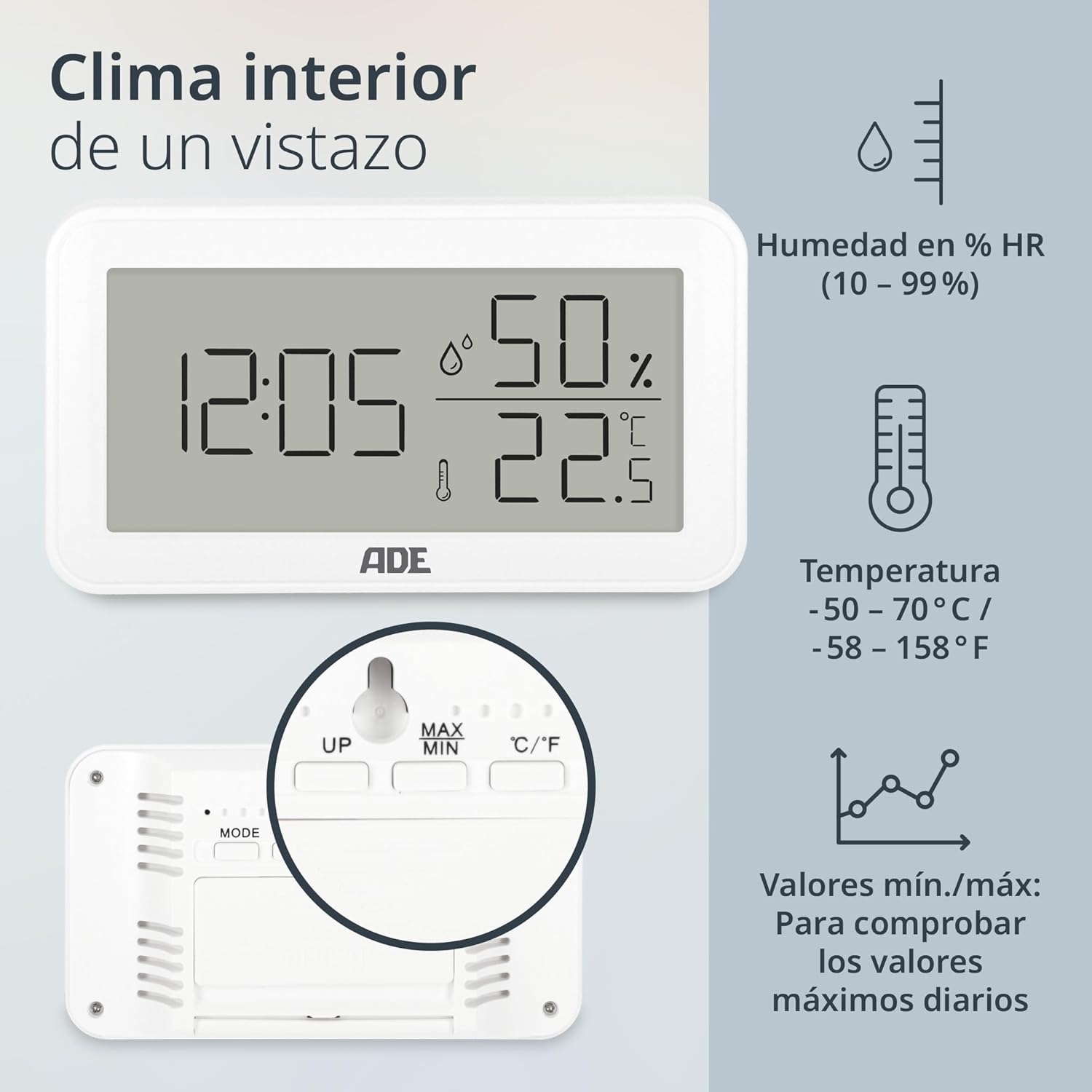
Resim: Ön view of the ADE WS2322 display, illustrating current time, humidity percentage, and temperature in Celsius. The display also shows icons indicating humidity, temperature, and the min/max value tracking feature. This image highlights the primary information presented on the device's screen.
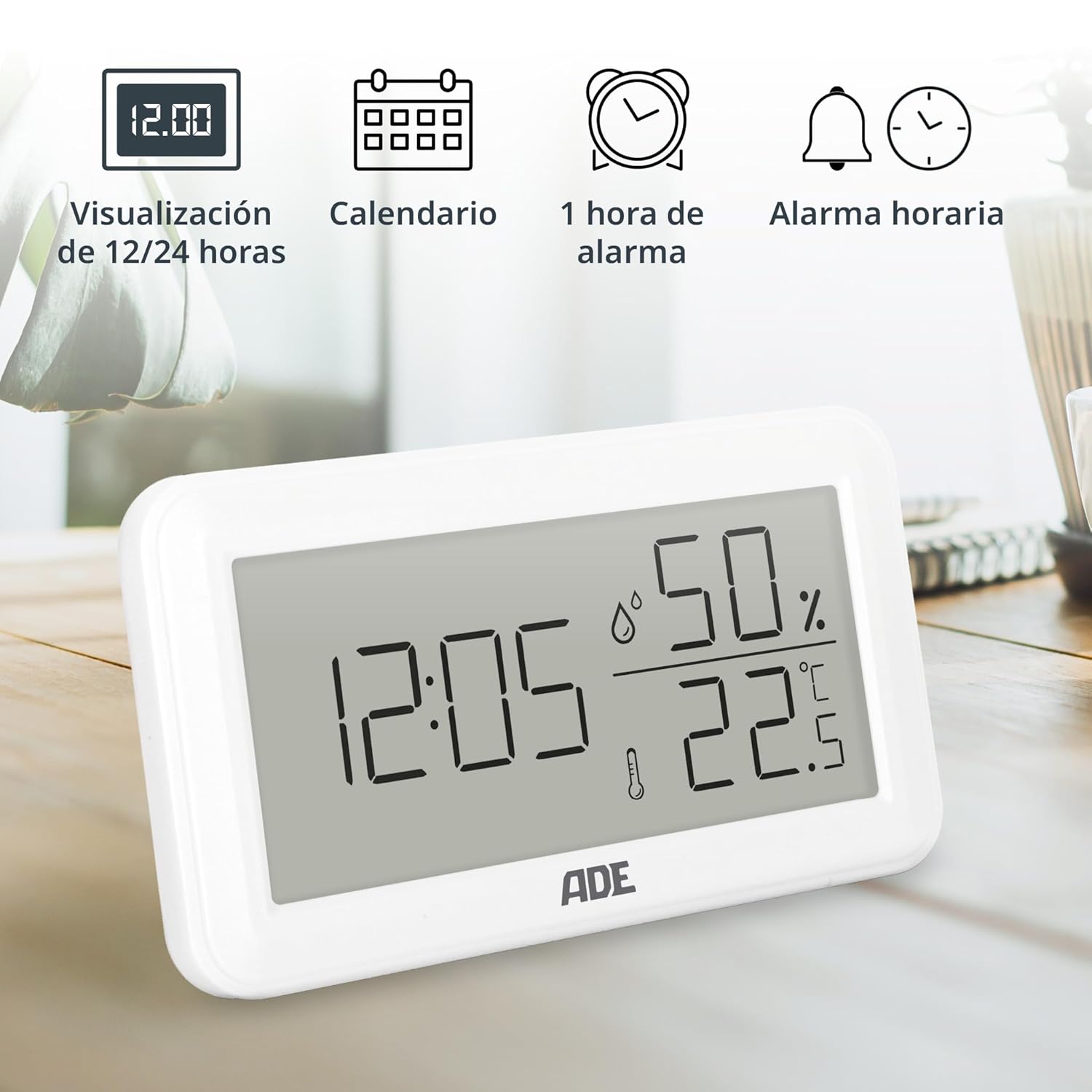
Resim: The ADE WS2322 display, showcasing its various time-related functions. This includes the ability to switch between 12 and 24-hour time formats, a calendar display, a 1-hour alarm, and an hourly chime function. The image emphasizes the device's versatility beyond just temperature and humidity monitoring.
Kurmak
1. Pil Kurulumu
- Cihazın arkasındaki pil bölmesini bulun.
- Pil bölmesinin kapağını açın.
- Insert one AAA battery, ensuring the correct polarity (+/-).
- Pil bölmesi kapağını sıkıca kapatın.
2. İlk Yerleştirme
The device can be placed on a flat surface using its integrated stand or mounted on a wall using the hanging loop.

Resim: Arka view of the ADE WS2322, highlighting its design for flexible placement. The image shows both the integrated stand for tabletop use and the hanging loop for wall mounting, demonstrating how the device can be adapted to various environments.
Kullanım Talimatları
1. Güç Açma/Kapatma
The device powers on automatically once batteries are inserted. There is no manual power off button; remove batteries to power off.
2. Saat ve Tarihin Ayarlanması
- Basılı tutun MOD Zaman ayarı moduna girmek için düğmeye 3 saniye basılı tutun. Saat rakamları yanıp sönecektir.
- Kullanın UP or MAKSİMUM/MİNİMUM Saati ayarlamak için düğmeler.
- Basmak MOD again to move to minute setting, then year, month, and day. Adjust each with UP or MAKSİMUM/MİNİMUM.
- Basmak MOD Ayarlar modundan çıkmak için son bir kez daha.
3. 12/24 Saat Formatı Seçimi
Normal görüntüleme modunda tuşuna basın. UP 12 saatlik ve 24 saatlik zaman formatları arasında geçiş yapmak için kullanılan düğme.
4. Sıcaklık Birimi Seçimi (°C/°F)
Normal görüntüleme modunda tuşuna basın. °C/°F Santigrat ve Fahrenheit sıcaklık birimleri arasında geçiş yapmak için kullanılan düğme.
5. Alarm Ayarları
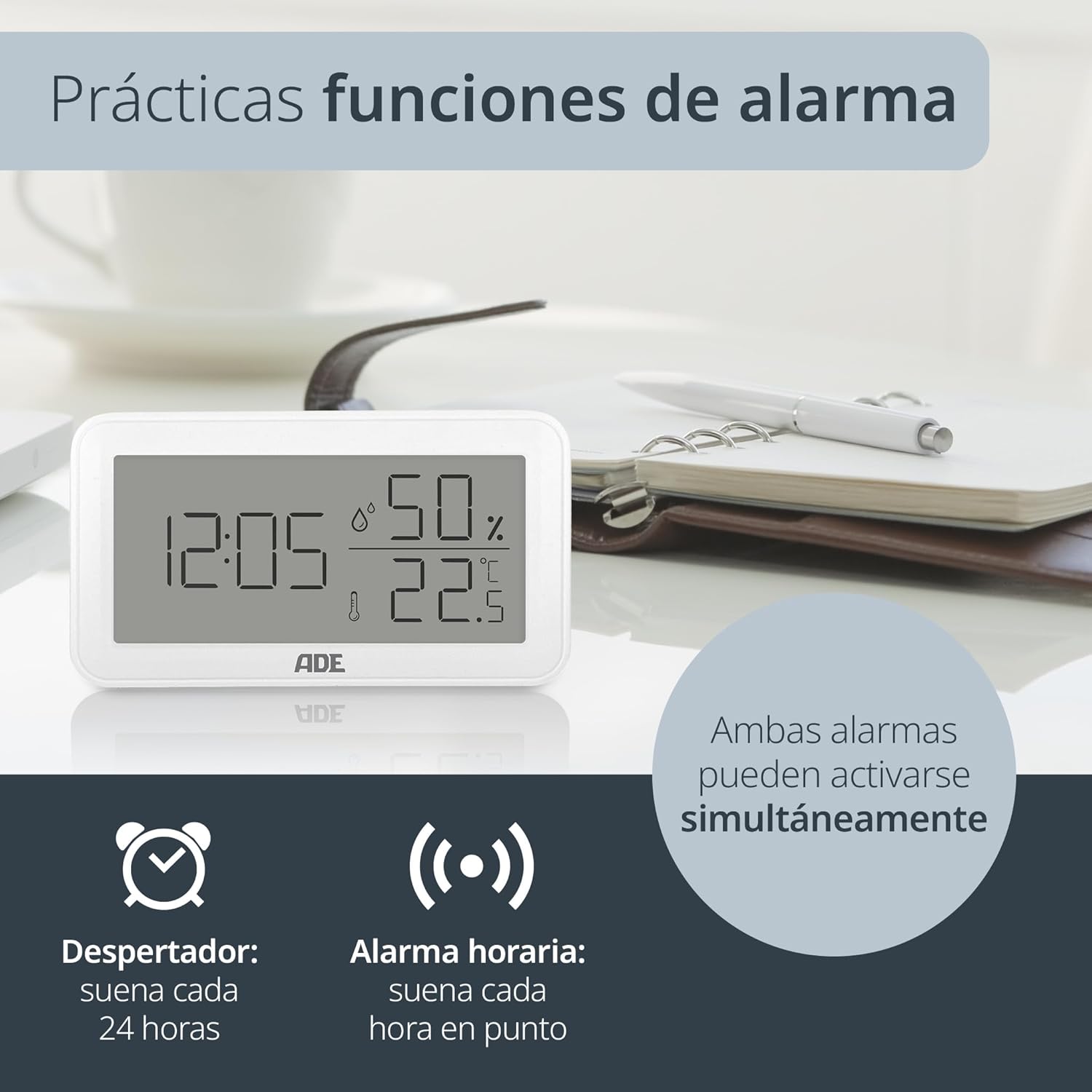
Resim: The ADE WS2322 display, illustrating its practical alarm functions. It shows icons for both a daily alarm clock and an hourly chime, emphasizing that these two features can be activated concurrently to suit user preferences.
- Setting the Daily Alarm:
- Basın MOD button once to enter alarm display mode (AL).
- Basılı tutun MOD for 3 seconds. The alarm hour digits will flash.
- Kullanmak UP or MAKSİMUM/MİNİMUM alarm saatini ayarlamak için.
- Basmak MOD again to set the alarm minute. Adjust with UP or MAKSİMUM/MİNİMUM.
- Basmak MOD Onaylamak ve çıkmak için.
- Activating/Deactivating Daily Alarm: In alarm display mode (AL), press the UP Alarmı AÇIK/KAPALI konuma getirmek için düğmeye basın. Ekranda bir alarm simgesi görünecek/kaybolacaktır.
- Ho'nun Etkinleştirilmesi / Devre Dışı BırakılmasıurlZil sesi: Normal görüntüleme modunda tuşuna basın. MAKSİMUM/MİNİMUM Ho'yu değiştirmek için düğmeurlZil AÇIK/KAPALI. Bir zil simgesi görünecek/kaybolacak.
6. Min/Max Temperature and Humidity Display
The device records the minimum and maximum temperature and humidity values over a period. To view these values:
- Basın MAKSİMUM/MİNİMUM button once to display the maximum recorded temperature and humidity.
- Basmak MAKSİMUM/MİNİMUM again to display the minimum recorded temperature and humidity.
- Basmak MAKSİMUM/MİNİMUM a third time to return to the current temperature and humidity display.
- To reset the Min/Max values, press and hold the MAKSİMUM/MİNİMUM düğmesine 3 saniye süreyle viewing the Min/Max values.
Bakım
Temizlik
Wipe the device with a soft, dry cloth. Do not use liquid cleaners, aerosols, or abrasive materials, as these may damage the device.
Pil Değişimi
When the display becomes dim or the device stops functioning, replace the AAA battery. Follow the battery installation steps in the Setup section.
Sorun giderme
| Sorun | Olası Neden | Çözüm |
|---|---|---|
| Ekran yok veya soluk ekran | Low or dead battery; incorrect battery polarity. | Replace the AAA battery; ensure correct polarity. |
| Yanlış sıcaklık/nem ölçümleri | Device placed near heat/cold sources or in direct sunlight; sensor obstruction. | Relocate the device to a stable environment; ensure sensors are clear. |
| Alarm çalmıyor | Alarm aktif değil. | Ensure the alarm icon is displayed (refer to "Activating/Deactivating Daily Alarm"). |
| Saat/tarih ayarlanamıyor | Not in setting mode; buttons not pressed correctly. | Basılı tutun MOD Ayar moduna girmek için 3 saniye boyunca düğmesine basın. |
Özellikler

Resim: The ADE WS2322 device, illustrating its compact dimensions. The image clearly labels the length (12 cm), height (6.8 cm), and depth (2.5 cm), emphasizing its suitability for various spaces due to its small footprint and clear, large-digit display.
- Modeli: WS2322
- Boyutlar: 12 x 6.8 x 2.5 cm (Uzunluk x Yükseklik x Derinlik)
- Ağırlık: 110 gr
- Sıcaklık Aralığı: -50°C ila 70°C (-58°F ila 158°F)
- Sıcaklık Doğruluğu: ±1°C
- Nem aralığı: %10 ila %99 RH
- Güç Kaynağı: 1 x AAA pil (dahil)
- Fonksiyonlar: Thermometer, Hygrometer, Digital Clock (12/24h), Daily Alarm, Hourly Chime, Min/Max Value Display
- Montaj Tipi: Wall mount or tabletop stand
- Menşei ülke: Çin
Garanti ve Destek
For warranty information or technical support, please refer to the official ADE website or contact your retailer. You can also find additional language manuals and support resources by scanning the QR code in the printed instructions or visiting the product page on Amazon.
Daha fazla yardım için lütfen şu adresi ziyaret edin: ADE Brand Store.