
ZOOZ ZEN37
Zooz 800 Serisi Z-Wave Uzun Menzilli Duvar Kumandası ve Sahne Kontrol Cihazı ZEN37 Kullanım Kılavuzu
Modeli: ZEN37
giriiş
This manual provides comprehensive instructions for the installation, operation, and maintenance of your Zooz 800 Series Z-Wave Long Range Wall Remote & Scene Controller, model ZEN37. Please read this manual thoroughly before use to ensure proper functionality and safety.
Önemli Not: This is an advanced Z-Wave device. Verify compatibility with your Z-Wave hub before installation.
Ürün Bittiview
The Zooz ZEN37 Wall Remote is a battery-powered Z-Wave 800 Series device designed for controlling smart home scenes and devices. It features four programmable buttons, offering flexible control options for your Z-Wave network.
Temel Özellikler:
- 4 Remote Buttons: Each button can be programmed to activate up to 24 scenes or control other devices.
- Esnek Kurulum: Can be placed in a standard Decora box, mounted to a wall, or used as a portable remote. Includes a magnetic base and screwless wallplate.
- Şarj Edilebilir Pil: Equipped with a LIR2032 rechargeable battery for convenience.
- Z-Wave 800 Series Chip: Provides enhanced signal coverage and Z-Wave Long Range capabilities (up to 1300 feet with a compatible hub).
- S2 Authenticated Security & SmartStart: Ensures secure and effortless pairing.
Kutuda Neler Var:
- Wall Remote (ZEN37)
- Manyetik Taban
- Screwless Wallplate

Image: The Zooz ZEN37 Wall Remote, its magnetic base, and the product packaging.
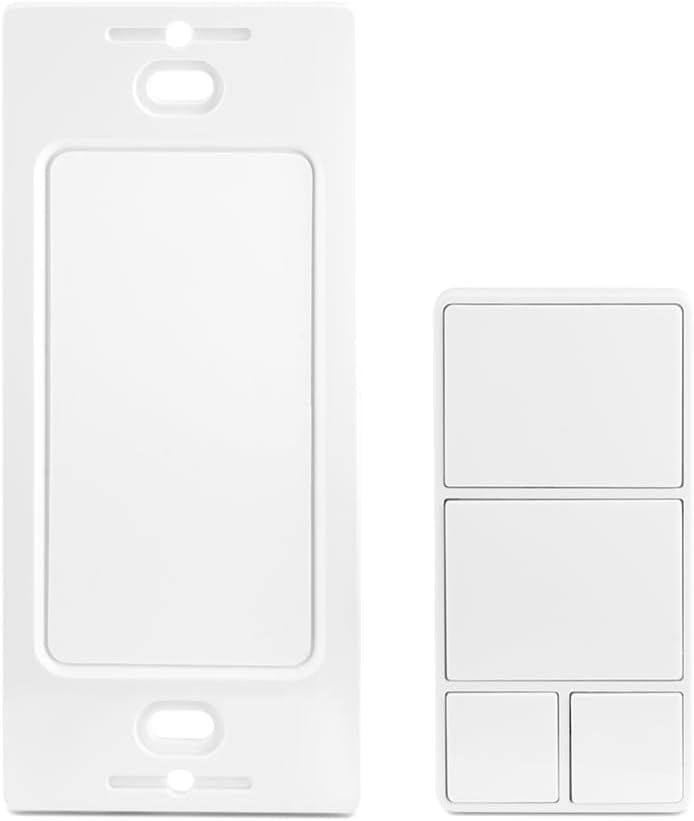
Image: The ZEN37 Wall Remote shown alongside its screwless wall plate, illustrating its design.
Özellikler
| Model Numarası | ZEN37 800LR |
| Z-Wave Bölgesi | ABD/CA/MX |
| Güç | 1 x LIR2032 rechargeable battery (included) |
| Çalışma Sıcaklığı | 32-104° F (0-40° C) |
| Kurulum ve Kullanım | Sadece iç mekan |
| Ürün Ağırlığı | 4.9 ons |
| Paket Boyutları | 4.92 x 3.27 x 1.73 inç |
| Renk | Beyaz |

Image: The back of the ZEN37 Wall Remote, displaying model number, Z-Wave region, battery type, and FCC ID.
Kurulum ve Yükleme
1. Pilin Şarj Edilmesi
The ZEN37 Wall Remote comes with a rechargeable LIR2032 battery. Before initial use, ensure the battery is fully charged. Use a standard USB-C cable (not included) to connect the remote to a power source.

Image: The ZEN37 Wall Remote connected to a USB-C charging cable, demonstrating its rechargeable feature.
2. Z-Wave Hub ile Eşleştirme
The ZEN37 is an advanced Z-Wave device and requires a compatible Z-Wave hub for operation. Ensure your hub supports scene control programming.
- Place the ZEN37 remote near your Z-Wave hub during the pairing process.
- Initiate the inclusion (pairing) mode on your Z-Wave hub. Refer to your hub's instruction manual for specific steps.
- Follow the remote's specific pairing instructions (typically a series of button presses) to add it to your network.
- Confirm successful pairing on your Z-Wave hub interface.
For hubs supporting SmartStart, scan the QR code on the back of the device or its packaging to simplify the inclusion process.
3. Montaj Seçenekleri
The ZEN37 offers versatile installation:
- Standard Decora Box: Install the magnetic base into a standard electrical box. The remote can then be magnetically attached.
- Duvara Montaj: Use the included screwless wallplate and magnetic base to fix the remote to any wall surface.
- Taşınabilir Kullanım: The remote can be used handheld and placed on a nightstand or table.
Kullanım Talimatları
The ZEN37 Wall Remote features four distinct buttons, each capable of multiple actions (tap, hold, multi-tap) to trigger scenes or control individual devices within your Z-Wave network.

Image: A visual representation of the ZEN37's four buttons, illustrating how each button supports single taps, holds, and up to five multi-taps for scene activation.

Image: A hand demonstrating a single tap on the ZEN37 remote, with examples of controlled devices such as a ceiling fan, office lighting, and outdoor lights.

Image: A diagram illustrating various actions that can be programmed to the four buttons, such as turning off all lights, sending alerts, dimming lights, and locking doors.

Image: A hand holding the ZEN37 Wall Remote, highlighting its portable and "always handy" design.
Programming Scenes and Actions:
The specific programming of button actions (e.g., single tap to turn off all lights, long press to dim lights) is performed within your Z-Wave hub's interface. Consult your hub's documentation for detailed instructions on creating scenes and assigning actions to Z-Wave devices.
- Tek Dokunuş: Düğmeye hızlıca basıp bırakmak.
- Tutmak: Press and hold a button for a specified duration.
- Multi-Tap: Rapidly press a button multiple times (e.g., double-tap, triple-tap, up to five taps).
Example actions you can program:
- Bütün ışıkları kapatın.
- Dim lights for movie night.
- Lock all doors.
- Activate "Away" mode.
Bakım
Pil Şarjı
The ZEN37 Wall Remote uses a rechargeable LIR2032 battery. When the battery level is low, connect the remote to a USB-C power source for charging. The battery life will vary depending on usage frequency.
Temizlik
Cihazı yumuşak, kuru bir bezle silin. Aşındırıcı temizleyiciler kullanmayın veya cihazı suya batırmayın.
Sorun giderme
- Cihaz eşleşmiyor:
- Ensure the remote is within close proximity to your Z-Wave hub during pairing.
- Verify your Z-Wave hub is in inclusion mode.
- Try excluding the device first, then re-including it.
- Pilin şarjlı olduğundan emin olun.
- Commands not responding:
- Uzaktan kumandanın pil seviyesini kontrol edin.
- Verify the remote is within range of your Z-Wave hub or a Z-Wave repeater.
- Confirm that scenes and actions are correctly programmed in your Z-Wave hub.
- Smart speaker not controlling the remote:
Smart speakers are not Z-Wave controllers. The ZEN37 requires a compatible Z-Wave hub to function. Your smart speaker can then interact with the Z-Wave hub.
Z-Wave Hub Compatibility
The ZEN37 Wall Remote is an advanced Z-Wave device. Most basic Z-Wave systems may not support advanced scene control programming. The following hubs are known to be compatible:
- Z-Box Hub: Recommended for Zooz products.
- Akıllı Şeyler: Requires a custom driver (instructions included with the product).
- Merkez: Requires a custom driver.
- Ev Asistanı: Uyumlu.
- HomeSeer: Uyumlu.
If your hub is not listed, it may not be recognized correctly or support the full functionality of this device. Please verify compatibility before purchase.
Garanti ve Destek
This product includes a 5-year extended warranty upon registration. Lifetime technical support is also provided.
For support and warranty registration, please visit the official Zooz support webalan: www.support.getzooz.com
Ask a question about this manual
Ask about setup, troubleshooting, compatibility, parts, safety, or missing instructions. Manuals+ will review the question and use this page’s manual context to help answer it.