
giriiş
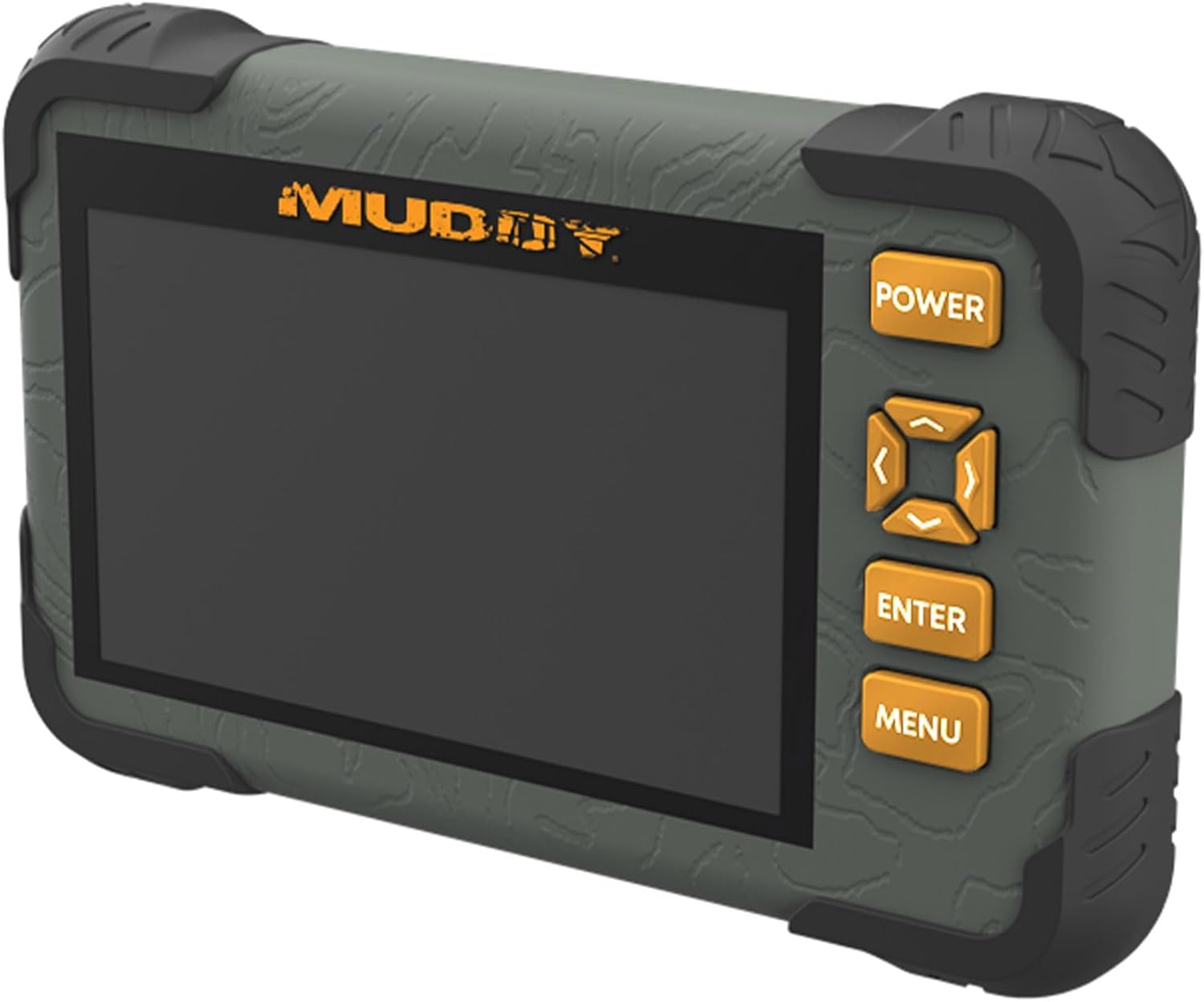
The Muddy CRV3 HD SD Card Viewer is designed for easy viewing of SD card captures with its high-definition, 4.3-inch color LCD screen. This device features durable, water-resistant housing, intuitive menu operation, and adjustable settings for optimal performance in outdoor environments. It supports 1080P video playback for SD cards up to 32GB and is powered by four AA batteries (not included).
Kutuda Neler Var?
- SD Card Reader/Viewer with 4.3" LCD Screen
- bilek İpi
Temel Özellikler
- 1080P Video Playback: Supports high-definition video playback.
- 4.3 inç Renkli LCD Ekran: Net bir görüntü sağlar viewmedya.
- Intuitive Menu Operation: Easy-to-navigate menu for user convenience.
- Headphone Jack for Audio: Allows for private audio monitoring.
- Adjustable Brightness & Volume: Customize display and sound levels.
- Image Management: Seçenekler View, Transfer, and Delete images.
- Durable Water-Resistant Housing: Built to withstand outdoor conditions.
- Mikro USB Yuvası: For connectivity and data transfer.
- SD Kart Yuvası: 32GB'a kadar SD kartları destekler.
- Güç Kaynağı: Operates on 4 AA Batteries (not included).
Kurmak
1. Pil Kurulumu
The Muddy CRV3 HD SD Card Viewer requires four (4) AA batteries (not included) for operation. To install batteries:
- Cihazın arkasındaki pil bölmesini bulun.
- Turn the locking tab counter-clockwise to unlock and open the battery cover.
- Dört adet AA pili, bölmenin içinde gösterildiği gibi doğru kutuplara (+/-) dikkat ederek yerleştirin.
- Close the battery cover and turn the locking tab clockwise to secure it.
Resim: Arka view of the Muddy CRV3 HD SD Card Viewer showing the circular locking tab for the battery compartment. The compartment is opened to reveal four AA batteries.
2. SD Kart Takılması
The device supports SD cards up to 32GB. To insert an SD card:
- Locate the SD card slot on the side of the viewşey.
- Gently insert the SD card into the slot with the metal contacts facing down until it clicks into place.
- To remove, push the SD card inward until it clicks, then release to eject.

Resim: Yan view of the Muddy CRV3 HD SD Card Viewer highlighting the SD card slot and Micro USB port.
Kullanım Talimatları
1. Güç Açma/Kapatma
- Açmak İçin: Basılı tutun GÜÇ button located on the right side of the device until the screen changes color and the Muddy logo appears. The device will then initialize the SD card and display the main menu.
- Kapatmak İçin: Basılı tutun GÜÇ button until the "POWER OFF" message appears on the screen, then release.
2. Menü Navigasyonu
The Muddy CRV3 features an intuitive menu system. Use the directional arrow buttons (UP, AŞAĞI, SOL, SAĞ) to navigate through options. An orange border will highlight the currently selected item.
- Use the directional buttons to move the orange border to your desired menu icon.
- Basın GİRMEK Seçiminizi onaylamak için düğmeye basın.
- Basın MENÜ button to go back to the previous screen or exit a function.
3. ViewGörüntüler ve Videolar
From the main menu, select the appropriate icon to view images or videos stored on your SD card.
- Select the "View Images" icon (typically represented by a picture frame) and press GİRMEK.
- Use the directional buttons to scroll through thumbnails.
- Basmak GİRMEK ile view a selected image or play a video in full screen.
- For videos, the device supports 1080P playback. Use the directional buttons for play/pause/fast-forward/rewind if available.
- Küçük resme dönmek için view, basmak MENÜ.
4. Yönetme FileS (View/Transfer/Delete)
The device allows basic file management directly on the viewşey.
- Sırasında viewing an image or video, access the options menu (usually by pressing MENÜ or a dedicated button) to find options like "Delete" or "Transfer".
- Follow on-screen prompts to perform desired actions. Be cautious when deleting files as this action is often irreversible.
- Transfer için files, connect the Micro USB slot to a computer using a compatible cable. The device should appear as a removable drive.
5. Ayarların Yapılması
From the main menu, select the "Settings" icon (typically a gear symbol) to adjust various parameters.
- Parlaklık: Adjust the screen brightness for better visibility in different lighting conditions.
- Hacim: Control the audio output volume, especially when using the headphone jack.
- Other settings may include date/time, language, and device information.
Video: A user demonstrates the functions of the Muddy CRV3 HD SD Card Viewer, including navigating menus, viewing images, and adjusting settings.
Bakım
- Temizlik: Ekranı ve cihazın dış yüzeyini temizlemek için yumuşak ve kuru bir bez kullanın. Aşındırıcı temizleyiciler veya çözücülerden kaçının.
- Suya Dayanıklılık: The device features durable water-resistant housing. However, it is not designed for submersion. Ensure battery compartment and port covers are securely closed to maintain water resistance.
- Depolamak: When not in use for extended periods, remove batteries to prevent leakage and store the device in a cool, dry place.
Sorun giderme
| Sorun | Olası Neden | Çözüm |
|---|---|---|
| Cihaz açılmıyor. | Low or dead batteries; incorrectly inserted batteries. | Replace with fresh AA batteries; ensure correct polarity. |
| SD card not detected. | SD card not inserted correctly; incompatible SD card; faulty SD card. | Re-insert SD card until it clicks; ensure card is up to 32GB; try a different SD card. |
| Yapamamak view resimler/videolar. | Bozulmuş files on SD card; unsupported file Biçim. | Denemek viewinmek files on a computer; ensure files are standard image/video formats. |
| Kulaklık girişinden ses gelmiyor. | Volume too low; faulty headphones. | Adjust volume in settings; try different headphones. |
Özellikler
- Model Adı: CRV3 HD SD Card Viewer
- Ekran: 4.3" Renkli LCD Ekran
- Video Oynatma: 1080P
- SD Kart Desteği: 32 GB'a kadar
- Bağlantı: Mikro USB
- Ses: Kulaklık girişi
- Güç: 4 AA Pil (dahil değildir)
- Konut: Durable, Water-Resistant
- Boyutlar (U x G x Y): 9.26" x 8.43" x 2.95"
- Üretici: GSM Dış Mekan
- UPC: 888151030974
Garanti ve Destek
MUDDY is committed to quality, durability, and functionality. For warranty information or technical support, please refer to the product packaging or visit the official MUDDY webSite. Satın alma fişinizi, garanti talepleriniz için saklayın.