
MECOOL KM9 PRO
MECOOL KM9 Pro Classic Android TV Kutusu Kullanım Kılavuzu
Model: KM9 PRO
1. Giriş
Welcome to the user manual for your MECOOL KM9 Pro Classic Android TV Box. This guide provides essential information on setting up, operating, maintaining, and troubleshooting your device. Please read this manual thoroughly before using the product to ensure optimal performance and safety.
2. Paket İçeriği
Aşağıda listelenen tüm ürünlerin paketinizde mevcut olduğundan emin olun. Eksik veya hasarlı bir ürün varsa, lütfen perakendecinizle iletişime geçin.
- 1 x MECOOL KM9 Pro Classic ATV TV Box
- 1 x Power Adapter (EU version, 110V-240V universal)
- 1 x Voice Remote Control (2 AAA batteries not included)
- 1 x HDMI Kablosu
- 1 x Kullanım Kılavuzu

Image: Contents of the MECOOL KM9 Pro Classic package, showing the TV box, voice remote, power adapter, HDMI cable, and user manual.
3. Ürün Bittiview
3.1 Cihaz Bağlantı Noktaları
Familiarize yourself with the various ports on your KM9 Pro Classic TV Box for proper connection.

Resim: Arka ve yan view of the MECOOL KM9 Pro Classic TV Box, highlighting its ports including TF Card slot, USB 3.0, USB 2.0, DC 5V power input, HDTV (HDMI), LAN (RJ45), and AV output.
- TF Kart Girişi: Depolamayı genişletmek için MicroSD kart takmak için.
- USB 3.0 Bağlantı Noktası: Uyumlu USB cihazlarıyla yüksek hızlı veri aktarımı için.
- USB 2.0 Bağlantı Noktası: Klavye, fare veya flash bellek gibi USB çevre birimlerini bağlamak için.
- DC 5V Bağlantı Noktası: Cihazın güç girişi.
- HDTV (HDMI) Port: Connects to your television for video and audio output.
- LAN (RJ45) Bağlantı Noktası: Kablolu Ethernet ağ bağlantısı için.
- AV Bağlantı Noktası: Eski model televizyonlara AV kablosu kullanarak bağlanmak için.
3.2 Temel Özellikler
- İşletim Sistemi: Certified Android 10.0 TV OS.
- İşlemci: Amlogic S905X2 64-bit Quad-core ARM Cortex-A53 CPU and Mali-G31 MP2 GPU for high performance.
- Hafıza: Sorunsuz çalışma için 2 GB RAM ve 16 GB ROM. ample depolama.
- Bağlantı: Built-in Dual-band 2.4G/5G WiFi (802.11ac) and Bluetooth 4.0+HS.
- Video Çıkışı: Supports 4K Ultra HD (4K*2K@30fps, 4K*2K@60fps) with HDR 10, HDR+/HLG, and HDCP 2.2.
- Ses Kontrolü: Integrated Google Assistant and voice-activated Bluetooth remote control.
- Chromecast Yerleşik: Easily cast content from your mobile devices to your TV.
- OTA Güncellemeleri: Supports Over-The-Air software updates for continuous improvement.

Resim: Bir diyagram gösteriyor...asing the high-performance Amlogic S905X2 Quad-core CPU and Mali-G31 MP2 GPU, which power the device for smooth operation and gaming.

Image: A television screen demonstrating the visual difference between Standard Dynamic Range (SDR) and 4K HDR (High Dynamic Range) content, highlighting enhanced color and contrast.

Image: A graph illustrating the speed advantage of USB 3.0 over USB 2.0, showing USB 3.0 offers up to 10 times faster transfer rates. Below the graph are illustrations of a USB flash drive and an external HDD, indicating their compatibility.
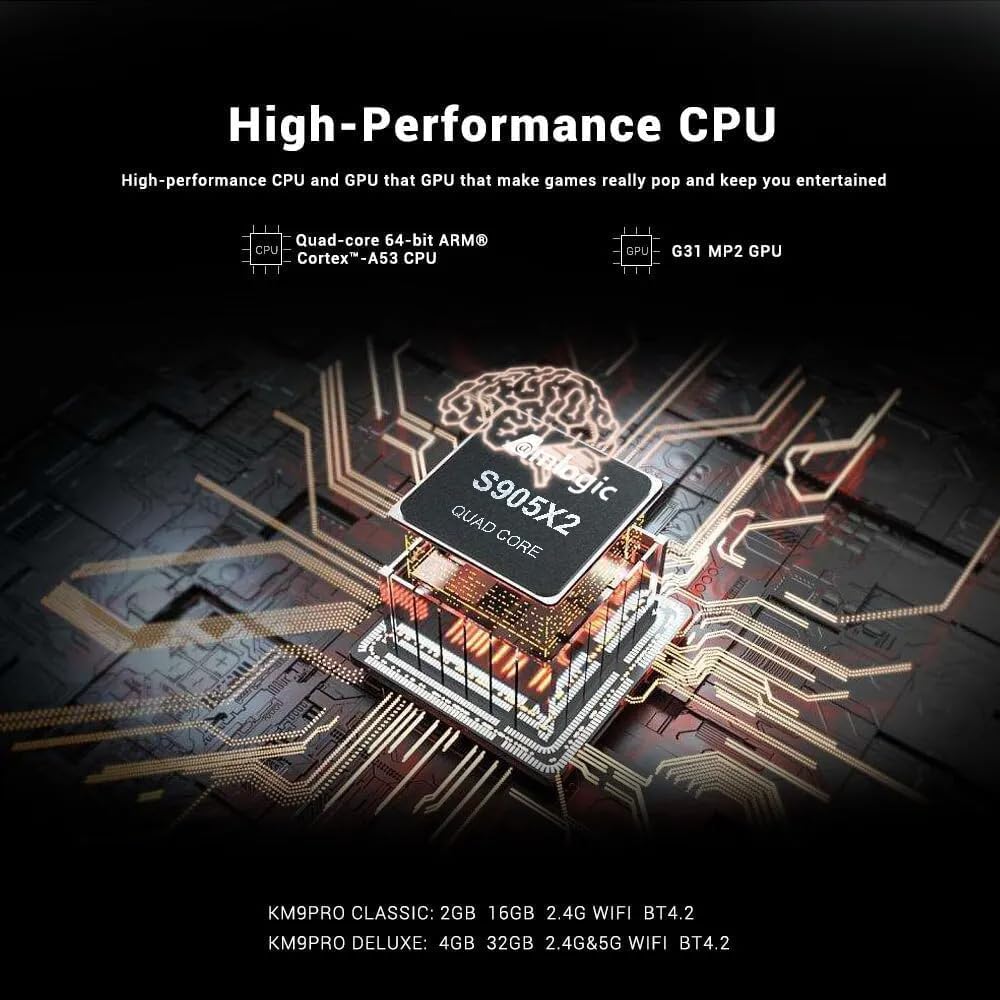
Image: A visual representation of Chromecast functionality, where a smartphone is wirelessly casting content to a television screen through the MECOOL TV box, displaying the Google Play Store interface.
4. Kurulum Kılavuzu
Follow these steps to set up your MECOOL KM9 Pro Classic Android TV Box.
- Televizyona bağlanın: Connect one end of the HDMI cable to the HDTV port on the TV Box and the other end to an HDMI input port on your television. Note the HDMI input number (e.g., HDMI 1, HDMI 2).
- Gücü bağlayın: Plug the power adapter into the DC 5V port on the TV Box, then plug the adapter into a wall outlet. The device should power on automatically or show a power indicator light.
- Girişi Seçin: Turn on your television and use its remote control to select the corresponding HDMI input source you connected in step 1.
- Uzaktan Kumanda Kurulumu: Insert 2 AAA batteries (not included) into the voice remote control. Follow the on-screen instructions to pair the Bluetooth remote with your TV Box. This usually involves holding down specific buttons on the remote near the device.
- Ağ bağlantısı: Once the initial setup screen appears, follow the prompts to connect to your network. You can choose between Wi-Fi (select your network and enter the password) or Ethernet (connect an Ethernet cable from your router to the LAN port on the TV Box).
- Google Hesabı Girişi: Sign in with your Google account to access the Google Play Store, Google Assistant, and other Google services.
- Kurulumu Tamamla: Follow any remaining on-screen instructions to complete the initial setup process.
5. Kullanım Talimatları
5.1 Temel Gezinme
Use the directional pad (up, down, left, right) and the 'OK' button on your remote control to navigate through the Android TV interface. The 'Back' button returns to the previous screen, and the 'Home' button takes you to the main home screen.
5.2 Sesli Uzaktan Kumandanın Kullanımı
The MECOOL KM9 Pro Classic features a voice-activated Bluetooth remote. Press the dedicated Google Assistant button on your remote and speak clearly into the microphone to:
- Arama Filmler, diziler veya uygulamalar.
- Control smart home devices (e.g., "Turn off the lights").
- Ask questions or get information.
- Başvuruları açın.
5.3 Uygulamaları Yükleme
Access the Google Play Store from the home screen to browse and install a wide variety of apps, games, and streaming services compatible with Android TV.
5.4 Chromecast İşlevselliği
With Chromecast built-in, you can cast content (videos, photos, music) from compatible apps on your smartphone, tablet, or computer directly to your TV via the TV Box. Ensure your mobile device and the TV Box are connected to the same Wi-Fi network.
5.5 External Storage
Connect USB flash drives or external hard drives to the USB 2.0 or USB 3.0 ports, or insert a TF card into the TF card slot, to access media files or expand storage for apps and games.
6. Bakım
- Temizlik: Cihazı temizlemek için yumuşak, kuru bir bez kullanın. Sıvı temizleyiciler veya aşındırıcı malzemeler kullanmayın.
- Havalandırma: Aşırı ısınmayı önlemek için TV kutusunun iyi havalandırılan bir alana yerleştirildiğinden emin olun. Havalandırma açıklıklarını kapatmayın.
- Yazılım Güncellemeleri: The device supports OTA (Over-The-Air) updates. Regularly check for and install available system updates to ensure optimal performance, security, and access to new features. You can usually find this option in the device settings under "About" or "System Update."
- Güç Döngüsü: Cihaz yanıt vermez hale gelirse, güç adaptörünü çıkarın, 10 saniye bekleyin ve ardından yeniden takarak güç döngüsü gerçekleştirin.
7. Sorun Giderme
MECOOL KM9 Pro Classic yazıcınızda sorun yaşıyorsanız, aşağıdaki yaygın sorunlar ve çözümlerine göz atın:
| Sorun | Olası Neden | Çözüm |
|---|---|---|
| Güç yok | Güç adaptörü bağlı değil veya arızalı. | Güç adaptörünün cihaza ve çalışan bir elektrik prizine güvenli bir şekilde bağlandığından emin olun. Farklı bir priz deneyin. |
| Televizyonda sinyal yok. | Yanlış HDMI girişi seçilmiş veya HDMI kablosu gevşek. | Verify your TV is on the correct HDMI input. Check that the HDMI cable is securely connected to both the TV Box and the TV. Try a different HDMI cable or port. |
| Uzaktan kumanda çalışmıyor | Batteries are dead or remote is not paired. | Replace batteries. Re-pair the Bluetooth remote control by following the on-screen instructions during initial setup or in the device settings. |
| Wi-Fi bağlantı sorunları | Yanlış şifre, zayıf sinyal veya yönlendirici sorunu. | Double-check your Wi-Fi password. Move the TV Box closer to your router or try connecting via Ethernet. Restart your router. |
| Uygulamalar yavaş veya çöküyor | Çok fazla uygulama çalışması, düşük depolama alanı veya güncel olmayan yazılım. | Close background apps. Clear cache for problematic apps (Settings > Apps). Check for and install system updates. Free up storage space. |
8. Özellikler
Detailed technical specifications for the MECOOL KM9 Pro Classic Android TV Box:
| Özellik | Detay |
|---|---|
| Marka | MEKSİKO |
| Model Adı | KM9 yanlısı |
| Model Numarası | KM9 PRO |
| İşletim Sistemi | Android 10.0 (Certified Android TV OS) |
| İşlemci | Amlogic S905X2 64-bit Quad-core ARM Cortex-A53 up to 2.0 GHz |
| Grafik işlemcisi | Mali-G31 MP2 (Penta-core up to 750MHz + DVFS) |
| Veri deposu | 2GB DDR3 |
| ROM | 16GB eMMC |
| Wifi | Built-in 2.4G/5G Wi-Fi, supports IEEE 802.11 a/b/g/n/ac 2T2R |
| Bluetooth | Bluetooth 4.0+HS |
| Yerel Ağ | 10 / 100M Ethernet |
| Video Çıkışı | 4K*2K@30fps, 4K*2K@60fps, HDR 10, HDR+/HLG, HDCP 2.2 |
| Limanlar | 1x USB 3.0, 1x USB 2.0, 1x TF Card Slot, 1x HDMI, 1x DC 5V, 1x LAN (RJ45), 1x AV |
| Güç Kaynağı | DC 5V/2A |
| Desteklenen İnternet Hizmetleri | YouTube, Amazon Prime Video, Disney+, HBO Max, Sling, Peacock, Stars, ESPN, Tubi, Google Play Store, etc. |
| Uyumlu Cihazlar | Televizyon |
| Özel Özellikler | Chromecast Built-in, Voice Control, OTA Update Support |
9. Garanti ve Destek
9.1 Garanti Bilgileri
The MECOOL KM9 Pro Classic Android TV Box comes with a bir yıllık garanti from the date of purchase. This warranty covers manufacturing defects under normal use. It does not cover damage caused by misuse, accidents, unauthorized modifications, or natural disasters.
9.2 Müşteri Desteği
For technical assistance, troubleshooting beyond this manual, or warranty claims, please contact your original retailer or the MECOOL customer support team. Please have your purchase receipt and product model number (KM9 PRO) ready when contacting support.
Ask a question about this manual
Ask about setup, troubleshooting, compatibility, parts, safety, or missing instructions. Manuals+ will review the question and use this page’s manual context to help answer it.