
1. Ürün Bittiview
The Docooler IPX7 Waterproof Bluetooth Portable Shower Speaker is designed for audio playback in various environments, including wet conditions. It features Bluetooth 5.0 connectivity, an LED display, FM radio, and a light show function. The speaker is equipped with a removable suction cup for versatile placement.

Image: Docooler IPX7 Waterproof Bluetooth Portable Shower Speaker, showcasinTasarımı ve özellikleri.
2. Paket İçeriği
Paketin içinde tüm öğelerin mevcut olduğundan emin olun:
- Docooler IPX7 Waterproof Bluetooth Portable Shower Speaker
- USB-C Şarj Kablosu
- Removable Suction Cup
- Kullanıcı Kılavuzu
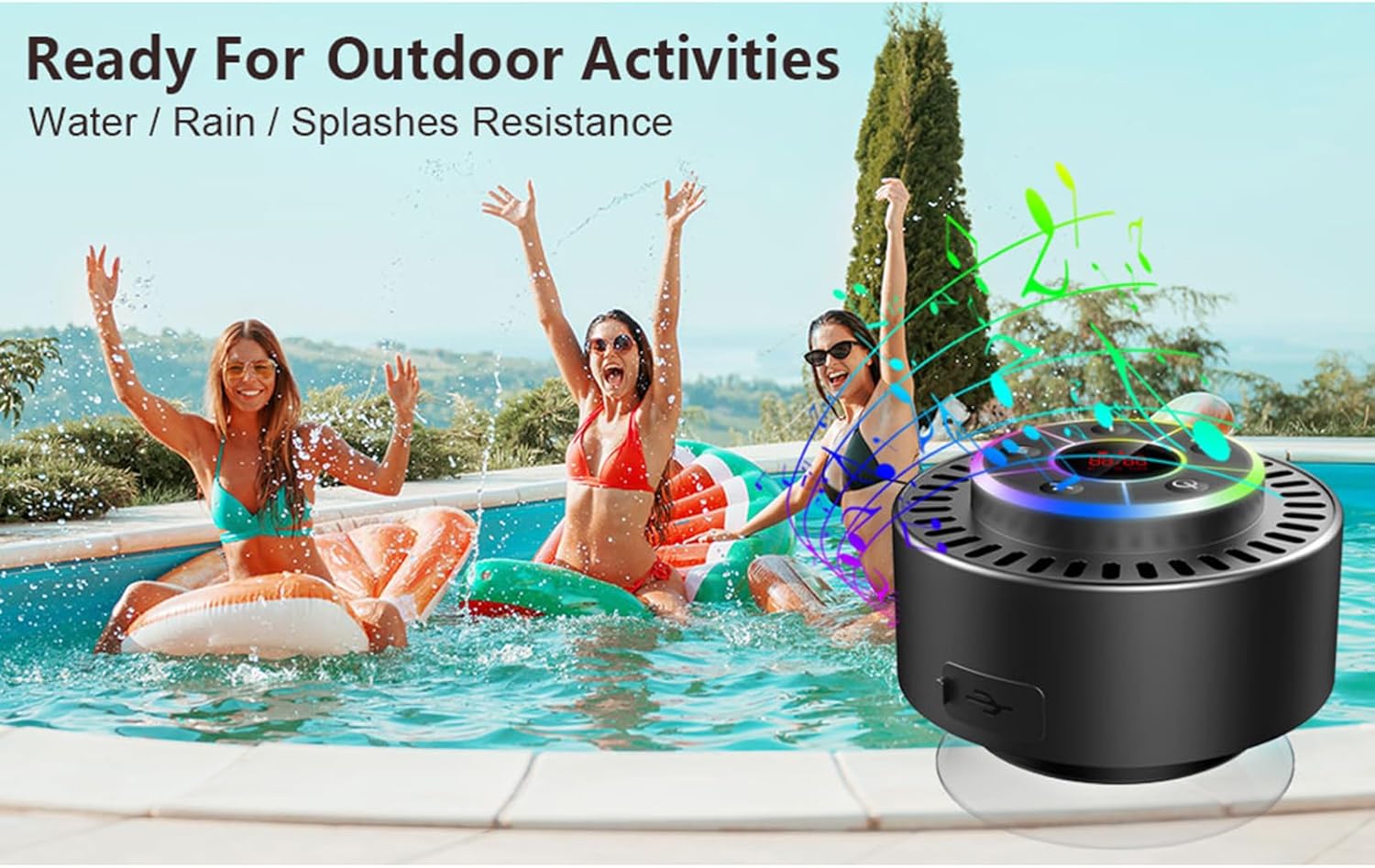
Image: The speaker, USB-C charging cable, and user manual as included in the package.
3. Kurulum
3.1 Hoparlörü Şarj Etme
Before initial use, fully charge the speaker. Connect the provided USB-C charging cable to the speaker's charging port and the other end to a USB power adapter (not included) or a computer's USB port. The LED display will indicate charging status.
3.2 Vantuzun Takılması
To attach the suction cup, ensure both the speaker's back surface and the desired mounting surface are clean and dry. Press the suction cup firmly against the surface until it adheres securely. For best results, slightly moisten the suction cup before application.
3.3 Açma/Kapatma
- Açmak İçin: Basılı tutun Güç düğmesi (
 ) for approximately 3 seconds until the LED display illuminates.
 - Kapatmak İçin: Basılı tutun Güç düğmesi for approximately 3 seconds until the LED display turns off.
4. Kullanım Talimatları
4.1 Düğme Fonksiyonları
Resim: Ayrıntılı view of the speaker's control panel, indicating the function of each button.
| Düğme | Fonksiyon (Kısa Basış) | İşlev (Uzun Basış) |
|---|---|---|
| Güç Düğmesi () | Toggle LED light show modes | Güç Açık/Kapalı |
| M Düğmesi | Switch between Bluetooth and FM Radio modes | Yok |
| Oynat/Duraklat Düğmesi () | Play/Pause music; Answer/End calls; Auto-scan in FM mode | Gelen çağrıyı reddet |
| Previous Song / Volume Down (-) | Previous song (Bluetooth); Previous station (FM) | Sesi azalt |
| Next Song / Volume Up (+) | Next song (Bluetooth); Next station (FM) | Hacmi artırın |
4.2 Bluetooth Eşleştirme
When powered on, the speaker automatically enters Bluetooth pairing mode. The LED display will show 'BT'.
- Cihazınızda (akıllı telefon, tablet, dizüstü bilgisayar) Bluetooth'un etkinleştirildiğinden emin olun.
- Arama available Bluetooth devices and select "Docooler Speaker" from the list.
- Once connected, the speaker will emit an audible confirmation, and the 'BT' indicator on the LED display will stabilize.

Image: The speaker demonstrating connectivity with a phone, tablet, and computer via Bluetooth.
4.3 Gerçek Kablosuz Stereo (TWS) Eşleştirme
To achieve 3D stereo sound, two Docooler speakers can be paired together.
- Her iki hoparlörün de açık olduğundan ve başka bir Bluetooth cihazına bağlı olmadığından emin olun.
- Bir hoparlörde (bu birincil hoparlör olacaktır), tuşuna basılı tutun Oynat/Duraklat düğmesi Eşleşme sesini duyana kadar 2-3 saniye basılı tutun.
- İki hoparlör otomatik olarak birbirine bağlanacaktır.
- Once paired, connect your device to the primary speaker via Bluetooth as described in section 4.2. Audio will now play through both speakers in stereo.

Image: Two Docooler speakers wirelessly connected to a computer, illustrating the True Wireless Stereo (TWS) feature.
4.4 FM Radyo Modu
To switch to FM Radio mode:
- Basın M düğmesi to cycle through modes until 'FM' appears on the LED display.
- Otomatik tarama: In FM mode, short press the Oynat/Duraklat düğmesi to automatically scan and save available radio stations.
- Döviz Bürosu: Kullanın Previous Song / Volume Down (-) Ve Next Song / Volume Up (+) Kayıtlı istasyonlar arasında gezinmek için düğmeler.
- Sesi Ayarla: Uzun basın Previous Song / Volume Down (-) or Next Song / Volume Up (+) Sesi ayarlamak için düğmeler.
4.5 LED Işık Gösterisi
The speaker features a beat-driven LED light show with seven colors.
- Işık Modunu Değiştir: Kısa basın Güç düğmesi to cycle through different light show patterns or to lock a single color.
- Işıkları Kapatın: Basmaya devam edin Güç düğmesi until the lights turn off.
4.6 Eller Serbest Arama
Bluetooth ile bağlandığında, dahili mikrofon eller serbest görüşme imkanı sağlar.
- Cevap Çağrısı: Kısa basın Oynat/Duraklat düğmesi.
- Çağrı Sonu: Kısa basın Oynat/Duraklat düğmesi Bir çağrı sırasında.
- Çağrıyı Reddet: Uzun basın Oynat/Duraklat düğmesi.
4.7 LED Ekran Bilgileri
The LED display shows the current time and battery level in Bluetooth mode. In FM radio mode, it displays the frequency.
5. Bakım
5.1 Suya Dayanıklılık (IPX7)
The speaker is IPX7 waterproof, meaning it can be submerged in up to 1 meter (3 feet) of water for up to 30 minutes. Ensure the charging port cover is securely closed before exposing the speaker to water. After exposure to water, wipe the speaker dry with a soft cloth.
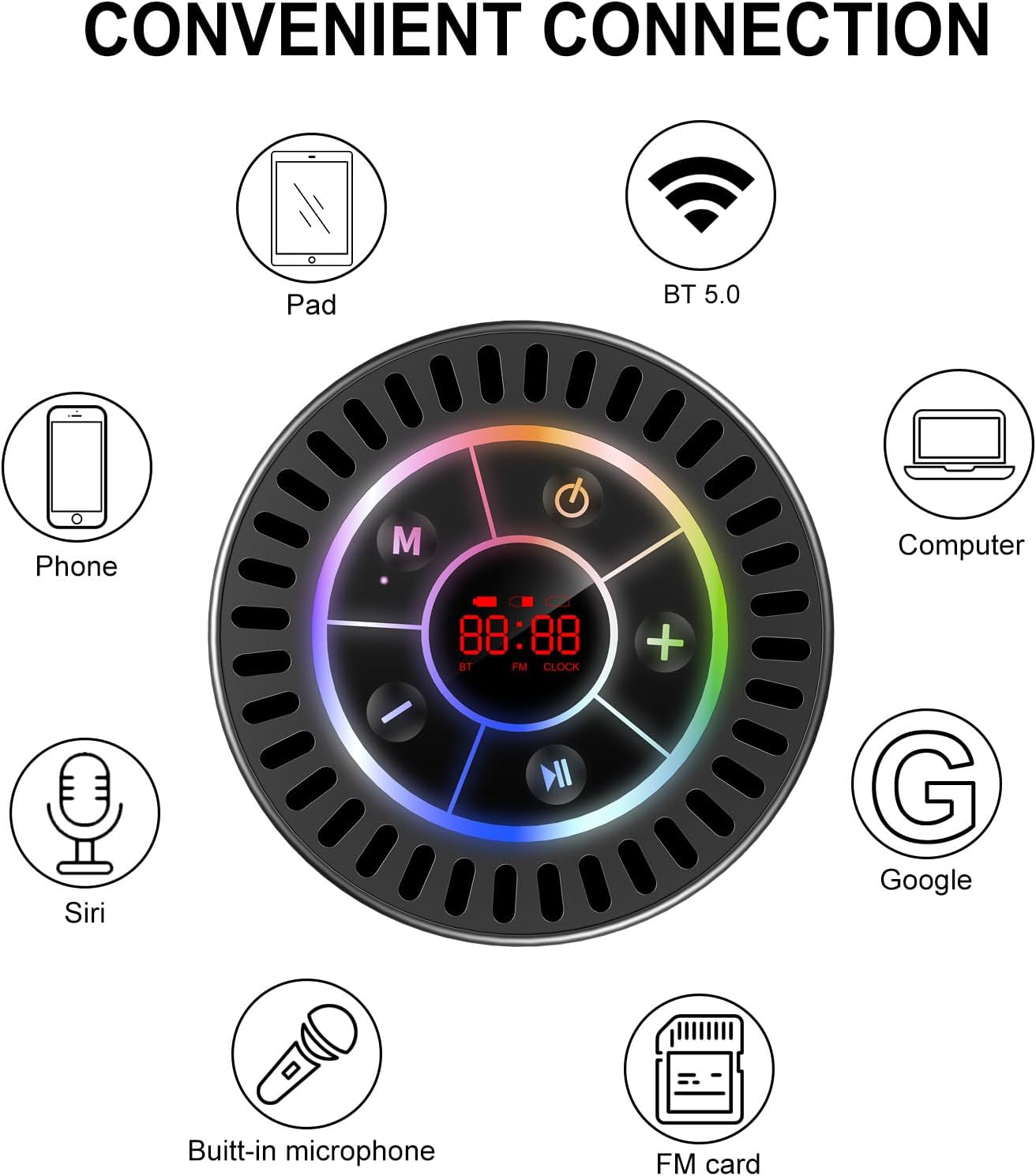
Image: The Docooler speaker attached to a shower wall, demonstrating its waterproof capability.
5.2 Temizlik
Hoparlörü yumuşak bir bezle temizleyin.amp Bez kullanın. Aşındırıcı temizleyiciler, alkol veya kimyasal çözücüler kullanmayın, çünkü bunlar yüzeye veya iç bileşenlere zarar verebilir.
5.3 Depolama
Hoparlörü doğrudan güneş ışığından ve aşırı sıcaklıklardan uzak, serin ve kuru bir yerde saklayın. Uzun süre saklayacaksanız, ömrünü uzatmak için pili düzenli olarak şarj edin.
6. Sorun Giderme
- Hoparlör açılmıyor: Pilinin dolu olduğundan emin olun. Hoparlörü USB-C kablosu kullanarak bir güç kaynağına bağlayın ve tekrar deneyin.
- Bluetooth üzerinden eşleştirilemiyor:
- Ensure the speaker is in Bluetooth pairing mode ('BT' flashing on display).
- Make sure Bluetooth is enabled on your device and it is within 15 meters of the speaker.
- Daha önce eşleştirildiyse, telefonunuzdan cihazı unutup yeniden eşleştirmeyi deneyin.
- Hem hoparlörünüzü hem de Bluetooth cihazınızı yeniden başlatın.
- FM radyo sinyali zayıf: FM radio reception can be affected by location and environmental factors. Try repositioning the speaker or using it in an open area. The charging cable can sometimes act as an antenna to enhance signal.
- Ses yok veya ses seviyesi düşük:
- Hem hoparlörünüzün hem de bağlı cihazınızın ses seviyesini kontrol edin.
- Ensure the speaker is properly paired and not connected to another device.
- TWS kullanıyorsanız, her iki hoparlörün de birbirleriyle ve ardından cihazınızla doğru şekilde eşleştirildiğinden emin olun.
- Speaker starts at full volume: Some units may default to a high volume upon power-on. Immediately adjust the volume using the '-' button to a comfortable level after turning the speaker on.
- Suction cup does not hold: Ensure the mounting surface is clean, smooth, and dry. Slightly moisten the suction cup before pressing it firmly onto the surface. Avoid porous or textured surfaces.
7. Özellikler

Resim: Patlamış bir view showing the internal components of the Docooler speaker, highlighting its sound technology.
| Özellik | Detay |
|---|---|
| Marka | Docooler |
| Model Numarası | SMT4782513347516YX |
| Bağlantı Teknolojisi | Bluetooth 5.0 |
| Bluetooth Menzili | 15 metreye kadar |
| Su Direnç Seviyesi | IPX7 (Su Geçirmez) |
| Hoparlör Maksimum Çıkış Gücü | 5 Watt |
| Frekans Tepkisi | 100 Hz |
| Ses Çıkışı Modu | Stereo, Surround (TWS ile) |
| Sinyal-Gürültü Oranı | 95 dB |
| Mikrofon Sayısı | 1 (Dahili) |
| Güç Kaynağı | Pil ile çalışır |
| Kontrol Yöntemi | Düğme |
| Ürün Ağırlığı | 300 Gram |
| Uyumlu Cihazlar | Dizüstü bilgisayar, MP3 çalar, akıllı telefon, tablet, televizyon |
8. Garanti ve Destek
8.1 Garanti Bilgileri
This Docooler speaker comes with a limited warranty. For specific terms and conditions, please refer to the warranty card included in your package or contact Docooler customer support.
8.2 Müşteri Desteği
For further assistance, technical support, or warranty claims, please visit the official Docooler website or contact their customer service department. Contact information can typically be found on the product packaging or the brand's online store.