
giriiş
This manual provides essential information for the installation, operation, and maintenance of your NVIDIA GeForce RTX 4070 Super 12GB GDDR6X Graphics Card. Designed for high-performance gaming and creative applications, this graphics card leverages the NVIDIA Ada Lovelace architecture to deliver advanced features such as fast ray tracing and AI-accelerated performance with DLSS 3. Please read this guide thoroughly before proceeding with installation or use.
Kurmak
1. Kutudan Çıkarma ve Paket İçeriği
Carefully open the packaging and ensure all components are present. The package typically includes:
- NVIDIA GeForce RTX 4070 Super Graphics Card
- 16-pin (12VHPWR) to 2x 8-pin PCIe power adapter cable
- Hızlı Başlangıç Kılavuzu
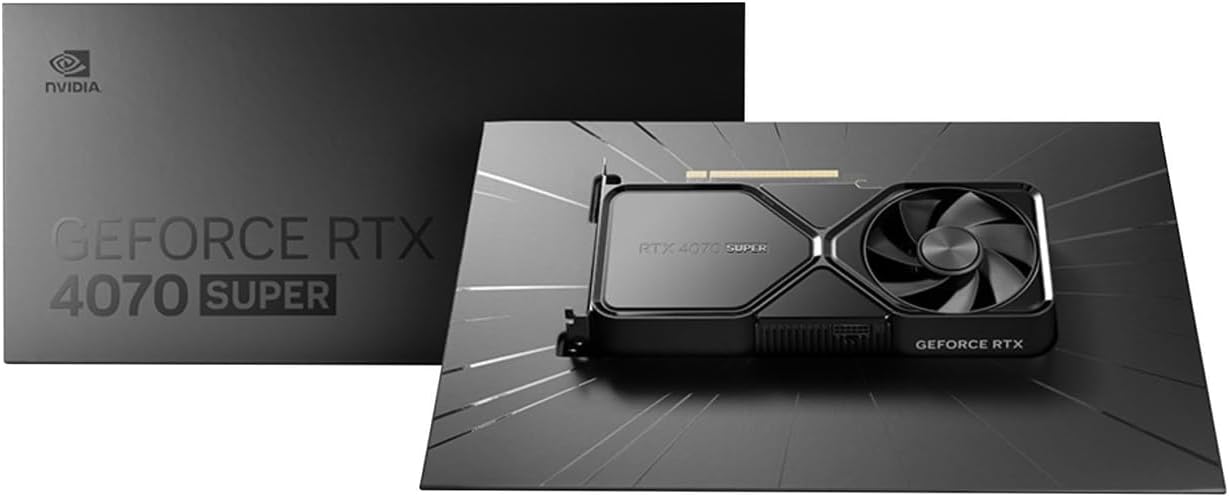
Image: Contents of the NVIDIA GeForce RTX 4070 Super package, including the graphics card and adapter cable.
2. Fiziksel Kurulum
Before installation, ensure your computer is powered off and unplugged from the wall outlet. Ground yourself to prevent electrostatic discharge.
- Bilgisayarınızın kasasını açın.
- Anakartınızda kullanılabilir bir PCI Express x16 yuvası bulun.
- Remove the metal slot cover(s) corresponding to the chosen PCIe slot.
- Carefully align the graphics card with the PCIe slot and press down firmly until it is securely seated. A click may be heard.
- Grafik kartını sabitleme vidası/vidaları ile kasaya sabitleyin.

Resim: Ön açılı view of the NVIDIA GeForce RTX 4070 Super Graphics Card, showing its cooling fans and shroud.
3. Güç Bağlantısı
The GeForce RTX 4070 Super requires external power. Use the provided 16-pin (12VHPWR) to 2x 8-pin PCIe power adapter cable.
- Connect the 16-pin end of the adapter cable to the power connector on the graphics card. Ensure it is fully seated.
- Connect two separate 8-pin PCIe power cables from your power supply unit (PSU) to the two 8-pin connectors on the adapter cable. Do not use a single PCIe cable with a pigtail connector for both 8-pin inputs, as this may lead to insufficient power delivery and potential system instability or damage.
4. Sürücü Kurulumu
After physical installation and power connection, close your computer case and reconnect all peripherals. Power on your computer.
- Once your operating system loads, navigate to the official NVIDIA webalan (www.nvidia.com/drivers).
- Select your product type (GeForce), product series (GeForce RTX 40 Series), product (GeForce RTX 4070 Super), and your operating system.
- En son önerilen sürücüleri indirin.
- Run the installer and follow the on-screen instructions to complete the driver installation. A system restart may be required.
İşletim
The NVIDIA GeForce RTX 4070 Super is designed to enhance your computing experience, particularly for gaming, content creation, and professional applications. Once drivers are installed, the card will be fully operational.
- Oyun: Experience high frame rates and advanced visual fidelity in modern games with features like Ray Tracing and DLSS 3. Ensure your games are updated to support these technologies for optimal performance.
- İçerik Oluşturma: Accelerate video editing, 3D rendering, and graphic design tasks with NVIDIA's powerful GPU architecture and dedicated AI cores.
- Ekran Bağlantısı: Connect your monitor(s) to the DisplayPort or HDMI outputs on the graphics card. The card supports multiple displays and high resolutions up to 7680x4320.
Bakım
1. Temizlik
Düzenli temizlik, ekran kartınızın optimum performansını korumaya ve ömrünü uzatmaya yardımcı olur.
- Periodically use compressed air to remove dust from the fans and heatsink fins. Ensure the computer is powered off and unplugged before cleaning.
- Hold the fan blades gently to prevent them from spinning rapidly during cleaning, which can damage the bearings.
- Kartın üzerine doğrudan sıvı temizleyiciler kullanmaktan kaçının.
2. Sürücü Güncellemeleri
NVIDIA regularly releases new drivers that include performance optimizations, bug fixes, and support for new games and applications. It is recommended to keep your drivers updated.
- Use the NVIDIA GeForce Experience software (if installed) to automatically check for and install driver updates.
- Alternatively, manually check for updates on the NVIDIA webalan (www.nvidia.com/drivers).
Sorun giderme
Ekran kartınızla ilgili sorunlarla karşılaşırsanız, aşağıdaki yaygın sorun giderme adımlarını göz önünde bulundurun:
| Sorun | Olası Çözüm |
|---|---|
| Görüntü çıkışı yok |
|
| Sistem kararsızlığı veya çökmeleri |
|
| Zayıf oyun performansı |
|
If issues persist, consult the NVIDIA support websitesine gidin veya müşteri hizmetleriyle iletişime geçin.
Özellikler
Key technical specifications for the NVIDIA GeForce RTX 4070 Super Graphics Card:
- Grafik Yardımcı İşlemcisi: NVIDIA GeForce RTX 4070 SÜPER
- Marka: NVIDIA
- Graphics RAM Size: 12 GB
- GPU Clock Speed: 2.48 GHz
- Video Çıkışı Arabirimi: DisplayPort, HDMI
- Graphics RAM Type: GDDR6X
- Uyumlu Cihazlar: Masaüstü, Dizüstü
- Ekran Çözünürlüğü Maksimum: 7680x4320
- Grafik Kartı Arayüzü: PCI Ekspres
- Bellek Saat Hızı: 21 GHz
- Model Adı: GeForce RTX 4070 SÜPER
- UPC: 812674025575

Resim: Üst view of the NVIDIA GeForce RTX 4070 Super Graphics Card, highlighting its cooling design.
Garanti ve Destek
Garanti Bilgileri
NVIDIA graphics cards typically come with a limited manufacturer's warranty. The duration and terms of the warranty may vary by region and retailer. Please retain your proof of purchase for warranty claims. For detailed warranty information, refer to the official NVIDIA webSitenize veya ürününüzle birlikte gelen belgelere bakın.
Müşteri Desteği
For technical assistance, driver downloads, or further information, please visit the official NVIDIA support resources:
- NVIDIA Desteği Webalan: www.nvidia.com/support
- Sürücü İndirmeleri: www.nvidia.com/drivers