
VIMTAG 847
VIMTAG Ampul Şeklinde Güvenlik Kamerası Model 847 Kullanım Kılavuzu
Kurulum, çalıştırma ve bakım için kapsamlı talimatlar.
1. Giriş
Thank you for choosing the VIMTAG Light Bulb Security Camera Model 847. This device is designed to provide reliable surveillance for your home, offering 2.5K/4MP high-definition video, pan/tilt functionality, night vision, two-way audio, and smart detection features. This manual will guide you through the setup, operation, and maintenance of your camera to ensure optimal performance.
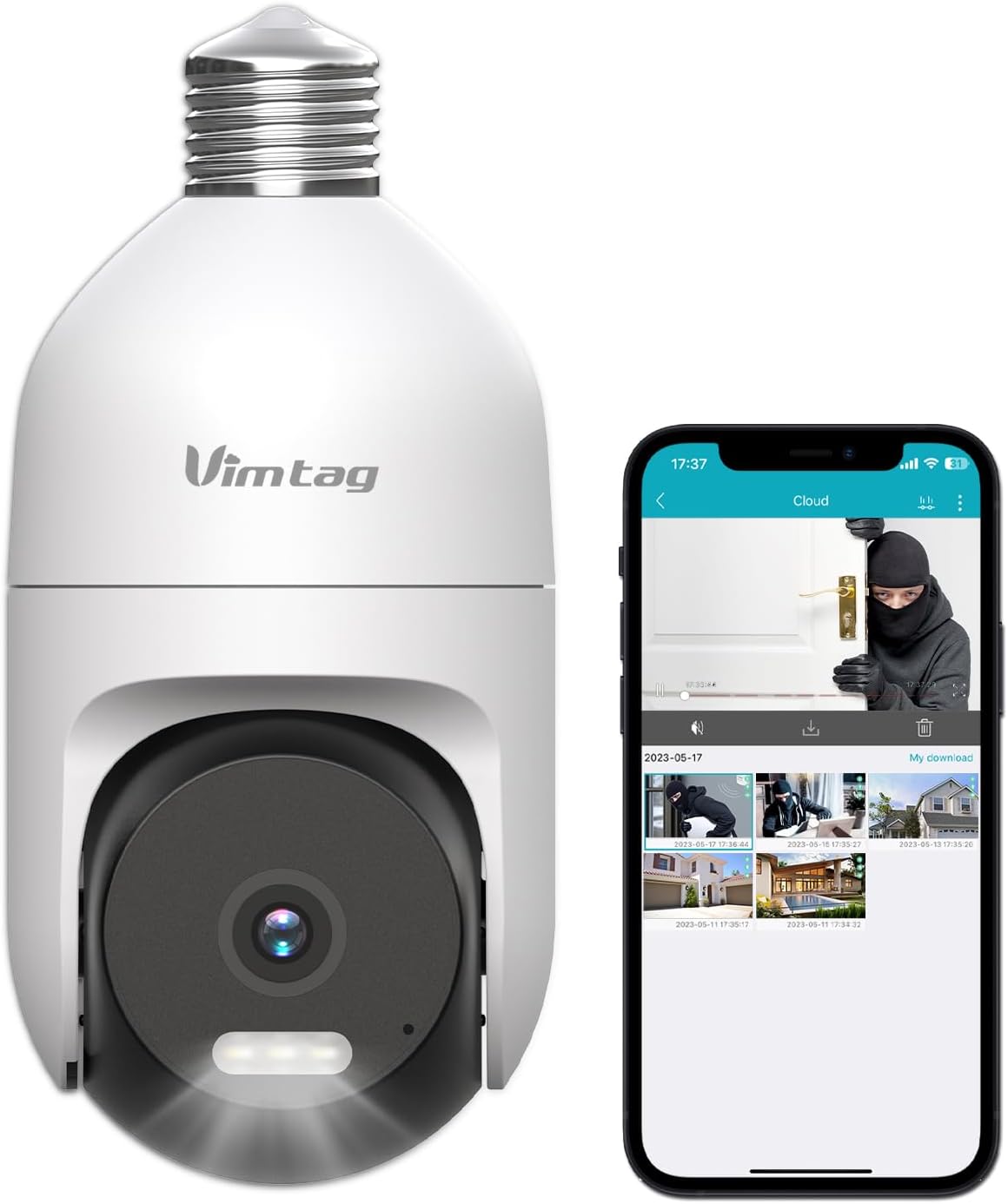
Image: The VIMTAG Light Bulb Security Camera Model 847, shown alongside a smartphone displaying its live feed.
2. Güvenlik Bilgileri
- Ensure the power is off before installing or removing the camera from a light socket.
- Install the camera in a standard E27/E26 light bulb socket.
- Fotoğraf makinesini çalışma aralığının dışındaki aşırı sıcaklık veya nem koşullarına maruz bırakmayın.
- Kamerayı güçlü manyetik alanlardan uzak tutun.
- Kamerayı kendiniz sökmeye veya onarmaya çalışmayın. Yardım için müşteri desteğiyle iletişime geçin.
- This camera is rated IP66 for weather resistance, suitable for outdoor use, but avoid submerging it in water.
3. Paket İçeriği
VIMTAG Light Bulb Security Camera package includes:
- VIMTAG Light Bulb Security Camera (Model 847)
- Kullanım Kılavuzu (bu belge)
Not: Yerel depolama için SD kart dahil değildir ve istenirse ayrıca satın alınmalıdır.
4. Ürün Bittiview
VIMTAG Light Bulb Security Camera features a compact design that fits into a standard light bulb socket. Key components include:
- Kamera Lensi: Captures 2.5K/4MP video.
- Kızılötesi (IR) LED'ler: Siyah beyaz gece görüşü için.
- Dikkat Çekenler: Provides color night vision and acts as a deterrent.
- Mikrofon: Çift yönlü konuşma ve ses algılama sırasında ses girişi için.
- Konuşmacı: For audio output during two-way talk and siren alarms.
- Mikro SD Kart Yuvası: Yerel video depolama için (512 GB'a kadar destekler).
- Sıfırlama Düğmesi: Used for factory reset (usually a small pinhole).
- E27/E26 Base: Standard light bulb screw-in base for power and mounting.
5. Kurulum
5.1 Fiziksel Kurulum
- Kapat: Ensure the power to the light socket is turned off at the circuit breaker before installation.
- Vidalayın: Carefully screw the VIMTAG Light Bulb Camera into a standard E27/E26 light bulb socket. Ensure it is securely fastened.
- Güç Açık: Elektrik prizine tekrar elektrik verin. Kamera açılacak ve başlatma dizisini başlatacaktır.

Image: Illustration of screwing the camera into a light bulb socket.
5.2 Uygulama İndirme ve Hesap Oluşturma
- İndir uygulaması: Arama "Vimtag" in your smartphone's app store (iOS App Store or Google Play Store) and download the official VIMTAG uygulama.
- Hesap Kaydı: Open the app and follow the on-screen instructions to register a new account using your email address or phone number.

Image: A smartphone screen showing the VIMTAG app icon, indicating the app download step.
5.3 Kamera Eşleştirme ve Wi-Fi Bağlantısı
- Cihaz Ekle: In the VIMTAG app, tap the "+" icon (usually in the top right or center) to add a new device.
- Kamera Türünü Seçin: Choose "Light Bulb Camera" from the list of device types.
- Uygulama İçi Yönergeleri Takip Edin: The app will guide you through connecting the camera to your 2.4GHz Wi-Fi network. This typically involves scanning a QR code generated by the app with the camera lens or listening for an audio prompt.
- Bağlantı Onayı: Once connected, the camera will indicate successful pairing (e.g., a voice prompt or LED indicator change), and its live feed will appear in the app.

Image: A smartphone screen showing the process of adding a new device, specifically selecting the light bulb camera.

Image: A smartphone displaying the live video feed from the VIMTAG camera after successful setup.
6. Kameranın Çalıştırılması
6.1 Canlı View ve Pan/Tilt Kontrolü
Once connected, open the VIMTAG app and select your camera to view the live feed. Use the on-screen controls to pan (horizontal 355°) and tilt (vertical 100°) the camera lens to adjust the viewing angle. The camera offers 8x digital zoom for closer inspection.

Image: Multiple devices (phone, tablet, laptop, desktop) displaying the live feed from the VIMTAG camera, illustrating multi-terminal viewIng.
6.2 İki Yönlü Ses
The camera features a built-in microphone and speaker. Tap the microphone icon in the app to speak through the camera, and listen to audio from the camera's location. This allows for real-time communication with visitors or to deter intruders.

Image: A person speaking into a phone to communicate with a delivery person at the door via the VIMTAG camera's two-way audio.
6.3 Gece Görüş Modları
The camera supports two night vision modes:
- IR Gece Görüşü: Defaults to black and white infrared vision in low light conditions.
- Color Night Vision with Spotlight: When the spotlight mode is activated (manually or via motion detection settings), the camera will switch to full-color night vision.
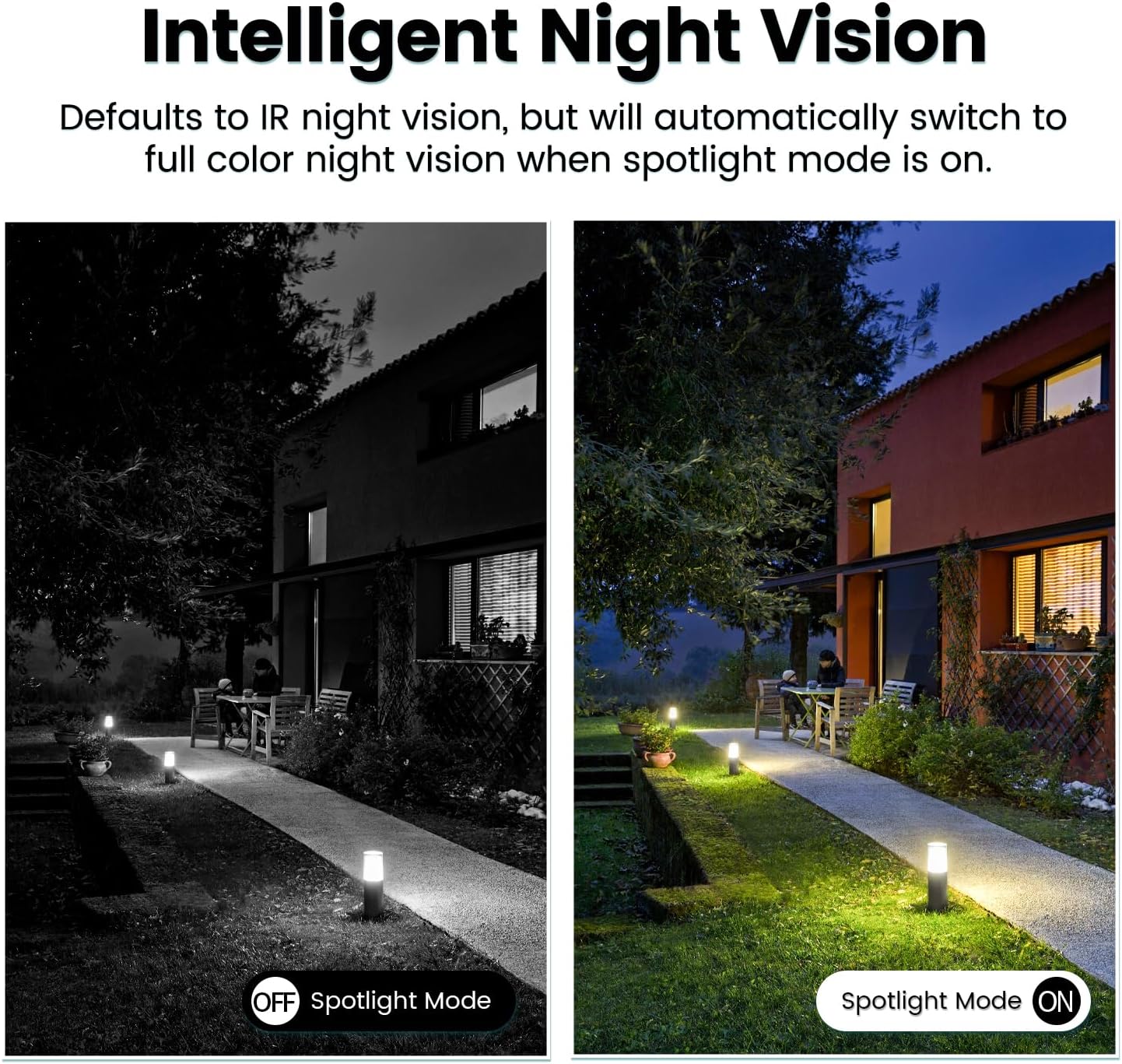
Image: Comparison of IR night vision (black and white, spotlight off) and color night vision (full color, spotlight on) from the VIMTAG kamera.
6.4 AI Human/Motion/Sound Detection and Alarms
Configure detection settings in the VIMTAG app. The camera can detect human shapes, general motion, and sounds. Upon detection, you will receive notifications on your phone, and the camera can trigger a siren alarm or activate its spotlight to deter unwanted activity.

Image: An illustration of the VIMTAG camera detecting an intruder, triggering a spotlight and sending an alert to a smartphone.

Image: A smartphone displaying a "Motion Detection Alert" notification from the VIMTAG uygulama.
6.5 Video Kaydı ve Depolama
Kamera iki depolama seçeneğini destekliyor:
- Yerel Depolama: Insert a Micro SD card (up to 512GB, not included) into the camera's SD card slot for continuous 24/7 recording. Recorded footage can be accessed and managed through the VIMTAG uygulama.
- Bulut Depolama: An optional cloud storage service is available through the VIMTAG app for secure, encrypted video storage. Subscription details can be found within the app.
6.6 Alexa Entegrasyonu
VIMTAG camera is compatible with Amazon Alexa. To integrate:
- Enable the VIMTAG skill in the Alexa app.
- Link your VIMTAG hesap.
- Cihazları keşfedin.
You can then use voice commands such as, "Alexa, show me the [camera name]" to view the live feed on compatible Alexa-enabled devices with screens (e.g., Echo Show).

Image: A person interacting with an Amazon Echo Show to view the VIMTAG camera feed using voice commands.
7. Bakım
- Temizlik: Kamera lensini ve gövdesini yumuşak ve kuru bir bezle nazikçe silin. Sert kimyasallar veya aşındırıcı temizleyiciler kullanmayın.
- Donanım Yazılımı Güncellemeleri: VIM'i düzenli olarak kontrol edin.TAG app for available firmware updates. Keeping your camera's firmware updated ensures optimal performance, security, and access to new features.
- SD Kart Yönetimi: SD kart kullanıyorsanız, periyodik olarak yeniden yükleyin.view ve önemli foo'yu yedekletage. Format the SD card through the app if you experience recording issues or to clear old data.
8. Sorun Giderme
| Sorun | Olası Neden | Çözüm |
|---|---|---|
| Camera fails to power on. | No power to the light socket; camera not screwed in properly. | Check the light socket's power supply; ensure the camera is securely screwed in. |
| Wi-Fi'ye bağlanılamıyor. | Yanlış Wi-Fi şifresi; kamera yönlendiriciden çok uzakta; 5 GHz Wi-Fi ağı kullanılıyor. | Verify Wi-Fi password; move camera closer to router; ensure you are connecting to a 2.4GHz Wi-Fi network. |
| Kötü video kalitesi. | Zayıf Wi-Fi sinyali; kirli lens. | Wi-Fi sinyal gücünü iyileştirin; kamera lensini temizleyin. |
| Hareket algılama çalışmıyor. | Detection settings disabled or sensitivity too low; camera positioned incorrectly. | Check and adjust motion detection settings in the app; ensure camera has a clear view bölgenin. |
| SD kart kayıt yapmıyor. | SD kart dolu veya bozuk; kayıt ayarları yanlış. | Format the SD card via the app; check recording schedule and settings. Replace SD card if necessary. |
9. Özellikler
| Özellik | Detay |
|---|---|
| Model Adı | 847 |
| Video Çözünürlüğü | 2.5K / 4MP (1440p) |
| Pan/Tilt Aralığı | 355° Yatay, 100° Dikey |
| Dijital Zoom | 8x |
| Gece Görüşü | IR Night Vision & Color Night Vision with LED Spotlight |
| Çift Yönlü Ses | Evet (Dahili Mikrofon ve Hoparlör) |
| Tespit | AI Human, Motion, Sound Detection |
| Bağlantı | 2.4 GHz Wi-Fi (IEEE 802.11b/g/n) |
| Depolama Seçenekleri | Micro SD Card (up to 512GB), Cloud Storage (optional subscription) |
| Güç Kaynağı | Corded Electric (E27/E26 Light Bulb Socket) |
| İç/Dış Mekan Kullanımı | Evet (IP66 Hava Koşullarına Dayanıklı) |
| Uyumlu Cihazlar | iOS, Android, Mac, iPad, Windows, Amazon Alexa |
| Boyutlar (U x G x Y) | 3.07 x 3.07 x 5.31 inç |
| Ürün Ağırlığı | 9.1 ons |
| Kare Hızı | Saniyede 25 kare |
| Video Kodlama | H.264/H.265 |
10. Garanti ve Destek
VIMTAG products come with a standard manufacturer's warranty. For specific warranty terms and conditions, please refer to the warranty card included with your product or visit the official VIMTAG website. For technical support, troubleshooting assistance, or any product-related inquiries, please contact VIMTAG customer service through the VIMTAG app or their official webalan.
Çevrimiçi Kaynaklar:
- VIMTAG Resmi Webalan: Visit the VIMTAG Amazon'da mağaza
- In-App Support: Access support features directly within the VIMTAG mobil uygulama.
Ask a question about this manual
Ask about setup, troubleshooting, compatibility, parts, safety, or missing instructions. Manuals+ will review the question and use this page’s manual context to help answer it.