
1. Giriş
The PNI PMR R70 PRO is a portable PMR446 radio designed for reliable communication. This device operates on the 446 MHz frequency band, offering 16 channels and 99 PC programmable channels. It features 50 CTCSS tones and 166 DCS tones for enhanced privacy and interference reduction. With an IP67 rating, the radio is protected against dust and water immersion, making it suitable for various environments. No license is required for operation in most European Union countries.
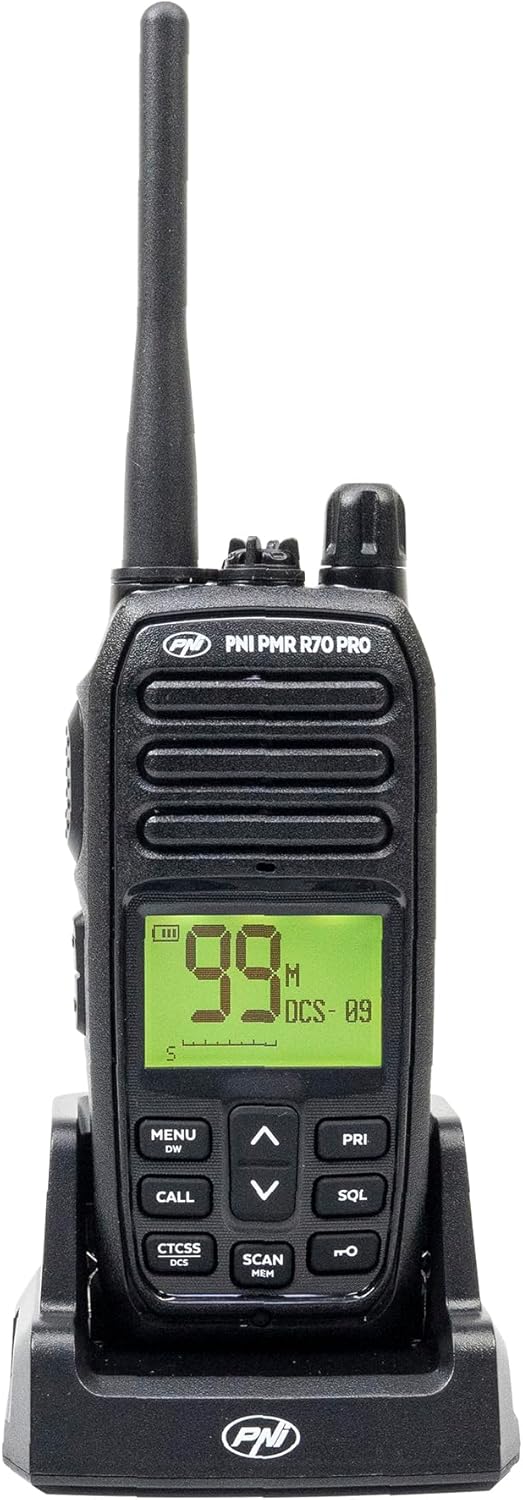
Resim 1.1: Ön view of the PNI PMR R70 PRO portable radio, showing the display and control buttons.
2. Paket İçeriği
Aşağıda listelenen tüm öğelerin paketinizde bulunduğunu doğrulayın:
- PNI PMR R70 PRO Radio Unit
- Anten
- 1800 mAh Pil
- Masaüstü Şarj Cihazı
- Kemer Klipsi
- Kullanıcı Kılavuzu
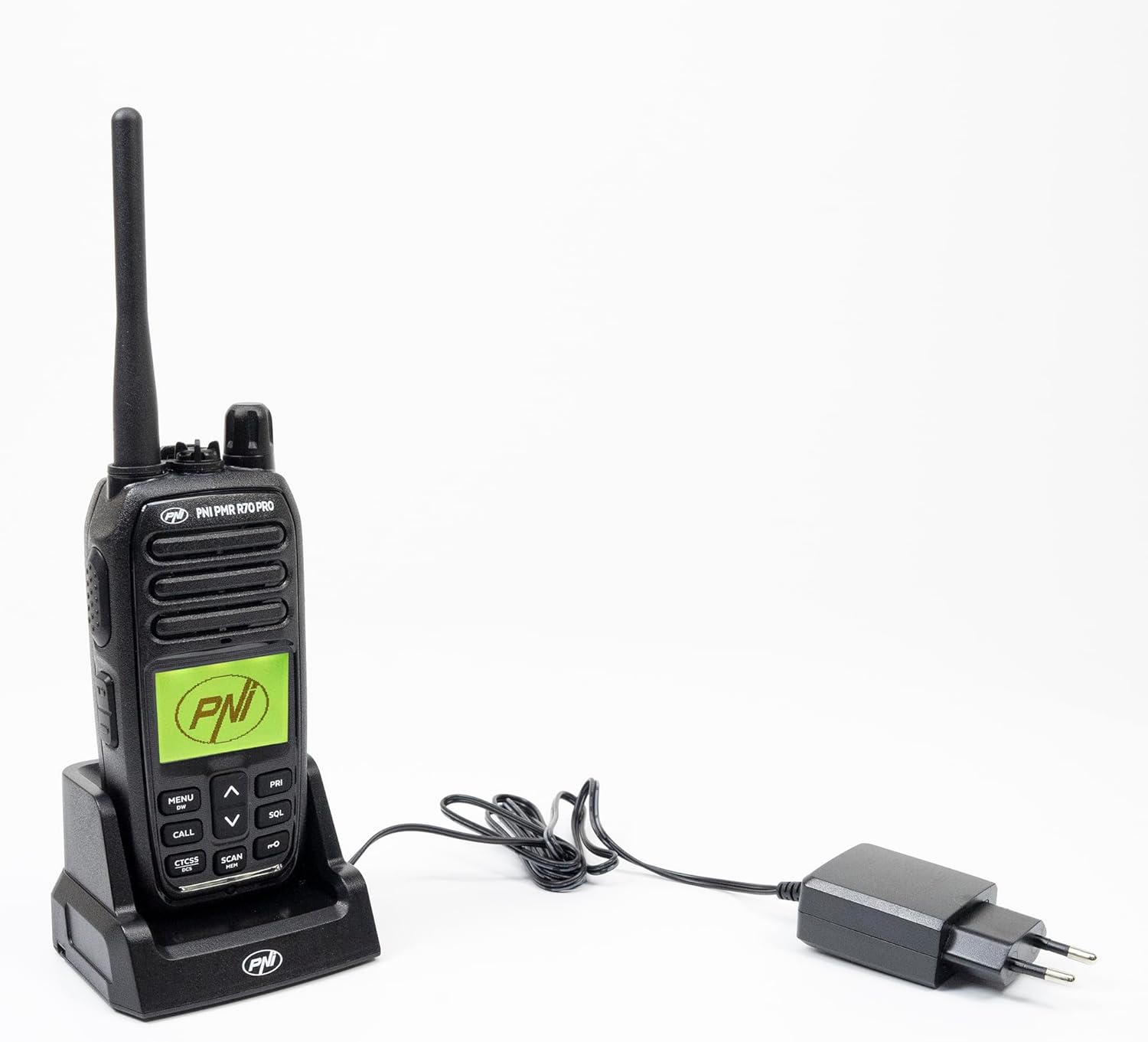
Image 2.1: All components included in the PNI PMR R70 PRO package: radio, antenna, battery, desktop charger, and belt clip.
3. Kurulum
3.1 Pil Kurulumu
- Radyo'nun kapalı olduğundan emin olun.
- Radyonun arkasındaki pil bölmesi kapağını bulun.
- Unscrew the retaining screw and carefully remove the cover.
- Insert the 1800 mAh battery into the compartment, ensuring the contacts align correctly.
- Pil bölmesi kapağını yerine takın ve vidayla sabitleyin.

Resim 3.1: Arka view of the PNI PMR R70 PRO radio with the battery compartment open, showing the battery and its connection.
3.2 Pilin Şarj Edilmesi
- Masaüstü şarj cihazını bir elektrik prizine takın.
- Place the radio unit into the charging cradle. Ensure the charging contacts on the radio align with those on the charger.
- Şarj cihazındaki şarj gösterge ışığı yanacaktır; genellikle şarj olurken kırmızı, tamamen şarj olduğunda ise yeşil yanar.
- Tam şarj genellikle birkaç saat sürer. Pili aşırı şarj etmeyin.
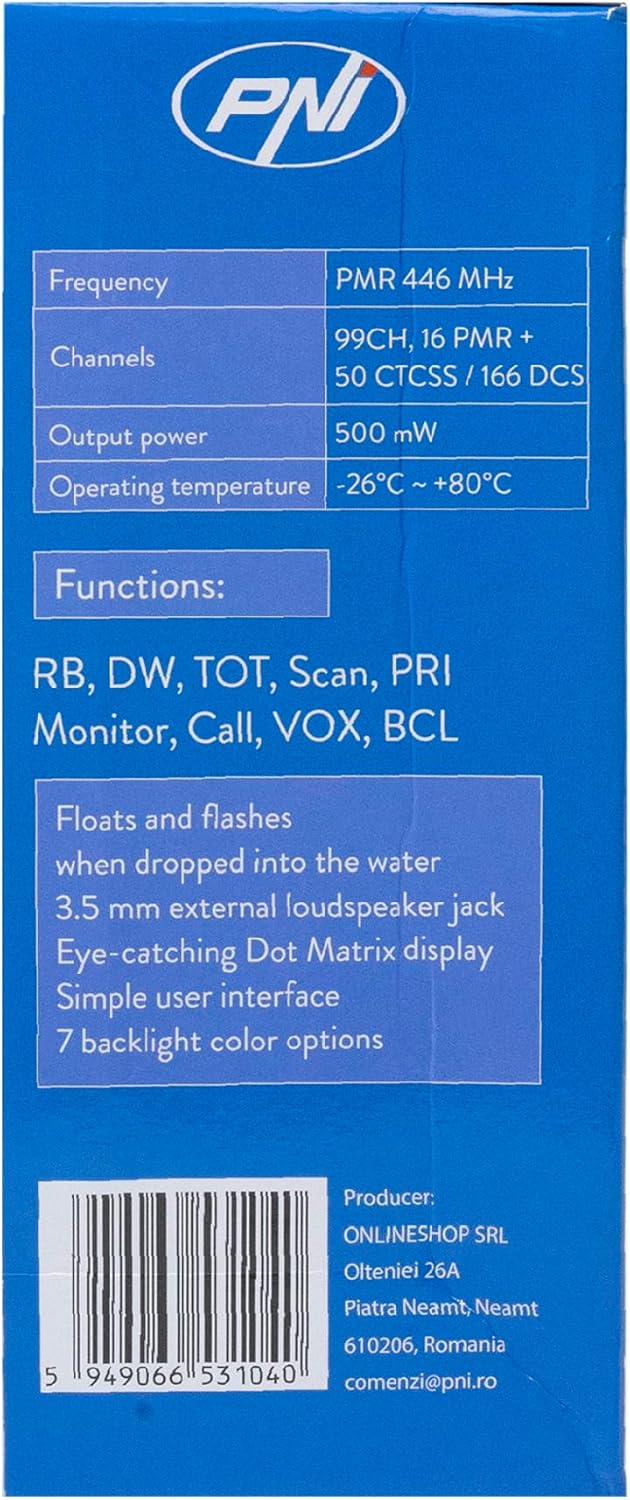
Image 3.2: The PNI PMR R70 PRO radio placed in its desktop charging cradle, connected to a power adapter.
4. Kullanım Talimatları
4.1 Güç Açma/Kapatma
To power on the radio, rotate the power/volume knob clockwise until you hear a click. To power off, rotate the knob counter-clockwise until it clicks.
4.2 Ses Ayarı
Sesi artırmak için güç/ses düğmesini saat yönünde, azaltmak için ise saat yönünün tersine çevirin.
4.3 Kanal Seçimi
YUKARI (^) ve aşağı (v) arrow buttons on the front panel to select one of the 16 available channels. The selected channel number will be displayed on the screen.
4.4 İletim ve Alma
- İletmek İçin: Press and hold the Push-To-Talk (PTT) button located on the side of the radio. Speak clearly into the microphone. Release the PTT button to stop transmitting.
- Almak İçin: PTT düğmesinin basılı olmadığından emin olun. Radyo, seçilen kanaldaki sinyalleri otomatik olarak alacaktır.
4.5 Özel Özellikler
- CTCSS/DCS Tonları: The radio supports 50 CTCSS (Continuous Tone-Coded Squelch System) and 166 DCS (Digitally Coded Squelch) tones. These tones help filter out unwanted conversations on the same channel. Refer to the full user guide for programming instructions.
- Tarama Fonksiyonu: Activate the scan function to monitor all active channels. The radio will stop on an active channel until the transmission ends.
- Çift İzleme (DW): This feature allows the radio to monitor two channels simultaneously.
- Anlaşıldı Bip Sesi: An audible tone emitted when the PTT button is released, signaling the end of your transmission.
- Tuş takımı kilidi: Ayarlarda kazara değişiklik yapılmasını önler.
- PC Programmable Channels: The radio supports 99 PC programmable channels. This requires a specific programming cable (PNI - PSR70) and software.

Image 4.1: The PNI PMR R70 PRO radio connected to a laptop via a programming cable for channel and feature customization.
5. Bakım
5.1 Temizlik
Radyoyu yumuşak bir bezle silin, damp Bezle silin. Sert kimyasallar veya aşındırıcı temizleyiciler kullanmayın. Kullanmadan veya şarj etmeden önce radyonun kuru olduğundan emin olun.
5.2 Suya Dayanıklılık (IP67)
The PNI PMR R70 PRO is rated IP67, meaning it is fully protected against dust ingress and can withstand immersion in water up to 1 meter for 30 minutes. While robust, avoid unnecessary exposure to water and ensure all covers (e.g., battery cover, accessory port cover) are securely closed before exposing the radio to water.

Image 5.1: The PNI PMR R70 PRO radio with water droplets, illustrating its IP67 water resistance feature.
6. Sorun Giderme
If you encounter issues with your PNI PMR R70 PRO radio, consider the following common troubleshooting steps:
- Güç Yok: Pilinin doğru takıldığından ve tamamen şarj edildiğinden emin olun. Güç/ses düğmesinin açık olduğundan emin olun.
- İletilemedi veya Alınamadı: Verify that you are on the correct channel. Check if the PTT button is functioning. Ensure the antenna is securely attached.
- Kötü Ses Kalitesi: Adjust the volume. Ensure the microphone and speaker are not obstructed. Move to an area with fewer obstructions for better signal.
- Kısa mesafe: Obstacles like buildings and terrain can significantly reduce range. Operate in open areas for maximum range. Ensure the battery is fully charged.
- Tuş Takımı Tepki Vermiyor: Check if the keypad lock feature is activated. Deactivate it if necessary.
For persistent issues, consult the comprehensive user guide or contact customer support.
7. Özellikler
| Özellik | Şartname |
|---|---|
| Marka | PNI |
| Model Numarası | PNI-R70-PRO |
| Frekans Aralığı | 446.00625 ~ 446.19375 MHz |
| Kanal Sayısı | 16 (PMR), 99 PC Programmable |
| Çıkış Gücü | 0.5 B |
| CTCSS Tonları | 50 |
| DCS Tones | 166 |
| Uluslararası Koruma Derecelendirmesi | IP67 (Dustproof, Submersible up to 1m for 30 min) |
| Pil | 1800 mAh (dahil) |
| Ortalama Pil Ömrü | 18 saat |
| Cilttage | 7.4 Volt (DC) |
| Maksimum Menzil | Up to 10 Kilometers (open space) |
| Çalışma Sıcaklığı | -26°C ~ +80°C |
| Ürün Boyutları (D x G x Y) | 6P x 13l x 4Y santimetre |
| Ürün Ağırlığı | 225 Gram |
| Özel Özellikler | Digital Display, Rechargeable, Roger Beep, Submersible, Keypad Lock |
8. Garanti ve Destek
8.1 Garanti Bilgileri
The PNI PMR R70 PRO radio comes with a 2 yıllık garanti Satın alma tarihinden itibaren geçerlidir. Bu garanti, normal kullanım koşullarındaki üretim hatalarını kapsar. Garanti talepleriniz için lütfen satın alma belgenizi saklayın.
8.2 Müşteri Desteği
For technical assistance, troubleshooting, or warranty service, please contact your retailer or the manufacturer's customer support. Refer to the contact information provided in your purchase documentation.