
JUQITECH MGS6L
JUQITECH Trackpad Keyboard Case Instruction Manual
Model: MGS6L
giriiş
Thank you for choosing the JUQITECH Trackpad Keyboard Case. This manual provides essential information for setting up, operating, and maintaining your new keyboard case. Designed for seamless integration with your Samsung Galaxy Tab S6 Lite, this accessory enhances productivity and versatility.
Uyumluluk
This keyboard case is specifically designed for the Samsung Galaxy Tab S6 Lite 10.4" models:
- 2024 models: SM-P620, SM-P625
- 2022 models: SM-P613 (Wi-Fi), SM-P619 (LTE)
- 2020 models: SM-P610 (Wi-Fi), SM-P615 (LTE)
Please verify your tablet model number before use. Samsung Tablet or S Pen are NOT INCLUDED.
Kutuda Neler Var?
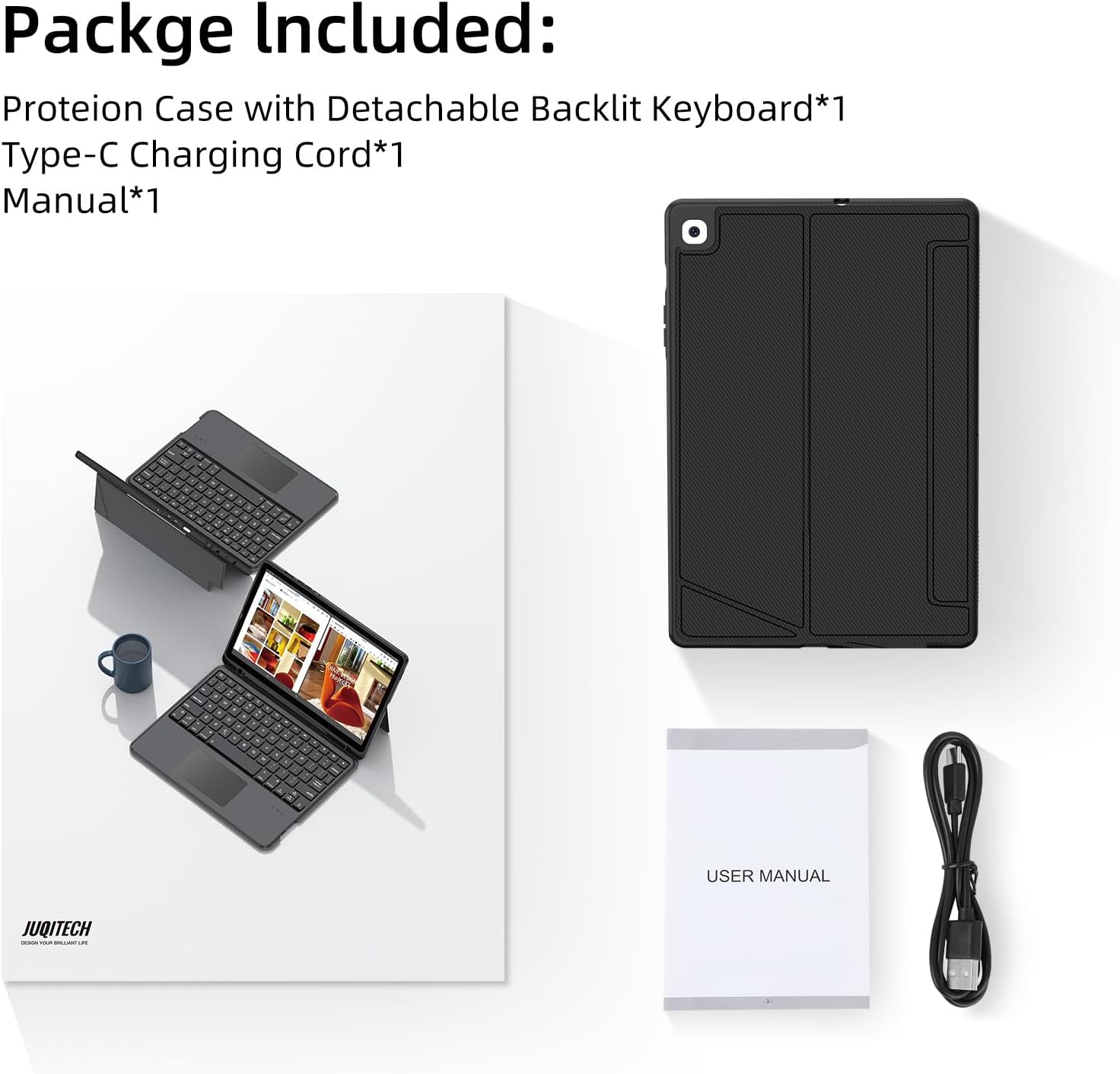
Image: Contents of the JUQITECH keyboard case package.
- 1 x Case for Galaxy Tab S6 Lite 10.4"
- 1 x Kablosuz Klavye
- 1 x Type-C Şarj Kablosu
- 1 x Kılavuz
Temel Özellikler

Image: The JUQITECH keyboard case with a tablet, showcasinArkadan aydınlatmalı klavye ve dokunmatik yüzey.
- Manyetik Ayrılabilir Tasarım: The keyboard can be easily attached or removed from the case, allowing for flexible use as a laptop-like setup or a standalone tablet.
- Ayarlanabilir Destek Standı: The case features an adjustable kickstand that reclines from 30° to 160°, providing multiple viewing angles for typing, drawing, watching, or gaming.
- Touchpad Design & 7 Colors Backlit Keyboard: Control your tablet with precision using the multi-touch trackpad. The keyboard offers 7 colors with 3 levels of brightness, making typing comfortable in various lighting conditions, including a breathing backlit mode.
- 360° Full Protection Case: Constructed with soft PU and flexible TPU inner shell, the case provides comprehensive protection against drops and scratches. Precise cutouts ensure full access to all ports and buttons.
- S Kalem Tutucu: An integrated holder keeps your S Pen securely in place, preventing loss and ensuring it's always ready for use.
- Otomatik Uyku/Uyanma: The case automatically wakes or puts your tablet to sleep when opened or closed, conserving battery life.
Kurulum ve Yükleme
1. Installing the Tablet
Gently align your Samsung Galaxy Tab S6 Lite with the TPU inner shell of the case. Press firmly around the edges to ensure the tablet is securely seated within the case. The precise cutouts will allow access to all ports and buttons.
Video: Demonstration of installing the tablet into the case and using the keyboard.
2. Connecting the Keyboard (Bluetooth Pairing)
- Ensure the keyboard is charged (see section 3).
- Turn on the keyboard using the power switch located on its side.
- On your Samsung Galaxy Tab S6 Lite, go to Ayarlar > Bağlı cihazlar > Bluetooth.
- Bluetooth'u etkinleştirin ve mevcut cihazları arayın.
- Select the keyboard (usually named something like "Bluetooth Keyboard" or "JUQITECH Keyboard") from the list to pair.
- Once paired, the keyboard's indicator light will turn off, and it will be ready for use.
3. Klavyeyi Şarj Etme
Connect the provided Type-C charging cord to the keyboard's charging port and plug the other end into a USB power adapter (not included). The charging indicator light will illuminate during charging and turn off when fully charged.
Kullanım Talimatları
Klavyeyi ve Dokunmatik Yüzeyi Kullanma

Image: Close-up of the keyboard highlighting shortcuts and trackpad area.
- Yazma: Use the keyboard for efficient text input, similar to a laptop.
- Dokunmatik yüzey: The integrated multi-touch trackpad allows for precise cursor control and gestures.
- Fn + Boşluk: Turn On/Off Trackpad.
- Fn + C: Turn On/Off Bluetooth (for pairing).
Adjusting Backlight

Image: Visual representation of the 7-color backlit keyboard with adjustable brightness.
- Fn + Light Bulb Icon: Turn On/Adjust Backlight brightness (3 levels).
- Fn + RGB Icon: Change Backlight Colors (7 colors available).
- Some models may support a breathing backlight mode with adjustable frequency.
Ekran Modlarını Değiştirme

Image: The keyboard case supporting both landscape and portrait orientations for the tablet.
The adjustable kickstand allows you to easily switch between landscape and portrait modes to suit your viewing and working needs.
Bakım
- Kasanın Temizlenmesi: Kılıfı yumuşak bir bezle silin.amp Bez. Sert kimyasallardan veya aşındırıcı temizleyicilerden kaçının.
- Klavyeyi Temizleme: Klavyeyi temizlemek için yumuşak, kuru bir bez kullanın. İnatçı kirler için, biraz daha yumuşak bir bez yeterli olacaktır.amp cloth can be used, ensuring no liquid enters the keys.
- Depolamak: When not in use for extended periods, ensure the keyboard is turned off and the case is closed to protect the tablet and conserve battery.
Sorun giderme
- Klavye bağlanmıyor: Ensure the keyboard is charged and turned on. Verify Bluetooth is enabled on your tablet and attempt to re-pair the device.
- Arka ışık çalışmıyor: Check if the keyboard is powered on and try pressing Fn + Light Bulb Icon to adjust brightness.
- Dokunmatik yüzey yanıt vermiyor: Ensure the touchpad is not disabled (Fn + Space). Restart the keyboard and tablet if the issue persists.
- Tuşlar yanıt vermiyor: Ensure the keyboard is fully charged and properly connected via Bluetooth.
Özellikler
| Ürün Boyutları | 9.72 x 6.53 x 0.86 inç |
| Ürün Ağırlığı | 1.28 pound |
| Üretici | JUQITECH |
| Ürün Model Numarası | MGS6L |
| Piller | 1 P76 battery (included) |
| Bağlantı Teknolojisi | Bluetooth |
| Klavye Açıklaması | Bluetooth Backlit Trackpad Detachable Keyboard |
| Anahtar Sayısı | 78 |
| Klavye Arka Aydınlatma Renk Desteği | RGB (7 renk) |
Garanti ve Destek
For warranty information or technical support, please refer to the contact details provided with your purchase or visit the official JUQITECH webSite. Satın alma fişinizi, garanti talepleriniz için saklayın.
Ask a question about this manual
Ask about setup, troubleshooting, compatibility, parts, safety, or missing instructions. Manuals+ will review the question and use this page’s manual context to help answer it.