
1. Giriş
This manual provides essential information for the safe and efficient use of your GOBOULT Y1 Wireless Ear Buds. Please read it thoroughly before using the product and retain it for future reference.
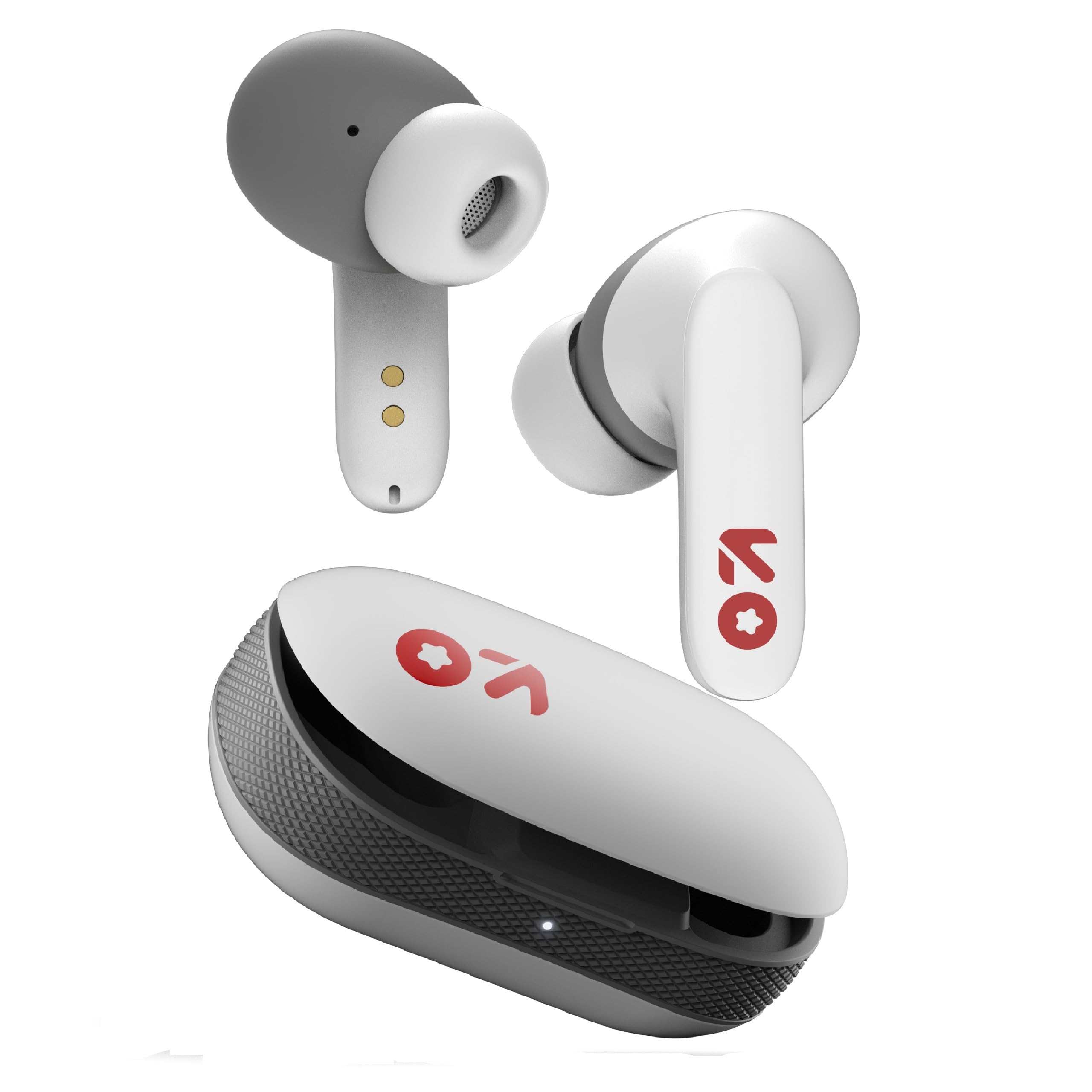
Image: GOBOULT Y1 Wireless Ear Buds and their charging case. The earbuds are white with grey tips and red GOBOULT logos, resting beside the matching white charging case.
2. Kutuda Neler Var?
Tüm öğelerin ambalajda mevcut olduğunu doğrulayın:
- Y1 Earphones (Left and Right)
- Y1 Charging Case
- USB Type-C Şarj Kablosu
- Additional Eartips (various sizes)
- Kullanım Kılavuzu (bu belge)
3. Kurulum
3.1 İlk Şarj
Before first use, fully charge the ear buds and the charging case.
- Place the ear buds into the charging case. Ensure they are correctly seated.
- Connect the provided USB Type-C cable to the charging port on the case and to a compatible USB power source (e.g., wall adapter, computer USB port).
- The indicator light on the charging case will show charging status. A full charge typically takes approximately 90 minutes.
- 10 dakikalık şarj ile yaklaşık 100 dakika oyun süresi sağlanıyor.

Image: GOBOULT Y1 Ear Buds and their charging case, illustrating the Type-C fast charging port and cable connection. Text indicates "10 mins = 100 mins playtime".
3.2 Bluetooth Eşleştirme
The GOBOULT Y1 Ear Buds feature Blink & Pair™ Bluetooth 5.3 for fast and stable connection.
- Kulaklıkların şarjının dolu olduğundan emin olun.
- Open the lid of the charging case. The ear buds will automatically enter pairing mode, indicated by flashing LED lights.
- Cihazınızda (akıllı telefon, tablet, dizüstü bilgisayar) Bluetooth'u etkinleştirin.
- Arama "GOBOULT Y1" in the list of available Bluetooth devices.
- Select "GOBOULT Y1" to connect. Once connected, a voice prompt will confirm successful pairing, and the LED lights on the ear buds will stop flashing.
- For subsequent use, the ear buds will automatically connect to the last paired device when removed from the case.

Image: GOBOULT Y1 Ear Buds and case with a smartphone displaying music, highlighting Bluetooth v5.3, Blink & Pair, Stable Connection, and Power efficient features.
4. Kullanım Talimatları
4.1 Dokunmatik Kontroller
The GOBOULT Y1 Ear Buds feature intuitive touch controls on each ear bud. The specific functions are as follows:

Image: A detailed diagram showing the touch control functions for the GOBOULT Y1 Ear Buds. It illustrates single taps, double taps, triple taps, and long presses for various actions like music playback, call management, and voice assistant activation.
- Single Tap (Left/Right Bud): Müzik Çal/Durdur, Çağrıya Cevap Ver
- Double Tap (Left Bud): Önceki Şarkı
- Double Tap (Right Bud): Sonraki Şarkı
- Triple Tap (Left Bud): Sesi Azalt
- Triple Tap (Right Bud): Sesi Aç
- Long Press (Left/Right Bud): Activate Voice Assistant (Google Assistant/Siri), Reject Call, End Call
- Four Taps (Left/Right Bud): Activate Combat Mode (Low Latency Gaming)
4.2 Sesli Asistan
Activate your device's voice assistant (Google Assistant or Siri) by long-pressing either ear bud.
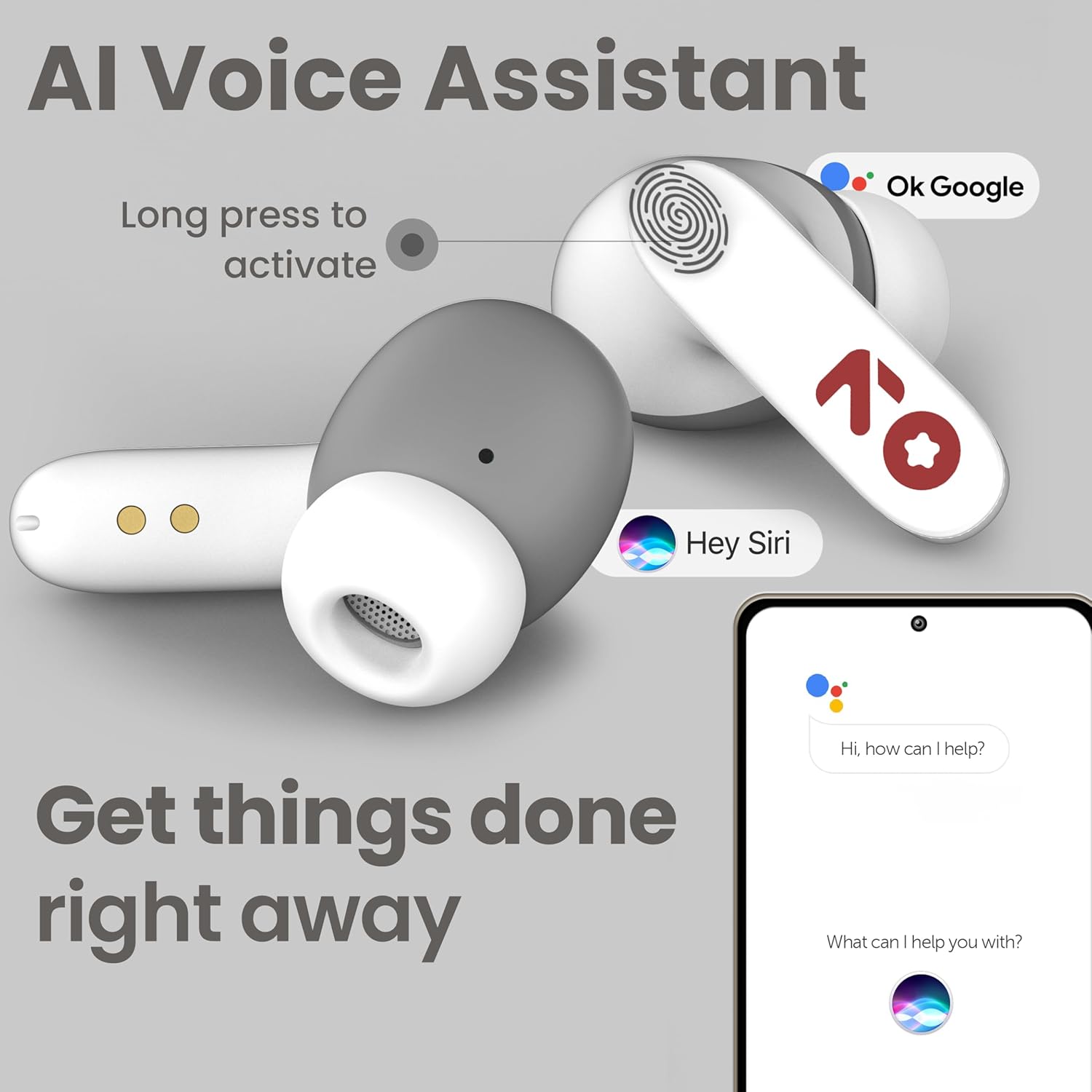
Image: GOBOULT Y1 Ear Buds with an illustration of a long press gesture activating a voice assistant like Google Assistant or Siri on a smartphone.
4.3 Calling with Zen ENC Mic
The GOBOULT Y1 Ear Buds are equipped with a Zen ENC (Environmental Noise Cancellation) microphone for clear call quality.
- Cevap Çağrısı: Single tap either ear bud.
- Çağrıyı Reddet: Long press either ear bud.
- Çağrı Sonu: Long press either ear bud during a call.

Image: A diagram illustrating how Environmental Noise Cancellation (ENC) works, showing a user's voice being filtered from environmental noise for clear communication. A detailed view of an earbud highlights the ENC microphone.
4.4 Düşük Gecikmeli Oyun Modu
Activate Combat Mode for a low-latency gaming experience, ensuring audio sync with minimal delay.
- Oyun Modunu Etkinleştir: Four taps on either ear bud.
- Oyun Modunu Devre Dışı Bırak: Four taps on either ear bud again.
5. Bakım
5.1 Temizlik
Optimum performans ve hijyeni korumak için:
- Gently wipe the ear buds and charging case with a soft, dry, lint-free cloth.
- Aşındırıcı temizleyiciler, çözücüler veya aerosol spreyler kullanmayın.
- Kulak uçlarını çıkarın ve gerekirse ayrı olarak hafif sabun ve suyla temizleyin, tekrar takmadan önce tamamen kuruduklarından emin olun.
- Clean the charging contacts on both the ear buds and the case periodically with a dry cotton swab.
5.2 Suya Dayanıklılık (IPX5)
The GOBOULT Y1 Ear Buds are IPX5 water-resistant, meaning they are protected against low-pressure water jets from any direction. This makes them suitable for workouts and light rain.

Image: GOBOULT Y1 Ear Buds shown with water droplets, indicating IPX5 water resistance. Icons for sweatproof, rainproof, and splashproof are also displayed.
Önemli:
- Do not submerge the ear buds in water.
- Şarj kutusu suya dayanıklı değildir.
- Avoid exposing the ear buds to saltwater, chlorinated water, or other chemicals.
- If the ear buds get wet, dry them thoroughly before placing them back in the charging case.
6. Sorun Giderme
| Sorun | Olası Çözüm |
|---|---|
| Kulaklıklar eşleşmiyor |
|
| Ses yok veya düşük ses seviyesi |
|
| Ear buds not charging |
|
| Çağrı kalitesi sorunları |
|
7. Özellikler
| Özellik | Detay |
|---|---|
| Marka | GOBOULT |
| Model Adı | Y1 (also referred to as Airbass) |
| Bluetooth Sürümü | 5.3 |
| Bluetooth Menzili | 10 metreye (33 feet) kadar |
| Kulak Yerleşimi | Kulakta |
| Ses Sürücüsü Türü | Dynamic Driver (10mm Bass Drivers) |
| Empedans | 32 Ohm |
| Frekans Tepkisi | 20 Hz |
| Hassasiyet | 117 dB |
| Gürültü Kontrolü | Çevresel Gürültü Engelleme (ENC) |
| Pil Ömrü (Toplam) | 51 Saate Kadar (şarj kutusu ile) |
| Pil Şarj Süresi | Yaklaşık. 90 dakika |
| Şarj Portu | USB Tip-C |
| Suya Dayanıklılık | IPX5 (Ear Buds only) |
| Kontrol Yöntemi | Dokunma, Ses |
| Uyumlu Cihazlar | Android, Cellphones, Desktops, Laptops, Tablets |
| Malzeme | Plastik |
| Weight (Carrying Case) | 65 Gram |
| Menşei ülke | Hindistan |
8. Garanti ve Destek
8.1 Üretici Garantisi
The GOBOULT Y1 Wireless Ear Buds come with a 1 yıllık üretici garantisi Satın alma tarihinden itibaren geçerlidir. Bu garanti, üretim hatalarını kapsar. Lütfen garanti talepleriniz için satın alma belgenizi saklayın.
For warranty service or support, please contact the manufacturer or authorized service center.
8.2 İletişim Bilgileri
Üretici: Exotic Mile Özel Limited Şirketi
Adres: B-67 Wazirpur Industrial Area, New Delhi 110052, India
İthalatçı: Exotic Mile Pvt. Ltd.
For further assistance, please refer to the contact details provided on the product packaging or the official GOBOULT webalan.