
giriiş
Black ürününüzün kullanıcı kılavuzuna hoş geldinizview Active 8 Pro Rugged Tablet. This device is engineered for durability and performance, designed to withstand challenging environments while providing a robust computing experience. Featuring a 10.36-inch display, a powerful MediaTek Helio G99 Octa-core processor, and a massive 22000mAh battery, the Active 8 Pro is built for extended use and demanding tasks. It is MIL-STD-810H certified and boasts IP68 & IP69K waterproof ratings, ensuring resilience against water, dust, and drops.
This manual provides essential information on setting up, operating, maintaining, and troubleshooting your tablet to ensure optimal performance and longevity.
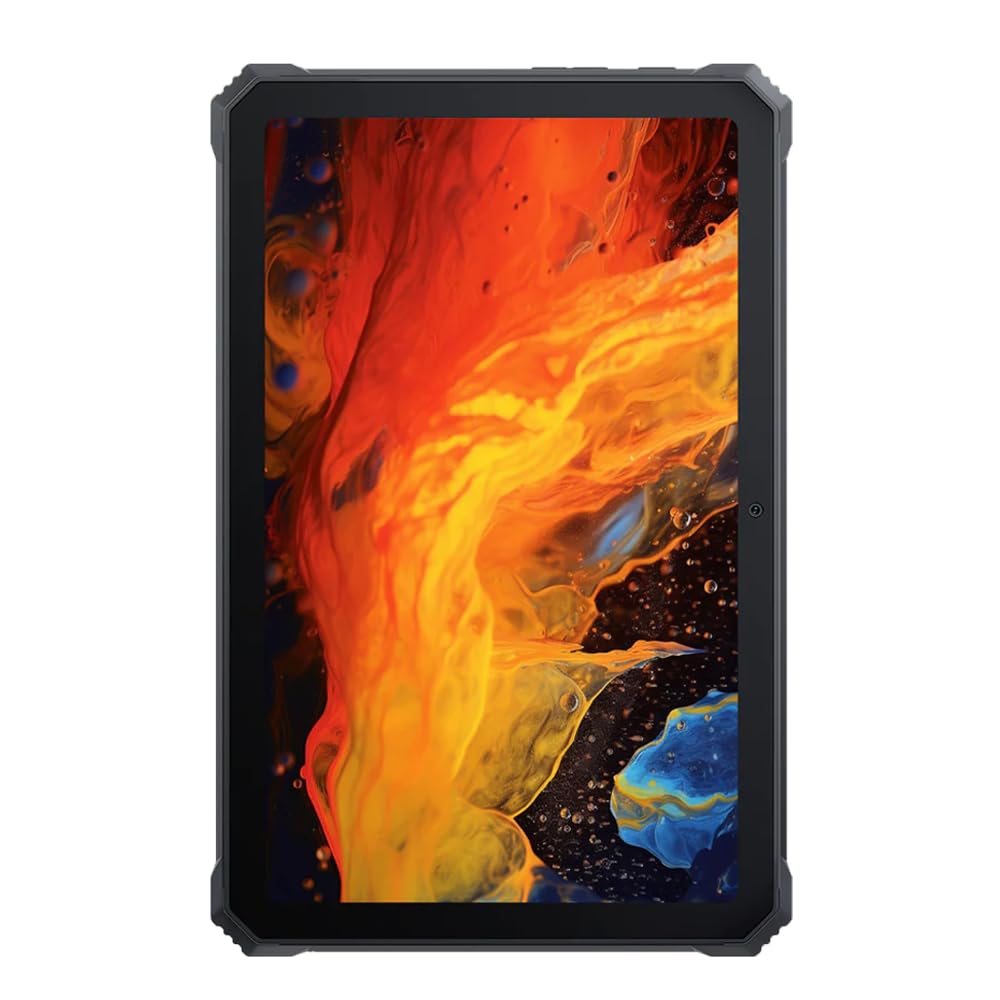
Resim: Ön view Siyahlarınview Active 8 Pro Rugged Tablet, showcasing its display and robust bezel.
Paket İçeriği
Lütfen ürün paketinizde tüm öğelerin eksiksiz olarak bulunduğunu doğrulayın:
- Siyahview Active 8 Pro Rugged Tablet
- Padded Leather Strap
- Şarj kablosu
- Güç Adaptörü
- SIM Çıkarma Aracı (varsa)
- Hızlı Başlangıç Kılavuzu
Cihaz Düzeni
Familiarize yourself with the physical components and ports of your Active 8 Pro tablet.

Resim: Ön view Siyahlarınview Active 8 Pro tablet, highlighting the display and front camera location.

Resim: Arka view Siyahlarınview Active 8 Pro tablet, showing the camera module, speaker grilles, and the attached padded leather strap for secure handling.

Görüntü: Açılı arka view Siyahlarınview Active 8 Pro tablet, providing a perspective of its ruggedized corners and the ergonomic padded leather strap.
Kurmak
1. Cihazın Şarj Edilmesi
Before first use, fully charge your Active 8 Pro tablet. Connect the provided charging cable to the tablet's charging port and the power adapter to a wall outlet. The tablet supports 33W fast charging for quick power replenishment.
- Use only the original Blackview charger and cable to ensure optimal charging speed and safety.
- Ekranda şarj göstergesi görünecektir.
2. Açma/Kapama
- Açmak İçin: Press and hold the Power button (typically located on the side) until the Blackview Ekranda logo belirir.
- Kapatmak İçin: Güç düğmesi ekranda belirene kadar basılı tutun. Seçeneklerden "Kapat"ı seçin.
- Yeniden başlatmak: Güç menüsünden "Yeniden Başlat" seçeneğini seçin.
3. İlk Yapılandırma
Tablet ilk açıldığında, sizi ilk kurulum sürecinde yönlendirecektir. Ekrandaki yönergeleri izleyerek şunları yapabilirsiniz:
- Dilinizi seçin.
- Bir Wi-Fi ağına bağlanın.
- Google hesabınızla giriş yapın veya yeni bir hesap oluşturun.
- Ekran kilidini ayarlayın (PIN, desen, şifre veya parmak izi).
- Review ve hüküm ve koşulları kabul edin.
Kullanım Talimatları
1. Temel Gezinme
Your Active 8 Pro runs on Android 14, offering an intuitive user interface. Use standard touchscreen gestures:
- Musluk: Bir öğe seçin veya bir uygulama açın.
- Dokun ve Basılı Tut: Bağlamsal menülere erişin veya simgeleri taşıyın.
- Tokatlamak: Sayfalar arasında gezinin, listelere göz atın veya ana ekranlar arasında geçiş yapın.
- Yakınlaştırmak için sıkıştırma: Görüntüleri yakınlaştırın veya uzaklaştırın ve web sayfalar.
2. Bağlantı
- Wifi: Go to Settings > Network & internet > Wi-Fi to connect to available networks. The tablet supports 802.11ac, 802.11ax, 802.11g, and 802.11n standards.
- Bluetooth: Go to Settings > Connected devices > Connection preferences > Bluetooth to pair with Bluetooth accessories like headphones or speakers.
- Mobile Data (if applicable): Insert a SIM card into the designated slot to access mobile data services.
3. Kamera Kullanımı
The tablet features a 48 MP rear camera. Open the Camera app to capture photos and videos. Tap on the screen to focus, and use the on-screen shutter button to take a picture.
4. Audio Enhancement
Experience enhanced audio quality with Sound By Harman AudioEFX. Adjust audio settings in the tablet's sound preferences to optimize your listening experience for music, movies, or calls.
5. Using the Padded Leather Strap
The included padded leather strap is designed to provide extra grip and comfort, reducing hand fatigue during extended use. Securely attach the strap to the designated points on the back of the tablet. Adjust for a snug fit that allows for comfortable one-handed or two-handed holding.
Bakım
1. Tabletinizi Temizleme
- Tablet ekranını ve gövdesini silmek için yumuşak, tüy bırakmayan bir bez kullanın.
- İnatçı kirler için hafifçeampBezi su veya ekran için güvenli bir temizleme solüsyonuyla silin.
- Avoid using harsh chemicals, abrasive materials, or excessive moisture, especially near ports.
- Ensure all port covers are securely closed before cleaning if exposing to water.
2. Depolama
When not in use for extended periods, store your tablet in a cool, dry place away from direct sunlight and extreme temperatures. Ensure the battery is charged to approximately 50% before long-term storage to preserve battery health.
3. Yazılım Güncellemeleri
Regularly check for and install software updates to ensure your tablet has the latest features, security patches, and performance improvements. Go to Settings > System > System update to check for available updates.
Sorun giderme
Bu bölüm, Siyah cihazınızla karşılaşabileceğiniz yaygın sorunları ele almaktadır.view Active 8 Pro tablet.
- Cihaz Açılmıyor:
Ensure the tablet is sufficiently charged. Connect it to the charger for at least 30 minutes before attempting to power it on again. If it still doesn't power on, try holding the power button for 10-15 seconds to force a restart.
- Screen Unresponsive or Display Issues:
If the screen becomes unresponsive, try restarting the device. If the display fails or shows abnormalities, ensure the tablet has not sustained severe physical damage. Contact customer support if the issue persists after a restart.
- Şarj Sorunları:
Verify that the charging cable and adapter are securely connected and undamaged. Try using a different compatible charger and cable if available. Ensure the charging port is free of debris.
- Wi-Fi/Bluetooth Bağlantı Sorunları:
Toggle Wi-Fi or Bluetooth off and on. Restart your tablet and the router/Bluetooth device. Ensure you are within range and have the correct password for Wi-Fi networks.
- Yavaş Performans:
Close unnecessary background applications. Clear cache data for apps that are frequently used. Consider performing a factory reset as a last resort (back up your data first).
Özellikler
| Özellik | Şartname |
|---|---|
| Model Adı | Aktif 8 Pro |
| Ekran Boyutu | 10.36 inç |
| Ekran Çözünürlüğü | 1920 x 1080 piksel |
| İşlemci | MediaTek Helio G99 Sekiz Çekirdekli (2.2 GHz) |
| Veri deposu | 8 GB (DDR4 SDRAM) |
| Dahili Depolama | 256 GB |
| İşletim Sistemi | Android 14 |
| Pil Kapasitesi | 22000mAh |
| Hızlı Şarj | 33W Desteği |
| Dayanıklılık Derecelendirmeleri | MIL-STD-810H Certified, IP68 & IP69K Waterproof |
| Ekran Koruması | Corning Gorilla Cam 5 |
| Arka Kamera | 48 MP |
| Kablosuz Bağlantı | 802.11ac, 802.11ax, 802.11g, 802.11n |
| Boyutlar (UxGxY) | 10.09 x 6.53 x 0.66 inç |
| Ürün Ağırlığı | 3.34 pound |
Garanti ve Destek
Senin Siyahınview Active 8 Pro tablet comes with a limited warranty. Please refer to the warranty card included in your package for specific terms and conditions, including coverage duration and limitations. Keep your proof of purchase for warranty claims.
For technical support, service, or warranty inquiries, please visit the official Blackview Destek website or contact their customer service department. Contact information can typically be found on the Blackview webSitede veya ürününüzle birlikte verilen belgelerde.
Daha fazla bilgi için şu adresi ziyaret edebilirsiniz: Siyahview Amazon'da mağaza.