
glo 10189920
glo HYPER PRO Device User Manual
Modeli: 10189920
1. Giriş
The glo HYPER PRO is an advanced tobacco heating device designed to provide an enhanced experience. It features an EasyView LED display for monitoring device status, a TasteSelect selector for choosing between Standard and Boost modes, and HeatBoost technology for consistent intensity. The device also includes fast charging capabilities and extended battery life.
Important Safety Notice: This product is not risk-free and contains nicotine, which is addictive.
2. Güvenlik Uyarıları
- This product, when used with its intended tobacco sticks, is not risk-free and delivers nicotine, a highly addictive substance.
- The device itself does not contain tobacco sticks, liquids, pre-filled cartridges, or refills. These must be purchased separately.
- The glo HYPER PRO operates without combustion, producing zero ash and less odor compared to traditional cigarettes.
- Always read the label, warnings, and instructions provided on the product packaging before use. Information on the packaging may differ from online descriptions.
- Çocukların ve evcil hayvanların erişemeyeceği yerde saklayınız.
- Cihazı aşırı sıcaklıklara, doğrudan güneş ışığına veya suya maruz bırakmayın.
- Use only the charging cable provided or a certified USB-C cable with a compatible power adapter.
3. Paket İçeriği
Please check that your glo HYPER PRO package contains the following items:
- glo HYPER PRO Device
- USB-C Şarj Kablosu
- Temizleme Fırçası
- Kullanım Kılavuzu (bu belge)
4. Cihaz Bittiview
Familiarize yourself with the components of your glo HYPER PRO device.
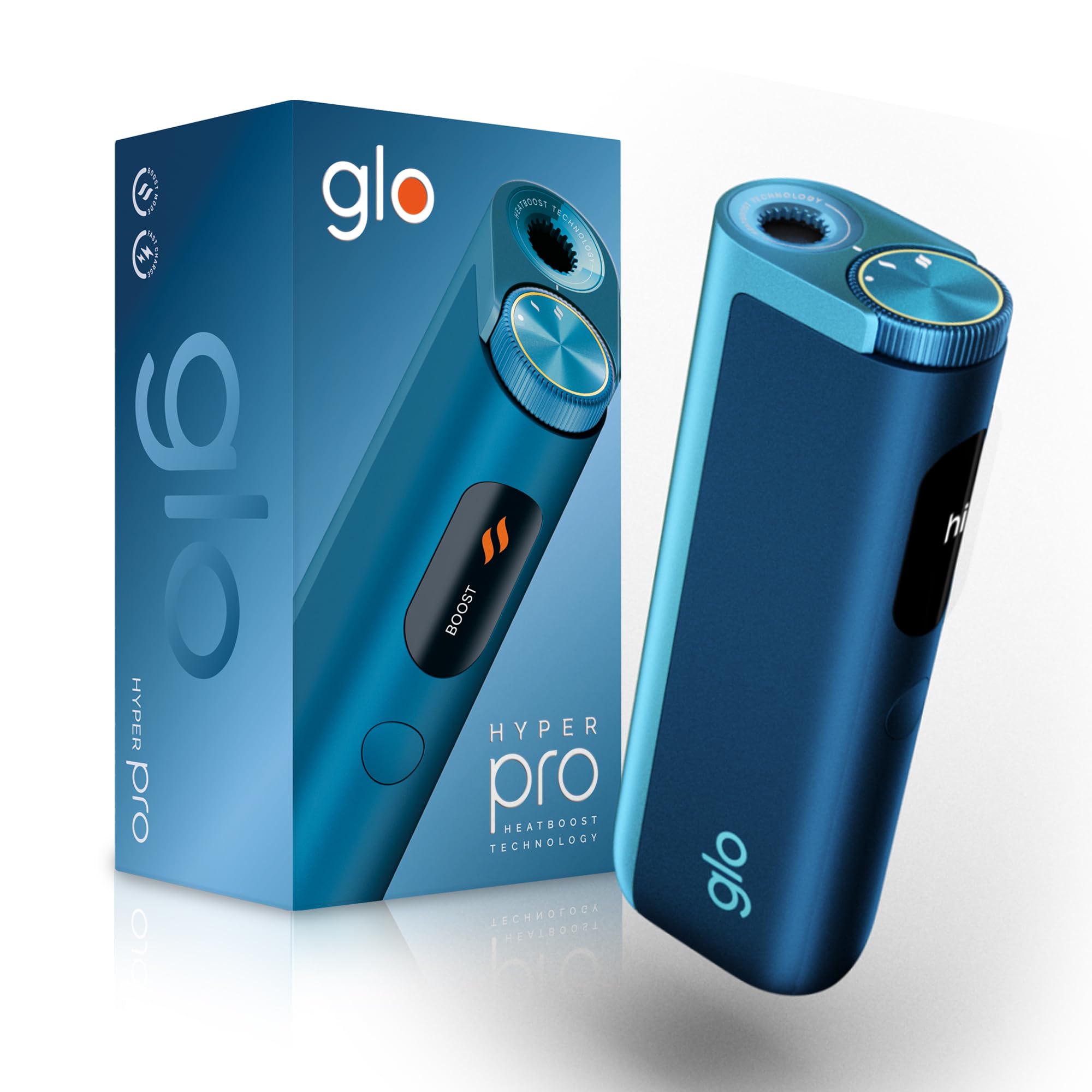
This image displays the glo HYPER PRO device in blue, highlighting its compact dimensions (96.4mm height, 36.5mm width) and weight (92 grams). Key features such as Boost Mode, EasyView Display, and Fast Charge are indicated.
- Isıtma Odası: Where the tobacco stick is inserted.
- TasteSelect Selector: Button to switch between Standard and Boost modes.
- KolayView LED ekran: Shows selected mode, session progress, and battery status.
- USB-C Bağlantı Noktası: Cihazı şarj etmek için.
5. İlk Kurulum
5.1 Cihazı Şarj Etme
Before first use, fully charge your glo HYPER PRO device. The device features fast charging and extended battery life.
- Connect the USB-C charging cable to the device's USB-C port.
- Plug the other end of the cable into a compatible USB power adapter.
- KolayView LED display will indicate the charging progress.
- Tamamen şarj olduktan sonra cihazın şarj cihazından bağlantısını kesin.
5.2 İlk Kullanım
To turn on the device for the first time:
- Press the TasteSelect button 5 times rapidly.
- The device will vibrate and the EasyView LED display will illuminate, indicating it is ready for use.
6. Cihazı Çalıştırma
6.1 Inserting a Tobacco Stick
Ensure the device is clean before inserting a tobacco stick.
- Gently insert a compatible tobacco stick into the heating chamber at the top of the device.
- Do not force the stick.
6.2 Selecting a Mode (Standard or Boost)
The TasteSelect selector allows you to choose your preferred intensity.

This image illustrates two glo HYPER PRO devices, demonstrating the selection between Standard and Boost intensity modes.
- Standart Mod: For a balanced experience. Press and hold the TasteSelect button until the device vibrates once.
- Güçlendirme Modu: For superior intensity, featuring HeatBoost technology. Press and hold the TasteSelect button until the device vibrates twice.
KolayView LED display will show the selected mode and the heating progress.
6.3 Oturum Başlatma
- After inserting the tobacco stick and selecting your mode, the device will begin heating.
- KolayView LED display will show a countdown or progress indicator.
- The device will vibrate when it is ready for use.
- Once the session is complete, the device will vibrate again and the display will turn off.
6.4 Ending a Session
Oturumdan sonra:
- Remove the used tobacco stick from the heating chamber.
- Dispose of the used stick responsibly.
- Temizlemeden veya kaldırmadan önce cihazın soğumasını bekleyin.
7. Bakım ve Temizlik
Regular cleaning ensures optimal performance and longevity of your glo HYPER PRO device.
7.1 Cleaning the Heating Chamber
- Ensure the device is turned off and completely cool before cleaning.
- Use the provided cleaning brush to gently remove any tobacco residue from the heating chamber.
- Avoid using water or liquid cleaners directly on the heating element.
- For stubborn residue, a dry cotton swab can be used carefully.
7.2 Dış Temizlik
Wipe the exterior of the device with a soft, dry cloth as needed.
8. Sorun Giderme
If you encounter issues with your glo HYPER PRO, refer to the following common problems and solutions:
| Sorun | Olası Neden | Çözüm |
|---|---|---|
| Cihaz açılmıyor | Düşük veya hiç pil şarjı yok | Verilen USB-C kablosunu kullanarak cihazı tamamen şarj edin. |
| Cihaz ısınmıyor | Tobacco stick not inserted correctly; Device malfunction | Ensure the tobacco stick is fully and correctly inserted. Try restarting the device. If the issue persists, contact customer support. |
| Şarj yavaş veya çalışmıyor | Faulty cable or adapter; Dirty charging port | Check the USB-C cable and power adapter for damage. Try a different compatible cable/adapter. Clean the charging port gently with a dry, soft brush. |
| LED ekran çalışmıyor | Cihaz arızası | Cihazı yeniden başlatmayı deneyin. Sorun devam ederse, müşteri desteğiyle iletişime geçin. |
9. Özellikler
| Özellik | Detay |
|---|---|
| Marka | çok |
| Model Numarası | 10189920 |
| Boyutlar (UxGxY) | 9.6x3.6x2.1 cm |
| Ağırlık | 150 gram |
| Pil Kapasitesi | 2580 mAh (Lityum İyon) |
| Şarj Portu | USB-C |
| Özel Özellik | Kompakt tasarım |
| Üretici | Nicoventures Trading Limited |
10. Garanti ve Destek
10.1 Garanti Bilgileri
For detailed warranty information, please refer to the warranty card included in your product packaging or visit the official glo webSite. Garanti şartları ve koşulları bölgeye göre değişiklik gösterebilir.
10.2 Müşteri Desteği
If you have any questions, require assistance, or need to report an issue with your glo HYPER PRO device, please contact glo customer support through their official webSite veya ürün dokümantasyonunuzda verilen iletişim bilgileri.
Ask a question about this manual
Ask about setup, troubleshooting, compatibility, parts, safety, or missing instructions. Manuals+ will review the question and use this page’s manual context to help answer it.