
giriiş
Thank you for choosing the LIORQUE S7509 Projection Alarm Clock. This manual provides detailed instructions for setting up and operating your new device. Please read it carefully to ensure proper use and to fully utilize all features.
Paket İçeriği
Paketi açtığınızda lütfen aşağıdaki tüm öğelerin mevcut olduğundan emin olun:
- LIORQUE S7509 Projection Alarm Clock
- Güç Adaptörü
- USB Güç Kablosu
- Kullanıcı Kılavuzu

Image: The LIORQUE S7509 Projection Alarm Clock, its power adapter, USB cable, and user manual are displayed next to the product box. Product dimensions are indicated as 18cm (7.1in) width, 9.8cm (3.9in) height, and 5cm (2in) depth.
Ürün Özellikleri Bittiview
The LIORQUE S7509 Projection Alarm Clock is designed to enhance your daily routine with its versatile features:
- 180° Rotatable Projection: Project the time onto your ceiling or wall with adjustable brightness.
- Büyük LED Ekran: Clear time display with 4 adjustable brightness levels.
- Çift Alarm: Set two separate alarms for different schedules.
- FM Radyo: Enjoy your favorite radio stations with 15 preset memory slots and 15 adjustable volume levels.
- Erteleme İşlevi: Provides an extra 9 minutes of sleep.
- Uyku Zamanlayıcısı: Automatically turns off the radio after a set duration (5-90 minutes).
- 12/24 Saat Formatı: Easily switch between time formats.
- Dahili Pil: Dış mekan kullanımı sırasında yedek güç kaynağı içintagee.

Image: The LIORQUE S7509 Projection Alarm Clock is shown with its digital display set to 22:30. Surrounding icons highlight key features including 12/24 hour time, adjustable brightness, FM radio, snooze function, dual alarms, time projection, built-in battery, and a sleep timer.
Kurulum Talimatları
1. Güç Bağlantısı
Connect the provided USB power cable to the alarm clock and plug the adapter into a standard wall outlet. The display will light up, indicating the device is powered on.

Image: The LIORQUE S7509 Projection Alarm Clock is shown on a bedside table, connected to a wall outlet via its power adapter. The clock displays 8:30, illustrating its readiness for use after power connection.
2. Başlangıç Zaman Ayarı
- Basılı tutun SAAT AYARI button (usually labeled with a clock icon) for 3 seconds to enter time setting mode.
- Kullanın SAAT Ve DAKİKA buttons (often labeled with '+' and '-' or arrows) to adjust the current time.
- Basmak SAAT AYARI Onaylamak ve çıkmak için tekrar tuşuna basın.
3. 12/24 Saat Formatı
While in time setting mode, or by a dedicated button (refer to specific button labels on your device), you can toggle between 12-hour (with AM/PM indicator) and 24-hour formats.
Kullanım Talimatları
1. Alarmları Ayarlama
Saat, iki bağımsız alarmı destekler (Alarm 1 ve Alarm 2).
- Basılı tutun ALARM 1 or ALARM 2 button for 3 seconds. The alarm time will flash.
- Kullanın SAAT Ve DAKİKA İstediğiniz alarm saatini ayarlamak için butonlara basın.
- Basın ALARM Saati onaylamak için tekrar düğmeye basın.
- You can then select the alarm sound (buzzer or FM radio) and alarm volume.
- Basın ALARM button one more time to save settings and activate the alarm. An alarm icon will appear on the display.

Image: Two LIORQUE S7509 Projection Alarm Clocks are displayed side-by-side. One shows an alarm set for 8:30, labeled 'Workday', and the other shows 10:00, labeled 'Weekend', demonstrating the dual alarm capability.
2. Projection Function
The projector allows you to display the time on your ceiling or wall.
- Etkinleştir/Devre Dışı Bırak: Basın PROJEKSİYON button (often labeled with a projection icon) to turn the projection on or off.
- Parlaklığı Ayarla: Tekrar tekrar basın PROJEKSİYON button to cycle through 3 brightness levels (Low, Medium, High) or turn it off.
- Projeksiyonu Döndür: The projector lens can be physically rotated 180° to adjust the angle of the projected time.

Image: The LIORQUE S7509 Projection Alarm Clock is shown in a bedroom, projecting the time '22:30' onto the ceiling. Below, three smaller images illustrate the three adjustable brightness levels for the projection.

Image: The LIORQUE S7509 Projection Alarm Clock is depicted with its projection arm extended, casting the time '12:45' onto a nearby surface. This image demonstrates the adjustable angle and direction of the projection feature.
3. Ekran Parlaklığı
Adjust the main display brightness to your preference.
- Basın DİMMER button (or similar, often labeled with a sun icon) to cycle through 4 levels of display brightness.
- The levels typically range from brightest to off, allowing for comfortable viewgündüz veya gece.

Image: The LIORQUE S7509 Projection Alarm Clock shows the time 22:30. Below, four distinct panels illustrate the four adjustable levels of screen brightness, ranging from completely off to maximum illumination, allowing users to select the appropriate brightness for night vision.
4. FM Radyo
Listen to your favorite FM radio stations.
- Açma/Kapatma: Basın RADYO FM radyoyu açıp kapatmak için kullanılan düğme.
- Otomatik Tarama: Basılı tutun RADYO button for 3 seconds to automatically scan and save up to 15 FM stations.
- Değişim İstasyonları: Kullanın ÖNCEKİ/SONRAKİ buttons (or '+' and '-') to switch between saved stations.
- Sesi Ayarla: Kullanın HACİM +/- buttons to adjust the radio volume through 15 levels.

Image: The LIORQUE S7509 Projection Alarm Clock displays 'FM 7.84' on its screen, surrounded by graphic representations of radio waves indicating different FM frequencies (e.g., FM90.2, FM95.6, FM96.8, FM97.5, FM98.5). The image also highlights that the device can store 15 favorite radio stations and has 15 adjustable volume levels.
5. Erteleme Fonksiyonu
Alarm çaldığında, büyük düğmeye basın. ERTELEME / IŞIK button on top of the clock. The alarm will pause for 9 minutes and then sound again.
6. Uyku Zamanlayıcısı
Uyku zamanlayıcısı, radyonun belirli bir süre boyunca çalmasına ve ardından otomatik olarak kapanmasına olanak tanır.
- Radyo çalarken, tuşuna basın. UYUMAK button (or similar).
- Tekrar tekrar basın UYUMAK button to cycle through preset sleep times (e.g., 5, 10, 15, 30, 60, 90 minutes).
- Radyo, seçilen süre sonunda otomatik olarak kapanacaktır.
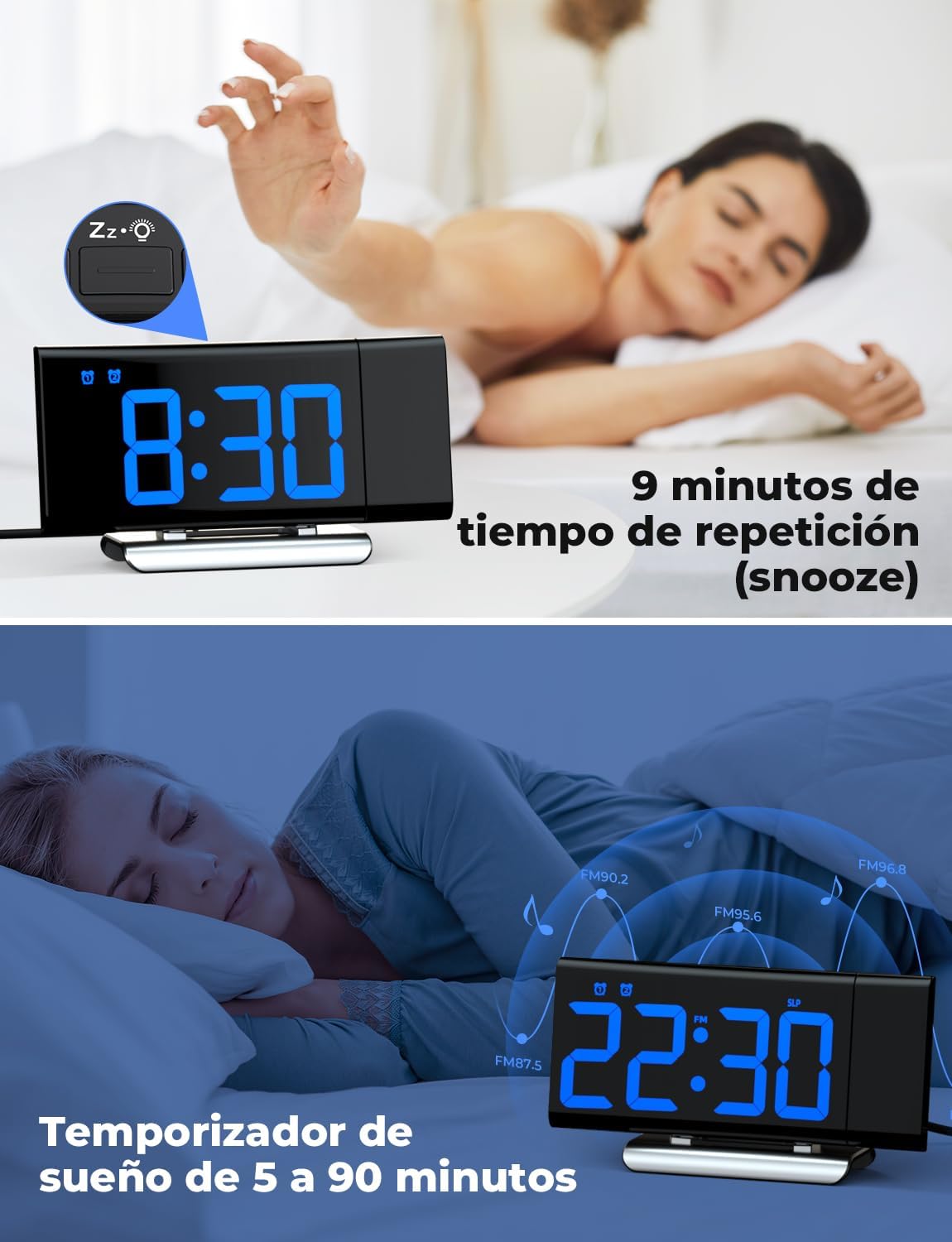
Image: The top section shows a person reaching for the snooze button on the LIORQUE S7509 Projection Alarm Clock, which displays 8:30, indicating a 9-minute snooze period. The bottom section features the clock displaying 22:30 with radio waves, illustrating the sleep timer function which can be set from 5 to 90 minutes, with a person sleeping peacefully in the background.
Bakım
To ensure the longevity and optimal performance of your LIORQUE S7509 Projection Alarm Clock, follow these simple maintenance guidelines:
- Temizlik: Use a soft, dry cloth to wipe the surface of the clock. Do not use abrasive cleaners, solvents, or chemical sprays, as these can damage the finish and electronic components.
- Toz Giderimi: Gently wipe the projector lens with a soft, lint-free cloth to maintain clear projection quality.
- Atama: Place the clock on a stable, flat surface away from direct sunlight, heat sources, and excessive moisture.
- Güç: Always use the provided power adapter. If the clock is not used for an extended period, you may unplug it. The built-in battery will retain settings for a short duration.
Sorun giderme
Çalar saatinizle ilgili herhangi bir sorunla karşılaşırsanız, lütfen aşağıdaki yaygın sorunlar ve çözümlere bakın:
| Sorun | Olası Neden | Çözüm |
|---|---|---|
| Saat göstergesi boş. | Güç yok ya da güç yoktage. | Ensure the power adapter is securely plugged into the clock and a working outlet. Check if the display brightness is set to 'off'. |
| Projeksiyon bulanık veya net değil. | Incorrect focus or distance. | Adjust the distance of the clock from the projection surface. Ensure the projector lens is clean. |
| Alarm çalmıyor. | Alarm etkinleştirilmedi veya ses seviyesi çok düşük. | Verify that the alarm icon is displayed on the screen. Check the alarm volume setting. Ensure the alarm time is correctly set. |
| FM radyo alımı zayıf. | Zayıf sinyal veya anten konumu. | Extend the FM antenna fully. Reposition the clock to improve reception. |
| Düğmeler yanıt vermiyor. | Geçici yazılım hatası. | Unplug the power adapter for a few seconds, then plug it back in to reset the device. |
Özellikler
| Özellik | Detay |
|---|---|
| Ürün Boyutları | 10.5 x 3.81 x 6.2 cm; 340 g |
| Model Numarası | S7509 |
| Marka | LIORQUE |
| Renk | Mavi |
| Görüntü Türü | Dijital |
| Güç Kaynağı | Both: Battery and AC power (with adapter) |
| Şekil | Dikdörtgen |
| Kullanım | Kapalı |
| Çerçeve Malzemesi | Metal |
| Piller Dahil | Evet |
| Montaj Tipi | Masaüstü |
| Çalar saat | Evet |
| Öğe Sayısı | 1 |
Garanti ve Destek
The LIORQUE S7509 Projection Alarm Clock comes with a manufacturer's warranty. For specific details regarding warranty coverage and duration, please refer to the warranty card included in your package or contact LIORQUE customer support.
If you require further assistance, have questions, or encounter issues not covered in this manual, please contact LIORQUE customer support. Contact information can typically be found on the product packaging, the official LIORQUE websitenizden veya perakendeciniz aracılığıyla.