
1. Giriş
This manual provides detailed instructions for the installation, setup, operation, and maintenance of your Warmall WiStat Wi-Fi Thermostat for electric in-floor heating systems. Please read this manual thoroughly before installation and use to ensure proper function and safety.
2. Güvenlik Bilgileri
- Kurulum, yerel elektrik yönetmeliklerine uygun olarak kalifiye bir elektrikçi tarafından yapılmalıdır.
- Disconnect power at the circuit breaker before installing or servicing the thermostat.
- Do not install the thermostat in areas exposed to direct sunlight, drafts, or extreme temperatures.
- Elektrik tehlikelerini önlemek için tüm kablo bağlantılarının sağlam olduğundan emin olun.
- This thermostat is designed for electric in-floor heating systems only. Do not use with other heating types.
3. Paket İçeriği
Paketin içinde tüm öğelerin mevcut olduğundan emin olun:
- Warmall WiStat Wi-Fi Thermostat
- Zemin Sensörü
- Kullanım Kılavuzu (bu belge)
4. Ürün Özellikleri
The Warmall WiStat Wi-Fi Thermostat offers advanced features for optimal comfort and energy efficiency:
- Akıllı Ev Entegrasyonu: Compatible with smart home ecosystems for voice control and remote management.
- Uzaktan kumanda: Adjust floor temperature via an intuitive mobile application from any location.
- Intelligent Scheduling: Customize heating schedules to align with daily routines.
- Enerjiye Dair Bilgiler: Monitor energy consumption and receive suggestions for usage optimization.
- Şık Tasarım: Modern and minimalist aesthetic with a touchscreen display.
- Güvenlik ve Güvenlik: Equipped with advanced safety features and encrypted Wi-Fi connections.
- Çift Bant Wi-Fi: Supports both 2.4 GHz and 5 GHz Wi-Fi networks for flexible connectivity.
5. Kurulum
The thermostat is designed for wall mounting and requires connection to your electric in-floor heating system. Refer to the wiring diagram below.

Resim 5.1: Arka view of the Warmall WiStat thermostat, illustrating the wiring terminals for power input (L, N) and heating load (LOAD). The floor sensor connection is also visible.
- Güç Bağlantısının Kesilmesi: Turn off the main power supply to the heating circuit at the breaker.
- Montaj: Secure the thermostat's backplate to a standard electrical junction box on the wall.
- Kablolama: Connect the live (L) and neutral (N) wires from your power supply to the corresponding terminals on the thermostat. Connect the heating load wires to the LOAD terminals. Connect the floor sensor wires to the designated sensor terminals. Ensure all connections are tight and secure.
- Sensör Yerleşimi: Install the floor sensor cable into the floor according to your heating system's instructions, ensuring it is positioned correctly to measure floor temperature.
- Son Montaj: Attach the thermostat's front panel to the backplate.
- Güç Restorasyonu: Sigortadan elektriği geri verin.
6. Kurulum
After installation, configure your thermostat for Wi-Fi connectivity and initial settings.

Resim 6.1: Ön view of the Warmall WiStat Wi-Fi Thermostat, displaying the current temperature, auto mode, and control buttons.
- İlk Güç Açma: The thermostat display will illuminate.
- Wi-Fi Bağlantısı: Follow the on-screen prompts or refer to the dedicated app instructions to connect the thermostat to your home Wi-Fi network. The WiStat supports both 2.4 GHz and 5 GHz networks.
- Uygulama İndirme: Download the Warmall smart home application from your device's app store.
- Cihaz Eşleştirme: Open the app and follow the instructions to pair your WiStat thermostat.
- Temel Ayarlar: Set the current time, date, and desired temperature units (Celsius/Fahrenheit) through the thermostat's touchscreen or the mobile app.
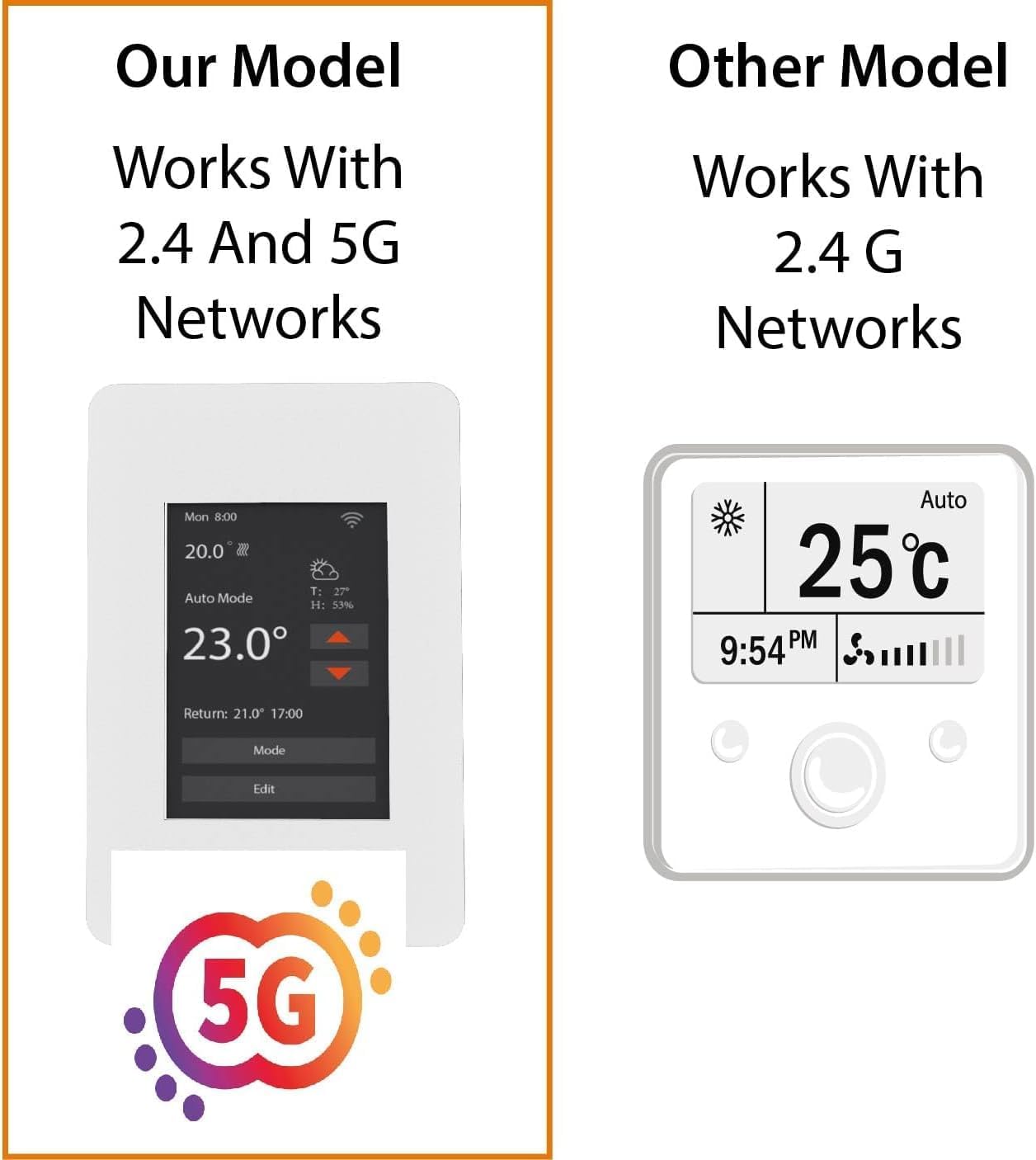
Resim 6.2: This image highlights the Warmall WiStat's compatibility with both 2.4 GHz and 5 GHz Wi-Fi networks, offering enhanced connectivity options compared to some other models.
7. Kullanım Talimatları
Control your in-floor heating system using the touchscreen or the mobile application.
7.1. Dokunmatik Ekran İşlemi
- Sıcaklık Ayarı: Use the up/down arrows on the display to set the desired temperature.
- Mod Seçimi: Press the 'Mode' button to cycle through available operating modes (e.g., Auto, Manual).
- Editing Schedules: Press the 'Edit' button to access and modify heating schedules.
- Ekran Arka Işığı: The display backlight will dim or turn off after a few seconds of inactivity to save energy. Touch the screen to reactivate it.
7.2. Mobile App Operation
The Warmall app provides comprehensive control and monitoring features:
- Uzaktan Sıcaklık Kontrolü: Adjust the set temperature from anywhere.
- Planlama: Create and manage detailed heating schedules for different days and times.
- Enerji İzleme: View historical energy consumption data.
- Mod Yönetimi: Switch between heating modes.
- Ses Kontrolü: Integrate with Amazon Alexa for hands-free operation.
8. Bakım
The Warmall WiStat Thermostat requires minimal maintenance.
- Temizlik: Ekranı silin veasinyumuşak bir g ile, damp bezle silin. Aşındırıcı temizleyiciler veya çözücüler kullanmayın.
- Yazılım Güncellemeleri: Ensure your mobile app is up-to-date for the latest features and security enhancements. Firmware updates for the thermostat may be pushed automatically or require manual initiation via the app.
9. Sorun Giderme
If you encounter issues with your Warmall WiStat Thermostat, refer to the following common problems and solutions.
- Termostat açılmıyor:
- Isıtma sisteminin sigortasını kontrol edin.
- Tüm kablo bağlantılarının sağlam ve doğru olduğundan emin olun.
- Wi-Fi bağlantısı yok:
- Wi-Fi yönlendiricinizin açık ve çalışır durumda olduğundan emin olun.
- Confirm the thermostat is within range of your Wi-Fi signal.
- Kurulum sırasında Wi-Fi şifresinin doğru girildiğinden emin olun.
- The thermostat supports both 2.4 GHz and 5 GHz networks. Ensure your router is configured appropriately.
- Inaccurate or fluctuating temperature readings:
- Zemin sensörünün doğru şekilde takıldığından ve hasar görmediğinden emin olun.
- Avoid placing the thermostat in direct sunlight or near heat sources/drafts that could affect its internal temperature sensor.
- Sorun devam ederse müşteri desteği ile iletişime geçin.
- Ground Fault trips frequently:
- A ground fault trip indicates a potential electrical issue. This should be investigated by a qualified electrician.
- Ensure the heating mat/cable is not damaged and is properly insulated.
- If the ground fault trips even when heating is off, it suggests a persistent electrical issue that requires immediate attention.
- Thermostat display turns off too quickly:
- This is a normal energy-saving feature. Touch the screen to reactivate the display. There is no option to keep the display permanently on.
10. Özellikler
| Özellik | Şartname |
|---|---|
| Marka | Warmall |
| Model Adı | WiStat |
| Ürün Model Numarası | 831459009418 |
| UPC | 831459009418 |
| Bağlantı Teknolojisi | Wi-Fi (2.4 GHz ve 5 GHz) |
| Kontrol Yöntemi | App, Voice (Amazon Alexa), Touchscreen |
| Görüntü Türü | Dokunmatik ekran |
| Güç Kaynağı | Kablolu Elektrik |
| Malzeme | Plastik |
| Montaj Tipi | Duvara Montaj |
| Ürün Boyutları | 6 x 3 x 3 inç |
| Ürün Ağırlığı | 12 ons |
11. Garanti ve Destek
For warranty information and technical support, please refer to the contact details provided with your purchase or visit the official Warmall webSite. Satın alma belgenizi garanti talepleriniz için saklayın.