
giriiş
This manual provides essential information for setting up, operating, and maintaining your Amazon Basics 24-inch FHD 1080p monitor. Please read these instructions carefully before use and retain them for future reference.

The Amazon Basics 24-inch FHD 1080p monitor, featuring a sleek design and integrated speakers.
Kurmak
1. Kutudan Çıkarma ve Bileşen Kontrolü
Tüm bileşenleri ambalajından dikkatlice çıkarın. Aşağıda listelenen tüm öğelerin mevcut olduğundan emin olun:
- Monitör Ekranı
- Monitör Standı Tabanı
- Monitör Standı Boyun
- Güç Adaptörü
- HDMI Kablosu
- Kullanım Kılavuzu (bu belge)

Included accessories: stand base, stand neck, power adapter, and HDMI cable.
2. Stand Montajı
- Attach the stand neck to the stand base. Secure it with the screw provided, usually located on the underside of the base.
- Carefully attach the assembled stand to the back of the monitor panel. Ensure it clicks securely into place or is fastened with screws if applicable.
IMPORTANT: Remove the protective film (with the date code) from the panel surface before use. This film protects against scratches during shipping.
3. Bir Cihaza Bağlanma
The monitor supports HDMI and DisplayPort (DP) connections. It also features integrated speakers and VESA compatibility for wall mounting.
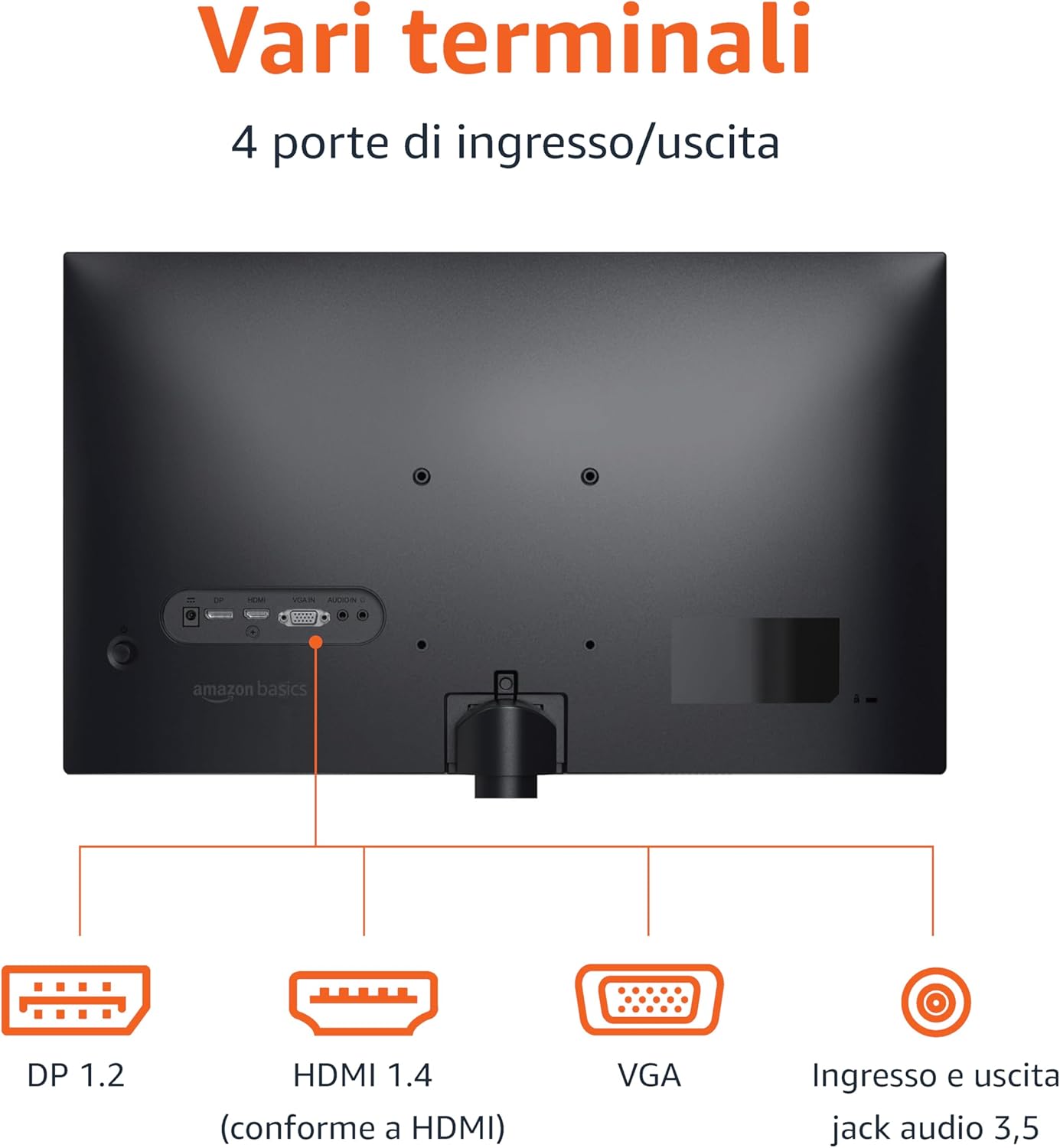
Rear panel connections: DP 1.2, HDMI 1.4, VGA, and 3.5mm audio input/output ports.
- HDMI Bağlantısı: Connect one end of the HDMI cable to the HDMI port on your computer or device and the other end to the HDMI 1.4 port on the monitor.
- DisplayPort (DP) Bağlantısı: Connect one end of the DP cable (not included) to the DP port on your computer or device and the other end to the DP 1.2 port on the monitor.
- VGA Bağlantısı: Connect one end of the VGA cable (not included) to the VGA port on your computer or device and the other end to the VGA port on the monitor.
- Ses Bağlantısı: If using a VGA connection or an external audio source, connect a 3.5mm audio cable from your device's audio output to the monitor's audio input.
- Güç Bağlantısı: Güç adaptörünü monitörün güç girişine bağlayın, ardından adaptörü bir elektrik prizine takın.
4. VESA Montajı (İsteğe bağlı)
This monitor is VESA compatible, allowing it to be mounted on a wall or an adjustable arm. Refer to your VESA mount's instructions for installation. Ensure the mount supports the monitor's weight and VESA pattern.

The monitor stand allows for tilt adjustment from -5° to 20°.
Kullanım Talimatları
1. Güç Açma/Kapatma
Monitörü açmak veya kapatmak için genellikle monitörün sağ alt veya arka tarafında bulunan güç düğmesine basın. Monitör açıkken güç gösterge ışığı yanacaktır.
2. Ekran Üstü Görüntüleme (OSD) Menüsü
Use the control buttons (typically located on the bottom right or rear) to navigate the OSD menu. The OSD allows you to adjust various settings:
- Parlaklık/Kontrast: Adjust image luminance and contrast levels.
- Renk ayarları: Renk sıcaklığını, tonunu ve doygunluğunu değiştirin.
- Giriş Seçimi: HDMI, DisplayPort ve VGA girişleri arasında manuel olarak geçiş yapın.
- Ses Ayarları: Dahili hoparlörlerin veya bağlı kulaklıkların ses seviyesini kontrol edin.
- Resim Modu: Select preset display modes (e.g., Standard, Movie, Game).
- Yenileme Hızı: Ensure your device is configured to output at 100Hz for the smoothest experience. This setting is usually adjusted in your computer's display settings.
3. Dahili Hoparlörler
The monitor includes integrated speakers for audio output. Adjust the volume through the OSD menu or your connected device's audio controls.
Bakım
1. Ekranın Temizlenmesi
- Temizlemeden önce daima monitörü kapatın ve güç kablosunu çıkarın.
- Yumuşak, tiftiksiz bir bez kullanın ve hafifçe kurulayın.ampSu veya özel bir ekran temizleyici ile temizleyin.
- Temizleyiciyi doğrudan ekrana püskürtmeyin.
- Aşındırıcı temizleyiciler, cilalar veya çözücüler kullanmaktan kaçının.
2. Genel Bakım
- Monitörü doğrudan güneş ışığından, ısı kaynaklarından ve aşırı tozdan uzak tutun.
- Monitörün etrafında yeterli havalandırma olduğundan emin olun.
- Monitörün veya kablolarının üzerine ağır nesneler koymayın.
Sorun giderme
| Sorun | Olası Çözüm |
|---|---|
| Güç Yok |
|
| Sinyal Yok / Boş Ekran |
|
| Titreyen veya Bozuk Görüntü |
|
| No Audio from Built-in Speakers |
|
Özellikler
| Özellik | Detay |
|---|---|
| Marka | Amazon Temelleri |
| Model Numarası | C24M2020DEU |
| Ekran Boyutu | 24 inç |
| Çözünürlük | FHD 1080p (1920 x 1080) |
| Yenileme Hızı | Maksimum 100 Hz |
| Panel Tipi | IPS |
| En Boy Oranı | 16:9 |
| Kontrast Oranı | 1500:1 |
| Ekran Yüzeyi | Parlak |
| Bağlantı | HDMI, DisplayPort (DP), VGA |
| Özel Özellikler | Built-in Speakers, VESA Compatible |
| Ağırlık | 3 Kilogram |
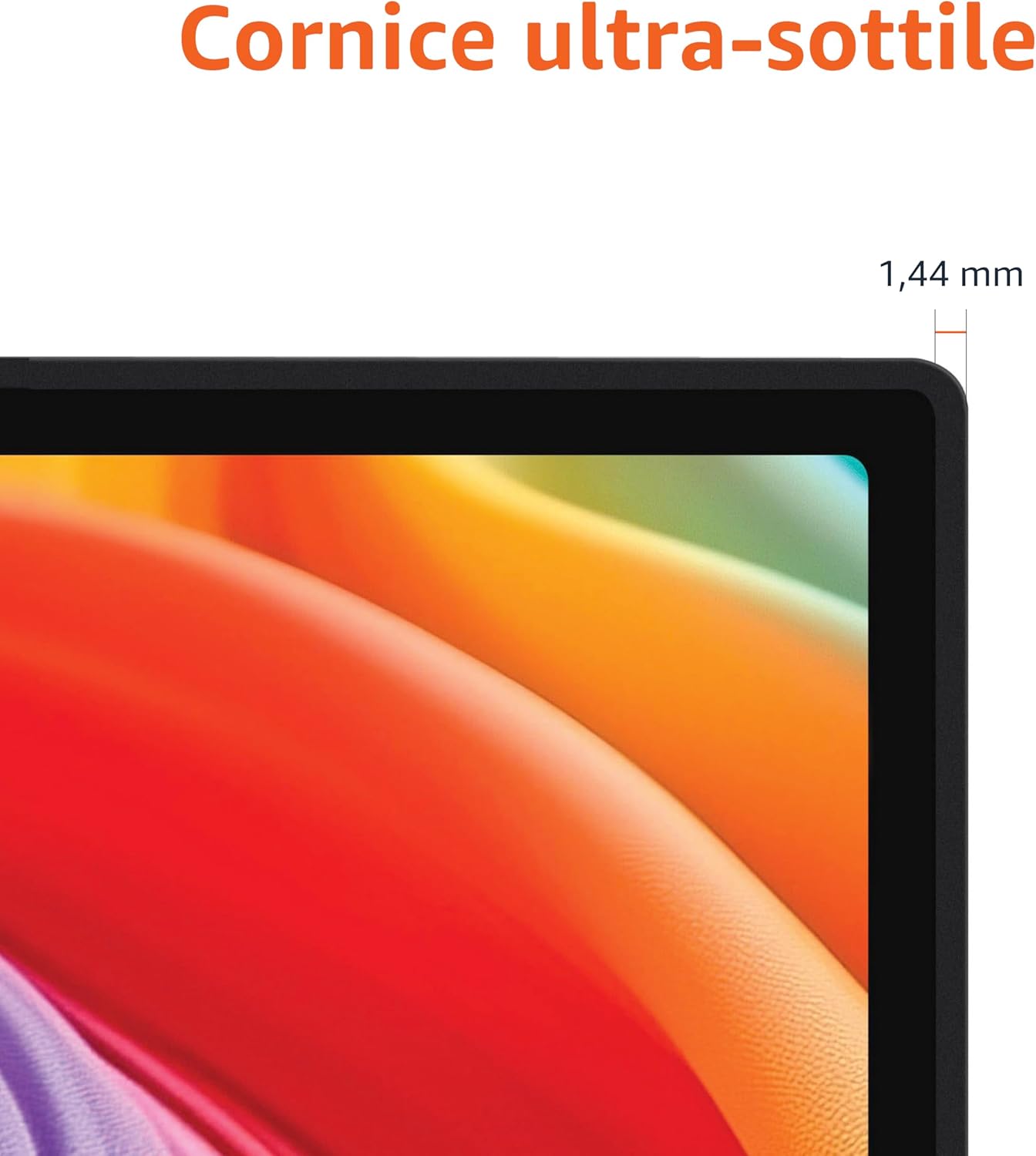
Approximate monitor dimensions (width x height x depth).
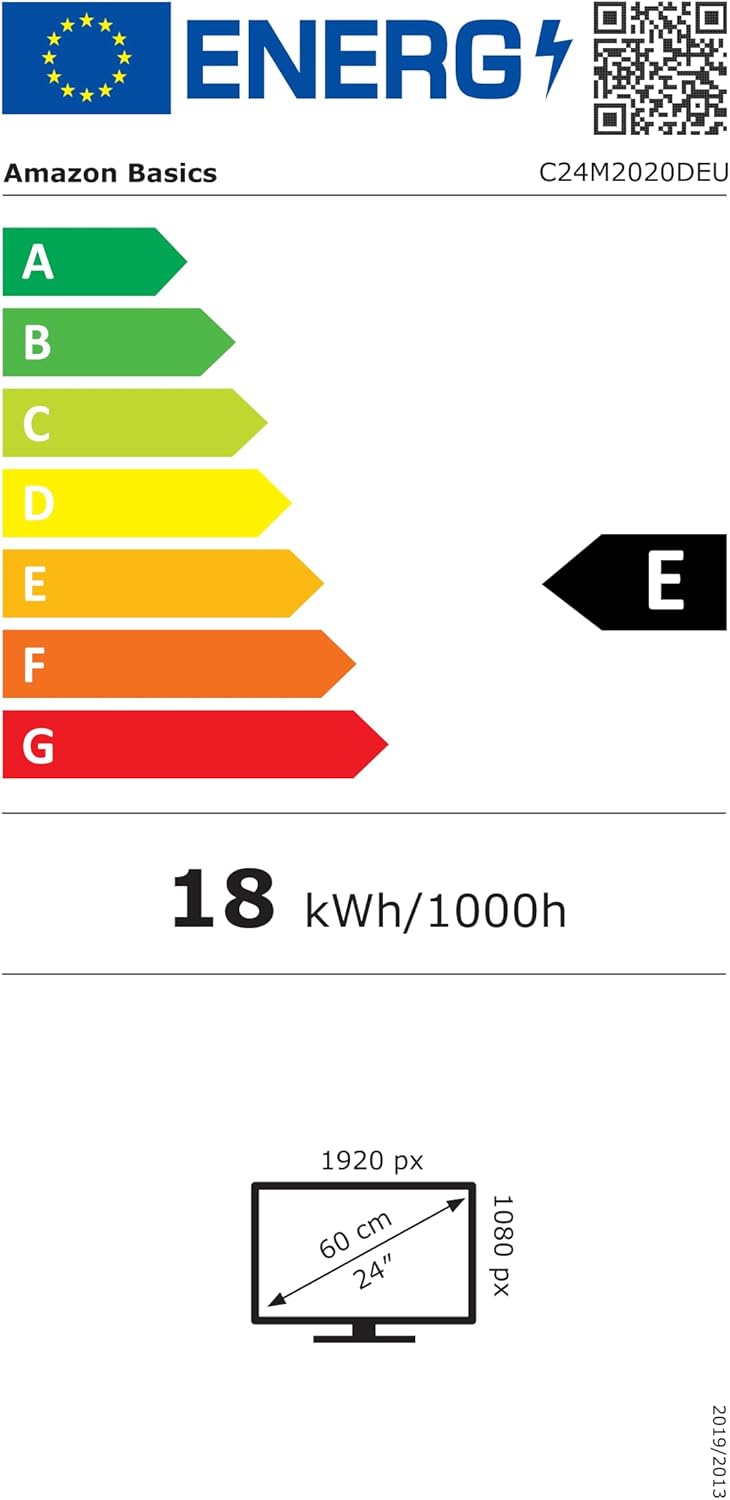
EU Energy Label for model C24M2020DEU. For more details, visit the EPREL veritabanı.
Garanti Bilgileri
Bu ürün bir 1 yıllık sınırlı garanti. For specific terms and conditions, please refer to the warranty documentation provided with your purchase or contact Amazon Basics customer support.
Destek
For technical assistance, troubleshooting, or warranty claims, please contact Amazon Basics customer support through the Amazon websiteniz veya satın alma platformunuz.
You can also refer to the official Amazon Basics store for additional product information and support resources: Amazon Basics Mağazası