
giriiş
This manual provides instructions for the proper use and maintenance of your BoxWave AllReader SD Card Reader. Please read this manual thoroughly before using the device to ensure optimal performance and longevity. The AllReader SD Card Reader is designed to facilitate easy file transfer between various devices and SD/microSD cards.
Ürün Bittiview
The BoxWave AllReader SD Card Reader is a compact device featuring multiple interfaces for broad compatibility with various electronic devices. It supports both standard SD cards and microSD cards.
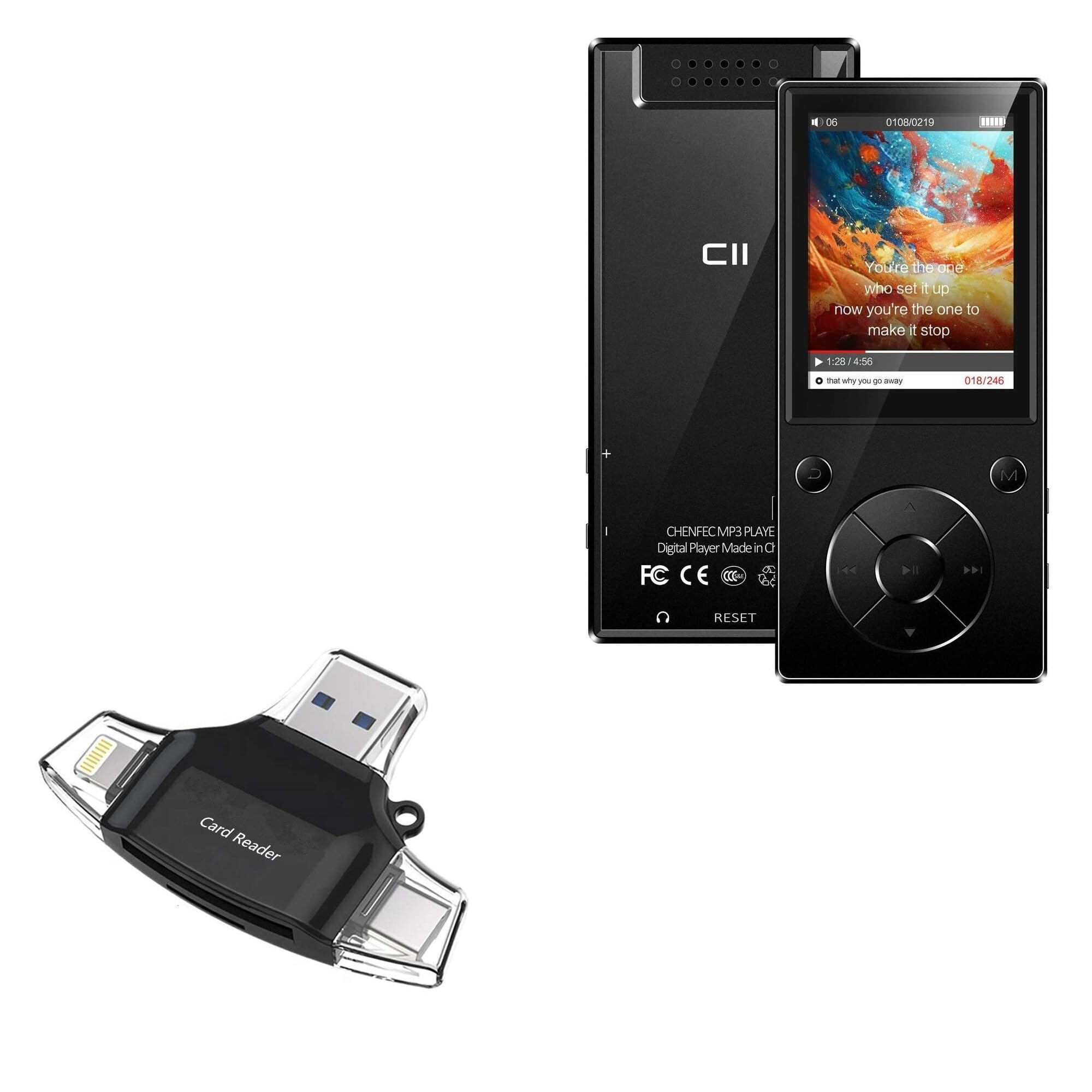
Image: The BoxWave AllReader SD Card Reader, showing its compact design and various connectors.
Temel Özellikler:
- Four Interfaces: Equipped with USB-C, USB-A, Micro-USB, and Apple (Lightning) connectors for wide device compatibility.
- Kolay File transferi: Enables direct transfer of files between memory cards and connected devices.
- Tak ve Çalıştır: No drivers or software installation required for most operating systems.
- Kompakt Tasarım: Small and portable for convenient use on the go.
- Hafıza Kartı Desteği: Compatible with both SD and microSD card formats.

Resim: Ayrıntılı view of the four integrated interfaces: USB-A, USB-C, Apple (Lightning), and Flip-out Micro USB.
Kurmak
- Hafıza Kartını Takın: Gently insert your SD or microSD card into the appropriate slot on the AllReader SD Card Reader until it clicks into place. Ensure the card is inserted in the correct orientation.
- Cihaza Bağlan: Select the appropriate connector (USB-C, USB-A, Micro-USB, or Apple Lightning) for your host device (e.g., smartphone, tablet, laptop, desktop PC). Plug the AllReader into your device's port.
- Cihaz Tanıma: Your device should automatically detect the card reader and the inserted memory card. A notification or file browser window may appear, indicating that the storage is ready for access.
Not: For some mobile devices, you may need to use a file management application to browse the contents of the connected memory card.

Image: The AllReader with an SD card inserted, connected to a tablet, illustrating the setup for file Aktar.
Kullanım Talimatları
Transfer ediliyor Files:
- Ensure the AllReader is properly connected to your device and the memory card is inserted.
- Cihazınızın menüsünü açın. file manager or photo gallery application.
- Locate the external storage device, typically labeled as "USB Storage," "SD Card," or similar.
- Browse to the desired fileHafıza kartında s var.
- Seçin fileAktarmak istediğiniz şey.
- Use the "Copy" or "Move" function within your device's file transfer edilecek yönetici files to your device's internal storage or another connected storage.
- Aktarmak için files from your device to the memory card, reverse the process: select files from your device's storage and copy/move them to the external storage (memory card).

Image: The AllReader connected to various devices including smartphones, tablets, laptops, and desktop PCs, demonstrating its versatility for file Aktar.
Safely Removing the Device:
Before disconnecting the AllReader from your computer, always safely eject the device through your operating system's options (e.g., "Safely Remove Hardware" on Windows, "Eject" on macOS). For mobile devices, ensure no file transfers are active before unplugging.
Bakım
- Temizlik: Use a soft, dry cloth to clean the exterior of the card reader. Avoid using liquid cleaners or solvents.
- Depolamak: Store the AllReader in a cool, dry place away from direct sunlight and extreme temperatures.
- İşleme: Avoid dropping the device or subjecting it to strong impacts. Do not force memory cards or connectors into slots.
- Konektör Bakımı: Keep the connectors free from dust and debris. If necessary, use a soft brush or compressed air to clean them.
Sorun giderme
| Sorun | Olası Çözüm |
|---|---|
| Cihaz tanınmadı. |
|
| Erişilemiyor fileHafıza kartında s var. |
|
| Yavaş file aktarım hızları. |
|
Özellikler
- Model Adı: AllReader SD Card Reader
- Marka: Kutu dalgası
- Arayüzler: USB-C, USB-A, Micro-USB, Apple (Lightning)
- Kart Uyumluluğu: SD, microSD
- Renk: Jet Siyahı
- Ürün Ağırlığı: 6 ons
- ASIN: B0CNSDX7WD
- İlk Mevcut Tarih: 13 Kasım 2023
Garanti ve Destek
For warranty information and technical support, please refer to the official BoxWave webSite üzerinden satın alabilir veya doğrudan müşteri hizmetleriyle iletişime geçebilirsiniz. Garanti talepleriniz için satın alma fişinizi saklayın.
BoxWave Customer Service: www.boxwave.com/support