
DUODUOGO T30
DUODUOGO 10.1 inch Android Tablet User Manual
Modeli: T30
1. Giriş
Welcome to the user manual for your new DUODUOGO 10.1 inch Android Tablet. This device is designed to provide a seamless and powerful experience for all your digital needs, from entertainment to productivity. Please read this manual carefully to ensure proper use and to maximize the performance and longevity of your tablet.

Figure 1.1: DUODUOGO 10.1 inch Android Tablet and accessories.
2. Kutuda Neler Var?
Paketi açtığınızda lütfen aşağıdaki tüm öğelerin pakette bulunduğundan emin olun:
- 1 x DUODUOGO 10.1 inch Android Tablet
- 1 x Tablet Kılıf
- 1 x Tip-C USB Kablosu
- 1 x Şarj Cihazı
- 1 x Kullanım Kılavuzu
3. Ürün Bittiview
The DUODUOGO T30 tablet is engineered for high performance and user convenience. Below are key features and components:
3.1. Performans ve Depolama
Equipped with a powerful octa-core processor and 8GB RAM (4GB physical + 4GB virtual memory), the tablet ensures smooth multitasking and fast application loading. The 64GB internal storage is expandable up to 1TB via a TF card, providing amptüm ihtiyaçlarınız için yeterli alan. files.

Figure 3.1: Performance and Storage Capabilities.

Figure 3.2: Octa-Core Processor for Enhanced Performance.
3.2. Display and Audiovisual
Experience vibrant visuals on the 10.1-inch IPS HD display with a resolution of 1920x1200 pixels. The tablet features dual speakers for an immersive audio experience and supports Widevine L1 DRM for high-quality streaming content.
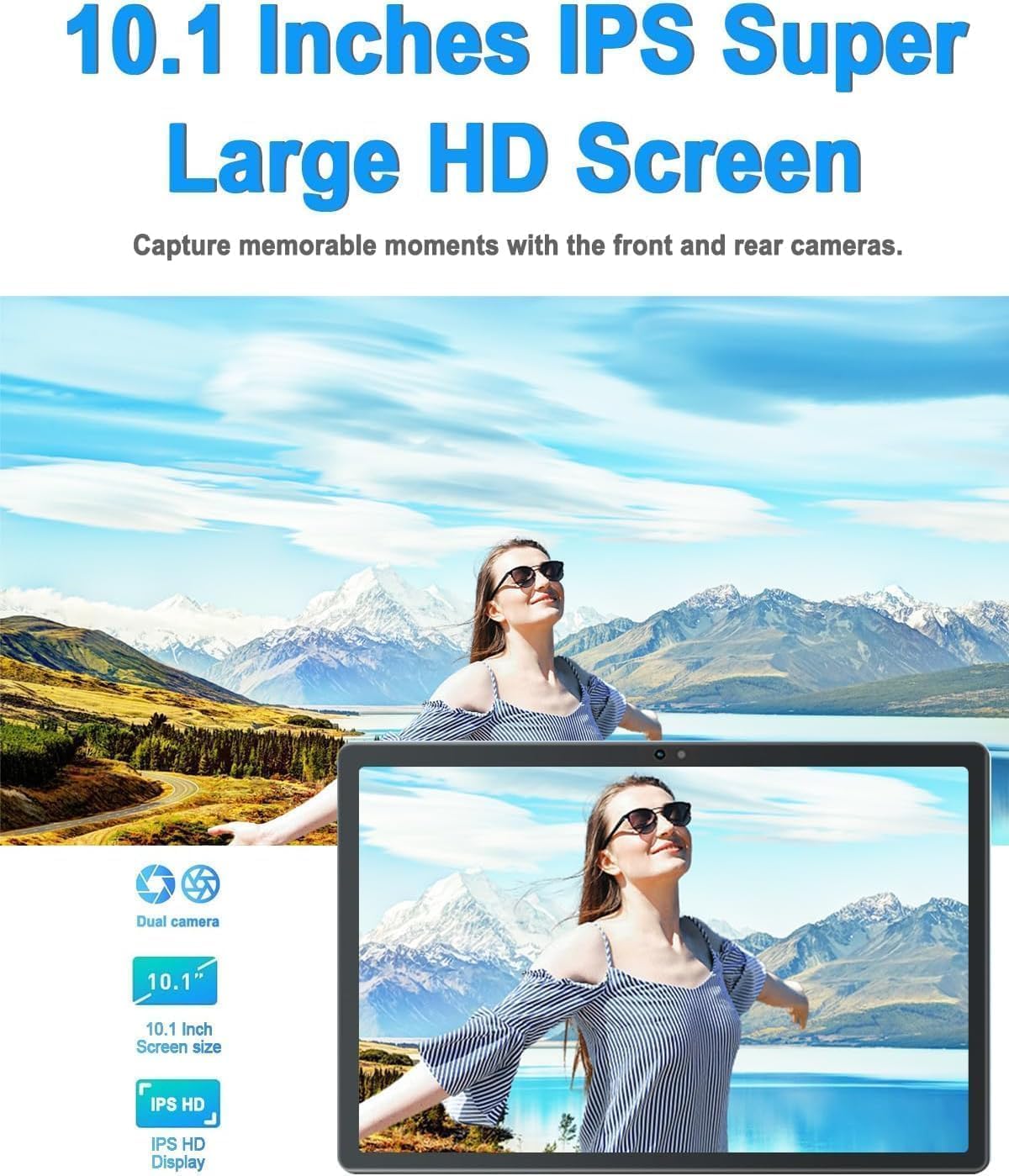
Figure 3.3: 10.1-inch IPS HD Display and Dual Cameras.

Figure 3.4: Immersive Audiovisual Experience.
3.3. Cameras and Connectivity
Capture moments with the 8MP rear camera and 5MP front camera. The tablet supports stable Wi-Fi (802.11ac) and Bluetooth 4.3 for seamless connectivity. It also includes GPS navigation capabilities.

Figure 3.5: Key Features and Connectivity Options.
3.4. Software and Battery
The tablet runs on the latest Android system and is GMS certified, ensuring full access to the Google Play Store and all its applications. A 6000 mAh battery provides extended usage time for various activities.

Figure 3.6: Google GMS Certification and App Access.
Video 3.1: Bittiview of the 10.1 inch Android Tablet's features and capabilities.
4. Kurulum Kılavuzu
4.1. İlk Şarj
Before first use, fully charge your tablet. Connect the Type-C USB cable to the tablet's charging port and the other end to the provided charger. Plug the charger into a power outlet. The battery indicator on the screen will show charging progress.
4.2. Güç Açma/Kapatma
- Açmak İçin: Press and hold the Power button (usually located on the side or top edge) until the DUODUOGO logo appears.
- Kapatmak İçin: Güç düğmesi basılı tutulmalıdır; güç seçenekleri menüsü görünene kadar bekleyin. "Kapat" seçeneğini seçin ve onaylayın.
4.3. İlk Kurulum Sihirbazı
The first time you power on the tablet, you will be guided through a setup wizard. Follow the on-screen prompts to:
- Dilinizi seçin.
- Bir Wi-Fi ağına bağlanın.
- Google hesabınızla giriş yapın veya yeni bir hesap oluşturun.
- Ekran kilidini ayarlayın (PIN, desen, parola).
- Review ve hüküm ve koşulları kabul edin.
5. Kullanım Talimatları
5.1. Arayüzde Gezinme
- Dokunmak: Seçmek için bir simgeye veya seçeneğe dokunun.
- Dokun ve tut: Press and hold an item to access more options.
- Tokatlamak: Ekranlar arasında gezinmek veya kaydırmak için parmağınızı ekran üzerinde sürükleyin.
- Tutam: Fotoğrafları yakınlaştırmak veya uzaklaştırmak için iki parmağınızı kullanın ve web sayfalar.
5.2. Temel İşlevler
- Ana Ekran: Tap the Home button (circle icon) to return to the main screen.
- Son Uygulamalar: Tap the Recent Apps button (square icon) to view ve son kullanılan uygulamalar arasında geçiş yapın.
- Geri: Tap the Back button (triangle icon) to go back to the previous screen.
- Bildirimler: Bildirim paneline ve hızlı ayarlara erişmek için ekranın üstünden aşağı doğru kaydırın.
- Ses Kontrolü: Use the physical Volume Up/Down buttons on the side of the tablet.
5.3. Wi-Fi'ye Bağlanma
- Git Ayarlar > Ağ ve internet > Wifi.
- Wi-Fi'yi aç/kapat On.
- İstediğiniz ağı listeden seçin.
- İstendiğinde şifreyi girin ve dokunun Bağlamak.
5.4. Kameraların Kullanımı
Open the Camera app from your home screen or app drawer. You can switch between the front and rear cameras using the camera switch icon. Tap the shutter button to take a photo or start/stop video recording.

Figure 5.1: HD Large Screen Display for optimal viewIng.
6. Bakım ve Özen
To ensure the longevity and optimal performance of your DUODUOGO tablet, follow these maintenance guidelines:
- Temizlik: Ekranı ve gövdeyi temizlemek için yumuşak, tüy bırakmayan bir bez kullanın. İnatçı lekeler için hafifçe silin.ampBezi su veya ekran temizleyici ile silin. Sert kimyasallardan kaçının.
- Sıcaklık: Do not expose the tablet to extreme temperatures (hot or cold) or direct sunlight for prolonged periods.
- Suya Maruz Kalma: This tablet is not waterproof. Avoid contact with liquids.
- Depolamak: When not in use for extended periods, store the tablet in a cool, dry place.
- Yazılım Güncellemeleri: Regularly check for and install system updates to ensure your tablet has the latest features and security patches. Go to Ayarlar > Sistem > Sistem güncellemesi.
7. Sorun Giderme
If you encounter issues with your tablet, refer to the following common problems and solutions:
- Tablet açılmıyor:
- Ensure the battery is charged. Connect the charger and wait a few minutes before attempting to power on.
- Press and hold the Power button for at least 10-15 seconds to force a restart. - Ekran yanıt vermiyor:
- Tableti yeniden başlatın.
- Ensure your hands are clean and dry. - Wi-Fi bağlantı sorunları:
- Ensure Wi-Fi is enabled in Settings.
- Restart your Wi-Fi router.
- Forget the network in tablet settings and reconnect.
- Wi-Fi sinyalinin kapsama alanında olduğunuzdan emin olun. - Uygulamalar çöküyor veya donuyor:
- Uygulamayı kapatıp tekrar açın.
- Clear the app's cache (Settings > Apps > [App Name] > Storage & cache > Clear cache).
- Update the app from Google Play Store.
- Uninstall and reinstall the app. - Yavaş performans:
- Arka planda çalışan kullanılmayan uygulamaları kapatın.
- Clear cache and temporary files.
- Ensure sufficient storage space is available.
- Restart the tablet regularly. - Pil çabuk bitiyor:
- Ekran parlaklığını azaltın.
- Turn off Wi-Fi, Bluetooth, and GPS when not in use.
- Close background apps.
- Limit notifications.
- Check battery usage in Settings to identify power-hungry apps.
If the problem persists, please contact DUODUOGO customer support for further assistance.
8. Özellikler
| Özellik | Şartname |
|---|---|
| Marka | DUODUOGO |
| Model Numarası | T30 |
| İşletim Sistemi | Android |
| Ekran Boyutu | 10.1 inç |
| Ekran Çözünürlüğü | 1920 x 1200 pixels IPS |
| İşlemci | Octa-Core, 2 GHz (MediaTek) |
| Veri deposu | 8 GB (4 GB + 4 GB sanal) |
| Dahili Depolama | 64 GB |
| Genişletilebilir Depolama | 1 TB'a kadar (TF kartı) |
| Arka Kamera | 8 MP |
| Ön Kamera | 5 MP |
| Pil Kapasitesi | 6000 mAh |
| Kablosuz Tip | 802.11ac Kablosuz |
| Bluetooth | Bluetooth 4.3 |
| Bağlantı | Type-C USB, 3.5mm Headphone Jack |
| Ürün Ağırlığı | 1.04 pound |
| Ürün Boyutları | 9.6 x 6.4 x 0.32 inç |
9. Garanti ve Destek
Your DUODUOGO tablet comes with a standard manufacturer's warranty. Please refer to the warranty card included in your product packaging for specific terms and conditions, including warranty period and coverage details.
For technical support, troubleshooting assistance, or warranty claims, please contact DUODUOGO customer service through the contact information provided on the product packaging or the official DUODUOGO webalan.
Lütfen garanti amaçlı satın alma belgenizi saklayın.
Ask a question about this manual
Ask about setup, troubleshooting, compatibility, parts, safety, or missing instructions. Manuals+ will review the question and use this page’s manual context to help answer it.