
1. Giriş
Thank you for choosing the NOVOO USB-C 120W Charger. This manual provides essential information for the safe and efficient use of your new charger. Please read it thoroughly before use and retain it for future reference.
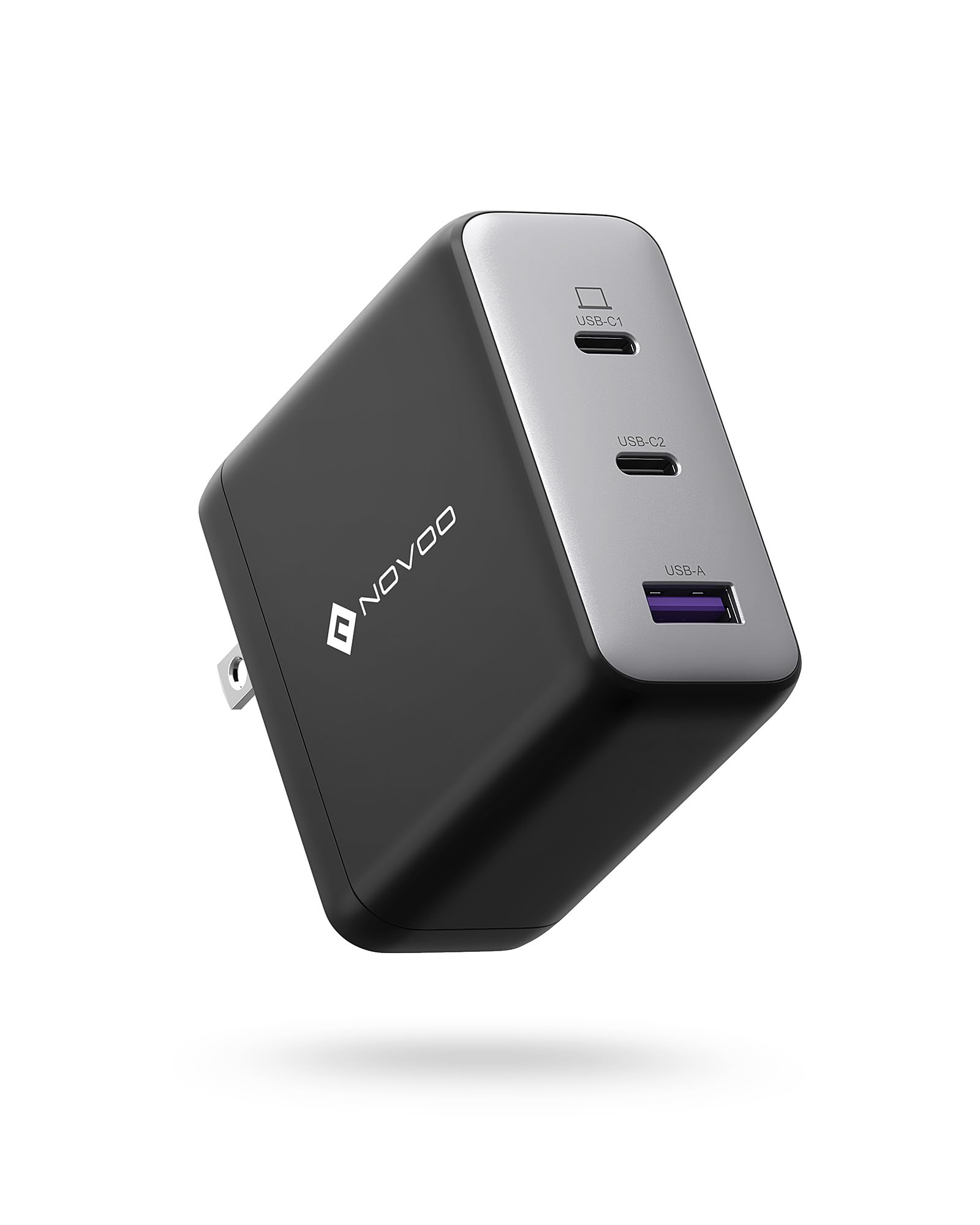
Image showing the NOVOO USB-C 120W Charger, a compact power adapter designed for fast charging.
2. Güvenlik Talimatları
Güvenli çalışmayı sağlamak ve hasarı önlemek için lütfen aşağıdaki güvenlik önlemlerine uyun:
- Şarj cihazını suya, neme veya aşırı sıcaklıklara maruz bırakmayın.
- Avoid dropping, impacting, or disassembling the charger.
- Sadece uyumlu cihazlar ve kablolarla kullanın.
- Giriş hacmini sağlayıntage matches the specifications (100V AC).
- Yıldırımlı havalarda veya uzun süre kullanılmayacaksa şarj cihazını fişten çekin.
- Çocukların erişemeyeceği yerde saklayınız.
3. Paket İçeriği
Paketin içinde aşağıdaki öğeler bulunmalıdır:
- 1 x NOVOO USB-C 120W Charger (Model: NCUS120D-255C)
4. Kurulum
Şarj cihazınızı kurmak için şu adımları izleyin:
- Güç Çıkışına Bağlan: Plug the charger into a standard 100V AC wall outlet.
- Cihazı Bağla: Use a compatible USB-C charging cable (not included) to connect your device to the USB-C port on the charger.
5. Çalıştırma
The NOVOO USB-C 120W Charger is designed for efficient power delivery:
- Once connected, the charger will automatically detect your device and deliver the optimal charging power up to 120W, depending on your device's capabilities.
- Hızlı şarj için cihazınızın USB Power Delivery (PD) özelliğini desteklediğinden emin olun.
- Cihazınızın şarj göstergesini izleyerek güç aldığından emin olun.
6. Bakım
Şarj cihazınızın uzun ömürlü olması için doğru bakım şarttır:
- Temizlik: Disconnect the charger from the power outlet and your devices before cleaning. Use a soft, dry cloth to wipe the surface. Do not use liquid cleaners or aerosols.
- Depolamak: Şarj cihazını doğrudan güneş ışığından ve aşırı sıcaklıklardan uzak, serin ve kuru bir yerde saklayın.
- İşleme: Avoid bending or stressing the charging cable excessively, especially near the connectors.
7. Sorun Giderme
Şarj cihazınızla ilgili sorunlarla karşılaşırsanız, aşağıdaki yaygın sorunlara ve çözümlere bakın:
- Cihaz şarj olmuyor:
- Şarj cihazının çalışan bir duvar prizine güvenli bir şekilde takılı olduğundan emin olun.
- Verify the USB-C cable is properly connected to both the charger and your device.
- Try using a different USB-C cable or a different wall outlet.
- Confirm your device is compatible with USB-C charging.
- Yavaş şarj oluyor:
- Ensure your device and cable support fast charging (e.g., USB Power Delivery).
- Kablonun hasarlı olup olmadığını kontrol edin.
- Some devices may charge slower if they are in heavy use during charging.
- Şarj cihazı sıcak hissediliyor:
- It is normal for the charger to become warm during operation, especially when delivering high power. If it becomes excessively hot or emits smoke/odor, unplug it immediately and discontinue use.
8. Özellikler
| Özellik | Şartname |
|---|---|
| Marka | YENİ |
| Model Numarası | NCUS120D-255C |
| Giriş Voltage | 100 Volt (AC) |
| Çıkış Hacmitage | 20 Volt |
| Çıkış Akımı | 5 Amporada |
| Maksimum Güç Çıkışı | 120W |
| Ürün Ağırlığı | 226 Gram |
| ASIN | B0CM6GGDF2 |
9. Garanti
This NOVOO USB-C 120W Charger comes with a 2 yıllık üretici garantisi Satın alma tarihinden itibaren geçerlidir. Bu garanti, üretim hatalarını kapsar. Yanlış kullanım, kazalar, yetkisiz değişiklikler veya normal aşınma ve yıpranmadan kaynaklanan hasarları kapsamaz. Garanti talepleri için lütfen satın alma belgenizi saklayın.
10. Destek
For further assistance, technical support, or warranty inquiries, please contact NOVOO customer service through the retailer where the product was purchased or visit the official NOVOO webiletişim bilgileri için site.