
TCL 85C805K
TCL 85C805K 85-inch QLED Mini LED 4K HDR Smart Gaming TV
Kullanıcı Kılavuzu
1. Giriş ve Üzeriview
The TCL 85C805K is an 85-inch QLED Mini LED 4K HDR Smart Gaming TV designed to deliver an exceptional viewOyun ve eğlence deneyimini geliştirir. Gelişmiş ekran teknolojileri, güçlü ses sistemi ve Google TV tarafından desteklenen akıllı işlevlere sahiptir.
- Kısa LED'ler: Unique backlight technology for uncompromised contrast, brightness, and uniformity.
- QLED: Quantum dot technology for a billion different colors and shades, providing vivid and lifelike picture performance.
- 4K HDR PREMIUM 1300: Superior High Dynamic Range experience with accurate colors and fine details, supporting HDR10, HLG, HDR10+, Dolby Vision, and Dolby Vision IQ.
- 144Hz Native Display: Ensures smooth and sharp details for fast-moving images, ideal for sports and action.
- Onkyo Sound System & Dolby Atmos: Integrated audio solution for an immersive sound experience.

Şekil 1.1: Ön view of the TCL 85C805K TV, showcasinGeniş ekranı ve şık tasarımıyla dikkat çekiyor.
2. Kurulum
2.1 Paketin açılması
Televizyonu ve tüm aksesuarlarını ambalajından dikkatlice çıkarın. İlerideki taşıma veya servis ihtiyaçları için ambalaj malzemelerini saklayın.
2.2 Stand Kurulumu
Place the TV screen-down on a soft, flat surface. Attach the included stand components to the designated slots on the TV's bottom using the provided screws. Ensure all screws are tightened securely.

Figure 2.1: Illustration of the TV being set up on its included stand, showing the process of attaching the base.
2.3 Duvara Montaj (Opsiyonel)
If wall-mounting, refer to the instructions provided with your wall-mount bracket. Ensure the bracket is compatible with the TV's VESA mounting pattern and weight. Professional installation is recommended.
2.4 İlk Bağlantılar
Connect the power cable to the TV and a power outlet. Connect any external devices (e.g., cable box, gaming console) to the appropriate HDMI or other input ports. For internet access, connect an Ethernet cable to the LAN port or prepare for Wi-Fi setup.
2.5 İlk Kurulum
Upon first power-on, the TV will guide you through the initial setup process, including language selection, network connection (Wi-Fi or Ethernet), Google account sign-in, and channel scanning.
3. TV'nin çalıştırılması
3.1 Uzaktan Kumanda İşlevleri
The included remote control provides access to all TV functions. Common buttons include Power, Input Source, Volume Up/Down, Channel Up/Down, Navigation (directional pad and OK), Home, Back, and dedicated app buttons.

Figure 3.1: The remote control for the TCL 85C805K TV, highlighting its layout and key function buttons.
3.2 Google TV'de Gezinme
Press the Home button on the remote to access the Google TV interface. This personalized hub organizes content from your subscriptions and apps. Use the navigation buttons to browse, select apps, and discover new content.

Figure 3.2: The Google TV interface, displaying a selection of available streaming services and content recommendations.
3.3 Görüntü ve Ses Ayarları
Access the settings menu to adjust picture modes (e.g., Standard, Movie, Game, Sports), brightness, contrast, color, and sharpness. For audio, customize sound modes, equalizer settings, and enable/disable features like Dolby Atmos.
4. Temel Özellikler
4.1 Ekran Teknolojisi
- Kısa LED'ler: This technology utilizes thousands of tiny LEDs for precise backlight control, enabling deeper blacks and brighter whites. The full array local dimming system, with over 500 zones, customizes brightness for every frame, enhancing realism and contrast.

Figure 4.1: A visual representation of Mini LED technology and its full array local dimming capabilities, showing how light is precisely controlled.
- QLED (Quantum Dot): Quantum Dot technology produces over a billion colors, delivering exceptionally vivid and lifelike picture performance with a wide color gamut.

Figure 4.2: An image demonstrating the vibrant and extensive color reproduction achieved by QLED technology.
- 4K HDR Premium 1300nits: This TV provides a superior High Dynamic Range experience with peak brightness of 1300 nits, ensuring accurate colors and fine details in both bright and dark scenes. It supports multiple HDR formats including HDR10, HLG, HDR10+, Dolby Vision, and Dolby Vision IQ.

Figure 4.3: A high dynamic range image showcasing the bright and brilliant visuals possible with 1300 nits peak brightness.
- Yansıma Önleyici: The ultra-low-reflection screen minimizes glare, providing an optimal viewing experience in various lighting conditions, day or night.

Figure 4.4: A side-by-side comparison illustrating how the anti-reflection screen reduces glare compared to a conventional TV.
4.2 Oyun Özellikleri
- 144Hz VRR (Değişken Yenileme Hızı): Experience incredibly smooth and responsive gameplay with a native 144Hz refresh rate, reducing motion blur and ensuring crisp visuals during fast-paced action.

Figure 4.5: A visual comparison demonstrating the difference in motion clarity between 60Hz and 144Hz refresh rates during gaming.
- AMD FreeSync Premium Pro: This certification ensures a fluid, artifact-free performance at virtually any frame rate, eliminating screen tearing and stuttering for a seamless gaming experience.

Figure 4.6: A dynamic gaming image highlighting the smooth, tear-free experience provided by AMD FreeSync Premium Pro.
- HDMI 2.1 with ALLM & eARC: HDMI 2.1 provides higher bandwidth, supporting 4K at 144Hz. ALLM (Auto Low Latency Mode) automatically switches to the lowest latency setting for gaming, while eARC (Enhanced Audio Return Channel) allows for high-quality audio passthrough.

Figure 4.7: A diagram illustrating the benefits of HDMI 2.1 for gaming, emphasizing low input lag and quick response.
4.3 Ses Özellikleri
- Onkyo 2.0 Sound System & Dolby Atmos: The integrated Onkyo 2.0 channel 50W HI-FI sound system, combined with Dolby Atmos, delivers captivating stereo sound and thunderous bass, creating an immersive home theater experience.

Figure 4.8: A visual representation of sound waves, symbolizing the immersive audio experience provided by the Onkyo sound system and Dolby Atmos.
- DTS-HD Virtualized 3D Sound: DTS-HD technology creates an enveloping sound that appears to emerge from above, beside, and behind you, providing an immersive experience in any space.
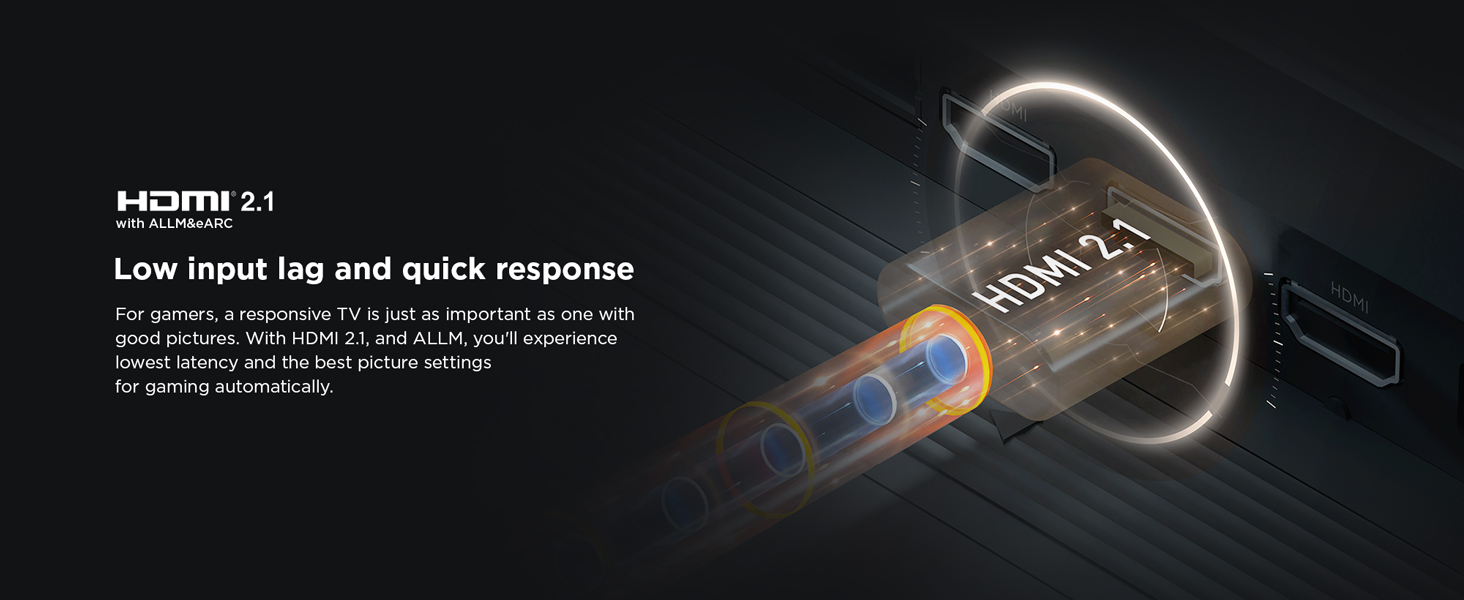
Figure 4.9: An image depicting a user experiencing virtualized 3D sound, with sound waves illustrating the immersive audio field.
4.4 Akıllı Özellikler
- Google TV: Discover new movies and shows from across your subscriptions and content. Suggestions are based on your viewing habits and interests, making it easier to find your next favorite.
- Hands-free Voice Control (Google Assistant): Control your TV using voice commands without needing the remote. You can choose content, launch apps, turn on your set, switch inputs, and search for movies.

Figure 4.10: An individual interacting with the TV using hands-free voice control, demonstrating the convenience of Google Assistant.
5. Bağlantı
The TCL 85C805K offers a variety of ports for connecting external devices:
- USB BAĞLANTI: USB depolama aygıtlarını bağlamak için.
- LAN: Kablolu internet bağlantısı için Ethernet portu.
- HDMI 1, HDMI 2 (Service Port), HDMI 3, HDMI 4 (eARC/ARC): Connect various HDMI-enabled devices. HDMI 4 supports eARC/ARC for enhanced audio return.
- Anten/Kablo Girişi: Anten veya kablo TV sinyalini bağlamak için.
- Uydu Girişi: Uydu anteni bağlamak için.
- Dijital Ses Çıkışı (Optik): Harici ses sistemlerine bağlanmak için.
- Ortak arayüz: For CI+ modules.
- AV Adapter: Eski analog cihazları bağlamak için.
- Kulaklık: Özel dinleme için.
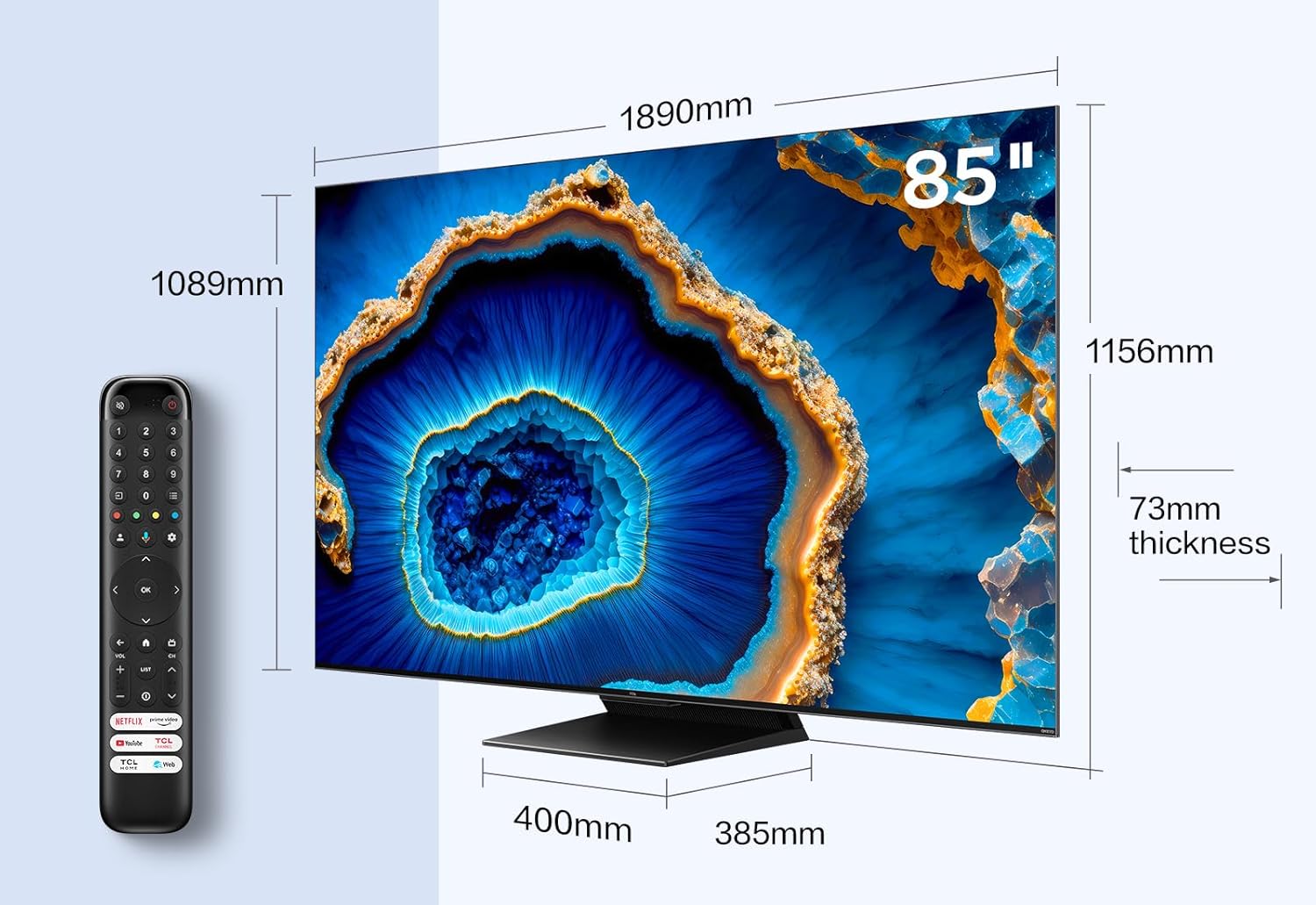
Figure 5.1: A detailed diagram showing the various input and output ports available on the side and rear of the TCL 85C805K TV.
6. Bakım
6.1 TV'nin temizlenmesi
To clean the screen, gently wipe with a soft, lint-free cloth specifically designed for electronics. For the TV body, use a soft, dry cloth. Avoid using abrasive cleaners, waxes, or solvents.
6.2 Yazılım Güncellemeleri
Ensure your TV's software is up to date for optimal performance and new features. The TV can typically update automatically when connected to the internet, or you can manually check for updates in the settings menu.
7. Sorun Giderme
Televizyonunuzda sorunlarla karşılaşırsanız, aşağıdaki yaygın sorunlara ve çözümlere bakın:
| Sorun | Olası Çözüm |
|---|---|
| Güç Yok | Check if the power cable is securely connected to the TV and the power outlet. Ensure the outlet has power. |
| Resim Yok / Siyah Ekran | Doğru giriş kaynağının seçili olduğundan emin olun. Tüm kablo bağlantılarını (HDMI, anten) kontrol edin. Televizyonu yeniden başlatmayı deneyin. |
| Ses Yok | Check the volume level and ensure the TV is not muted. Verify audio cable connections. Check sound settings. |
| Uzaktan Kumanda Çalışmıyor | Pilleri değiştirin. Uzaktan kumanda ile televizyonun kızılötesi sensörü arasında herhangi bir engel olmadığından emin olun. |
| Ağ Bağlantı Sorunları | Restart your router/modem. Re-enter Wi-Fi password. Try a wired Ethernet connection if possible. |
| Picture Quality Issues (e.g., blur, blooming) | Adjust picture settings. Ensure you are using high-quality source content and appropriate cables (e.g., high-speed HDMI for 4K/144Hz). |
Bu çözümleri denedikten sonra sorun devam ederse lütfen müşteri desteğiyle iletişime geçin.
8. Özellikler
Detailed technical specifications for the TCL 85C805K TV:
| Özellik | Detay |
|---|---|
| Model Numarası | 85C805K |
| Ekran Boyutu | 85 İnç (216 cm) |
| Ekran Teknolojisi | Mini LED, QLED |
| Çözünürlük | 4K (3840x2160) |
| Yenileme Hızı | 144Hz |
| HDR Desteği | HDR10, HLG, HDR10+, Dolby Vision, Dolby Vision IQ |
| Tepe Parlaklığı | 1300 nit |
| İşletim Sistemi | Google televizyon |
| Ses Sistemi | Onkyo 2.0 CH 50W HI-FI, Dolby Atmos, DTS-HD |
| Bağlantı | Wi-Fi, Bluetooth, HDMI 2.1 (with ALLM & eARC), USB, LAN, Optical Digital Audio Out |
| Ürün Boyutları (D x G x Y) | 38.5x189.4x116.8 cm |
| Ağırlık | 42 kilo |
| Dahil Bileşenler | Güç Kablosu, Uzaktan Kumanda, Stand |

Figure 8.1: Dimensional drawing of the TCL 85C805K TV, including measurements and a remote control for scale.
9. Garanti ve Destek
This product comes with a manufacturer's warranty. Please refer to the warranty card included in the packaging for specific terms and conditions, including the warranty period and coverage details.
Teknik destek, bu kılavuzun ötesinde sorun giderme yardımı veya garanti talepleri için lütfen TCL müşteri hizmetleriyle iletişime geçin. İletişim bilgileri genellikle TCL resmi web sitesinde bulunabilir. website or in the product's packaging materials.
Ask a question about this manual
Ask about setup, troubleshooting, compatibility, parts, safety, or missing instructions. Manuals+ will review the question and use this page’s manual context to help answer it.