
1. Giriş
Thank you for choosing the EMANER Smart Security Light Motion Sensor. This device combines advanced motion detection with smart control features, offering adjustable brightness, color temperature, and seamless integration with smart home systems like Alexa and Google Home. This manual provides detailed instructions for safe installation, configuration, and operation of your new security light.

Image 1.1: EMANER Smart Security Lights with smart home integration.
2. Güvenlik Bilgileri
WARNING: Risk of electric shock. Installation should be performed by a qualified electrician or a person with electrical knowledge. Disconnect power at the fuse box or circuit breaker before installation or servicing.
- Kurulumdan önce güç kaynağının kapalı olduğundan emin olun.
- Follow all local electrical codes and ordinances.
- Ürünü değiştirmeye çalışmayın.
- Ürünü yanıcı maddelerden uzak tutunuz.
- This product is designed for outdoor use and is water-resistant. However, do not submerge it in water.
3. Paket İçeriği
Kuruluma başlamadan önce tüm bileşenlerin mevcut olduğundan emin olun:
- EMANER Smart Security Light (2 units for 2-Pack)
- Montaj Donanımı (vidalar, kablo bağlantı somunları, montaj plakası)
- Kullanım Kılavuzu (bu belge)
4. Özellikler
| Özellik | Detay |
|---|---|
| Marka | EMANER |
| Model Adı | EMR-8030 |
| Işık Çıkışı | 2800 Lümen (Maks.) |
| Renk Sıcaklığı | 2700K-6500K (Tunable) |
| Kısılabilir | 1% to 100% via App |
| Güç Kaynağı | Kablolu Elektrik (120 Volt) |
| Bağlantı | 2.4 GHz Wi-Fi |
| Kontrol Yöntemleri | App (Smart Life/Tuya Smart), Voice (Alexa, Google Assistant) |
| Hareket Sensörü Aralığı | Up to 26 feet (adjustable) |
| Işık Süresi | 5 saniye ile 60 dakika arası (ayarlanabilir) |
| Malzeme | Plastik |
| Boyutlar | 12"U x 6.7"G x 6"Y |
| Suya Dayanıklılık | Suya Dayanıklı (Hava Koşullarına Dayanıklı) |

Image 4.1: Product dimensions and adjustable light heads.
5. Kurulum
5.1. Kurulum
- Gücü Kapatın: Before starting, ensure the power to the junction box is turned off at the circuit breaker.
- Montajı Hazırlayın: Attach the mounting plate to your outdoor junction box using the provided screws.
- Kablo Bağlantıları: Connect the light's wires to your household wiring:
- Black wire (Live) to Black wire (Live)
- White wire (Neutral) to White wire (Neutral)
- Green/Bare Copper wire (Ground) to Green/Bare Copper wire (Ground)
- Montaj Fikstürü: Carefully tuck the wires into the junction box and secure the light fixture to the mounting plate.
- Işık Başlıklarını Ayarlayın: The three light heads and the motion sensor are rotatable. Adjust them to cover your desired area.
- Gücü Geri Yükle: Sigortadan elektriği tekrar açın.
5.2. App Connection (Smart Life / Tuya Smart)
The EMANER Smart Security Light connects via 2.4GHz Wi-Fi to the Smart Life or Tuya Smart app.
- İndir uygulaması: Akıllı telefonunuzun uygulama mağazasından (iOS veya Android) "Smart Life" veya "Tuya Smart" uygulamasını indirin.
- Kayıt Ol/Giriş Yap: Uygulamayı açın ve yeni bir hesap oluşturun veya halihazırda bir hesabınız varsa giriş yapın.
- Cihaz Ekle:
- Telefonunuzun 2.4 GHz Wi-Fi ağına bağlı olduğundan emin olun.
- Uygulamada, bir cihaz eklemek için sağ üst köşedeki "+" simgesine dokunun.
- Select "Lighting" or "Security & Sensor" and then "Light Source (Wi-Fi)" or "Floodlight (Wi-Fi)".
- Follow the in-app instructions to put the light into pairing mode. This usually involves turning the light off and on a few times until it blinks rapidly.
- İstenildiğinde Wi-Fi ağınızın şifresini girin.
- Wait for the app to discover and connect to the device. Once connected, you can rename the light.
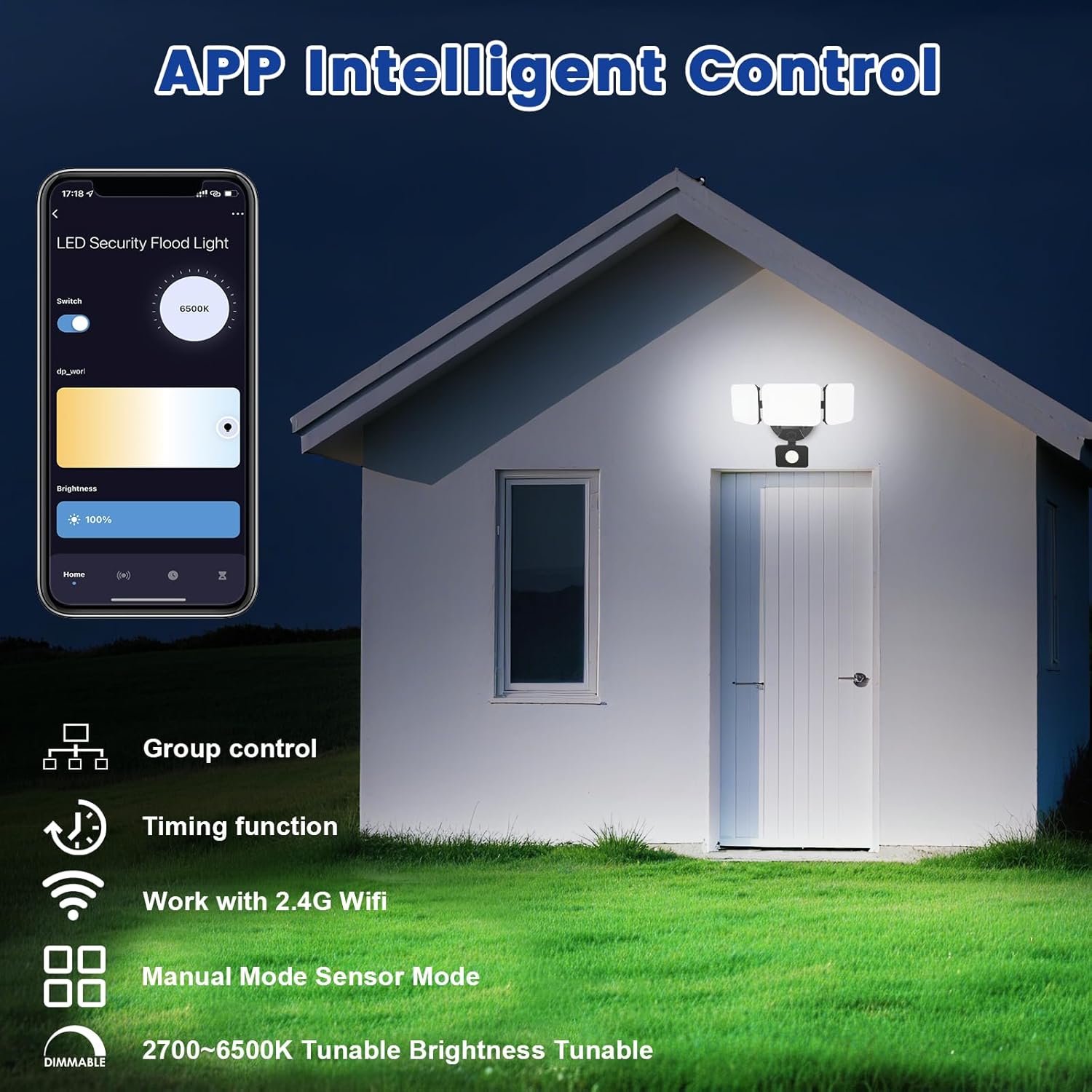
Image 5.1: App interface for intelligent control.
6. Kullanım Talimatları
6.1. Uygulama Kontrolü
Once connected, use the Smart Life/Tuya Smart app to control your security light:
- Parlaklık Ayarı: Işık yoğunluğunu %1 ile %100 arasında ayarlayın.
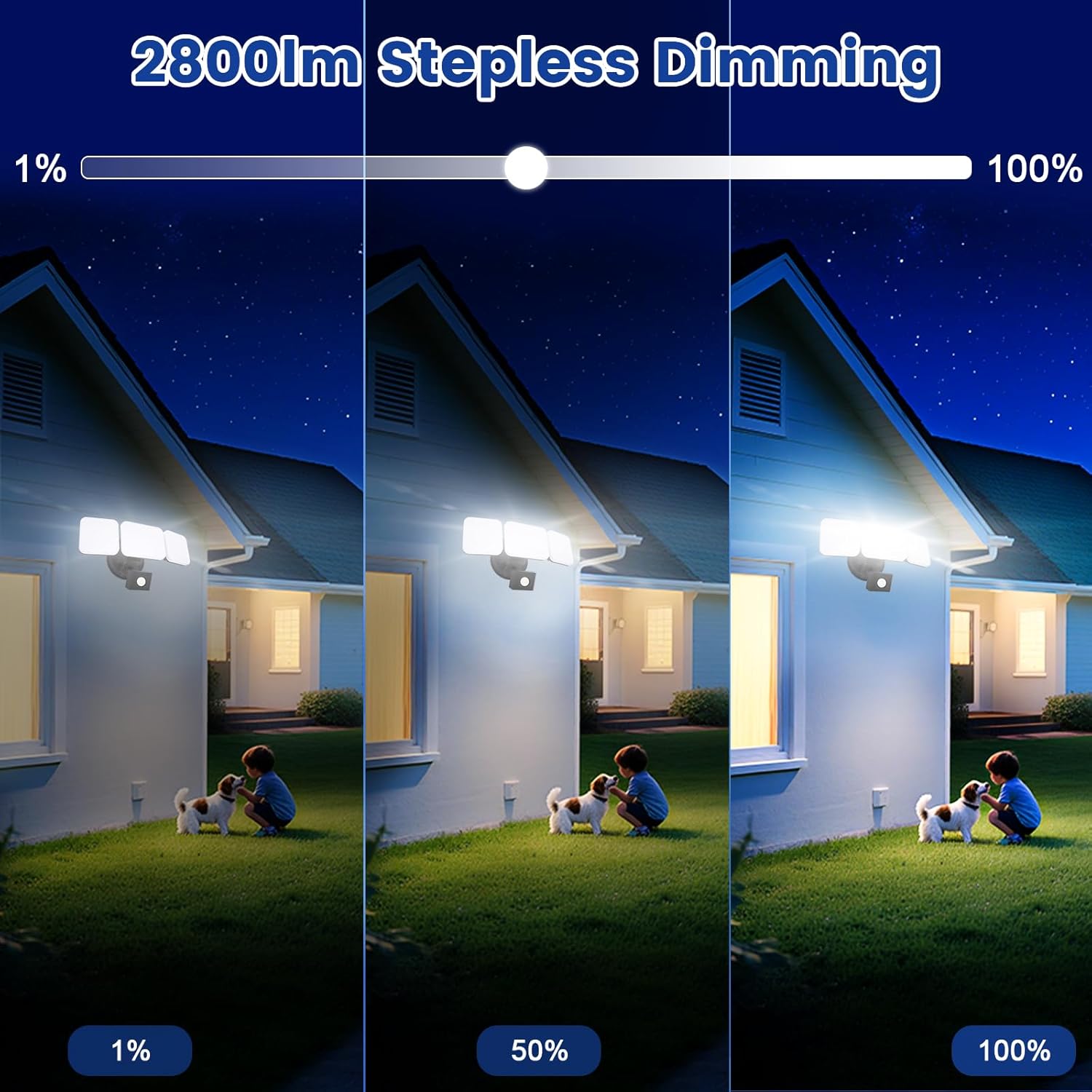
Image 6.1: Stepless dimming from 1% to 100% brightness.
- Renk Sıcaklığı Ayarı: Change the light color from warm white (2700K) to daylight white (6500K).
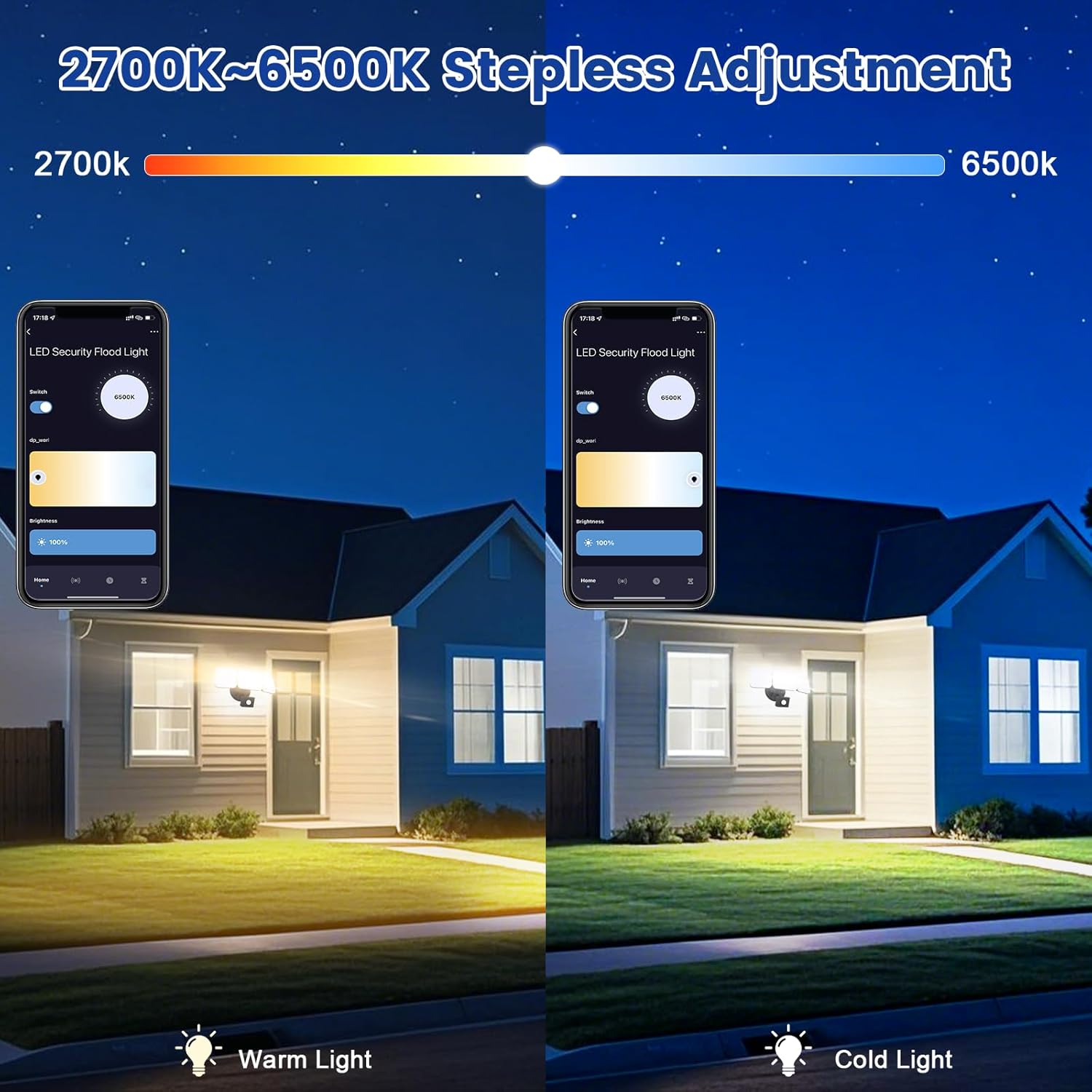
Image 6.2: Tunable white from 2700K (Warm) to 6500K (Daylight).
- Çalışma Modları:
- Manuel Mod: Functions as a regular light. You can set it to turn on/off at specific times and adjust brightness/color temperature.
- Sensör Modu: Activates the motion sensor. Customize sensor settings like sensitivity and light duration.
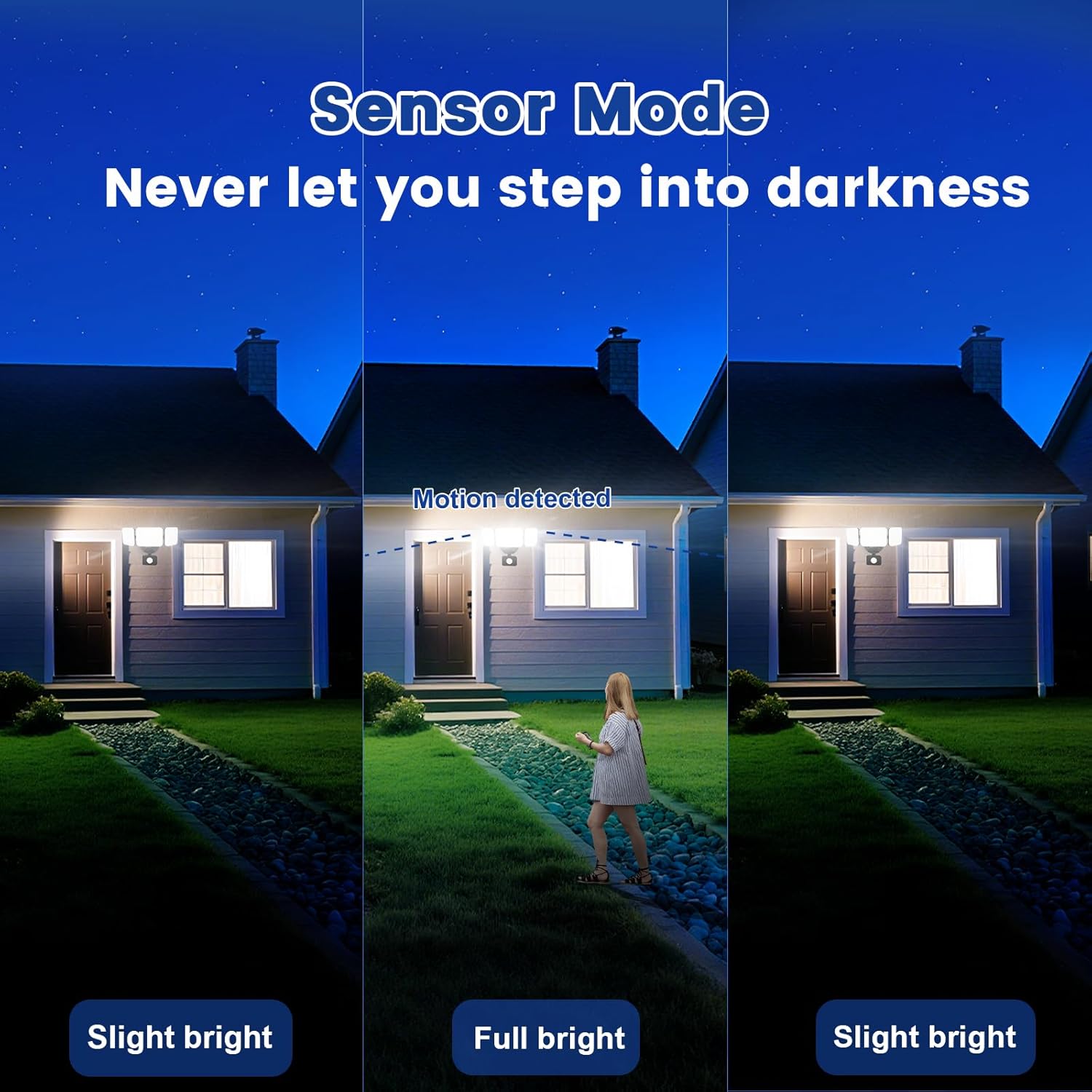
Image 6.3: Sensor Mode operation, detecting motion and adjusting brightness.
- Hareket Sensörü Ayarları: Adjust the detection range (up to 26ft) and the duration the light stays on after motion is detected (5 seconds to 60 minutes).

Image 6.4: Adjustable full light duration time.
- Planlama: Set schedules for the light to turn on or off at specific times.

Image 6.5: Time scheduling and delay settings.
- Grup Kontrolü: Group multiple EMANER smart lights together for simultaneous control.
6.2. Voice Control (Alexa / Google Assistant)
Integrate your EMANER Smart Security Light with Amazon Alexa or Google Assistant for convenient voice commands.
- Hesabı Bağla: In the Alexa or Google Home app, enable the "Smart Life" or "Tuya Smart" skill/service and link your account.
- Cihazları Keşfedin: Ask Alexa or Google Assistant to "Discover devices."
- Sesli Komutlar: Şu tür komutları kullanın:
- "Alexa, turn on the security light."
- "Hey Google, set the security light to 50% brightness."
- "Alexa, change the security light to warm white."
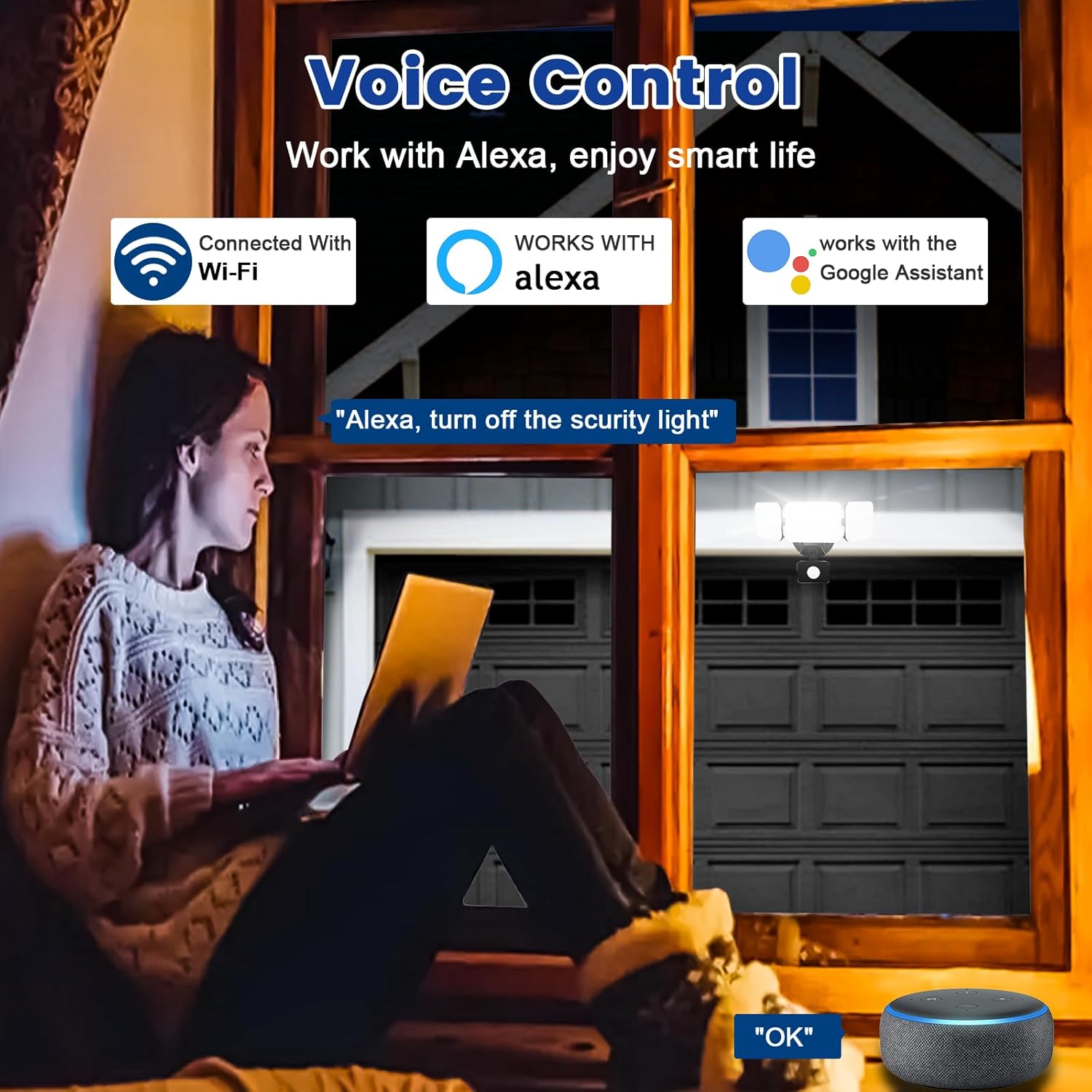
Image 6.6: Voice control integration with Alexa and Google Assistant.
7. Bakım
- Temizlik: Aydınlatma armatürünü periyodik olarak yumuşak bir bezle temizleyin.amp bezle silin. Aşındırıcı temizleyiciler veya çözücüler kullanmayın.
- Denetleme: Regularly check for any loose wiring or damage to the fixture.
- Donanım Yazılımı Güncellemeleri: Keep the Smart Life/Tuya Smart app updated to ensure your device receives the latest firmware for optimal performance and security.
8. Sorun Giderme
| Sorun | Olası Neden | Çözüm |
|---|---|---|
| Işık açılmıyor. | Elektrik yok, kablolar gevşek, armatür arızalı. | Check circuit breaker. Ensure all wiring connections are secure. Contact support if issue persists. |
| Wi-Fi'ye bağlanılamıyor. | Incorrect Wi-Fi band (not 2.4GHz), wrong password, light not in pairing mode, weak signal. | Ensure your router is broadcasting 2.4GHz Wi-Fi. Verify password. Put light into pairing mode (turn off/on several times). Move router closer or use a Wi-Fi extender. |
| Hareket sensörü çalışmıyor veya çok hassas. | Incorrect settings in app, obstruction, environmental factors. | Adjust sensitivity and detection range in the Smart Life/Tuya Smart app. Ensure sensor is not obstructed. Avoid aiming at heat sources or reflective surfaces. |
| Ses kontrolü yanıt vermiyor. | App account not linked, device not discovered, incorrect commands. | Ensure Smart Life/Tuya Smart skill is enabled and linked in Alexa/Google Home app. Ask to "Discover devices." Use correct voice commands. |
9. Garanti ve Destek
EMANER provides a Lifetime Warranty for this product, ensuring quality and customer satisfaction. For technical support, warranty claims, or any questions regarding your EMANER Smart Security Light, please contact EMANER customer service through the retailer's platform or visit the official EMANER webiletişim bilgileri için site.
Çevrimiçi Kaynaklar:
- For app-related issues, refer to the help section within the Smart Life or Tuya Smart application.
- Ziyaret edin EMANER Store on Amazon Ürün bilgileri ve destek için.