
COCOCAM ZY-C2
COCOCAM 2PCS Güneş Enerjili Dış Mekan Kablosuz Kamera Kullanım Kılavuzu
Model: ZY-C2
1. Giriş
Thank you for choosing the COCOCAM 2PCS Solar Camera Outdoor Wireless. This manual provides detailed instructions for the installation, operation, and maintenance of your new security cameras. Please read this manual thoroughly before use to ensure proper functionality and safety.

Image: Two COCOCAM ZY-C2 solar cameras, showcasing their design and integrated solar panels.
2. Kutuda Neler Var?
Lütfen paketinizin içeriğini kontrol ederek tüm öğelerin mevcut olduğundan emin olun:
- 2 x COCOCAM ZY-C2 Solar Security Cameras
- 2 adet Güneş Paneli (model varyantına bağlı olarak entegre veya ayrı)
- 2 x Montaj Braketleri
- Montaj Vidaları ve Duvar Dübelleri
- USB Şarj Kablosu
- Kullanım Kılavuzu (bu belge)
3. Ürün Bittiview
The COCOCAM ZY-C2 is a high-performance outdoor security camera designed for comprehensive surveillance. Key features include:
- 2K QHD Çözünürlük: Delivers crisp 3MP image quality for clear video monitoring.
- Flexible 360° Coverage: Features 355° pan and 120° tilt rotation, controllable via the Cloudage/Cococam app, ensuring no blind spots.
- Güneş Enerjili ve %100 Kablosuz: Equipped with a solar panel and 5200mAh rechargeable batteries for continuous power, eliminating the need for frequent charging.
- Yapay Zeka Hareket Algılama: Optimized algorithms enhance human-like recognition, reducing false alarms. Supports optional paid features for pet, car, and package recognition.
- Renkli Gece Görüşü: Provides clear, full-color video even in low-light conditions, alongside traditional infrared night vision.
- 2 Yönlü Ses: Dahili mikrofon ve hoparlör, gerçek zamanlı iletişim imkanı sağlar.
- IP66 Hava Koşullarına Dayanıklı: Designed to withstand various weather conditions, operating reliably from -25°C to 60°C (-13°F to 140°F).
- Çift Antenler: 4DBi dual antennas ensure stronger and more stable 2.4GHz Wi-Fi reception.

Image: The camera's dual solar panel design, illustrating 365-day power capability.

Image: Comparison of color night vision and infrared night vision, highlighting the camera's low-light capabilities.
4. Kurulum Kılavuzu
4.1 Pilin Şarj Edilmesi
Although solar-powered, it is recommended to fully charge the camera's internal battery via the USB port before the first use. Connect the camera to a 5V/2A USB power adapter (not included) using the provided USB cable. The charging indicator light will show the charging status.
4.2 Uygulama Yükleme ve Hesap Oluşturma
- Download the 'Cloudage' or 'Cococam' app from your smartphone's app store (iOS or Android).
- Uygulamayı açın ve e-posta adresinizi kullanarak yeni bir hesap oluşturun.
- Kayıt işlemini tamamlamak için ekrandaki talimatları izleyin.
4.3 Camera Pairing with Wi-Fi
- Wi-Fi ağınızın 2.4 GHz olduğundan emin olun. Kamera 5 GHz Wi-Fi'yi desteklemiyor.
- In the app, tap '+' or 'Add Device' to add a new camera.
- Select the appropriate camera model or scan the QR code on the camera.
- Follow the in-app instructions to connect the camera to your Wi-Fi network. This typically involves generating a QR code on your phone screen for the camera to scan.
- Once connected, you will hear a confirmation sound from the camera, and it will appear in your app's device list.
4.4 Fiziksel Kurulum
Choose a suitable outdoor location for installation, ensuring the solar panel receives adequate direct sunlight throughout the day. The camera can be mounted on a wall or ceiling.
- Montaj braketini şablon olarak kullanarak delme noktalarını işaretleyin.
- Gerekirse delikler açın ve dübel takın.
- Montaj braketini vidalarla yüzeye sabitleyin.
- Attach the camera to the mounting bracket and adjust its angle for optimal viewIng.
- Ensure the solar panel is positioned to maximize sun exposure.

Image: An outdoor mounted camera illustrating its pan and tilt range for comprehensive monitoring.
5. Kullanım Talimatları
5.1 Canlı View ve PTZ Kontrolü
Open the Cloudage/Cococam app and select your camera from the device list to access the live viewBuradan şunları yapabilirsiniz:
- Yatay/Dikey Hareket: Drag your finger across the screen to remotely adjust the camera's horizontal (355°) and vertical (120°) viewaçıları.
- Dijital Yakınlaştırma: Pinch to zoom in or out on the live feed for more detail.
- Snapshot/Record: Capture still images or record video clips directly to your phone.
5.2 AI Motion Detection and Alerts
The camera uses advanced AI to detect motion and send instant alerts to your smartphone.
- Etkinleştir/Devre Dışı Bırak: Hareket algılamayı etkinleştirmek veya devre dış bırakmak için uygulamadaki kamera ayarlarına gidin.
- Hassasiyet Ayarı: Yanlış alarmları en aza indirmek için algılama hassasiyetini ayarlayın.
- İnsan Algılama: Enable AI human detection for more accurate alerts.
- Paid Features: Optional paid features allow for recognition of pets, cars, and packages.
- Alert Methods: Configure push notifications, light warnings, sound warnings, or audible/light warnings via the app.
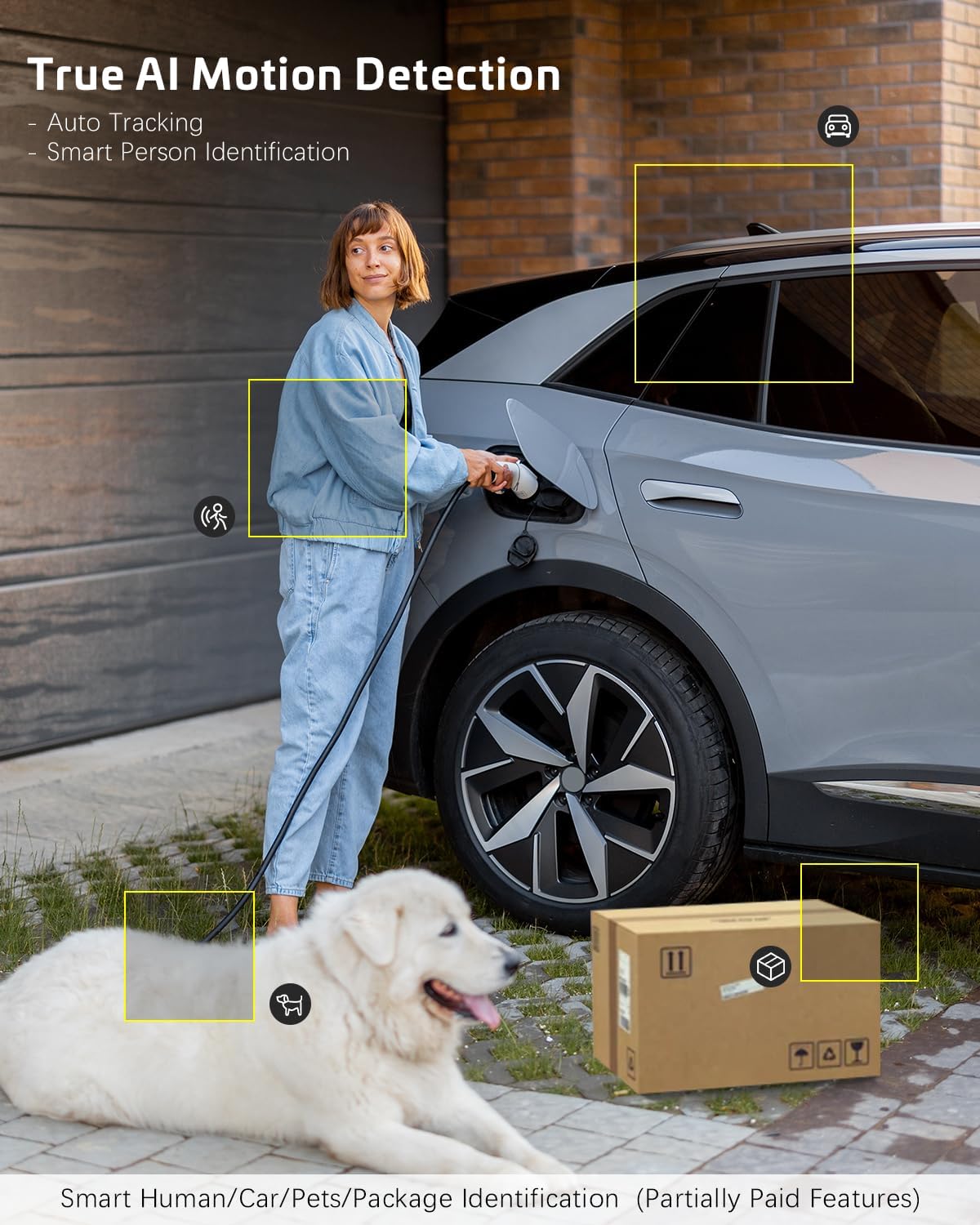
Image: AI motion detection in action, highlighting its ability to identify various objects like people, vehicles, and packages.
5.3 Gece Görüş Modları
The camera supports two night vision modes:
- Renkli Gece Görüşü: Karanlık ortamlarda tam renkli video sağlamak için dahili spot ışıklarını kullanır.
- Kızılötesi Gece Görüşü: Uses infrared LEDs for black-and-white video in complete darkness.
- You can switch between these modes or set them to automatic in the app settings.
5.4 İki Yönlü Ses
İki yönlü ses özelliğini kullanmak için:
- Canlı yayında view, kameranın hoparlöründen konuşmak için mikrofon simgesine dokunun.
- Kameranın mikrofonundan gelen sesi dinlemek için hoparlör simgesine dokunun.
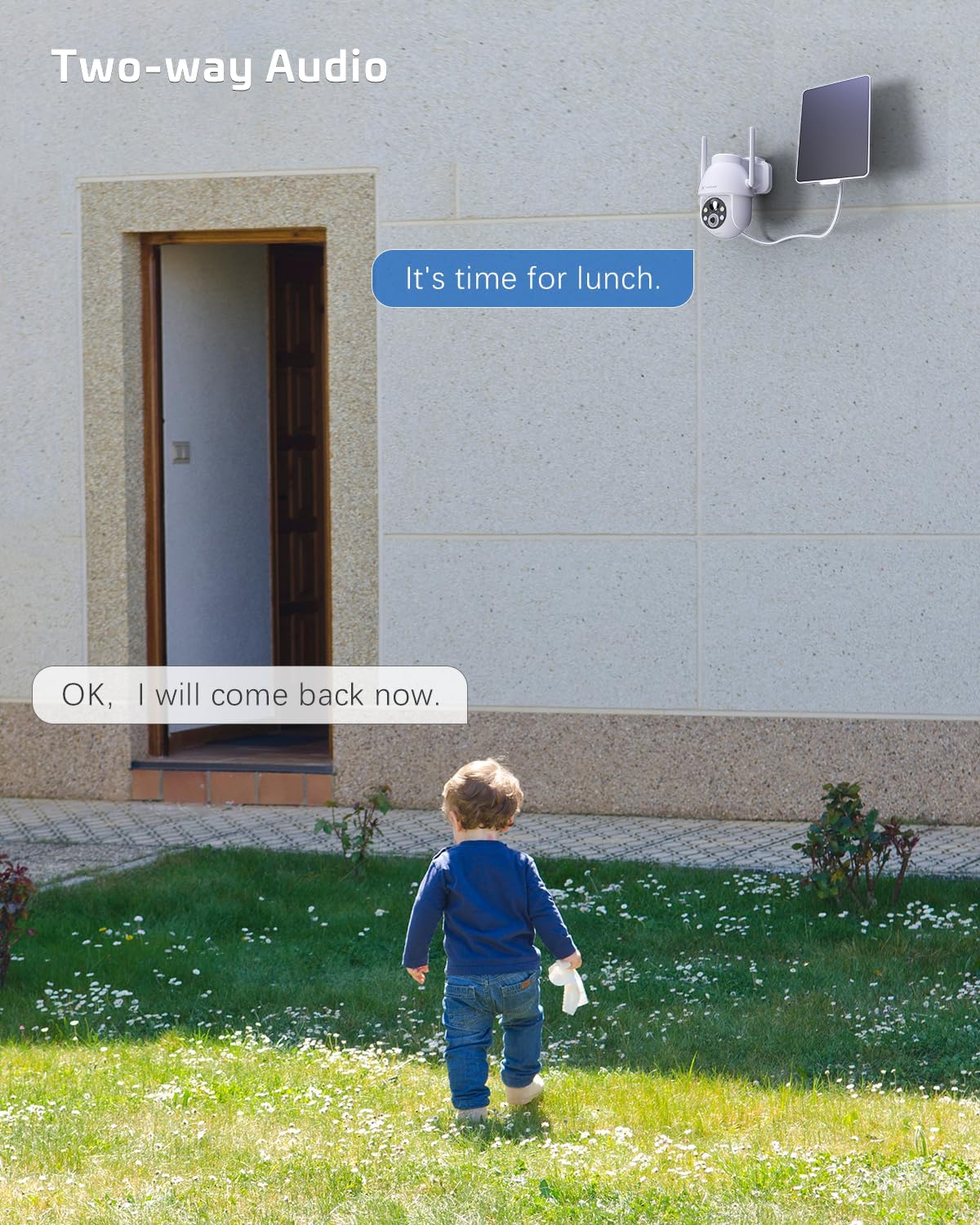
Image: A visual representation of the two-way audio feature, showing communication between a person and the camera.
5.5 Depolama Seçenekleri
The camera offers flexible storage solutions for recorded footage:
- TF Kart Depolama: Supports up to 128GB TF (microSD) card (not included) for local storage. Insert the card into the designated slot on the camera.
- Bulut Depolama: A cloud storage service is available (paid feature) for secure, off-site storage of your video recordings. All cloud video is encrypted.
5.6 Çoklu Kullanıcı Paylaşımı
You can easily share camera access with family members or friends:
- In the app, go to the camera settings and find the 'Share Device' option.
- Generate a QR code or invite link for others to scan or click, granting them access to the camera feed.
6. Bakım
To ensure optimal performance and longevity of your COCOCAM security camera:
- Düzenli Temizlik: Kamera lensini ve güneş panelini yumuşak bir bezle periyodik olarak silin.amp Toz ve kalıntıları temizlemek için bez kullanın. Sert kimyasallar kullanmayın.
- Donanım Yazılımı Güncellemeleri: Check the app regularly for firmware updates. Keeping your camera's firmware up-to-date ensures the latest features and security patches.
- Pil Sağlığı: While solar-powered, ensure the solar panel is free from obstructions to maintain optimal battery charge. In prolonged periods of low sunlight, consider manually charging the camera via USB.
- Çevresel Koşullar: The camera is IP66 weatherproof, but extreme conditions outside its operating temperature range (-25°C to 60°C / -13°F to 140°F) may affect performance.

Image: The camera operating effectively in rainy conditions, highlighting its IP66 weatherproof design.
7. Sorun Giderme
7.1 Camera Offline / Disconnected
- Wi-Fi Sinyali: Ensure the camera is within range of your 2.4GHz Wi-Fi router and the signal strength is adequate.
- Yönlendirici Ayarları: Verify that your router's settings are not blocking the camera. Restarting the router may help.
- Güç Kaynağı: Check if the camera has sufficient battery charge. Ensure the solar panel is clean and receiving sunlight.
- Tamirat: If issues persist, try re-pairing the camera with the app.
7.2 Motion Detection Issues (Too Many/Few Alerts)
- Hassasiyet: Adjust the motion detection sensitivity in the app settings. Lower sensitivity for fewer false alarms, higher for more detections.
- Algılama Bölgesi: If available, configure specific detection zones to focus on critical areas and ignore irrelevant motion.
- Yapay Zeka İnsan Tespiti: İnsan dışı hareketleri filtrelemek için yapay zeka insan algılama özelliğinin etkinleştirildiğinden emin olun.
7.3 Düşük Görüntü Kalitesi
- Lens Temizliği: Fotoğraf makinesinin objektifini lekelerden ve kirlerden arındırmak için temizleyin.
- Ağ Hızı: Ensure your internet connection is stable and fast enough for 2K video streaming.
- Gece Görüşü: If image quality is poor at night, check if the night vision mode is set correctly (color or infrared) and if the spotlights/IR LEDs are unobstructed.
7.4 Pil Şarj Olmuyor
- Güneş paneli: Ensure the solar panel is clean and positioned to receive direct sunlight for several hours a day.
- Kablo bağlantısı: Güneş paneli ile kamera arasındaki bağlantıyı kontrol edin.
- Manual Charge: Try charging the camera directly via the USB port to confirm the battery is functional.
8. Özellikler
| Özellik | Şartname |
|---|---|
| Örnek | ZY-C2 |
| Video Yakalama Çözünürlüğü | 1440p (2K QHD) |
| Bağlantı Teknolojisi | Wireless (2.4GHz Wi-Fi, Bluetooth) |
| Güç Kaynağı | Pil ile Çalışan, Güneş Enerjili |
| Pil Kapasitesi | 5200mAh (şarj edilebilir) |
| Bellek Depolama Kapasitesi | 128 GB (TF card, not included) |
| Pan / Eğim Açısı | 355° Döndürme, 120° Eğme |
| Hava koşullarına dayanıklılık | IP66 |
| Çalışma Sıcaklığı | -25°C ila 60°C (-13°F ila 140°F) |
| Montaj Tipi | Tavana Montaj, Duvara Montaj |
| Uyumlu işletim sistemi | iOS, Android |
| Boyutlar (U x G x Y) | 18x17x14 cm |
| Ürün Ağırlığı | 1.3 kilo |
9. Garanti ve Destek
COCOCAM provides a 2 yıllık garanti for its cameras. If you encounter any problems using our products or require technical assistance, please do not hesitate to contact our customer support team. Refer to the contact information provided on the product packaging or the official COCOCAM webdestek kanalları için site.
We are committed to providing high-quality service and ensuring your satisfaction with our products.