
giriiş
This manual provides comprehensive instructions for the setup, operation, and maintenance of your Roxicosly Super Strong Vibrating Alarm Clock. Designed for heavy sleepers, individuals with hearing loss, or those who prefer a silent wake-up, this device offers adjustable vibration intensity and multiple alarm modes. Please read this manual thoroughly before use to ensure proper functionality and longevity of your device.
Paket İçeriği
- 1x Roxicosly Vibrating Alarm Clock
- 1x USB-C Şarj Kablosu
- 1x Bilek Kayışı
- 1x Kullanım Kılavuzu (bu belge)

Image: The Roxicosly Vibrating Alarm Clock, its USB-C charging cable, and wrist strap, alongside its packaging.
Ürün Özellikleri
- Strong Vibrating Alarm: Designed to effectively wake heavy sleepers, hard sleepers, and individuals with hearing loss through powerful vibration.
- Çoklu Alarm Modları: Choose from "Vibration Only", "Buzzer Only", or "Vibration + Buzzer" to suit personal preference.
- Ayarlanabilir Titreşim Yoğunluğu: Three levels of vibration intensity (High, Medium, Low) are available.
- Ayarlanabilir Alarm Sesi: Five levels of alarm volume for the buzzer mode.
- Kompakt ve Taşınabilir Tasarım: Measuring approximately 3.35 x 3.35 x 1 inch and weighing 0.3 lbs (135g), its small, round, cordless design makes it ideal for travel and discreet use under a pillow.
- USB-C Şarj Edilebilir Pil: Equipped with a 3000mAh built-in rechargeable battery, offering extended usage (up to 160 days on lowest settings) on a single charge. Includes a battery indicator on the screen.
- Çift Alarm: Farklı uyandırma saatleri için iki bağımsız alarm kurun.
- Weekday/Weekend Modes: Customize alarms for all 7 days, Monday-Friday, or Saturday-Sunday.
- Ayarlanması Kolay: Intuitive button layout with a prominent Snooze button for ease of use.
- Çocuk Kilidi: A sliding switch on the back prevents accidental button presses.
- Time Format & DST: Supports 12-hour and 24-hour time formats and Daylight Saving Time (DST) adjustment.

Image: Illustration of the three available alarm modes: Vibration Only, Buzzer Only, and a combination of Vibration + Buzzer.

Image: Depicts the three adjustable vibration intensity levels: Low, Medium, and High, along with the compact dimensions of the clock (3.35 inches wide, 0.98 inches thick).

Image: Shows the dual alarm functionality with options to set alarms for Mon-Sun, Mon-Fri, or Sat-Sun, allowing for customized weekly schedules.
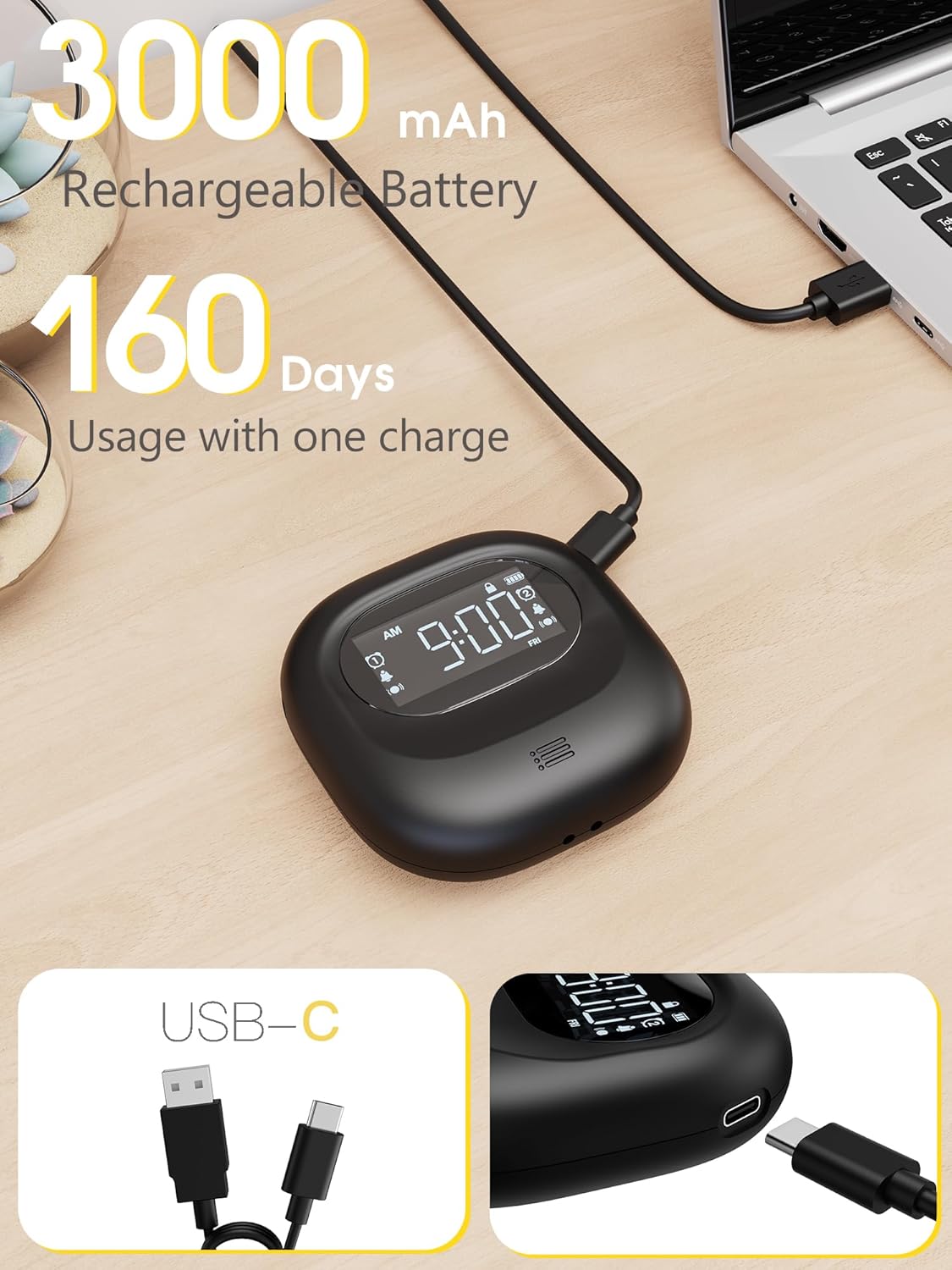
Image: Highlights the 3000mAh rechargeable battery and USB-C charging port, indicating up to 160 days of usage on a single charge.
Kurmak
1. İlk Şarj
Before first use, fully charge the alarm clock using the provided USB-C cable. Connect the USB-C end to the clock and the USB-A end to a compatible power adapter (not included) or computer USB port. The battery indicator on the screen will show charging status.
2. Power On/Off & Lock Function
Locate the power switch on the back of the alarm clock. Slide the switch to the "ON" position to power on the device. To lock the device and prevent accidental changes, slide the lock switch to the "LOCK" position. This will disable button functionality while keeping the alarm active. To unlock, slide the switch back to the "OFF" position (which is the unlocked state, not actual power off).
3. Zaman Ayarı
- Basılı tutun TIME/SNOOZE button for 2 seconds to enter time setting mode. The "WEEK" icon will begin blinking.
- Kullanın +" or -" buttons to select the desired day of the week. Press TIME/SNOOZE Tekrar onaylamak için.
- The hour display will begin to blink. Use the +" or -" Saati ayarlamak için düğmelere basın. TIME/SNOOZE onaylamak için.
- The minute display will begin to blink. Use the +" or -" Dakikaları ayarlamak için düğmelere basın. TIME/SNOOZE again to complete the time setting process.
- To switch between 12-hour and 24-hour time formats, short press the +" button on the alarm clock. The AM/PM icon will appear for 12-hour format.
- To enable Daylight Saving Time (DST), press the +" button. The time will automatically advance by one hour, and the DST icon will light up on the screen. To disable DST, press the +" button again. The alarm clock will revert to the standard time by subtracting one hour, and the DST icon on the screen will disappear.
4. Alarm Ayarı
- Basın ALARM 1 button to activate Alarm 1. To set Alarm 1, press the ALARM 1 button again. The hour display will start blinking.
- Kullanın +" or -" buttons to adjust the hour until you've selected the desired hour.
- Basmak ALARM 1 again to confirm your chosen hour, the minutes will begin to blink. Use the +" or -" Dakikaları ayarlamak için düğmelere basın. ALARM 1 to complete the alarm setting process.
- için adımları tekrarlayın ALARM 2 if a second alarm is desired.
- Alarm Day Selection: Use the sliding switch on the back of the alarm clock to select the desired alarm days:
- Pazartesi-Pazar: Alarm active every day.
- PZT-CUM: Alarm active on weekdays only.
- CUMARTESİ-PAZAR: Alarm active on weekends only.
- Vibration Intensity Selection: Use the sliding switch on the back of the alarm clock to select the desired vibration intensity:
- L: Düşük
- M: Orta
- H: Yüksek
Kullanım Talimatları
Erteleme Fonksiyonu
When the alarm activates, press the UYUKLAMA button on the top of the alarm clock. The alarm will enter snooze mode, and the snooze icon will flash. Enjoy a snooze for 9 minutes, up to 9 times. Afterward, the alarm will automatically turn off and ring again 24 hours later.
Alarmı Durdurma
When the alarm activates, press the corresponding ALARM 1 or ALARM 2 button to turn off the alarm for the current day. The alarm will ring again 24 hours later. Note: If you don't operate the alarm, it will automatically stop after ringing for 3 minutes (or vibrating for 3 minutes), and ring again after 24 hours.
Cancelling the Alarm Permanently
If you want to cancel an alarm permanently, just long press the corresponding ALARM 1 or ALARM 2 button. The icon on the screen will disappear, indicating that the selected alarm has been turned off.
Arka Işık İşlevi
- Automatic Screen Power-Saving Mode: The alarm clock is designed to save power by automatically turning off the screen if there are no actions within 30 seconds.
- Arka ışığı etkinleştirme: To illuminate the screen, press any button on the alarm clock. Please note that it won't trigger any specific function at this stage.
Bakım
- Cihazı yumuşak, kuru bir bezle temizleyin. Aşındırıcı temizleyiciler veya çözücüler kullanmaktan kaçının.
- Cihazınızı sudan ve aşırı nemden uzak tutunuz.
- Uzun süre kullanılmayacağı zaman serin ve kuru bir yerde saklayınız.
Sorun giderme
Sıfırlama Deliği
If your alarm clock shows abnormal display or issues, you can insert a toothpick, needle, or similar object into the reset hole on the back of the device. Gently press the internal button to restore the factory settings, so that the machine can be used normally.
Özellikler
| Marka | Roxicosly |
| Model Numarası | CR1027 |
| Renk | Siyah |
| Görüntü Türü | LCD |
| Ürün Boyutları | 3.35"G x 1.06"Y |
| Ürün Ağırlığı | 0.3 Pound (4.8 ons) |
| Güç Kaynağı | Battery Operated, Rechargeable Battery |
| Pil Türü | 1 Lityum Polimer pil (dahil) |
| Pil Kapasitesi | 3000mAh |
| Özel Özellikler | Adjustable Volume, Cordless, Dual Alarms, Snooze, Travel, Vibration |
| Üretici | Wuhan Luekefang E-commerce Co., Ltd |
Garanti ve Destek
The Roxicosly Super Strong Vibrating Alarm Clock comes with an 18-month warranty from the date of purchase. For any product inquiries, technical support, or warranty claims, please contact our expert support team:
- E-posta: destek@wismco.com
- Webalan: https://www.wismco.com
Please have your model number (CR1027) and purchase details ready when contacting support.