
giriiş
Thank you for choosing Micool T35 Open Ear Headphones. These headphones are designed to provide a comfortable and safe listening experience, allowing you to enjoy high-quality audio while remaining aware of your surroundings. Featuring Bluetooth 5.3 connectivity, IPX6 waterproofing, and a long-lasting battery, they are ideal for sports and daily use.
Paket İçeriği
Lütfen paketi aşağıdaki öğeler açısından kontrol edin:
- Micool T35 Open Ear Headphones
- Kablosuz Şarj Kutusu
- USB Type-C Şarj Kablosu
- Kullanıcı Kılavuzu
Ürün Bittiview
The Micool T35 headphones feature an open-ear design with earhooks for secure and comfortable wear. The charging case protects and recharges your headphones.

Image: Micool T35 Open Ear Headphones and Charging Case. The image displays the charging case with one earbud inside and the other earbud placed next to it, showcasing the open-ear design and earhook.
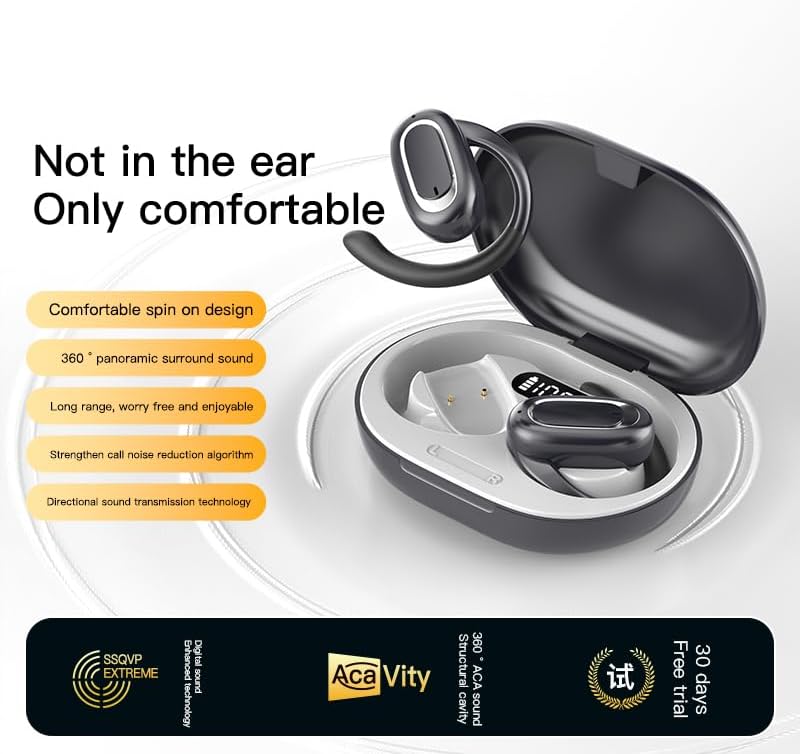
Image: Micool T35 Open Ear Headphones. This image shows both left and right earbuds with their earhooks, highlighting their ergonomic shape.
Temel Özellikler:
- Açık Kulak Tasarımı: Rests gently on the ear without blocking the ear canal, reducing ear fatigue and maintaining environmental awareness.
- Bluetooth 5.3: İstikrarlı ve verimli kablosuz bağlantı sağlar.
- Ergonomik Kulak Kancaları: Provides a secure and comfortable fit, even during extended use or physical activity.
- IPX6 Su geçirmez: Resistant to sweat and splashes, suitable for sports.
- Uzun Pil Ömrü: Up to 12 hours of playback on a single charge, extended to 34 hours with the charging case.
- Yönlü Ses İletimi: Minimizes sound leakage while delivering clear audio.
Kurmak
1. Kulaklık ve Kutunun Şarj Edilmesi
İlk kullanımdan önce kulaklığı ve şarj kutusunu tamamen şarj edin.
- Kulaklıkları şarj kutusuna yerleştirin.
- USB Type-C kablosunu kılıf üzerindeki şarj portuna ve bir güç kaynağına bağlayın.
- Şarj kutusunun tamamen şarj olması yaklaşık 1-2 saat sürer.
- A full charge provides up to 12 hours of listening time for the headphones, with the charging case extending total playback to 34 hours.
2. Bluetooth Eşleştirme
To connect your Micool T35 headphones to a device:
- Kulaklıkların şarjının dolu olduğundan ve şarj kutusunda bulunduğundan emin olun.
- Open the charging case. The headphones will automatically enter pairing mode, indicated by a flashing LED light on the earbuds.
- Cihazınızda (akıllı telefon, tablet vb.) Bluetooth ayarlarına gidin.
- Arama available devices and select "Micool T35" from the list.
- Once connected, the LED indicator on the headphones will stop flashing.
- Kulaklıklar, kutusundan çıkarıldığında, cihazda Bluetooth etkinleştirilmişse, en son eşleştirilen cihaza otomatik olarak yeniden bağlanacaktır.
Kullanım Talimatları
1. Kulaklık Takmak
The Micool T35 headphones are designed for an open-ear fit with rotatable earhooks.
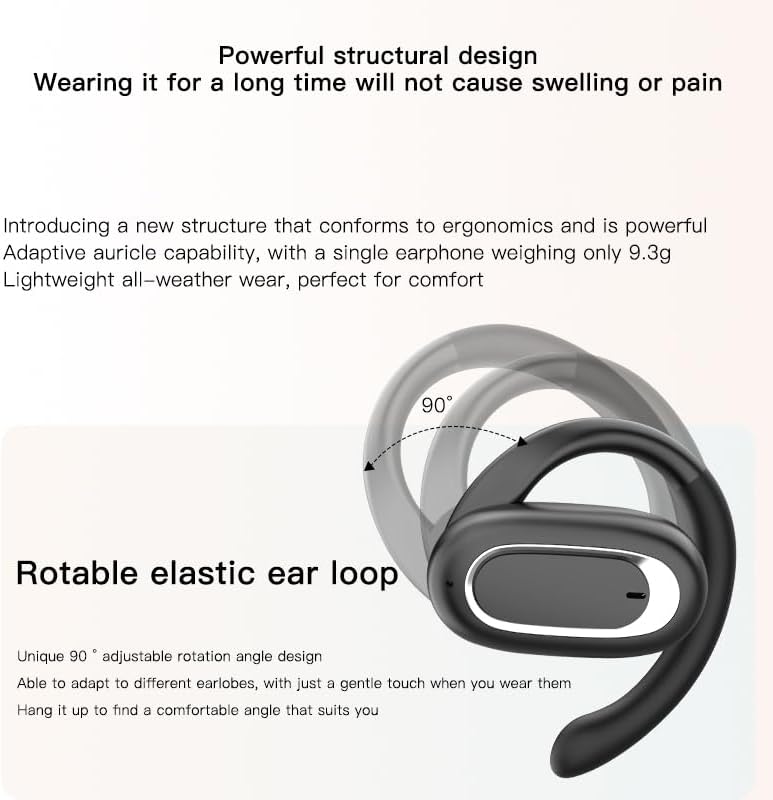
Image: Micool T35 Headphones: Rotatable Earhook Adjustment. The image illustrates the 90-degree rotation capability of the earhook for a customized fit.
- Gently place the earbud on your ear, ensuring the earhook wraps securely around the back of your ear.
- Adjust the rotatable earhook to find the most comfortable and stable position for your earlobe.
- The open-ear design ensures comfort and allows you to hear your surroundings.

Image: Micool T35 Headphones: Usage Scenarios. This image shows individuals using the headphones in various settings: during fitness activities, in an office environment, outdoors while running, and during leisure time.
2. Dokunmatik Kontroller
The Micool T35 headphones feature intuitive touch controls on each earbud.
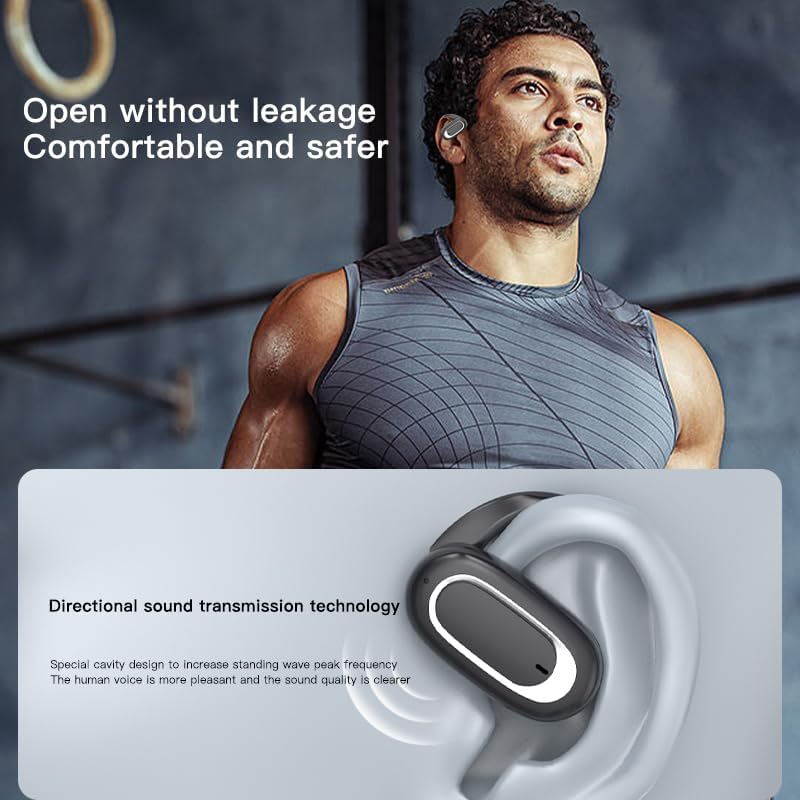
Image: Micool T35 Headphones: Touch Controls Diagram. This diagram illustrates the touch-sensitive area on the earbud and lists the corresponding functions for single tap, double tap, triple tap, and long press.
- Music Playback/Pause: Tap the function key once.
- Çağrıyı Cevapla/Sonlandır: Fonksiyon tuşuna tıklayın.
- Sesli Asistanı Çağır: Long press the function key for 2 seconds.
- Arama engelleme: Long press the function key for 2 seconds during an incoming call.
- Switching Up/Down Tracks: Triple click the left/right ear function keys.
- Ses Arttırma/Azaltma: Double click the right/left ear function keys.
3. Oyun Modu
The Micool T35 headphones support a low-latency game mode for improved audio-video synchronization.

Image: Micool T35 Headphones: Low Latency Game Mode. The image shows a smartphone displaying a mobile game, indicating the headphones' capability for synchronized audio and video during gaming.
To activate game mode, refer to the specific instructions provided in the quick start guide or product packaging, as this feature often requires a specific touch gesture or setting within the connected device.
Bakım
Doğru bakım, kulaklıklarınızın uzun ömürlü olmasını ve performansını korumasını sağlar.
- Temizlik: Use a soft, dry, lint-free cloth to clean the headphones and charging case. Do not use abrasive cleaners or solvents.
- Suya Dayanıklılık: The headphones are IPX6 waterproof, meaning they are resistant to strong jets of water. They are suitable for use during workouts and in light rain, but should not be submerged in water. Dry them thoroughly before placing them back in the charging case.
- Depolamak: Kullanmadığınız zamanlarda, kulaklıklarınızı toz ve hasardan korumak için şarj kutusunda saklayın. Serin, kuru ve aşırı sıcaklıklardan uzak bir yerde saklayın.
- Pil Bakım: To preserve battery life, charge the headphones regularly, even if not used for extended periods. Avoid fully discharging the battery frequently.
Sorun giderme
If you encounter issues with your Micool T35 headphones, try the following solutions:
- Ses Yok:
- Kulaklıkların şarj edildiğinden emin olun.
- Kulaklıkların cihazınızla doğru şekilde eşleştirilip eşleştirilmediğini kontrol edin.
- Adjust the volume on both the headphones and your device.
- Farklı bir uygulamadan veya kaynaktan ses çalmayı deneyin.
- Eşleştirme Hatası:
- Cihazınızın Bluetooth özelliğini kapatın ve tekrar açın.
- Forget "Micool T35" from your device's Bluetooth list and attempt to pair again.
- Kulaklıkların eşleştirme modunda olduğundan emin olun (LED yanıp sönüyor).
- Kulaklığınızı cihazınıza yaklaştırın.
- Şarj Sorunları:
- Şarj kablosunun hem kasaya hem de güç kaynağına güvenli bir şekilde bağlandığından emin olun.
- Farklı bir USB Type-C kablosu veya güç adaptörü deneyin.
- Clean the charging contacts on the headphones and inside the case with a dry cotton swab.
- Kötü Arama Kalitesi:
- Mikrofonun engellenmediğinden emin olun.
- Çevresel gürültünün daha az olduğu bir bölgeye taşının.
- Cihazınızın ağ sinyalini kontrol edin.
Özellikler
| Marka | Micool |
| Model Adı | T35 |
| Bağlantı Teknolojisi | Kablosuz (Bluetooth 5.3) |
| Kulak Yerleşimi | Açık Kulak |
| Form Faktörü | On Ear (with earhooks) |
| Su Geçirmezlik Derecesi | IPX6 |
| Oynatma Süresi | Tek şarjla 12 saate kadar, şarj kutusuyla birlikte 34 saate kadar kullanım süresi. |
| Şarj Portu | USB Tip-C |
| Kontrol Türü | Medya Kontrolü (Dokunmatik) |
| Malzeme | Plastik |
| Uyumlu Cihazlar | Cep telefonları |
Garanti ve Destek
Micool T35 Open Ear Headphones come with a 1-year limited warranty from the date of purchase. This warranty covers manufacturing defects and workmanship under normal use.
For technical support, warranty claims, or any questions regarding your product, please contact Micool customer service through the retailer where you purchased the product or visit the official Micool brand store:
Please have your purchase receipt and product model number (T35) ready when contacting support.