
Agunto AGU-OC1IC1
Agunto AGU-OC1 ve AGU-IC1 Güvenlik Kamera Seti Kullanım Kılavuzu
Model: AGU-OC1IC1
Brand: Agunto
1. Giriş
This manual provides detailed instructions for the installation, operation, and maintenance of your Agunto AGU-OC1 & AGU-IC1 Security Camera Set. Please read this manual thoroughly before using the product to ensure proper functionality and safety.
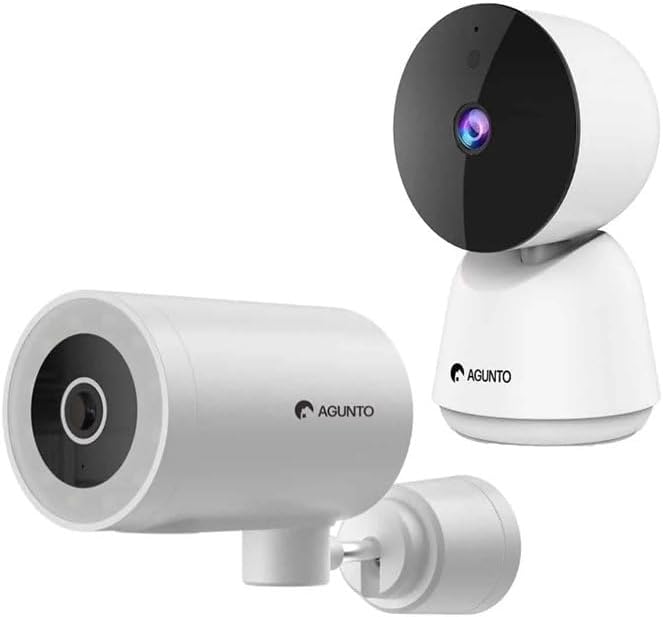
Image: The Agunto AGU-OC1 outdoor camera (left) and AGU-IC1 indoor camera (right), forming the complete security camera set.
2. Ürün Bittiview
The Agunto Security Camera Set includes two primary components: the AGU-OC1 outdoor camera and the AGU-IC1 indoor camera. This system is designed to provide comprehensive surveillance for both indoor and outdoor environments.
2.1. AGU-OC1 Outdoor Camera
- Çözünürlük: 1080P
- Mercek: 180-degree rotatable lens
- Hava Koşullarına Dayanıklılık: IP66 su geçirmez ve toz geçirmez
- Gece Görüşü: Infrared night vision and color night vision (due to built-in lamp)
- Tespit: Hareket ve ses algılama
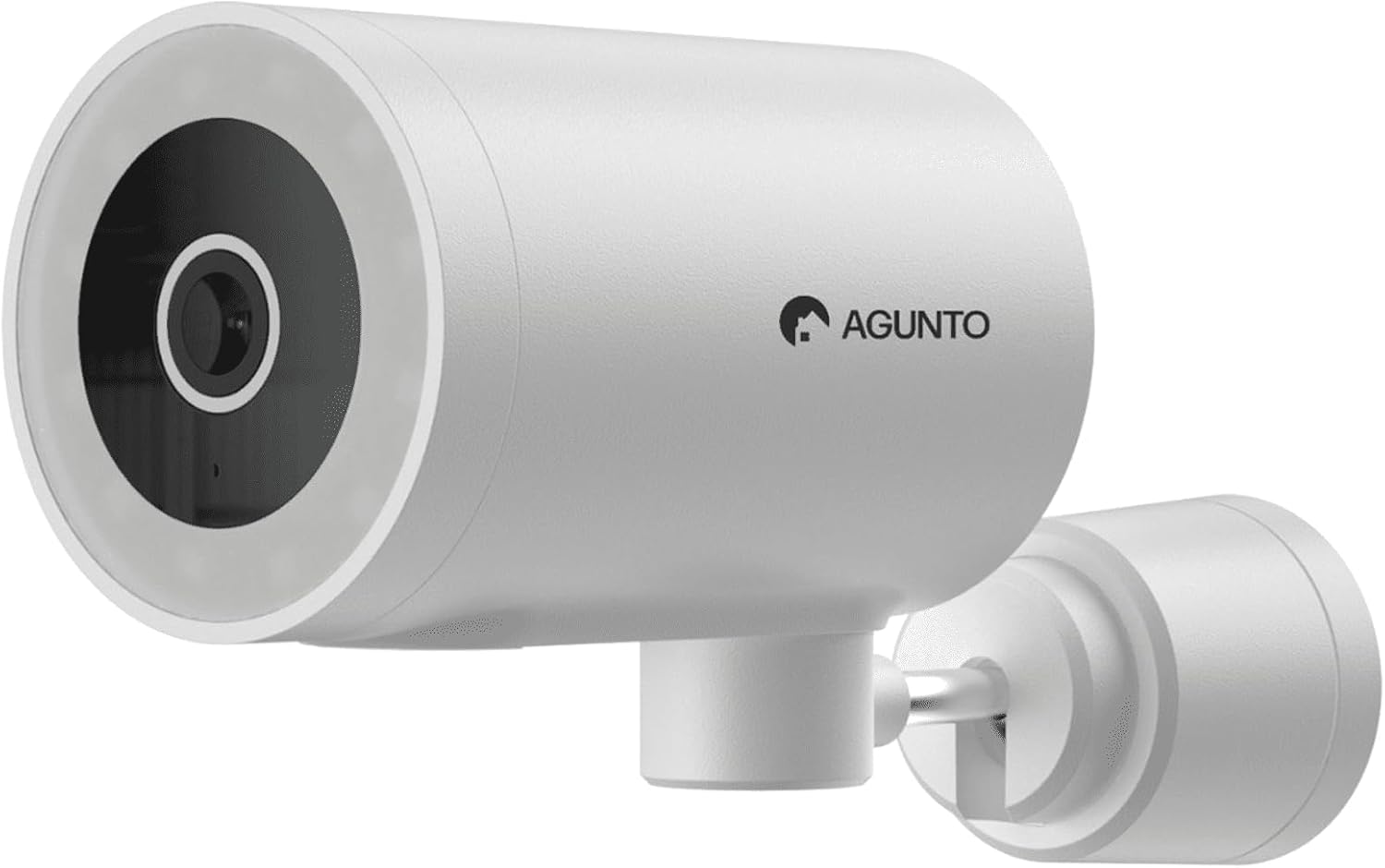
Resim: Ayrıntılı view of the Agunto AGU-OC1 outdoor camera, highlighting its robust design and lens.
2.2. AGU-IC1 Indoor Camera
- Çözünürlük: 1080P
- Mercek: 359-degree rotatable lens
- Gece Görüşü: Kızılötesi gece görüşü
- Tespit: Hareket ve ses algılama

Image: The Agunto AGU-IC1 indoor camera, shown with its product packaging, indicating Wi-Fi connectivity and Google Assistant compatibility.
3. Kurulum ve Kurulum
3.1. Başlamadan Önce
- Ensure you have a stable Wi-Fi connection.
- Download the free Agunto app from the App Store (iOS) or Google Play Store (Android).
- Unpack all components and verify contents against the packing list.

Image: A screenshot of the Agunto mobile application interface, demonstrating remote control capabilities and links to download the app from the App Store and Google Play.
3.2. Uygulama Kurulumu ve Hesap Oluşturma
- Arama "Agunto" in your device's app store and install the application.
- Open the Agunto app and follow the on-screen prompts to create a new account or log in if you already have one.
3.3. Kamera Yerleştirme ve Montajı
AGU-OC1 Outdoor Camera:
- Net bir konuma sahip bir yer seçin view İzlemek istediğiniz alanın
- Kameranın Wi-Fi ağınızın kapsama alanında olduğundan emin olun.
- Mount the camera securely to a wall using the provided mounting hardware. The camera supports wall mounting.
AGU-IC1 Indoor Camera:
- Place the camera on a flat surface or mount it to a wall/ceiling in a central location for optimal coverage.
- Ensure it is within Wi-Fi range.
3.4. Connecting Cameras to the App
- Open the Agunto app.
- Yeni bir cihaz eklemek için "+" simgesine dokunun.
- Select the appropriate camera model (AGU-OC1 or AGU-IC1).
- Follow the in-app instructions to connect each camera to your Wi-Fi network. This typically involves scanning a QR code displayed on your phone with the camera's lens or entering Wi-Fi credentials.
- Once connected, you can name each camera for easy identification.
4. Kullanım Talimatları
4.1. Canlı View ve Uzaktan Kumanda
- Open the Agunto app.
- Select the desired camera from the device list to view canlı yayını.
- For AGU-OC1, use the app to rotate the 180-degree lens.
- For AGU-IC1, use the app to control the 359-degree pan/tilt function.
4.2. Kayıt ve Depolama
The camera set supports two storage options:
- Mikro SD kart: Insert a Micro SD card (not included) into the designated slot on each camera for local storage of recordings.
- Bulut Depolama: Utilize the cloud storage options provided through the Agunto app (subscription may be required).
4.3. Gece Görüşü
- Both cameras feature infrared night vision for clear images in low-light conditions.
- The AGU-OC1 outdoor camera also has a built-in lamp for color night vision, providing enhanced visibility at night.
4.4. Hareket ve Ses Algılama
- Enable motion and sound detection in the Agunto app settings for each camera.
- Receive real-time alerts on your smartphone when motion or sound is detected.
- Yanlış alarmları en aza indirmek için hassasiyet ayarlarını düzenleyin.
5. Bakım
- Temizlik: Gently wipe the camera lenses and body with a soft, dry cloth. Do not use harsh chemicals or abrasive cleaners.
- Donanım Yazılımı Güncellemeleri: Regularly check the Agunto app for available firmware updates to ensure optimal performance and security.
- Ağ Kararlılığı: Ensure your Wi-Fi network remains stable for uninterrupted camera operation.
6. Sorun Giderme
6.1. Kamera Wi-Fi'ye Bağlanmıyor
- Wi-Fi şifrenizin doğru girildiğinden emin olun.
- Kamerayı Wi-Fi yönlendiricinize daha yakın bir yere taşıyın.
- Yönlendiricinizi ve kameranızı yeniden başlatın.
- Verify that your Wi-Fi network is 2.4GHz, as these cameras may not support 5GHz networks.
6.2. No Live View / Offline Camera
- İnternet bağlantınızı kontrol edin.
- Kameranın açık olduğundan emin olun.
- Restart the camera from its power source.
- Sorun devam ederse, kamerayı uygulamayla yeniden eşleştirmeyi deneyin.
6.3. Motion Detection Not Working
- Uygulama ayarlarında hareket algılama özelliğinin etkinleştirildiğinden emin olun.
- Adjust the sensitivity level.
- Kameranın görüşünü engelleyen herhangi bir şey olmadığından emin olun. view.
6.4. Düşük Görüntü Kalitesi
- Kamera lensini temizleyin.
- Gözetim altındaki alanda yeterli aydınlatmanın sağlanması gerekmektedir.
- Check your internet speed, as low bandwidth can affect streaming quality.
7. Özellikler
| Özellik | Detay |
|---|---|
| Marka | Agunto |
| Model Adı | AGU-OC1IC1 |
| Bağlantı Protokolü | Wifi |
| Uyumlu Cihazlar | Akıllı telefon |
| Montaj Tipi | Duvara Montaj |
| Malzeme | Plastik |
| Product Dimensions (L x B x H) | 10x4.4x7.3 cm |
| Ürün Ağırlığı | 78 Gram |
| Piller Gerekli | HAYIR |
| Outdoor Camera (AGU-OC1) Features | 1080P, 180-degree rotatable lens, IP66 waterproof/dustproof, Infrared & Color Night Vision |
| Indoor Camera (AGU-IC1) Features | 1080P, 359-degree rotatable lens, Infrared Night Vision |
| Depolama Seçenekleri | Micro SD card (local), Cloud storage |
8. Garanti ve Destek
For warranty information and technical support, please refer to the official Agunto website or contact their customer service. The product is designed for long-term use with proper care and maintenance.
İade politikasi: The buybox winner indicates a 30-day return policy for refund/replacement.
Üretici: Agunto
Satıcı: Homevitaal (via Amazon.nl)
Daha fazla yardım için şu adresi ziyaret edebilirsiniz: Agunto Store on Amazon.
Ask a question about this manual
Ask about setup, troubleshooting, compatibility, parts, safety, or missing instructions. Manuals+ will review the question and use this page’s manual context to help answer it.