
THOKWOK TK-X2 Single
THOKWOK TK-X2 Motorcycle Bluetooth Headset User Manual
Model: TK-X2 Single
Marka: THOKWOK
1. Giriş
Thank you for choosing the THOKWOK TK-X2 Motorcycle Bluetooth Headset. This manual provides detailed instructions for the proper installation, operation, and maintenance of your device. Please read this manual thoroughly before use to ensure optimal performance and safety.
Güvenlik Önlemleri:
- Her zaman yol güvenliğine öncelik verin. Cihazı sürüşünüzü engelleyecek şekilde kullanmayın.
- Sürüşe başlamadan önce cihazın kaskınıza güvenli bir şekilde monte edildiğinden emin olun.
- Adjust volume to a safe level that allows you to hear ambient traffic sounds.
- Cihazı sökmeye veya değiştirmeye çalışmayın. Bu, garantiyi geçersiz kılabilir ve hasara neden olabilir.
2. Kutuda Neler Var?
Kuruluma devam etmeden önce tüm bileşenlerin mevcut olduğundan emin olun.

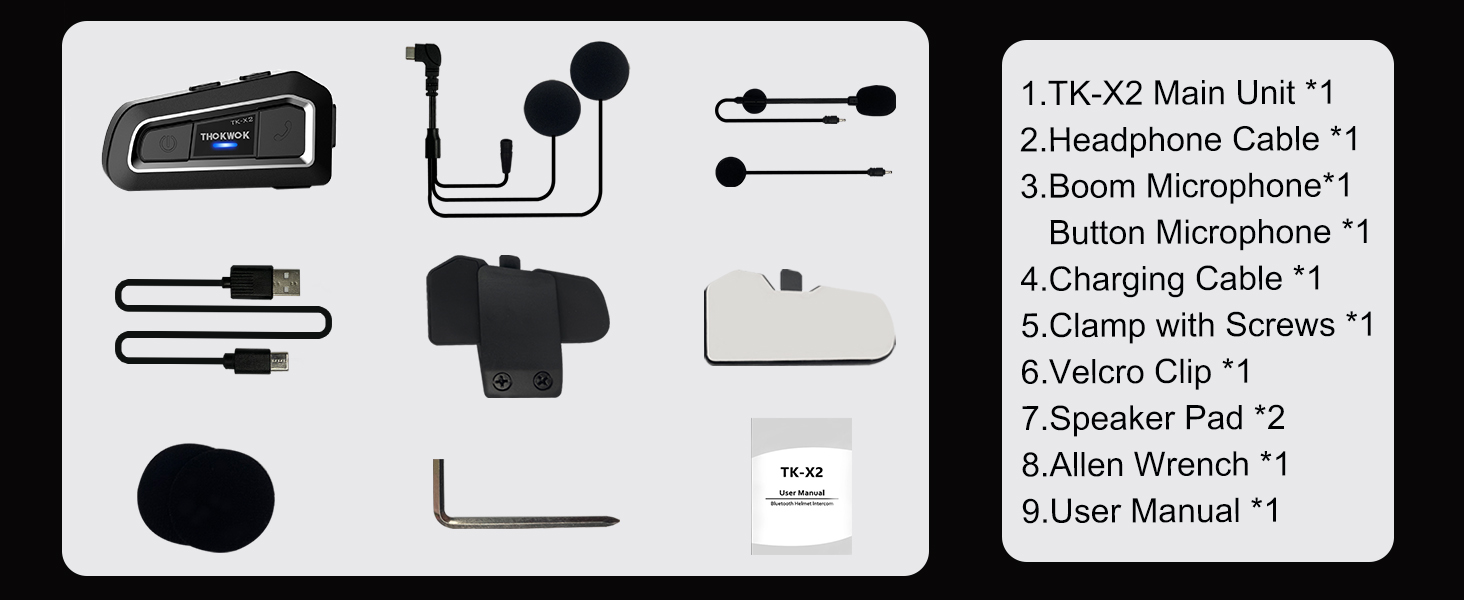
TK-X2 Main Unit

Boom Mikrofonu

Düğme Mikrofonu

Headphone Cable & Charging Cable
Clamp Vidalı
Cırtlı Klips
Hoparlör Pedleri
Allen Anahtarı
Kullanıcı Kılavuzu
3. Ürün Bittiview
The THOKWOK TK-X2 features an intuitive button layout for easy operation even with gloves. Below is a diagram highlighting the main unit and its components.
Main Unit: Power Button (left), Function Button (middle), Phone Button (right).
Key Features: Bluetooth 5.0, 3 Riders' Group, FM Radio, Hi-Fi Stereo, DSP&CVC Noise Reduction, Voice Assistant, IP67 Waterproof, 650mAh Battery.
4. Kurulum
The TK-X2 offers flexible installation options to suit various helmet types.
4.1. Ana Ünitenin Montajı
Use either the clamp with screws or the velcro clip to attach the main unit to the side of your helmet. Ensure it is securely fastened and does not obstruct your vision or helmet functionality.
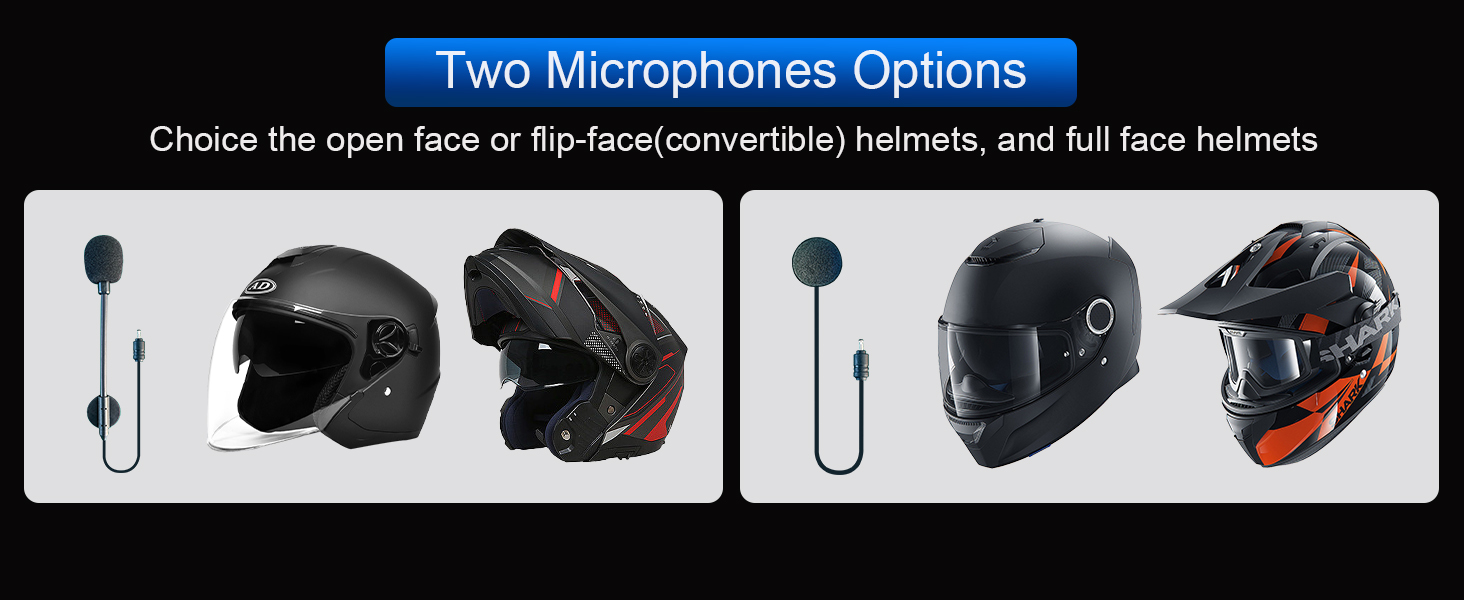
4.2. Microphone Options
The TK-X2 includes two interchangeable microphones for different helmet styles:
- Boom Mikrofon: Ideal for open-face or flip-face (modular) helmets.
- Düğme Mikrofon: Suitable for full-face helmets.

Choose the appropriate microphone for your helmet type.
5. Kurulum ve Eşleştirme
5.1. Telefonla Bluetooth Eşleştirme
To connect your TK-X2 headset to your smartphone:
- Ensure the TK-X2 is powered off.
- Long press the Power button for 4 seconds until the red and blue lights flash alternately. This indicates pairing mode.
- On your phone, turn on Bluetooth and search for "TK-X2".
- Select "TK-X2" to connect. Once connected, the blue light on the headset will flash slowly.
Video: Demonstrates pairing the TK-X2 with a smartphone for music and call functions.
5.2. Intercom Pairing (Multiple Units)
The TK-X2 supports intercom communication for up to 3 riders, with 2 riders talking simultaneously. Before pairing, ensure all units have their previous Bluetooth pairing records cleared by long pressing the Power and Phone buttons simultaneously for 8 seconds until pink lights flash twice.
5.2.1. Two-Way Intercom Pairing
- Turn on both TK-X2 units.
- On both units, long press the Power button for 4 seconds until red and blue lights flash alternately (pairing mode).
- Click the Power button on one of the units to initiate pairing.
- Once paired, the blue lights on both units will flash slowly, and you will hear "Intercom connected".
5.2.2. Three-Way Intercom Pairing
- Clear all previous pairing records on all three units (A, B, C) as described above.
- Turn on all three units.
- Pairing A and B: On units A and B, long press the Power button for 4 seconds until red and blue lights flash alternately. Click the Power button on unit A to pair. Once paired, blue lights flash slowly.
- Pairing B and C: On unit B, click the Power button to hang up the intercom. On units B and C, long press the Power button for 4 seconds until red and blue lights flash alternately. Click the Power button on unit B to pair. Once paired, blue lights flash slowly.
- Pairing C and A: On unit C, click the Power button to hang up the intercom. On units C and A, long press the Power button for 4 seconds until red and blue lights flash alternately. Click the Power button on unit C to pair. Once paired, blue lights flash slowly.
- Initiating 3-Way Intercom: Double-click the Power button on unit A to talk with C. Click the Power button on unit C to talk with B.
Video: Illustrates the process of pairing two and three TK-X2 units for intercom communication.
6. Operasyon
6.1. Temel Kontroller
- Güç Açma/Kapatma: Güç düğmesine 2 saniye boyunca uzun basın.
- Müzik Çal/Duraklat: Click the Function button.
- Sonraki Şarkı: Click the Phone button.
- Önceki Şarkı: Güç düğmesine tıklayın.
- Sesi aç: Long press the Phone button. You will hear a "Di" sound when maximum volume is reached.
- Sesi kıs: Güç düğmesine uzun süre basın.
- Çağrıyı Cevapla/Sonlandır: Click the Phone button.
- Çağrıyı Reddet: Telefon düğmesine 2 saniye boyunca basılı tutun.
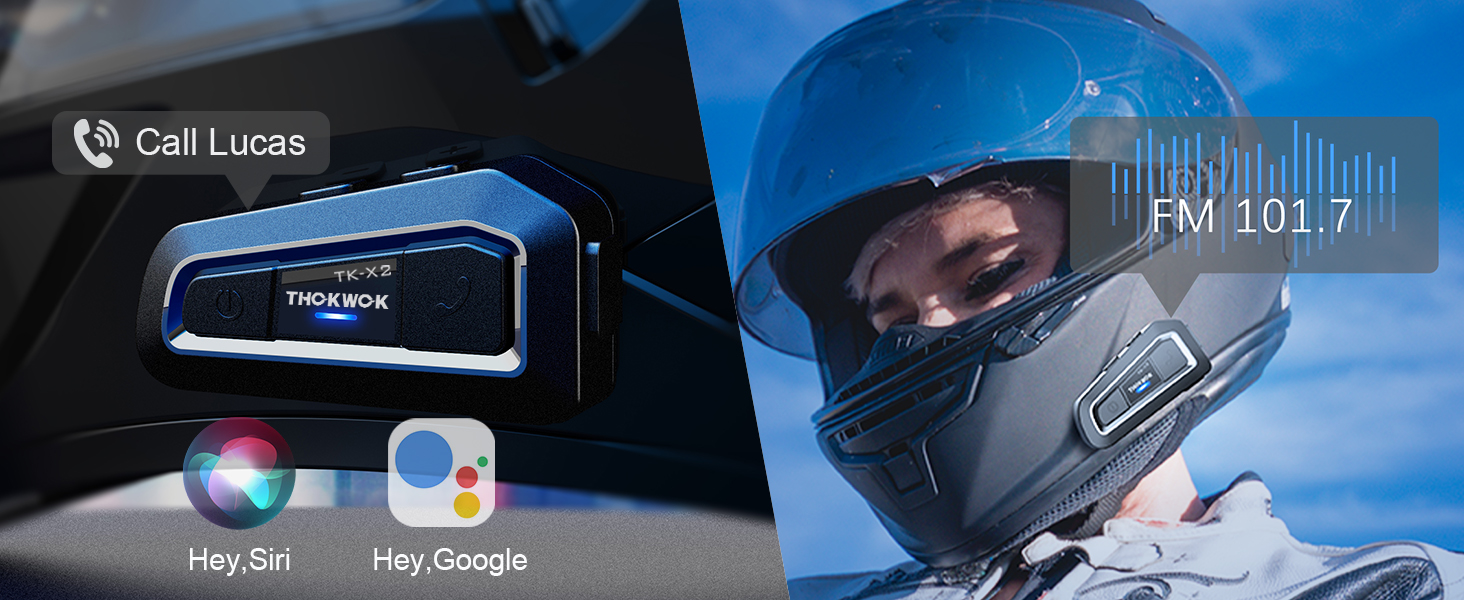
- Voice Assistant (Siri/S-Voice): Long press the Function button for 2 seconds. You will hear "Voice Dial".
- FM Radyo Açık/Kapalı: Double-click the Function button. You will hear "Turn on radio" or "Turn off radio".
Access voice assistant and FM radio with simple button presses.
6.2. Intercom Usage
- Intercom'u Başlat: Click the Power button (after successful pairing).
- İnterkom Sonu: Güç düğmesine tıklayın.
- When an intercom call is active, music playback will automatically pause. Music will resume when the intercom call ends.
7. Bakım
7.1. Şarj Etme
The TK-X2 features a built-in 650mAh Lithium Polymer battery. Connect the charging cable to the Type-C port on the unit and a suitable USB power source. A full charge takes approximately 2.5 hours. The device will broadcast battery status upon power-on: "Battery full", "Battery medium", or "Battery low".

Enjoy up to 24 hours of music or intercom time and 280 hours of standby time.
7.2. Temizleme ve Saklama
The TK-X2 has a waterproof design (IP67 rated), allowing use in various weather conditions. To clean, wipe the unit with a soft, damp cloth. Avoid using harsh chemicals or abrasive materials. Store the device in a cool, dry place when not in use.
The waterproof design ensures durability in various riding environments.
8. Sorun Giderme
| Sorun | Olası Neden | Çözüm |
|---|---|---|
| Güç açılamıyor | Düşük pil | Cihazınızı en az 2.5 saat şarj edin. |
| Telefonla eşleştirilemiyor | Device not in pairing mode / Phone Bluetooth off / Previous pairing conflict | Ensure TK-X2 is in pairing mode (red & blue flashing). Turn on phone Bluetooth. Clear previous pairing records on TK-X2 and try again. |
| İnterkom bağlanmıyor | Units not in pairing mode / Previous pairing conflict | Ensure all units are in pairing mode. Clear all previous pairing records on all units and re-pair. |
| Kötü ses kalitesi / Gürültü | Microphone/speaker placement / Environmental noise | Adjust microphone and speaker position inside the helmet. Ensure microphone is close to your mouth. The device features DSP & CVC noise cancellation for high-speed clarity. |
| FM radyo çalışmıyor | Weak signal / Feature not activated | Move to an area with better signal. Double-click the Function button to activate FM radio. |
9. Özellikler
| Özellik | Detay |
|---|---|
| Model Adı | TK-X2 Single |
| Bluetooth Sürümü | 5.1 |
| İnterkom Mesafesi | Up to 1000m (no obstacles) |
| Max Riders (İnterkom) | 3 (2 simultaneous talk) |
| Gürültü Kontrolü | Active Noise Cancellation (DSP & CVC) |
| Pil Türü | Lityum Polimer (650mAh) |
| Müzik/İnterkom Zamanı | 24 saate kadar |
| Bekleme Süresi | 280 saate kadar |
| Şarj Süresi | Yaklaşık 2.5 saat |
| Su Direnç Seviyesi | Su geçirmez (IP67) |
| Kulaklık Girişi | Tip-C |
| Boyutlar | 3 x 1.6 x 0.83 inç |
| Ürün Ağırlığı | 8.4 ons |
| Malzeme | Akrilonitril Bütadien Stiren (ABS) |
10. Garanti ve Destek
THOKWOK products are designed and manufactured to the highest quality standards. For warranty information, technical support, or customer service inquiries, please refer to the contact information provided on your product packaging or visit the official THOKWOK webalan.
Garanti talepleri için lütfen satın alma belgenizi saklayın.
Ask a question about this manual
Ask about setup, troubleshooting, compatibility, parts, safety, or missing instructions. Manuals+ will review the question and use this page’s manual context to help answer it.