
1. Giriş
This manual provides detailed instructions for the installation, operation, and maintenance of your EverBrite 88LED Under Cabinet Lighting. This versatile lighting solution features a motion sensor, remote control, adjustable color temperatures, and dimmable brightness, designed to enhance visibility in various indoor spaces.
2. Paket İçeriği
Lütfen aşağıda listelenen tüm öğelerin paketinizde yer aldığından emin olun:
- EverBrite 88LED Under Cabinet Light Bar
- Uzaktan kumanda
- USB Şarj Kablosu
- Magnetic Mounting Bracket(s)
- Yapışkan Pedler
- Vidalar ve Duvar Dübelleri
- Kullanıcı Kılavuzu

3. Ürün Özellikleri
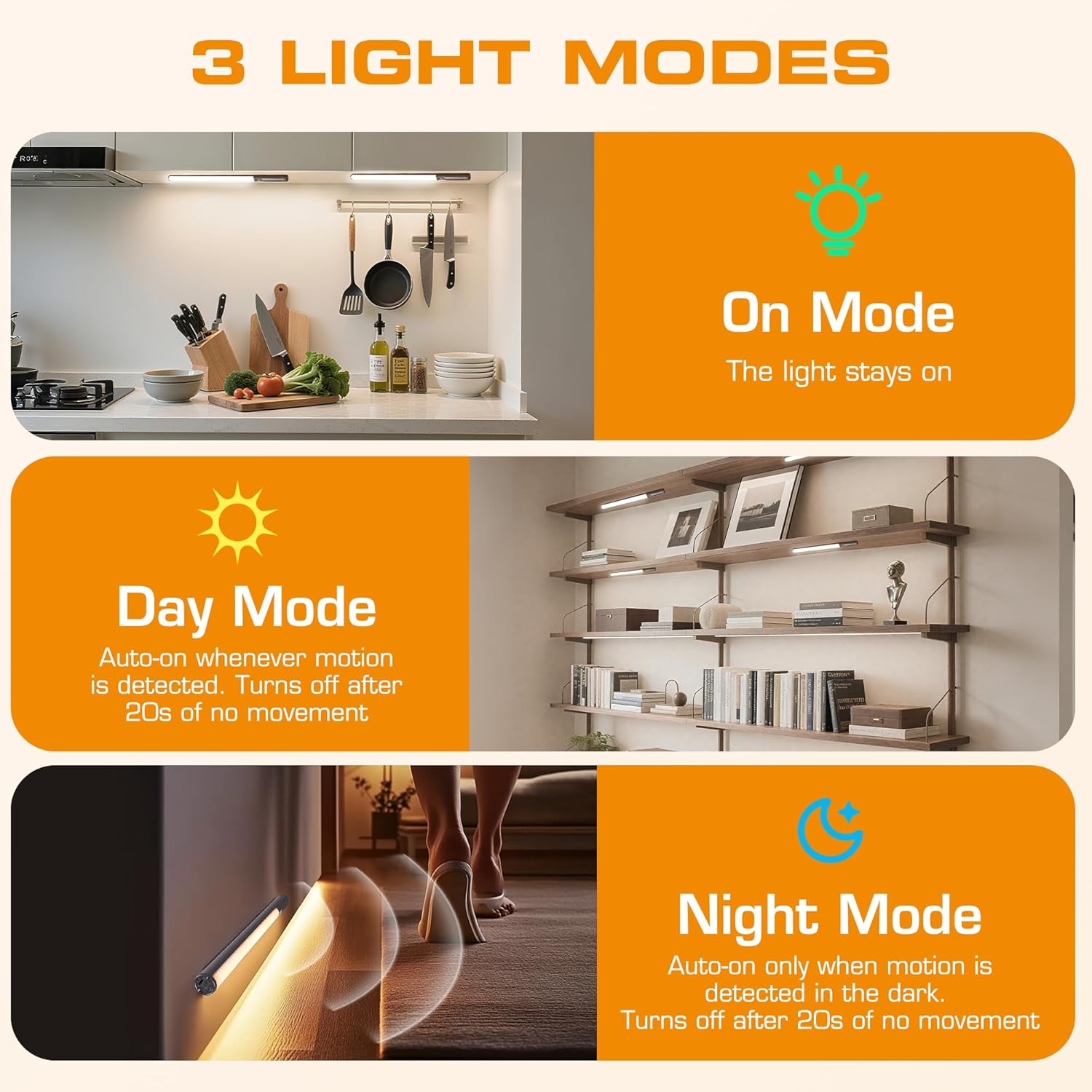
- 3 Aydınlatma Modu: On Mode (light stays on), Day Mode (motion-activated regardless of ambient light), Night Mode (motion-activated only in dark).
- 3 Renk Sıcaklıkları: Warm Light (3000K), Natural Light (4000K), Cold Light (6500K).
- Kısılabilir: 10 brightness levels with short press, stepless dimming with long press.
- İkili kontrol: Operable via remote control or direct touch on the light bar.
- Kolay Kurulum: Multiple mounting options including magnetic, adhesive, and screw-in.
- Şarj Edilebilir Pil: 2600mAh capacity for extended use.
- Geniş Uygulama: Suitable for kitchens, closets, wardrobes, garages, stairwells, and more.
4. Kurulum ve Yükleme
The EverBrite Under Cabinet Light offers flexible installation to suit various surfaces and needs.
- Montaj Yönteminizi Seçin:
- Manyetik Bağlantı: For iron surfaces, simply attach the light bar directly. The light has built-in magnets.
- Yapışkan Montaj: For non-iron surfaces, peel the backing from the adhesive pads and attach them to the magnetic mounting bracket. Then, adhere the bracket to your desired surface. The light bar can then be magnetically attached to this bracket.
- Vida Montajı: For a more permanent installation, use the provided screws and wall anchors. Determine the mounting location, drill two holes, insert anchors, and fasten the magnetic mounting bracket with screws. Attach the light bar magnetically.
- Konumlandırma: Ensure the motion sensor is facing the area where movement is expected for optimal detection. The light bar can be rotated up to 90 degrees on its magnetic mount to direct illumination.


5. Şarj Etme
The EverBrite light is equipped with a 2600mAh rechargeable Lithium-Ion battery.
- Locate the USB-C charging port on the end of the light bar.
- Connect the provided USB charging cable to the light bar and a compatible USB power source (e.g., wall adapter, computer USB port).
- The indicator light will show charging status (refer to product for specific indicator behavior).
- A full charge provides approximately 25 hours of continuous light or up to 25 days in motion sensor mode (based on 1 hour of activation per day).


6. Kullanım Talimatları
Your EverBrite light can be operated using either the manual touch controls on the device or the included remote control.
6.1. Manuel Kontrol (Cihaz Üzerinden)
The light bar features a switch and a touch sensor on one end for direct control.
- Mod Anahtarı: Slide the switch to select between 'Off', 'Day Mode' (motion sensor always active), 'Night Mode' (motion sensor active only in dark), or 'On Mode' (light stays on continuously).
- Renk Sıcaklığı: In 'On Mode', short press the touch sensor to cycle through the 3 color temperatures: Warm White (3000K), Natural White (4000K), and Cold White (6500K).
- Parlaklık Ayarı: In 'On Mode', long press the touch sensor to activate stepless dimming. Release at your desired brightness level.

6.2. Uzaktan Kumanda
The remote control provides convenient access to all light functions from a distance.
- Güç Açma/Kapatma: Basın KAPALI button to turn the light off. Press the ON Açmak için düğmeye basın.
- Aydınlatma Modları: Use the dedicated buttons for ON (continuous light), GÜN (motion sensor always active), or GECE (motion sensor active only in dark).
- Renk Sıcaklığı: Seçme WW (Warm White), NW (Natural White), or CW (Cold White) to change the light color.
- Parlaklık Ayarı: Short press the brightness buttons (sun icons) to cycle through 10 preset brightness levels. Long press for stepless dimming.
- Zamanlayıcı Ayarları: Basmak 15dk, 30dk, veya 60dk to set an automatic shut-off timer. Press the Kapalı zamanlayıcı button to cancel any active timer.

6.3. Motion Sensor Modes
The integrated motion sensor provides hands-free illumination.
- Gündüz Modu: The light will turn on automatically when motion is detected, regardless of the ambient light level. It will turn off after 20 seconds of no movement.
- Gece Modu: The light will turn on automatically only when motion is detected in dark conditions. It will turn off after 20 seconds of no movement.

7. Özellikler
| Özellik | Şartname |
|---|---|
| Marka | EverBrite |
| Model Numarası | E101115A |
| Güç Kaynağı | Pille Çalışan (1 Lityum İyon pil dahil) |
| Pil Kapasitesi | 2600mAh |
| Işık Kaynağı Türü | NEDEN OLMUŞ |
| Renk Sıcaklıkları | 3000K (Warm Light), 4000K (Natural Light), 6500K (Cold Light) |
| Kontrol Yöntemi | Dokunmatik, Uzaktan Kumanda |
| Özel Özellik | Cordless, Motion Sensor, Dimmable |
| Kurulum Türü | Surface Mount (Magnetic, Adhesive, Screws) |
| Malzeme | Alüminyum |
| Ürün Ağırlığı | 9.9 ons |
| Paket Boyutları | 16.3 x 1.97 x 1.65 inç |
| İç/Dış Mekan Kullanımı | Kapalı |
8. Bakım
To ensure the longevity and optimal performance of your EverBrite Under Cabinet Light, follow these simple maintenance guidelines:
- Temizlik: Wipe the light bar and remote control with a soft, dry cloth. Avoid using abrasive cleaners or solvents, as these may damage the finish or electronic components.
- Pil Bakım: Recharge the battery when the light output diminishes. Avoid fully depleting the battery frequently to prolong its lifespan. Store the device in a cool, dry place if not in use for extended periods.
- Sensör Bakımı: Keep the motion sensor lens clean and free from obstructions to ensure accurate detection.
9. Sorun Giderme
If you encounter any issues with your EverBrite Under Cabinet Light, please refer to the following common problems and solutions:
- Işık açılmıyor:
- Pilin şarjlı olduğundan emin olun.
- Check the mode switch on the light bar; it should be set to 'On', 'Day Mode', or 'Night Mode'.
- If using the remote, ensure the light bar's main switch is in an active mode (not 'Off').
- Hareket sensörü çalışmıyor:
- Verify the light is set to 'Day Mode' or 'Night Mode'.
- In 'Night Mode', ensure the environment is sufficiently dark.
- Check for any obstructions blocking the sensor lens.
- Ensure the motion is within the 9.8ft (3m) detection range and 120-degree angle.
- Uzaktan kumanda yanıt vermiyor:
- Ensure the light bar's main switch is in an active mode (not 'Off').
- Uzaktan kumandanın pilini kontrol edin.
- Ensure there are no obstructions between the remote and the light bar.
- Lamba şarj olmuyor:
- Ensure the USB cable is securely connected to both the light bar and the power source.
- Farklı bir USB kablosu veya güç adaptörü deneyin.
10. Garanti ve Destek
For warranty information, technical support, or further assistance, please refer to the manufacturer's official webSite üzerinden satın alabilir veya doğrudan müşteri hizmetleriyle iletişime geçebilirsiniz. Garanti talepleriniz için satın alma fişinizi saklayın.