
Ürün Bittiview
The HOMMPA Floating TV Stand is a versatile media console designed for televisions up to 65 inches. It offers both wall-mounted and floor-standing installation options, providing flexibility to suit various living spaces. The stand features a high-gloss finish on the front surface, ample storage with drop-down cabinets, and integrated multi-color LED lighting controlled via an app or remote.
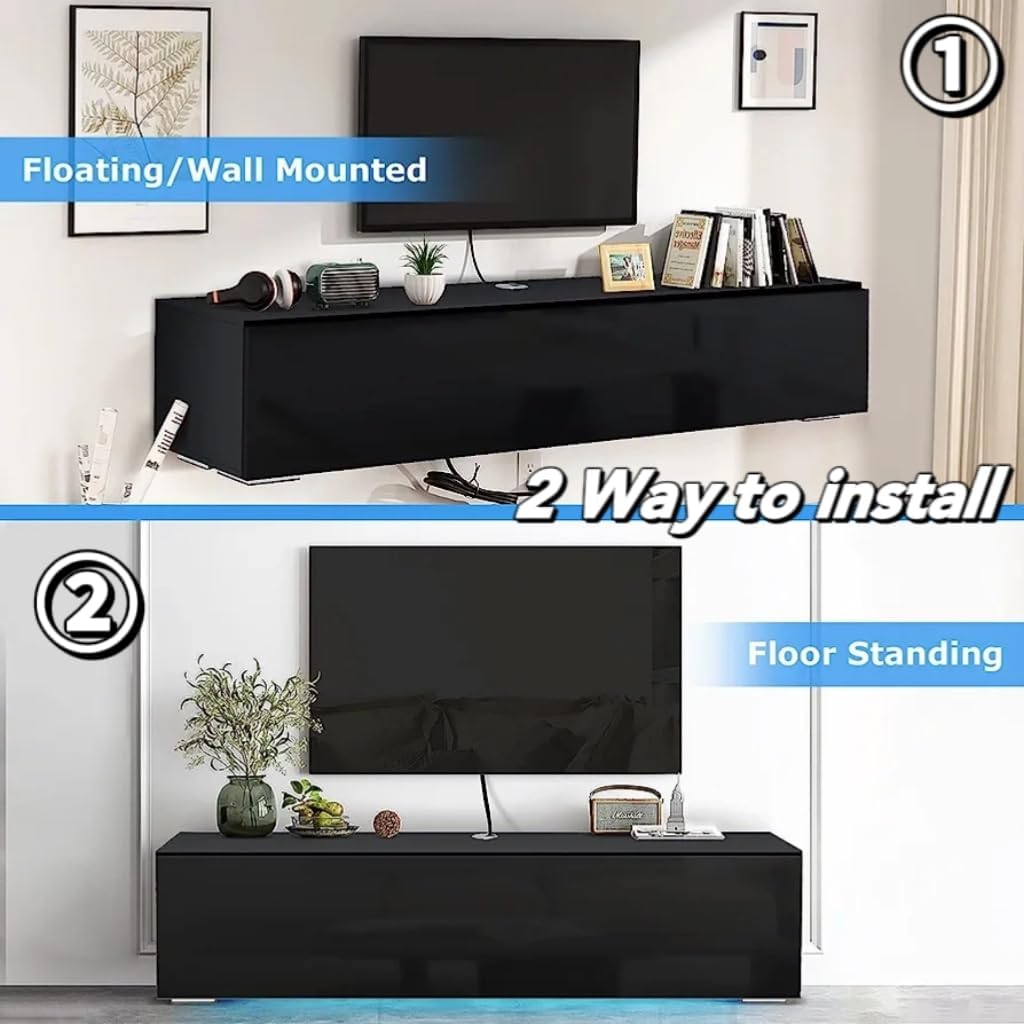
Image: The HOMMPA Floating TV Stand installed in a modern living room, demonstrating its aesthetic appeal and functionality.
Güvenlik Bilgileri
- Montajdan önce tüm bileşenlerin mevcut ve hasarsız olduğundan emin olun.
- Yaralanmaları veya ürüne zarar gelmesini önlemek için tüm montaj talimatlarını dikkatlice izleyin.
- Do not overload the TV stand. Refer to specifications for weight limits.
- When wall-mounting, ensure the wall material can support the weight of the stand and the television. Use appropriate wall anchors.
- Montaj sırasında küçük parçaları çocuklardan uzak tutun.
- Always use two or more people for lifting and moving the assembled unit.
Paket İçeriği
Before beginning assembly, verify that all parts and hardware are included in the package. Refer to the assembly diagram for a complete list of components.

Resim: Patlamış bir view diagram illustrating all panels, hardware, and accessories included in the product packaging.
Montaj Talimatları
This section provides step-by-step instructions for assembling your HOMMPA Floating TV Stand. Please read all steps before beginning. It is recommended to have a second person assist with assembly.
Montaj Video Kılavuzu
Video: A comprehensive assembly guide for the HOMMPA Floating TV Stand, demonstrating each step of the construction process.
Adım Adım Kılavuz
- Tabanı Hazırlayın: Attach the L-shaped plastic feet to the bottom panel using the provided screws. Ensure they are securely fastened.
- LED şerit montajı: Carefully stick the LED band to the designated area on the side of the base panel. Secure it with the provided buckles.
- Yan Panelleri Birleştirin: Insert cam bolts into the pre-drilled holes on the side panels. Attach the wire box to the top panel.
- Bağlantı Panelleri: Use wooden dowels and cam bolts to connect the side panels to the base and roof plates. Ensure all connections are tight.
- Arka Paneli Takın: Arka paneli, monte edilmiş çerçevenin oluklarına kaydırın.
- Kapıları Takın: Install the hinges onto the drop-down cabinet doors. Attach the air pressure rods to the doors and the main frame. Secure the doors to the main unit using the hinges and screws.
- Son Yerleştirme: Choose between wall-mounted or floor-standing installation. For wall-mounting, use appropriate wall anchors (not always included, check package contents) and ensure the wall can support the weight. For floor-standing, ensure the unit is level and stable.
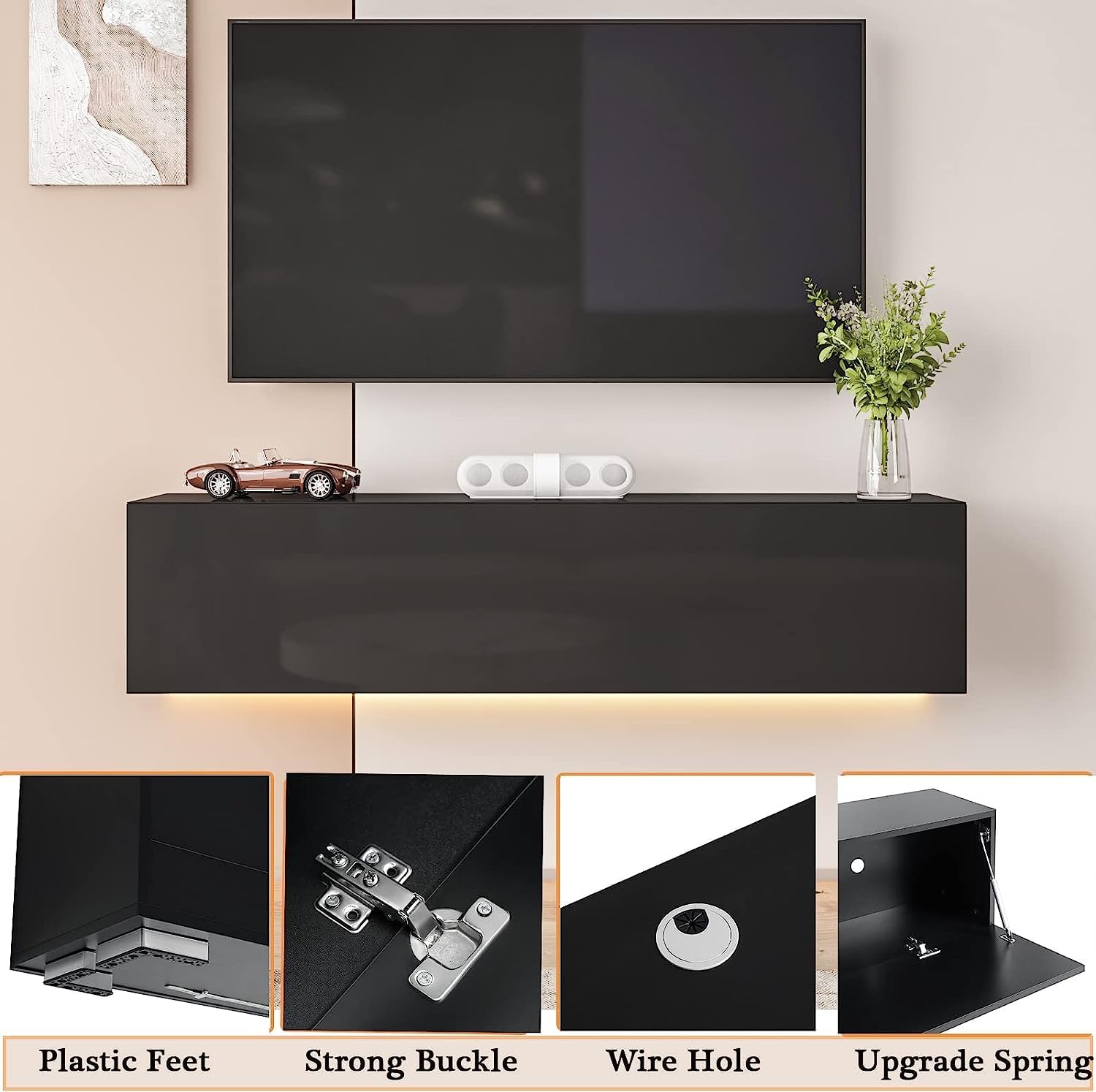
Resim: Ayrıntılı view of the plastic feet and other hardware components.

Image: The interior of the TV stand with open compartments, highlighting the wire management holes.

Image: Illustration of the two installation methods: floating (wall-mounted) and floor-standing.
Operating Instructions (LED Lights)
The integrated LED lighting system can be controlled via a dedicated mobile application or the included remote control. Ensure the LED strip is properly connected to a power source.
- Uygulama Kontrolü: Download the specified mobile application (refer to the LED light manual or packaging for app name). Connect your device to the LED lights via Bluetooth or Wi-Fi as instructed in the app. The app offers 29 dynamic styles and over 6 million color options, music mode, MIC mode, and timing functions.
- Uzaktan kumanda: Use the provided remote control to power on/off the lights, change colors, adjust brightness, and select various lighting modes.

Image: Screenshots demonstrating the mobile application interface for controlling the LED lighting features, including color selection and dynamic modes.
Bakım
To maintain the appearance and longevity of your TV stand:
- Temizlik: Wipe the surfaces with a dry cloth. Avoid abrasive cleaners or harsh chemicals that may damage the high-gloss finish.
- Toz alma: Toz birikmesini önlemek için cihazı düzenli olarak tozdan arındırın.
- Denetleme: Tüm vidaların ve bağlantıların sıkılığını düzenli olarak kontrol edin.
Sorun giderme
If you encounter any issues with your HOMMPA Floating TV Stand, refer to the following common solutions:
- Difficulty with Door Alignment: If cabinet doors are misaligned or do not close properly, check the hinge installation. Adjust the hinges as needed to achieve proper alignment. Ensure all screws are tightened evenly.
- Yapısal Kararsızlık: If the stand feels unstable or parts are separating, re-check all cam bolt and dowel connections. Ensure they are fully engaged and tightened. Avoid placing excessive weight on the unit.
- No Wire Access for Side Compartments: The design includes wire holes in the upper and lower plates for cable management. If specific side compartments lack direct wire access, consider routing cables through the main wire holes or consulting the manufacturer for alternative solutions.
- LED Işıklar Çalışmıyor: Verify that the LED strip is correctly connected to the power adapter and that the adapter is plugged into a functional power outlet. Check the remote control battery.
Daha fazla yardım için lütfen müşteri destek ekibiyle iletişime geçin.
Özellikler
| Özellik | Detay |
|---|---|
| Marka | HOMMPA |
| Model Numarası | TV Standno15 |
| Malzeme | Mühendislik Ahşap |
| Renk | Siyah |
| Ürün Boyutları | 55.1 x 11.8 x 12.5 inç |
| Ürün Ağırlığı | 36.2 pound |
| Çekmece Sayısı | 3 (referring to drop-down cabinets as drawers in product description) |
| Raf Sayısı | 1 (internal shelf) |
| Özel Özellik | LED Lighting, Wall-Mountable / Floor-Standing, High Gloss Front |
| Ürün Bakımı | Kuru Bezle Silin |
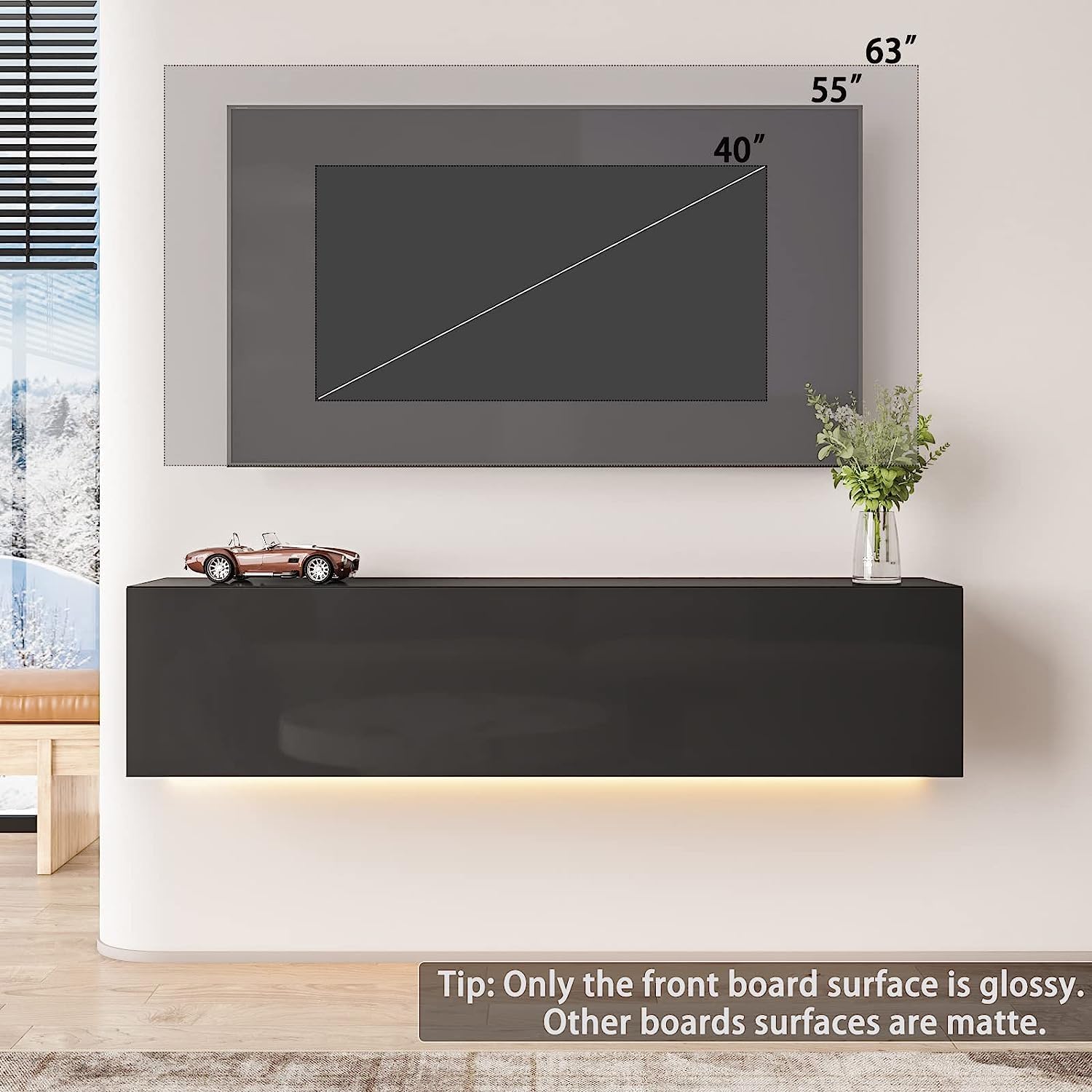
Image: Dimensional drawing of the TV stand, indicating length, width, and height measurements.
Garanti ve Destek
For any questions regarding assembly, missing parts, or product functionality, please contact HOMMPA customer support. Refer to your purchase documentation for specific warranty details.
If you encounter any issues during installation, please do not hesitate to contact us.