
1. Ürün Bittiview
The AOPUTTRIVER AP-5000A is a professional digital light meter designed for accurate measurement of illumination in various environments. It supports measurement of fluorescent, incandescent, and LED lamps up to 400,000 Lux (40,000 FC). Key features include a 270-degree rotatable detector, data logging capabilities, and connectivity for real-time monitoring.

Figure 1: AOPUTTRIVER AP-5000A Digital Light Meter highlighting its main features.
2. Paket İçeriği
Paketi açtığınızda aşağıda listelenen tüm öğelerin eksiksiz ve iyi durumda olduğundan emin olun. Herhangi bir öğe eksik veya hasarlıysa, lütfen müşteri desteğiyle iletişime geçin.
- AP-5000A Light Meter x 1
- Taşıma Çantası x 1
- AAA Pil x 2
- Tornavida x 1
- Kullanıcı Kılavuzu x 1

Figure 2: All items included in the AP-5000A package.
3. Ürün Bileşenleri
Familiarize yourself with the different parts of your AP-5000A Digital Light Meter:
- Fotodetektör: Sensor for light measurement.
- Sıvı Kristal Ekran (LCD): Displays measurement readings and settings.
- AÇIK/KAPALI Düğmesi: Cihazı açar veya kapatır.
- TUTMA Düğmesi: Ekrandaki mevcut ölçümü dondurur.
- MEM Düğmesi: Accesses data logging memory.
- LUX/FC Düğmesi: Lux ve Foot-Candle ölçü birimleri arasında geçiş yapar.
- MAKS/DAK Düğmesi: Displays maximum or minimum recorded values.
- Backlight Switch Button: LCD arka ışığını etkinleştirir veya devre dışı bırakır.

Figure 3: Labeled components of the AP-5000A Digital Light Meter.
4. Kurulum
4.1 Pil Kurulumu
- Cihazın arkasındaki pil bölmesini bulun.
- Pil bölmesi kapağını açmak için verilen tornavidayı kullanın.
- İki adet AAA pili, kutupların doğru olmasına dikkat ederek (+/-) takın.
- Pil bölmesi kapağını yerine takın ve vidayla sabitleyin.
4.2 İlk Güç Açma
Basın AÇIK/KAPALI button to power on the device. The LCD will illuminate and display the current light and temperature readings.
5. Kullanım Talimatları
5.1 Ölçüm Alma
Remove the protective cap from the photodetector. Point the photodetector towards the light source you wish to measure. The current light intensity will be displayed on the LCD.
5.2 Unit Selection (Lux/FC)
Basın LUX/FC button to switch between Lux and Foot-Candle measurement units. The selected unit will be indicated on the LCD.
5.3 Sıcaklık Birimi Seçimi (°C/°F)
The device also measures temperature. Refer to the manual for specific button combinations to switch between Celsius (°C) and Fahrenheit (°F) temperature units.
5.4 Veri Tutma
Basın TUTMAK button to freeze the current reading on the display. Press it again to release and resume live measurement.
5.5 MAKS/MİN Ölçümü
Basın MAKSİMUM/MİNİMUM button to cycle through maximum, minimum, and real-time values recorded during a measurement session. This helps identify peak and lowest light levels.
5.6 Arka Işık İşlemi
Basın Arka Işık Anahtarı button to turn the LCD backlight on or off, improving readability in low-light conditions.
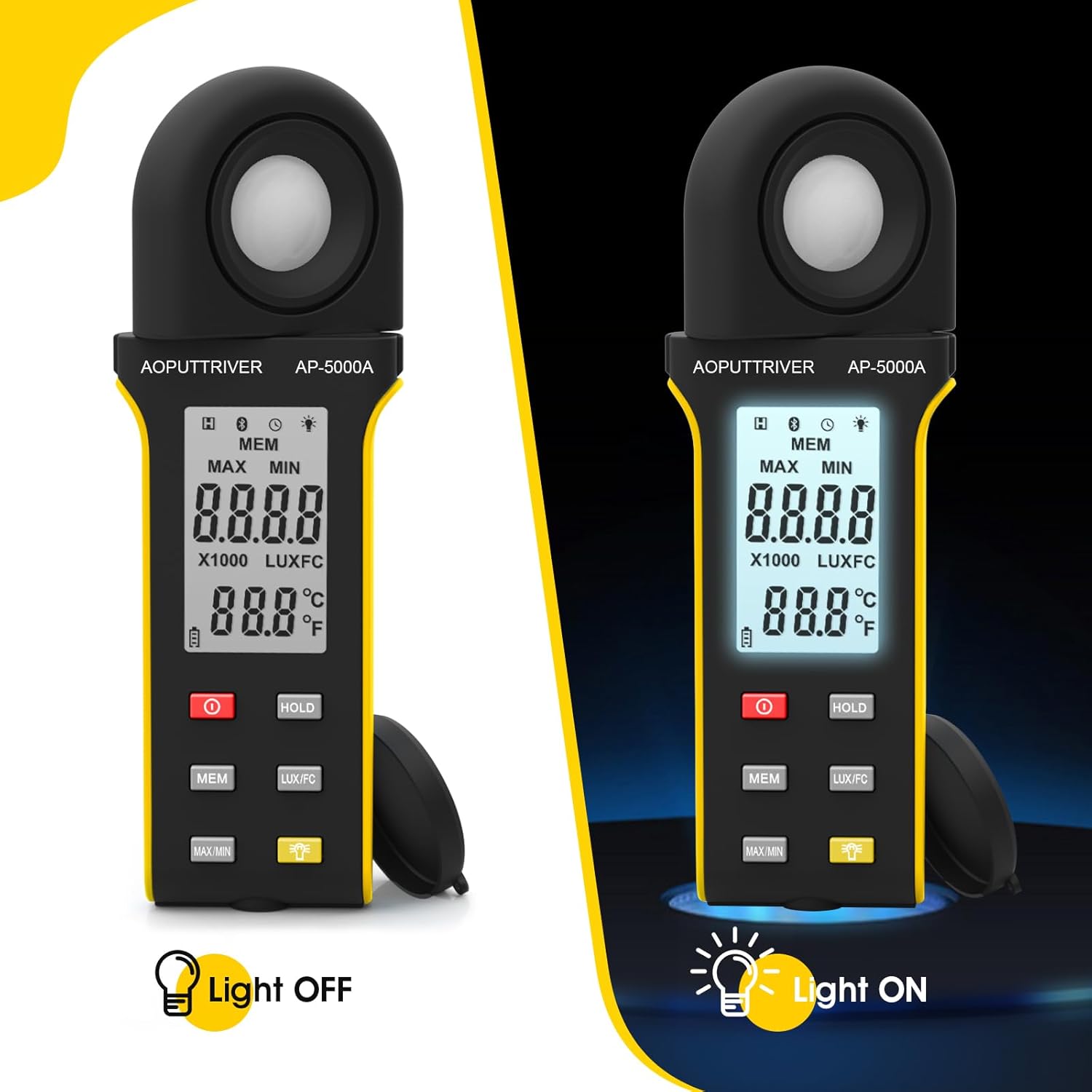
Figure 4: Comparison of the AP-5000A with backlight off and on.
6. Rotatable Detector
The AP-5000A features a 270-degree rotatable silicon filter diode sensor. This design allows you to measure photometric intensity from various angles without needing to reposition the entire meter. Simply rotate the sensor to face the light source while keeping the display visible for easy reading.
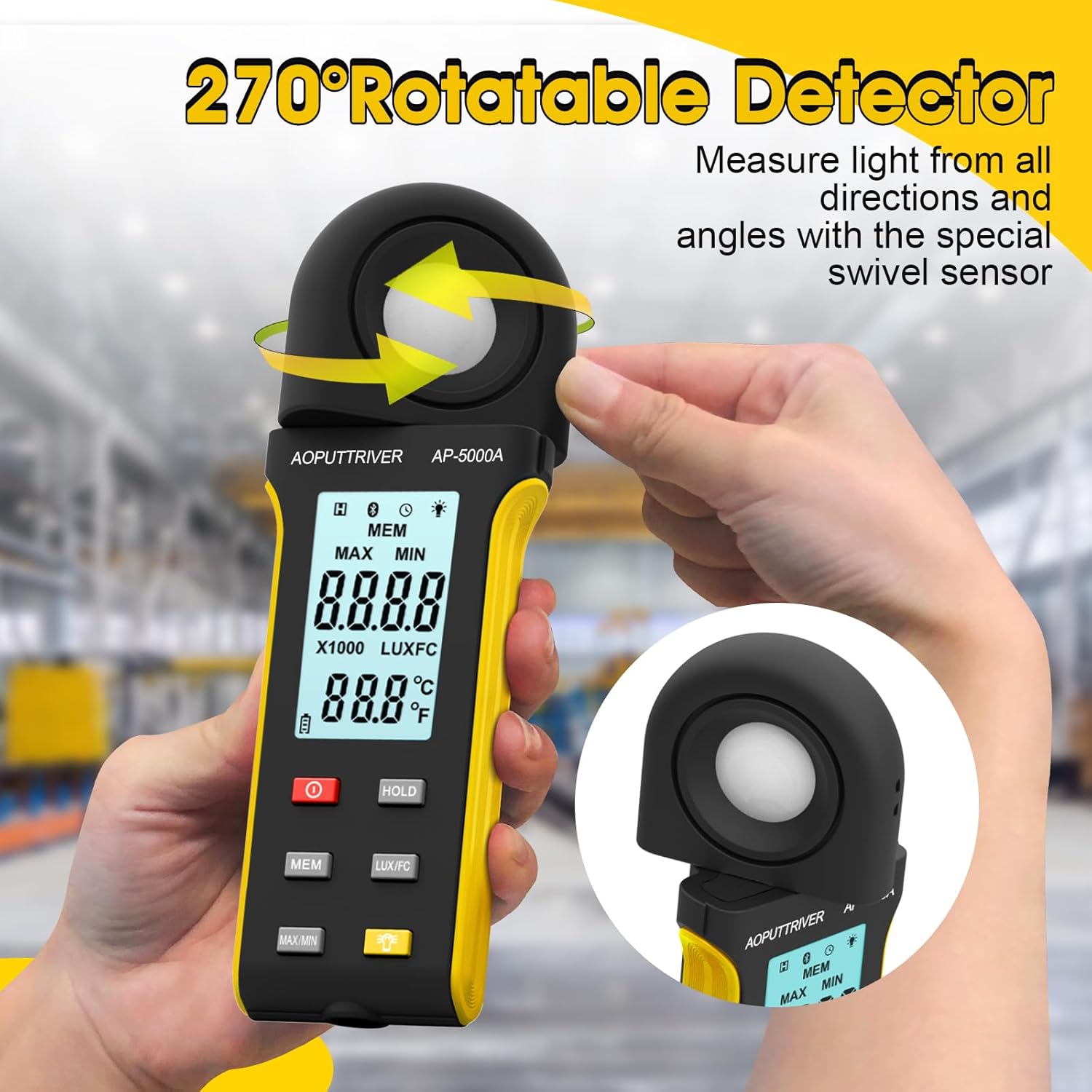
Figure 5: The 270-degree rotatable detector for flexible measurement.
7. Veri Kaydı
The meter supports data logging for up to 30 groups of measurements. This feature allows you to record and review light level data over time, which is useful for monitoring changes in lighting conditions for applications like plant growth or aquarium environments. Refer to the detailed instructions in the full user manual for specific steps on how to initiate, save, and recall data logs using the MEME düğme.
8. Uygulama Bağlantısı
The AP-5000A can connect to a smartphone application via Bluetooth. This allows for real-time tracking of data, remote control of certain functions, and advanced data analysis. Download the official AOPUTTRIVER app from your device's app store and follow the in-app instructions to pair your light meter.
9. Uygulamalar
The AOPUTTRIVER AP-5000A is a versatile tool suitable for a wide range of applications requiring precise light measurement:
- Indoor Plant Growing: Optimizing light levels for various plant species.
- Akvaryumlar: Ensuring appropriate lighting for aquatic life.
- Fotoğrafçılık ve Videografi: Setting up ideal lighting conditions.
- Workplace and School Environments: Assessing illumination for comfort and productivity.
- Kamusal Alanlar: Measuring light in libraries, stages, and street lighting.
- Endüstriyel Ayarlar: Monitoring lighting in factories and warehouses.

Figure 6: Diverse applications of the AP-5000A Light Meter.
10. Bakım ve Özen
- Temizlik: Use a soft, dry cloth to clean the device. Do not use abrasive cleaners or solvents. Ensure the photodetector is kept clean and free of dust for accurate readings.
- Depolamak: When not in use, store the meter in its carrying bag with the protective cap on the photodetector. Store in a cool, dry place away from direct sunlight and extreme temperatures.
- Pil Değişimi: Replace batteries when the low battery indicator appears on the LCD to ensure continuous accurate operation.
- Otomatik kapatma: The device features an automatic shutdown function after 15 minutes of inactivity to conserve battery life.
11. Sorun Giderme
- Ekranda görüntü yok/güç açılmıyor: Pillerin montajını kontrol edin ve pillerin bitmediğinden emin olun. Gerekirse değiştirin.
- Yanlış Okumalar: Ensure the photodetector is clean and unobstructed. Verify that the correct measurement unit (Lux/FC) is selected. Avoid measuring in rapidly changing light conditions.
- Uygulama Bağlantı Sorunları: Ensure Bluetooth is enabled on your smartphone and the meter. Restart both the app and the meter. Check that the app is up to date.
- "OL" Ekranı: Indicates an overload, meaning the measured light intensity exceeds the meter's maximum range.
12. Özellikler
| Özellik | Şartname |
|---|---|
| Model Numarası | AP-5000A |
| Ölçüm Aralığı | 0.1 ~ 400,000 Lux (0.1 ~ 40,000 FC) |
| Çözünürlük | 0.1 LUX/FC |
| Kesinlik | ≤10000Lux: +/-4% rgd+/-1.0% f.s. ≥10,000Lux: ±5% rgd+/-1.5% f.s ≥200,000Lux: +/-8% rdg+/-2.0%f.s |
| Detector Rotation | 270 derece |
| Veri Kayıt Kapasitesi | 30 gruba kadar |
| Otomatik Kapanma | 15 dakikalık hareketsizlikten sonra |
| Görüntülemek | HD Backlight LCD |
| Güç Kaynağı | 2 x AAA Pil |
| Ürün Ağırlığı | 7.8 ons |
| Paket Boyutları | 7.99 x 3.43 x 1.93 inç |
13. Garanti ve Destek
AOPUTTRIVER products are manufactured to high-quality standards. For warranty information, technical support, or service inquiries, please refer to the contact details provided on the product packaging or visit the official AOPUTTRIVER webSite. Satın alma fişinizi, garanti talepleriniz için satın alma belgeniz olarak saklayın.