
1. Giriş
The SHX SHXA700 Infrared Heating Panel is designed to provide efficient and comfortable heating for your living spaces. Featuring a modern, frameless design with a white carbon crystal surface, it seamlessly integrates into any room. This 700W panel offers WiFi connectivity, remote control operation, and a programmable thermostat for optimal energy saving and comfort. This manual provides essential information for the safe and effective use of your heating panel.

Figure 1: SHX SHXA700 700W WiFi Infrared Heating Panel, front view. A clean, white rectangular infrared heating panel, showcasinminimalist tasarımıyla.
2. Güvenlik Talimatları
Please read all safety instructions carefully before installation and use. Failure to follow these instructions may result in electric shock, fire, or personal injury.
- Güç kaynağı hacmini sağlayıntage cihazın üzerindeki derecelendirme etiketiyle eşleşiyor.
- Hasarlı bir kablo veya fişle ısıtıcıyı çalıştırmayın. Kablo hasar görmüşse, tehlikeyi önlemek için üretici, yetkili servis temsilcisi veya benzer niteliklere sahip kişiler tarafından değiştirilmelidir.
- Do not cover the heater. Covering the heater can cause overheating.
- Maintain a minimum distance of 100 cm from the front of the heater to any objects, and 20 cm from the sides and top to walls or other surfaces.
- This appliance is rated IP44, making it suitable for use in bathrooms. However, it must not be installed directly above a bath, shower, or swimming pool.
- Isıtıcı açıklıklarına herhangi bir cisim sokmayın.
- The heater is equipped with overheating protection. If the heater overheats, it will automatically shut off. Unplug the heater and allow it to cool down before restarting.
- Isıtıcı çalışırken çocukları ve evcil hayvanları ısıtıcıdan uzak tutun.
- Temizlik veya bakım işlemlerinden önce ısıtıcının fişini daima çekin.
3. Paket İçeriği
Kutuyu dikkatlice açın ve tüm ürünlerin eksiksiz ve hasarsız olduğundan emin olun. Herhangi bir ürün eksik veya hasarlıysa, satıcınızla iletişime geçin.
- Kızılötesi Isıtma Paneli
- Kullanıcı Kılavuzu
- Uzaktan kumanda
- Duvara montaj için vidalar ve dübeller
- Optional Feet for freestanding placement
4. Ürün Özellikleri
The SHX SHXA700 Infrared Heating Panel offers a range of features designed for convenience and efficiency:
- Güçlü 700W Çıkış Gücü: Provides effective heating for rooms up to 14 m².
- Integrated WiFi Functionality: Control your heater remotely via a smartphone app.
- Uzaktan kumanda: Convenient operation with the included remote.
- 24 Saatlik Zamanlayıcı: Program specific operating times for energy saving.
- Ayarlanabilir Termostat: İstediğiniz oda sıcaklığını koruyun.
- Aşırı Isınma Koruması: Geliştirilmiş güvenlik özelliği.
- IP44 Derecesi: d'de kullanıma uygunduramp banyo gibi ortamlar.
- Modern Tasarım: Frameless white carbon crystal surface for aesthetic integration.
- LCD Ekran: Clear display for settings and status.

Figure 2: SHX Infrared Heating Panel features. An infographic highlighting the main features of the SHX SHXA700 infrared heating panel, including WiFi connectivity, remote control, 24-hour timer, adjustable thermostat, and overheating protection. It also indicates suitability for up to 14m² rooms.
5. Kurulum ve Kurulum
The SHX SHXA700 heating panel can be installed either wall-mounted or freestanding using the optional feet.
5.1 Duvara Montaj
- Choose a suitable location on a wall, ensuring sufficient clearance from other objects (refer to Safety Instructions).
- Mark the drilling points on the wall using the provided template or by measuring the panel's mounting holes.
- Delikler açın ve verilen dübelleri yerleştirin.
- Birlikte verilen vidaları kullanarak montaj braketlerini duvara sabitleyin.
- Carefully hang the heating panel onto the mounting brackets, ensuring it is securely seated.
- Güç kablosunu uygun bir elektrik prizine takın.
5.2 Freestanding Placement
- Attach the optional feet to the bottom of the heating panel using the provided screws.
- Paneli devrilmeyecek şekilde, sağlam ve düz bir yüzeye yerleştirin.
- Ensure sufficient clearance from other objects (refer to Safety Instructions).
- Güç kablosunu uygun bir elektrik prizine takın.

Figure 3: SHX Infrared Heating Panel in various room settings. A collage of four images demonstrating the SHX infrared heating panel's versatile placement options in different rooms: a living room, a bedroom, a bathroom, and an office, illustrating its modern design integration.

Figure 4: SHX SHXA700 Infrared Heating Panel dimensions. A diagram illustrating the physical dimensions of the SHX SHXA700 infrared heating panel, showing its width (1200mm), height (500mm), and depth (45mm), along with its weight (2.9 kg).
6. Kullanım Talimatları
The heating panel can be operated using the integrated control panel on the back or the included remote control.
6.1 Kontrol Paneli Üstüview
The control panel is located on the back of the unit and includes buttons for power, WiFi, temperature adjustment, timer, and an LCD display.
6.2 Temel İşlemler
- Güç Açma/Kapatma: Isıtıcıyı açmak veya kapatmak için kontrol panelindeki veya uzaktan kumandadaki güç düğmesine basın.
- Sıcaklık Ayarı: Use the '+' and '-' buttons to set your desired temperature. The LCD display will show the current and target temperatures.
- Zamanlayıcı Fonksiyonu: Press the timer button to activate and set the 24-hour timer. Follow the on-screen prompts to program the desired operating duration.

Figure 5: SHX Infrared Heating Panel control panel and remote control. A close-up view of the heating panel's integrated control unit on the side, featuring power, WiFi, LCD display, 24-hour timer, and indicator light buttons, alongside the included remote control for easy operation.
7. WiFi Connectivity & App Control
The SHX SHXA700 heating panel features integrated WiFi, allowing for smart control via your smartphone.
- Uygulamayı indirin: Download the "Tuya Smart" app from your smartphone's app store (available for iOS and Android).
- Kayıt Ol/Giriş Yap: Yeni bir hesap oluşturun veya mevcut Tuya Smart hesabınıza giriş yapın.
- Cihaz Ekle: Follow the in-app instructions to add your SHX heating panel. This typically involves putting the heater into pairing mode (refer to the app's guide for specific steps, usually by holding the WiFi button on the control panel).
- WiFi'ye bağlanın: Select your home WiFi network and enter the password.
- Kontrol: Once connected, you can control the heater's power, temperature, timer, and other settings directly from the app.
- Akıllı Ev Entegrasyonu: The Tuya Smart app supports integration with voice assistants like Amazon Alexa and Google Home, allowing for voice control of your heating panel.

Figure 6: SHX Infrared Heating Panel WiFi and integrated timer features. An image showing the heating panel's WiFi symbol and a smartphone displaying the "Tuya Smart" app interface, along with logos for Alexa and Google Home, indicating smart home compatibility and a 24-hour timer function.
8. Bakım
Regular cleaning and maintenance will ensure the longevity and optimal performance of your heating panel.
- Temizlik: Always unplug the heater and allow it to cool completely before cleaning. Wipe the surface with a soft, damp Bez kullanın. Yüzeye zarar verebileceğinden aşındırıcı temizleyiciler, çözücüler veya sert kimyasallar kullanmayın.
- Depolamak: Isıtıcıyı uzun süre saklayacaksanız, temiz ve kuru olduğundan emin olun. Serin ve kuru bir yerde, tercihen orijinal ambalajında saklayın.
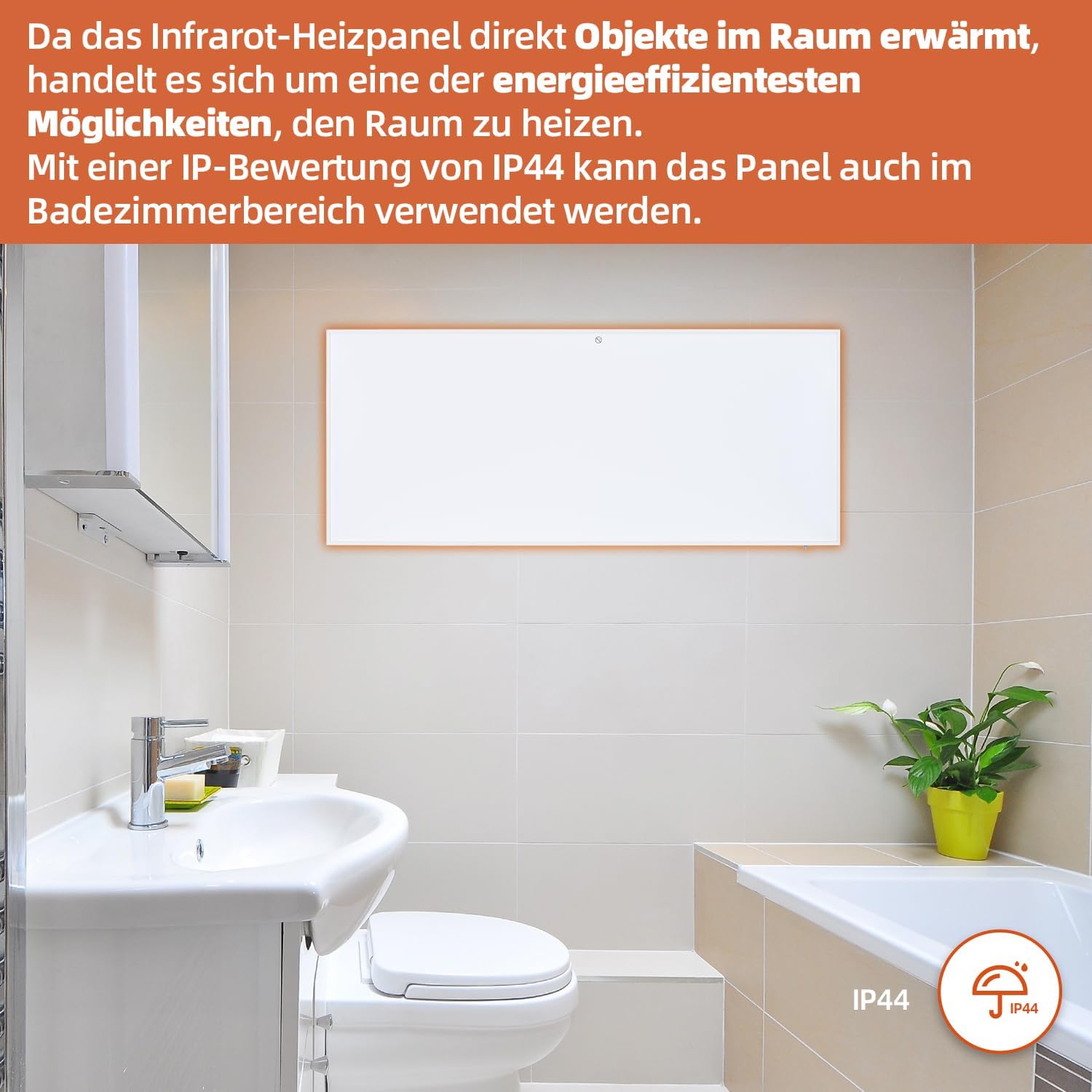
Figure 7: SHX Infrared Heating Panel with IP44 rating. The infrared heating panel mounted in a modern bathroom setting, emphasizing its IP44 water resistance rating, making it safe for use in damp ortamlar.
9. Sorun Giderme
If you encounter any issues with your SHX heating panel, refer to the following common problems and solutions:
| Sorun | Olası Neden | Çözüm |
|---|---|---|
| Isıtıcı açılmıyor. | No power supply. Overheating protection activated. | Check if the power cord is securely plugged in and the outlet is functional. Unplug the heater, allow it to cool for 30 minutes, then plug it back in. |
| WiFi bağlantısı başarısız oldu. | Incorrect WiFi password. Heater not in pairing mode. Router issues. | Ensure correct WiFi password. Put the heater into WiFi pairing mode (refer to app instructions). Restart your WiFi router. Ensure the heater is within WiFi range. |
| Uzaktan kumanda çalışmıyor. | Piller bitmiş veya yanlış takılmış. Uzaktan kumanda ile ısıtıcı arasında engel var. | Replace the batteries in the remote control (requires 2 AAA batteries). Ensure there is a clear line of sight between the remote and the heater's receiver. |
| Isıtıcı etkili bir şekilde ısıtmıyor. | Temperature setting too low. Room size exceeds heater capacity. Drafts. | Increase the target temperature. Ensure the room size is within the recommended range (up to 14 m²). Seal any drafts in the room. |
10. Özellikler
| Şartname | Değer |
|---|---|
| Marka | ŞX |
| Model Numarası | SHXA700-WiFi |
| Renk | Beyaz |
| Ürün Boyutları (U x G x Y) | 120x50x4.5 cm |
| Ağırlık | 2.9 Kilogram |
| Güç | 700 Watt |
| Cilttage | 220 Volt (AC) |
| Enerji Verimliliği Sınıfı | A'dan G'ye |
| Gürültü Seviyesi | 1 Desibel |
| Özel Özellikler | WiFi Compatible, Overheating Protection, Programmable Thermostat, Remote Control, Energy Efficient |
| Güç Kaynağı | Kablolu Elektrik |
| Isıtma Yöntemi | Radyant |
| Önerilen Kullanım | İç Mekan, Ev |
| Montaj Tipi | Wall Mount, Floor Mount (with optional feet) |
| Uzaktan Kumanda için Gerekli Piller | 2 adet AAA pil |
| Menşei ülke | Çin |
11. Garanti ve Destek
The SHX SHXA700 Infrared Heating Panel comes with a 2 yıllık garanti Satın alma tarihinden itibaren geçerlidir. Lütfen garanti talepleriniz için satın alma belgenizi saklayın.
For technical support, warranty claims, or any questions regarding your product, please contact your retailer or the manufacturer's customer service. Contact information can typically be found on the product packaging or the manufacturer's official webalan.